
Steinberg has released the all-in-one multi-instrument "HALion 7." This version includes "FM Zone," an FM synth developed in cooperation with YAMAHA, "Tales," a new instrument combining guitar and synth, 10 new effects, and audio editing features using the newly developed "Spectral Zone." Spectral Zone in particular is an innovative technology that minimizes sound degradation even with large tempo changes, greatly improving the quality of re-tempoing drum loops and editing samples. This enables higher-quality music production for everyone from beginners to advanced users.
A Comprehensive Update That Leaves No Gaps for an All-in-One Instrument

Steinberg, famous for Cubase, the most popular DAW, has released the all-in-one multi-instrument "HALion 7".
HALion comes with many acoustic instrument presets, of course, as well as a wide variety of synthesizer types and effects.
With this one product, the quality of your song tracks improves greatly; it is a reliable product.
This version adds an FM synth, diverse audio features and effects, evolving into an even more complete product.
Let's look at the details of these notable new features!
All-in-One Instrument "HALion 7" New Features Roundup Video
- 1FM Zone
- 2New instrument Tales
- 310 new effects
- 4Spectral Zone
- 5Processing separated into tonal and noise
- 6Improved modulation and envelopes
- 7The evolution of Wavetable Zone
- 8Adding and loading IR data
- 9Improved Macro Page Editor
- 10Other new features
FM ZONE
An FM synth section developed in cooperation with YAMAHA, which created the classic FM synth "DX7," has been added.
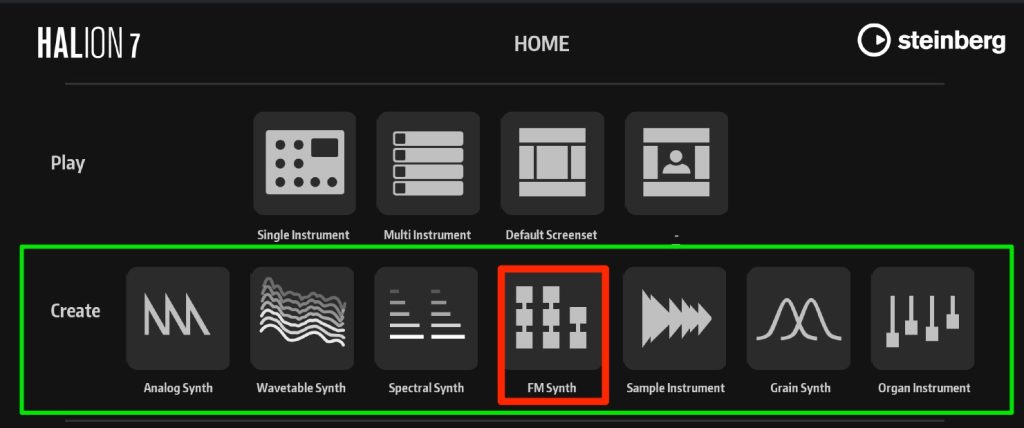
When you launch HALion 7, FM Synth has been added.
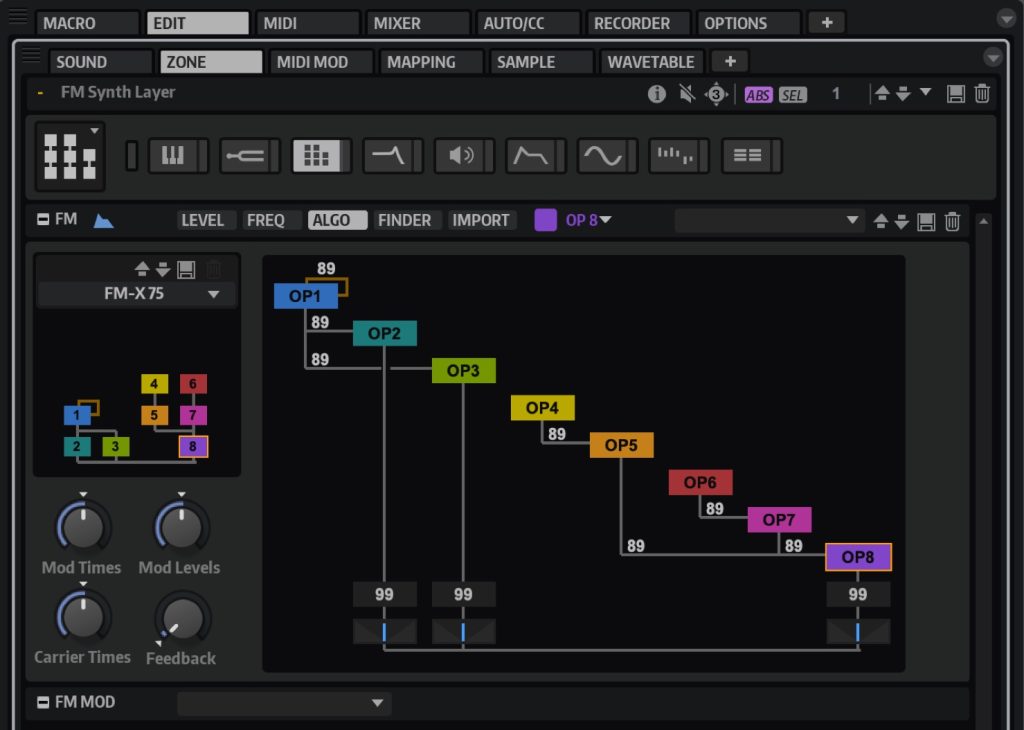
As you can see, it has eight operators.
Those who know it will immediately recognize how similar it is to the classic DX7.
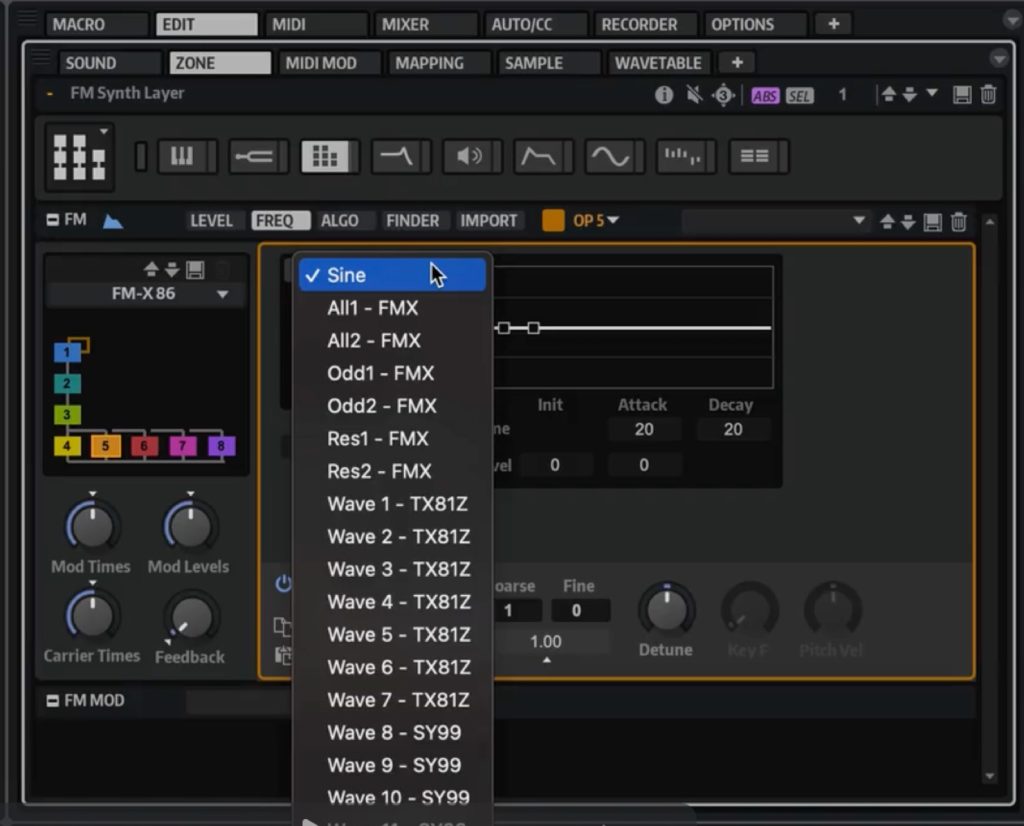
Each operator can choose not only sine waves but various waveforms, enabling a wider range of sound design than the original, so you can enjoy FM sounds to your heart's content.
FM Lab
If you are not good at synth sound design, don't worry.
This "FM Lab" provides a wealth of presets ready for immediate use.
A distinctive synth bass sound that seems easy to use in a song
A very famous FM electric piano sound
A pad sound that naturally fills the gaps in a track
They feel like presets ready for immediate use that are simply easy to use in songs!
Loading presets is also easy.
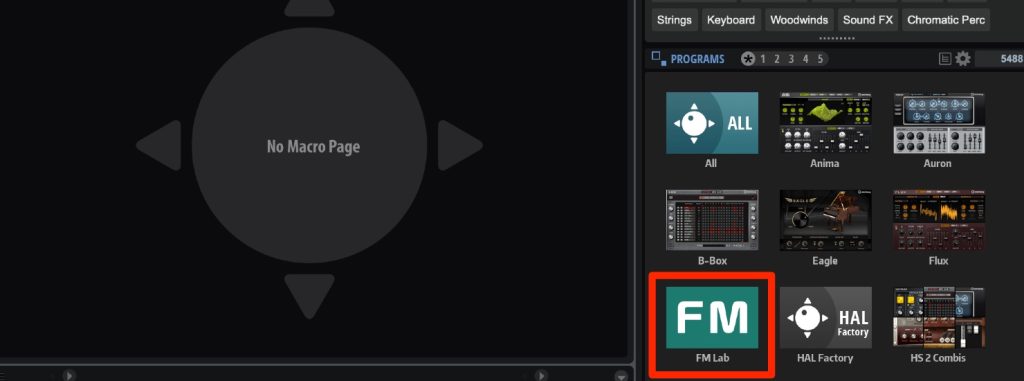
Select "FM Lab" in the right window.

The presets are displayed.
Tag search has been added to MediaBay, making it even smoother to narrow down preset sounds.
You can also change the sound based on the selected preset.
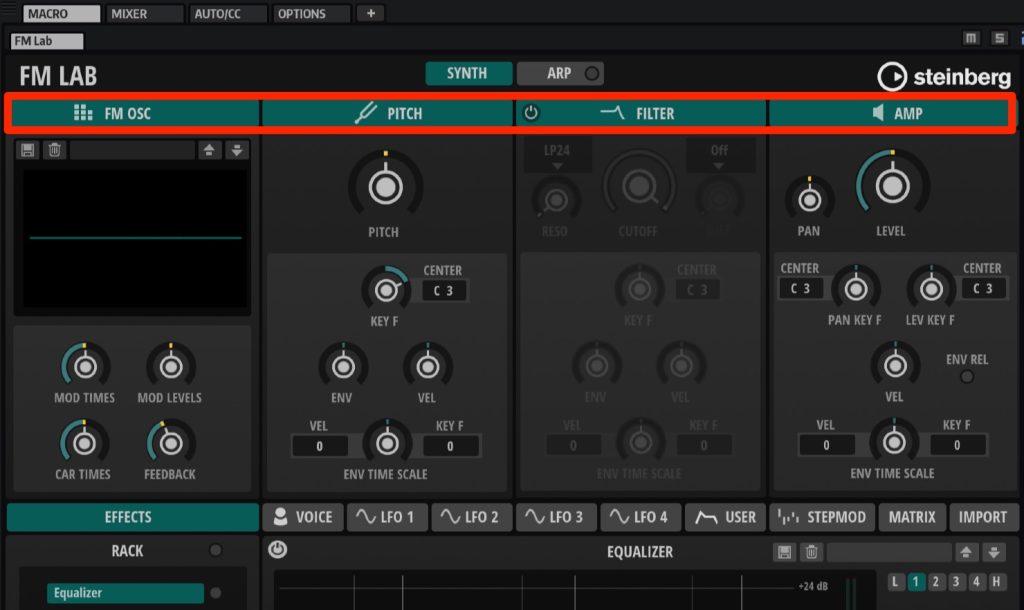
As shown, the main functions are gathered in MACRO, so you can edit sounds quickly and intuitively.
Clicking each item at the top
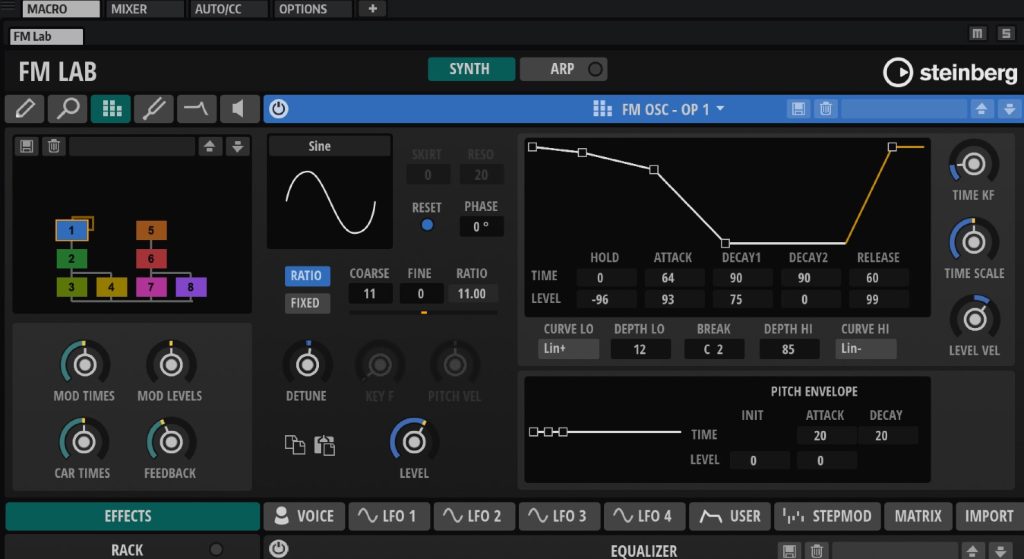
takes you inside it for even more detailed editing, so even advanced synth users can refine the sound until they are satisfied.
New Instrument Tales Added
"Tales," a unique instrument layering a beautiful classical guitar with textures (synth sounds), has been added.
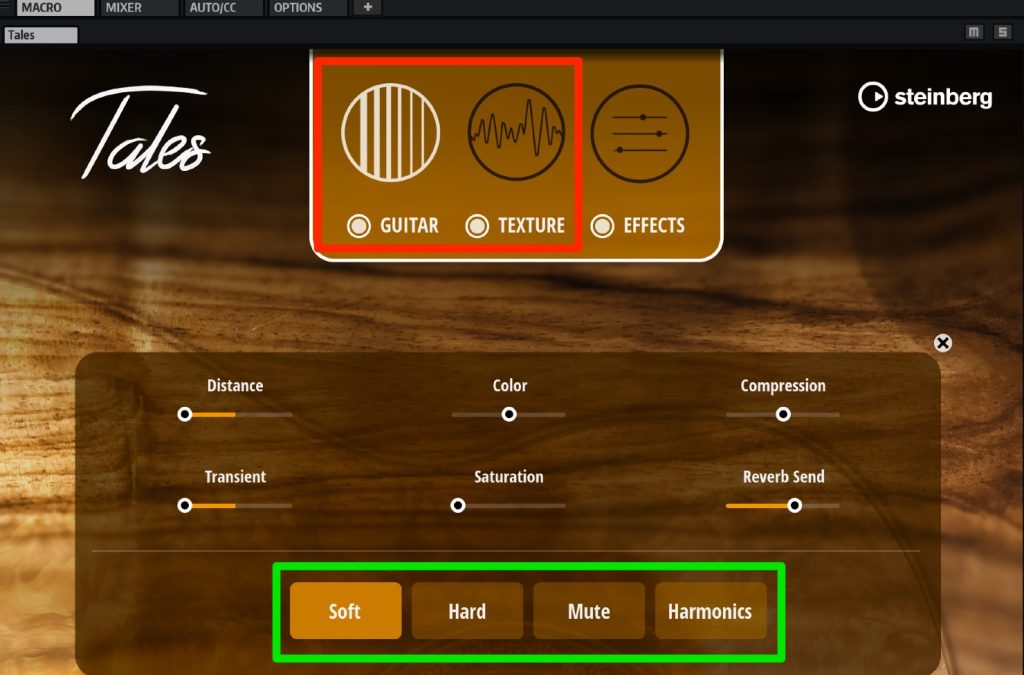
The guitar and texture are independent, so you can edit each sound separately.
In the guitar section, you can choose the sound type from four playing techniques: Soft, Hard, Mute and Harmonics.

Expanding the texture page in the center lets you change the layered synth sound.
Below are combinations of these.
The guitar technique is set to Hard, and Tales' built-in delay and reverb are applied as effects.
Guitar (Hard) only
Texture only
Guitar (Hard) + texture
Switching the guitar technique to Harmonics gives a more transparent sound.
Guitar (Harmonics) + texture
It looks like it will be useful in many genres, such as pop, electronic and ambient.
It is a beautiful, standout sound, yet what is really appealing is that it blends naturally into a song.
Exporting Chord MIDI Data to the DAW
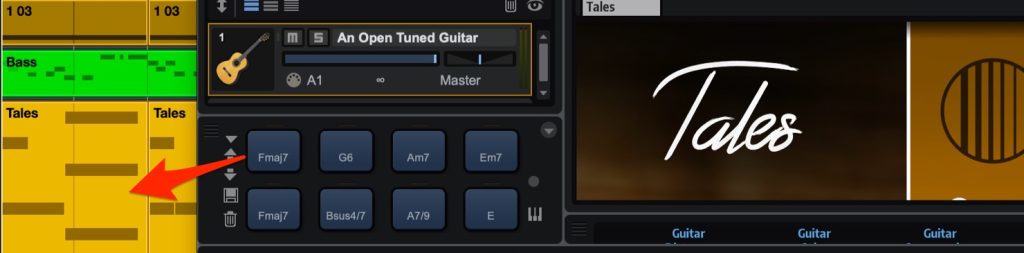
When you load a preset, chords that match the sound are assigned to the trigger pads.
Just drag and drop these chords into your DAW to import the MIDI data.
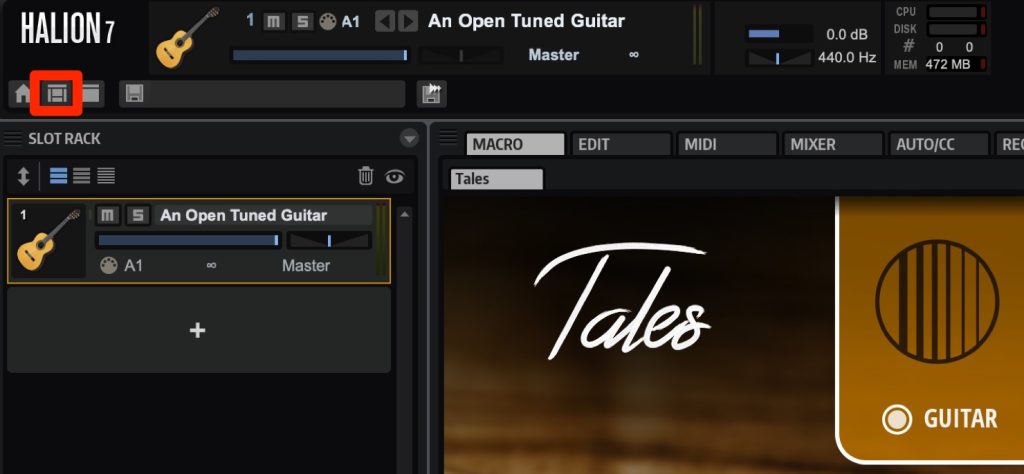
If these trigger pads are not shown, click the icon at the top left and select "Default."
10 New Effects Added
Ten new effects have been added, enabling even more diverse sound design.
Bass effects are particularly well covered: 8 of the 10 were bass-related effects.
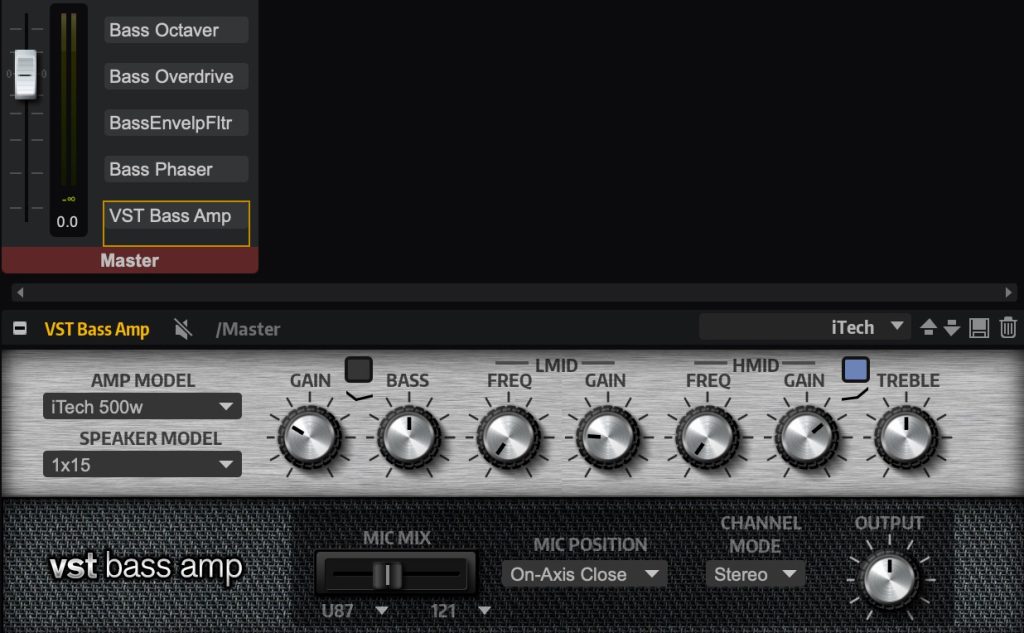
We tried adding low-end reinforcement with an octaver, modulation, and the air of a bass amp.
Original bass sound
Bass sound after applying effects
As you can hear, they also match synth sounds and let you give the sound a character that suits your song.
Spectral Zone
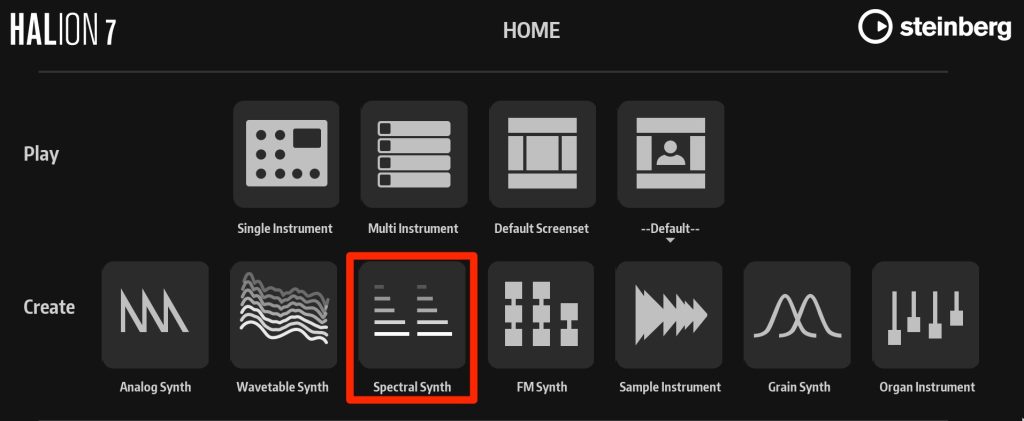
A newly developed technology called the "time stretch & resynthesis algorithm" is used, greatly reducing sound degradation when editing audio.
As an example, we sync an audio drum loop (tempo 135) to a DAW tempo of 107.
Select "Spectral Synth."
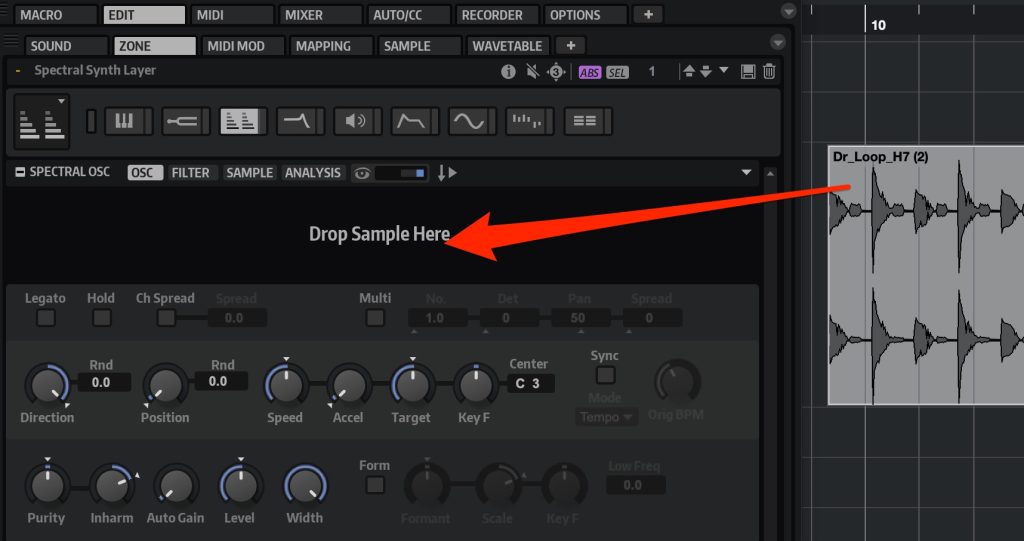
Drag and drop the audio sample into HALion 7. (It is material at tempo 135.)

Select "EDIT" → "SAMPLE" and set the start and end points by dragging.
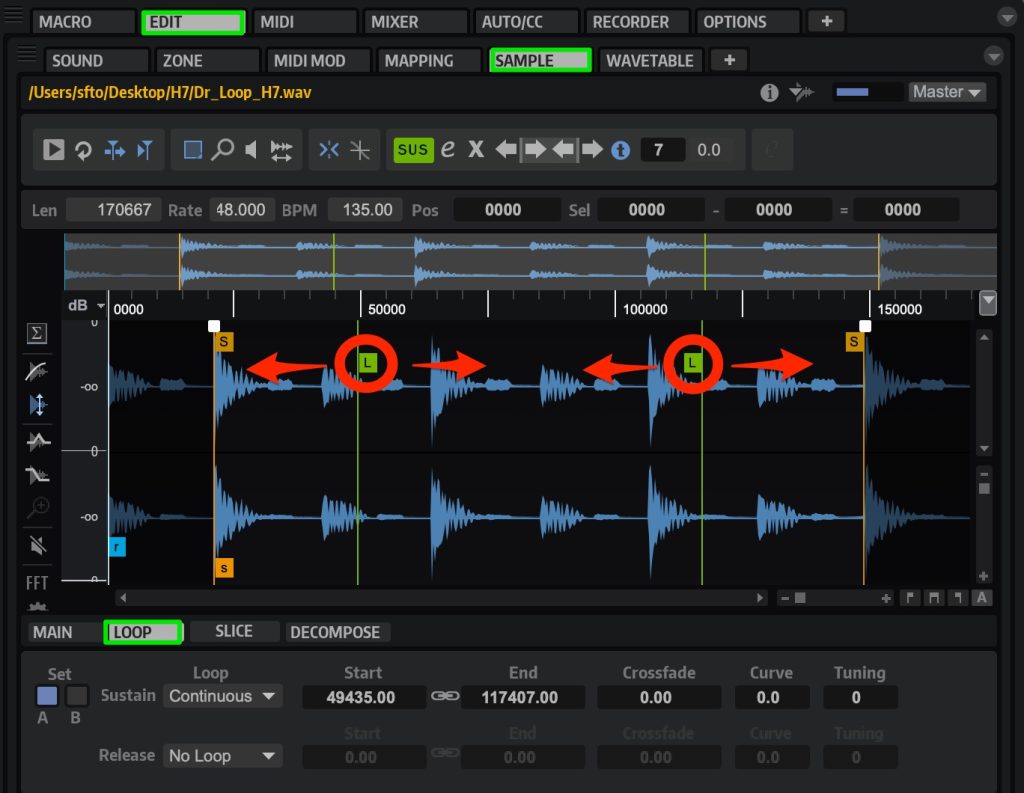
Set the loop points in the same way.
Select the "LOOP" tab and drag "L" to specify the start and end points.
Playing the note "C3" in this state plays it back at the original tempo (135).
Original drum loop, BPM 135
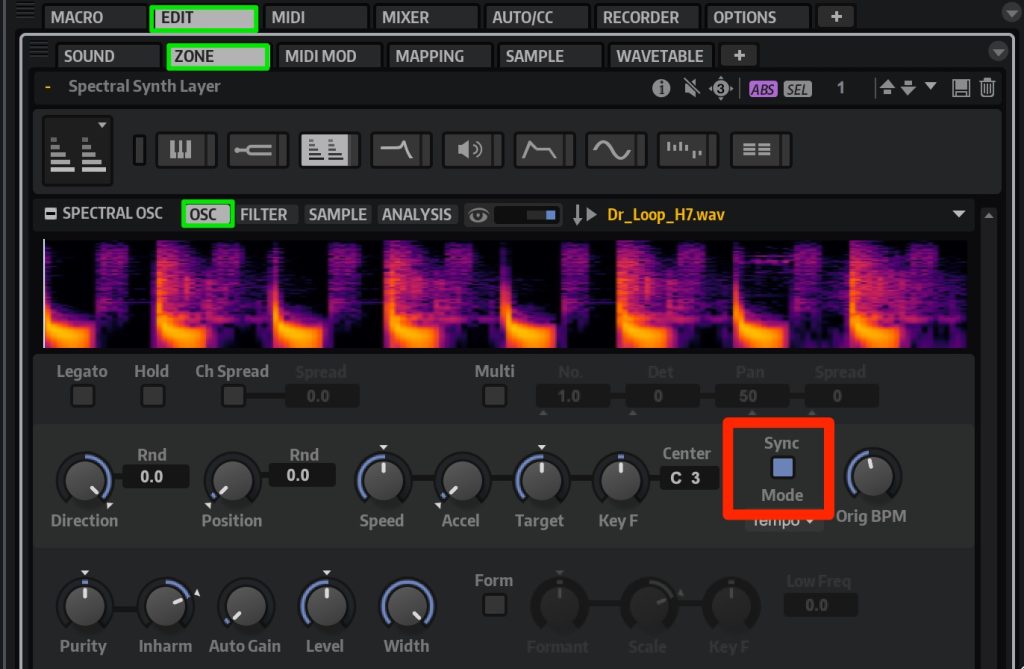
Select the "OSC" tab and light up "SYNC."
It now syncs to 107, the tempo set on the DAW side.
Playing the same "C3" note plays the drum material at BPM 107.
This alone sounds good, but we want to emphasize the transients (attack) a bit more.
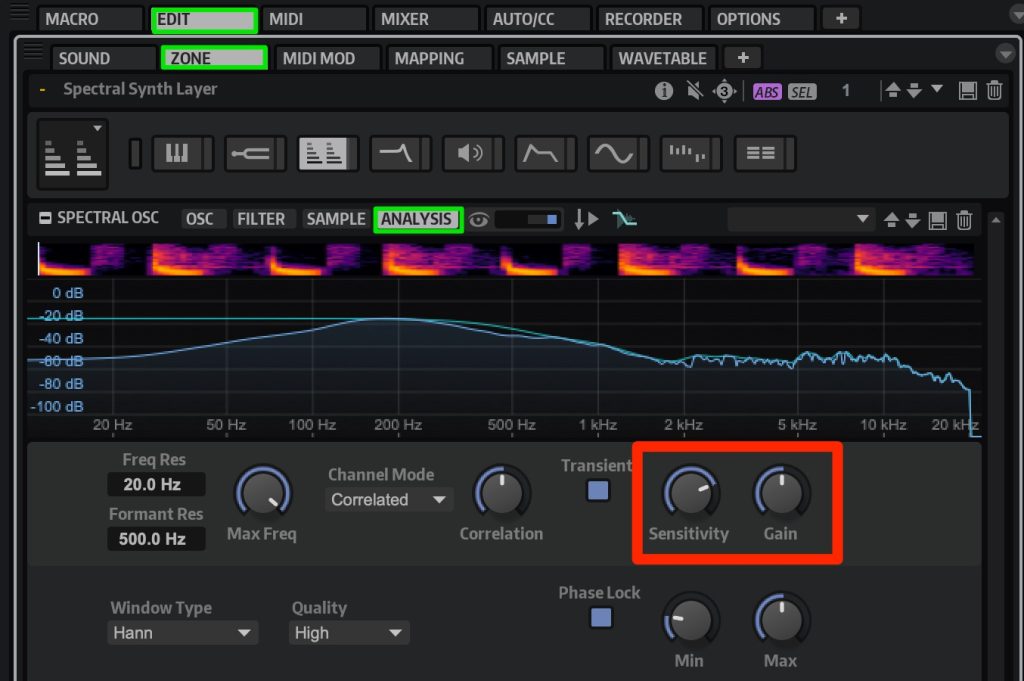
First, move from "OSC" to the "ANALYSIS" tab.
Set the transient detection sensitivity with "Sensitivity."
The higher the value, the more transients are detected, and detected transients are not time-stretched.
This preserves a natural sound.
Adjust the transient volume with "Gain."
Drum loop after adjustment
The impression is now closer to the original.
I was surprised that the nuance of the original sound did not fall apart even with such a large tempo change.
Processing Separated into Tonal and Noise
Samples can now be separated into tonal (pitched) and noise components for editing.
You can fine-tune the material's sound to get closer to your image, or create new nuances and instruments.
Original sample
Tonal only
Noise only
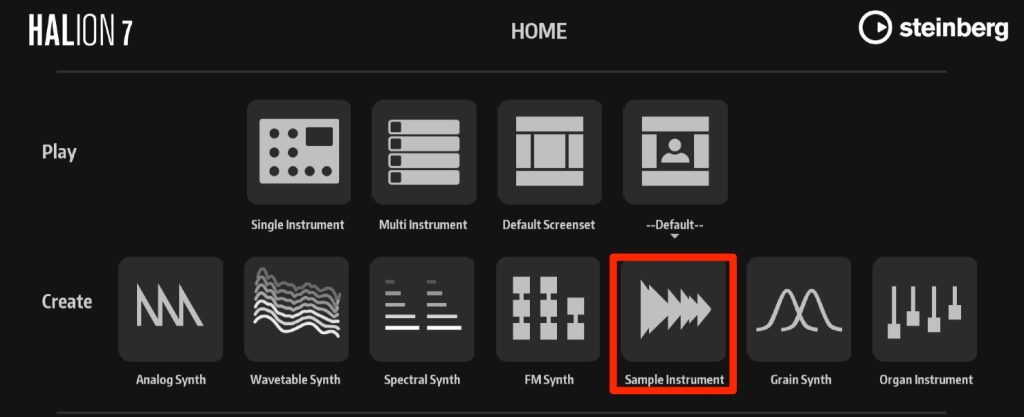
Open "Sample Instrument" and drag and drop the audio data you want.
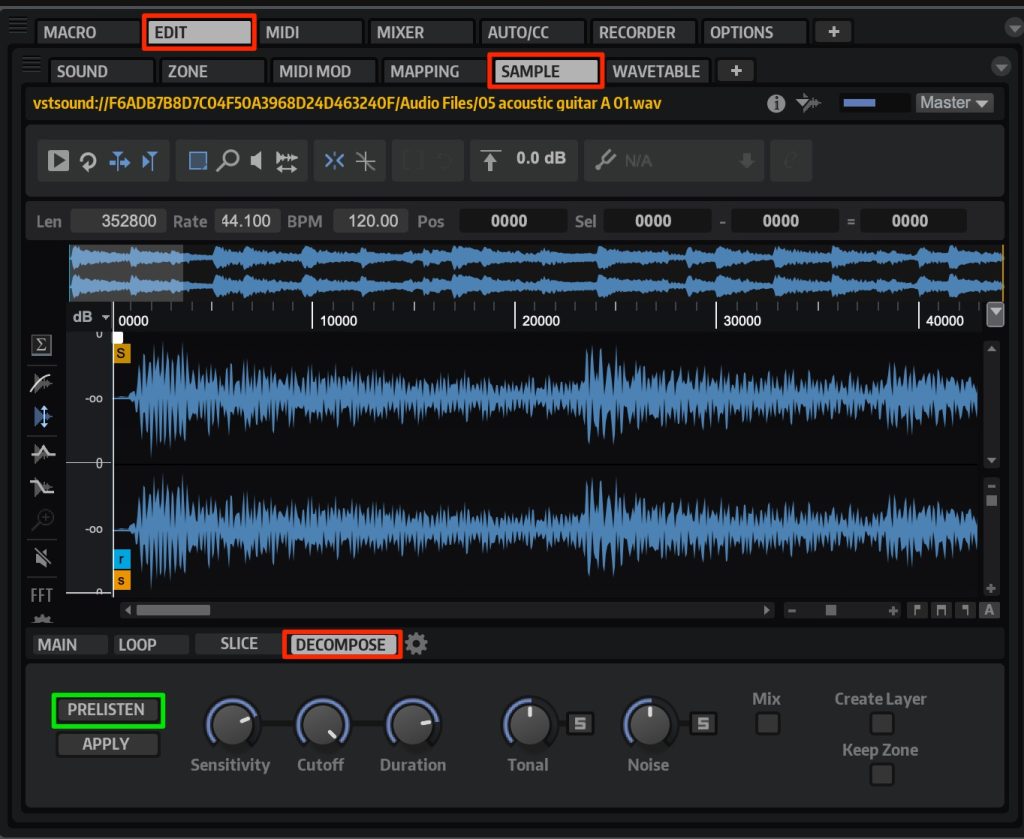
Select "EDIT" → "SAMPLE" → "DECOMPOSE" and click "PRELISTEN" to analyze the sound.
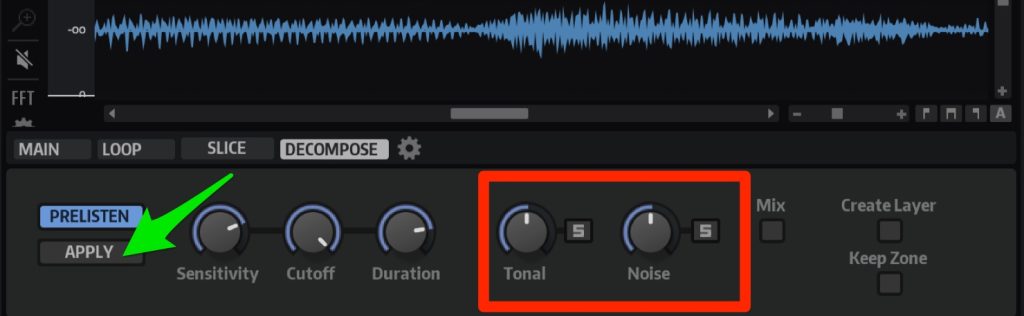
You can now separate Tonal and Noise and adjust each volume.
Adjust the balance and click APPLY to save it.
Improved Modulation and Envelope Features
Modulation and envelopes, used heavily especially in synth and electronic genres, have also evolved.
Here, we introduce the handy "Shaper envelope."
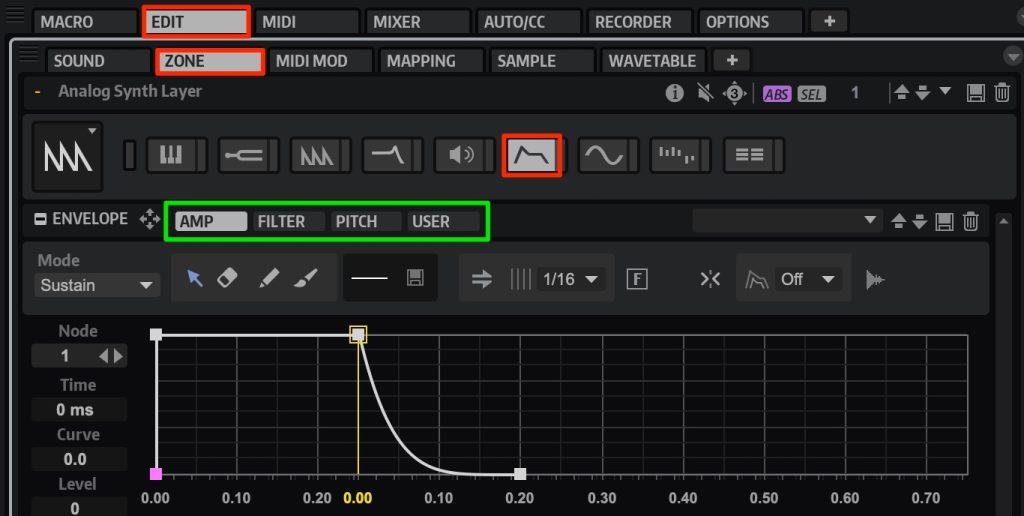
Go to "EDIT" → "ZONE" → "ENVELOPE."
Select the parameter you want to control from AMP, FILTER, PITCH and USER.
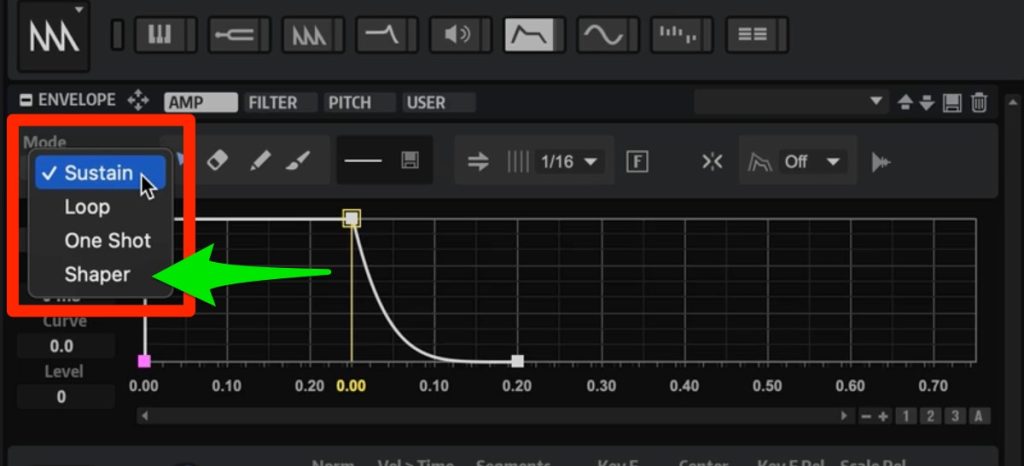
Open "Mode" and select "Shaper."
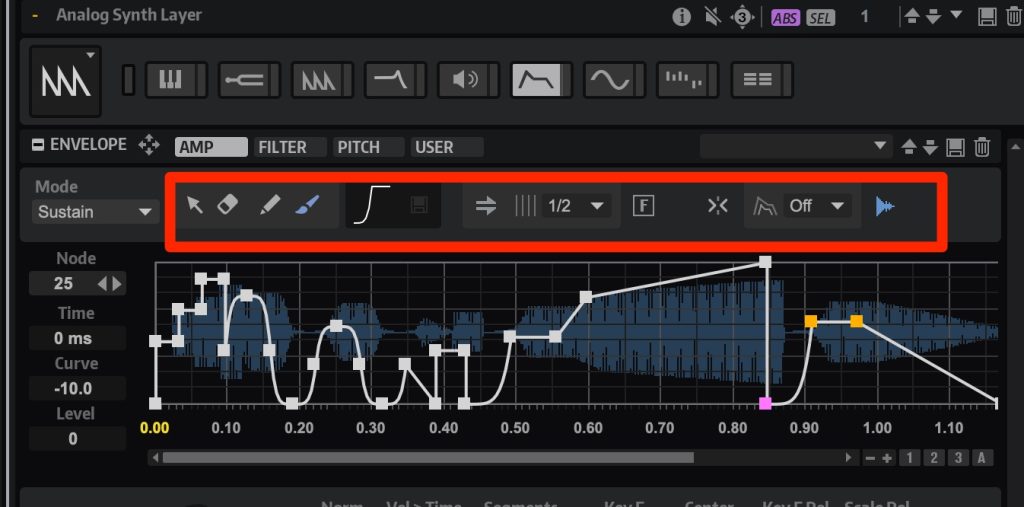
Use the tools shown to draw envelopes freely.
It is very welcome that detailed editing is possible without using envelope-type effects.
The Evolution of Wavetable Zone
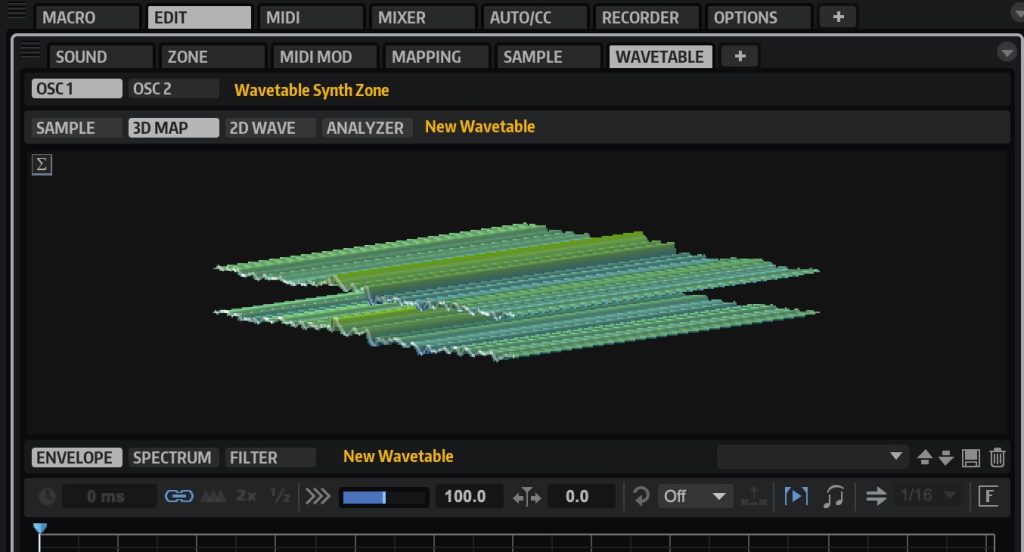
Wavetable has also evolved, with support for stereo and surround files and more parameters.
Let's check how the newly added parameters respond.
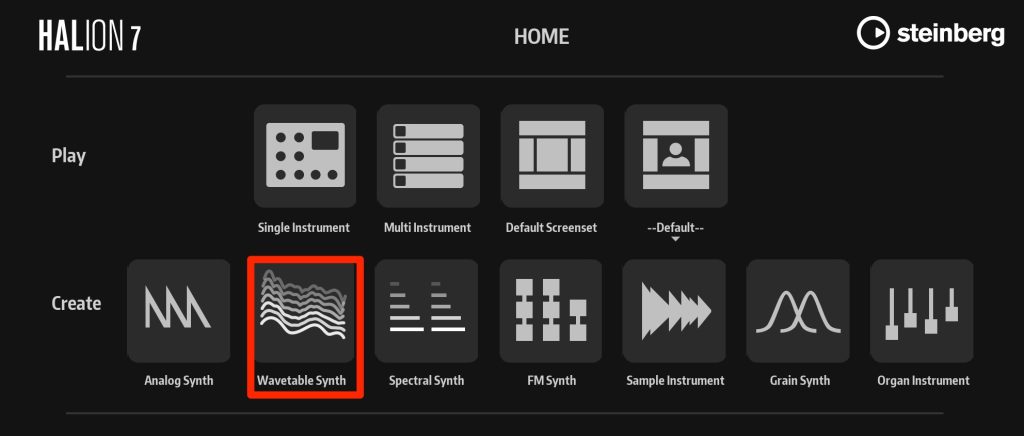
Launch HALion and select "Wavetable Synth."
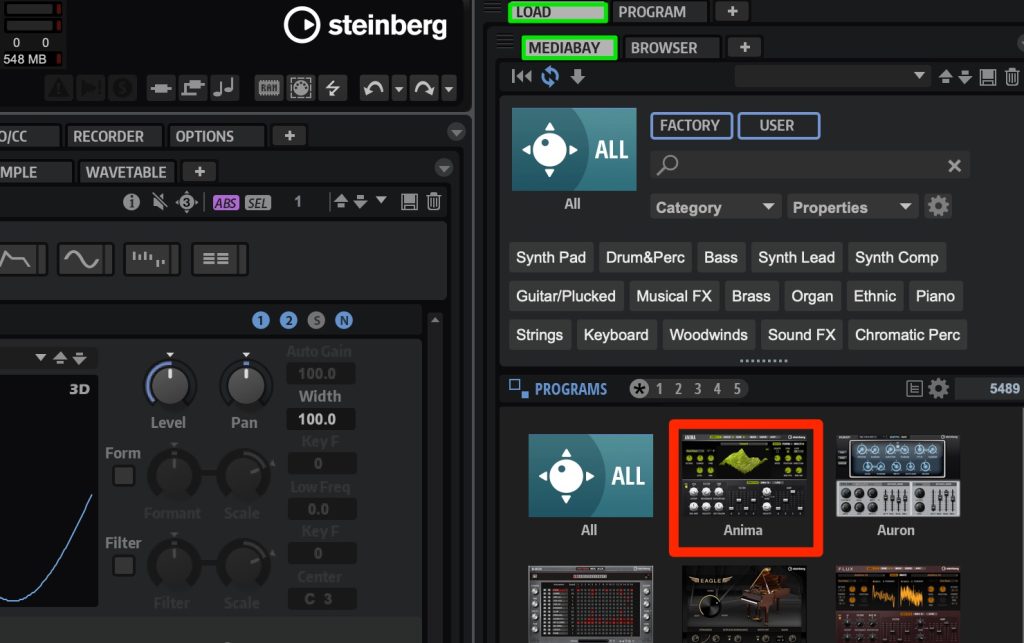
Select "LOAD >" → "MEDIABAY" → "Anima" and choose the preset called I Feel Good.
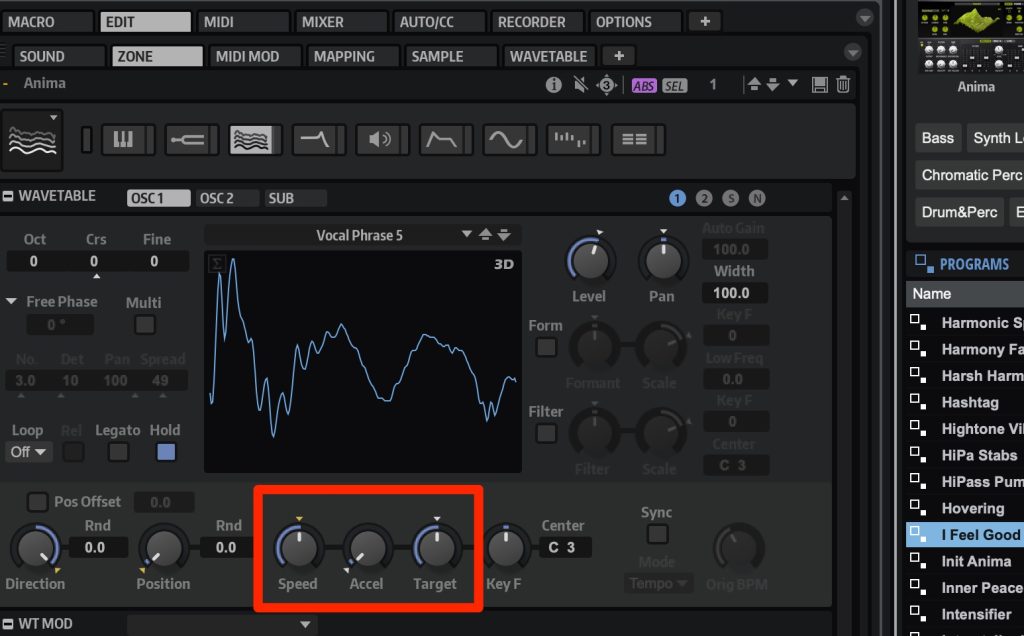
Parameters that adjust the speed of the wavetable envelope are lined up.
- Speed: sets how fast the envelope plays. 100 is the speed of the original file.
- Accel: sets the transition time of the playback speed from Speed to Target. At 0, the speed does not change from Speed.
- Target: specifies the target playback speed.
Let's listen to the original state playing a G chord.
Speed: 100, Accel: 0, Target: 100. "I feel good" is played at a constant speed.
Speed: 100, Accel: 60, Target: 20. It is constant up to "I feel," and "good" slows down.
Speed: 100, Accel: 90, Target: 20. It is constant up to "I," and "feel good" slows down.
In this way, the newly added Accel and Target enable more complex sound design with greater freedom.
Improved Macro Page Editor
For example, bitmap and SVG image files created in external editors can now be used.
Powerful new features have been added for designing the UI of your own instruments.
Mastering the Macro Page Editor requires some knowledge, but here is one example.
Here, we create a new knob that controls the Level of OSC1 and OSC2 at the same time.
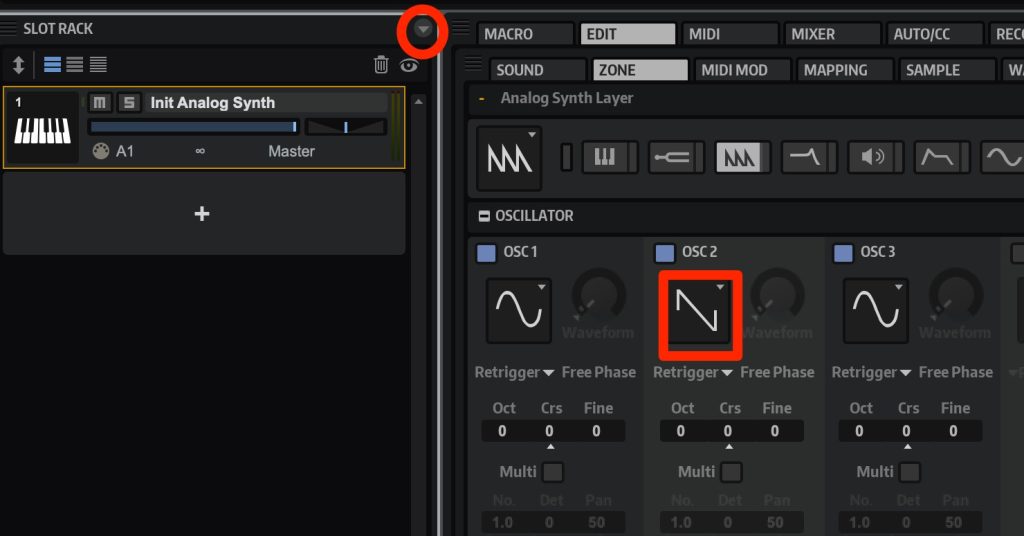
Launch HALion 7 and select Analog Synth.
Change OSC2 to SAW and expand the small down triangle at the top left.
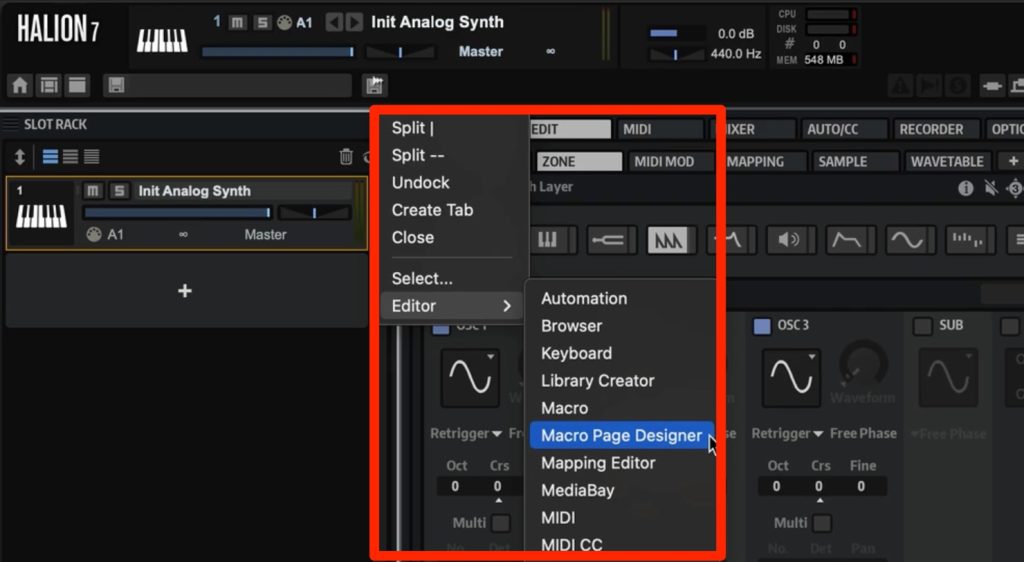
Select "Macro Page Designer" from "Editor."
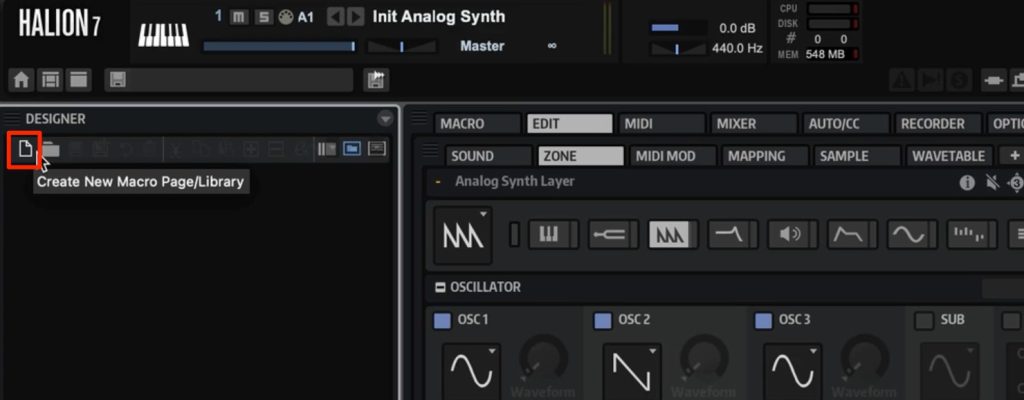
Create a new page from the icon at the top left.
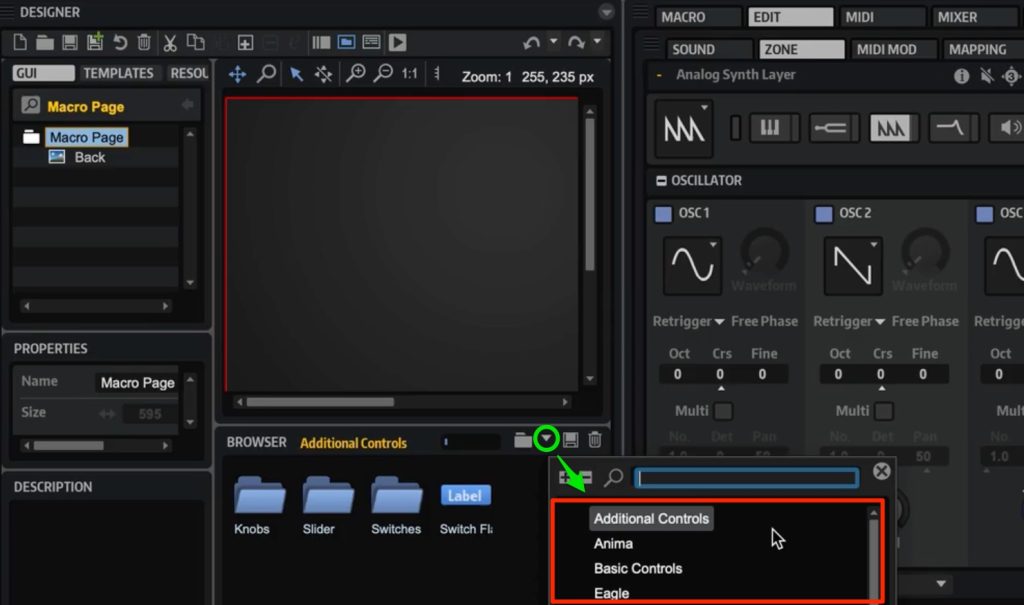
Expand the green frame at the bottom right and select "Additional Controls."
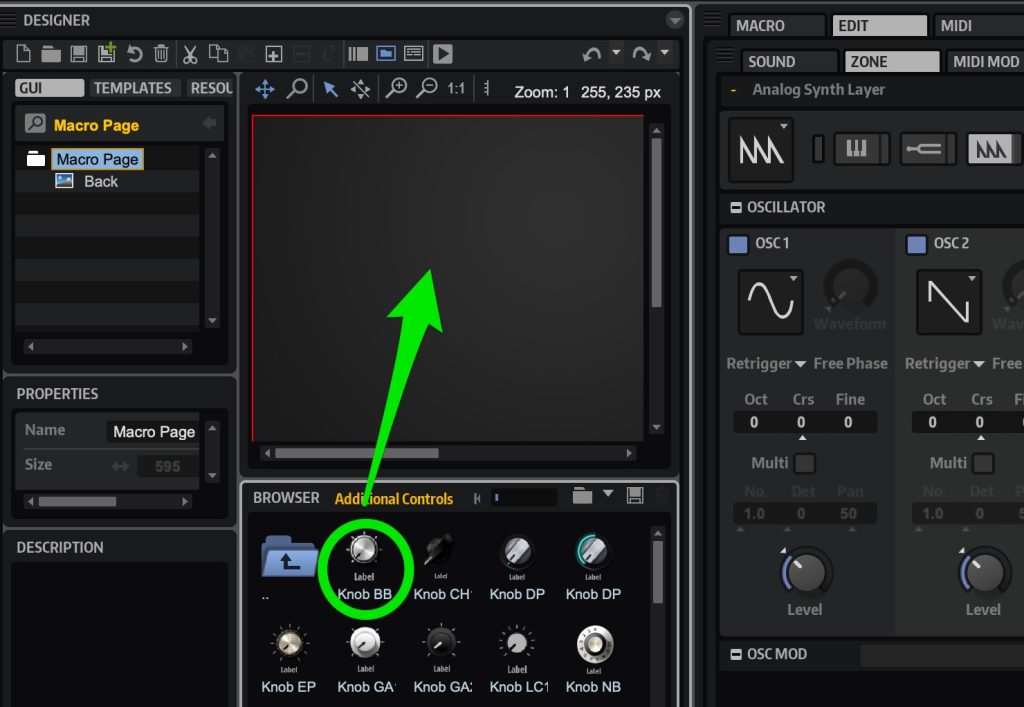
Open the Knobs folder and drag and drop any knob to the top.
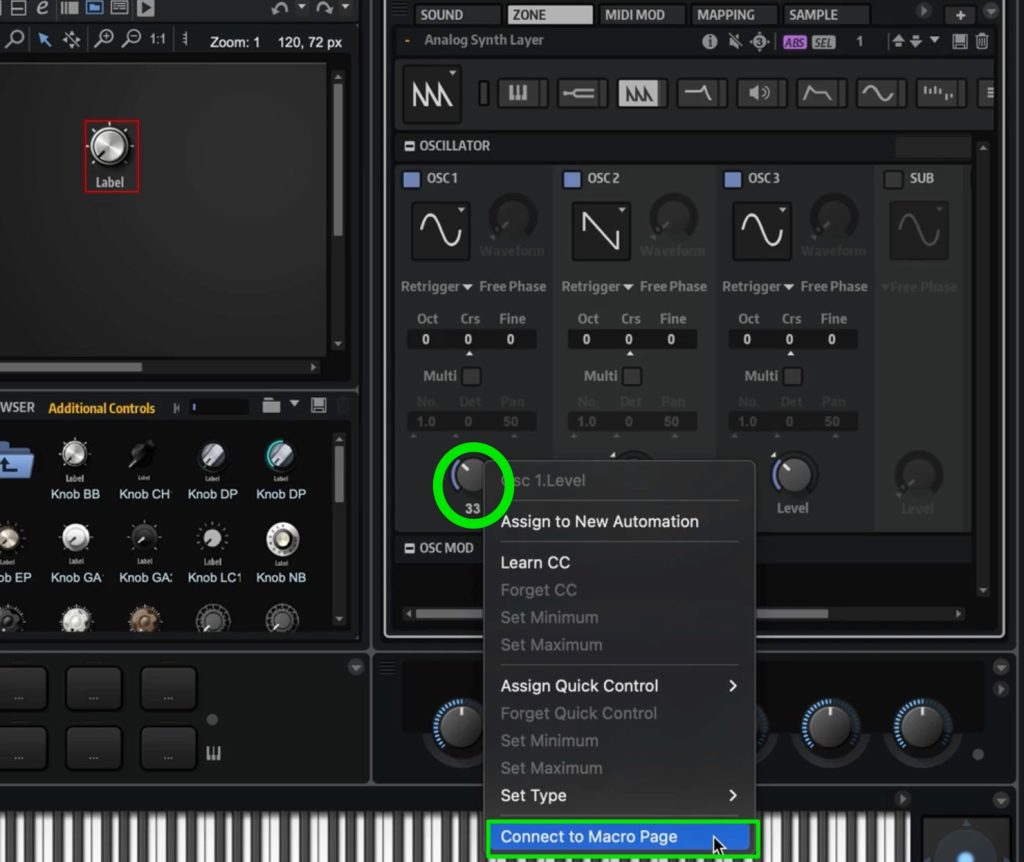
Right-click on OSC1's Level and select "Connect to Macro Page."
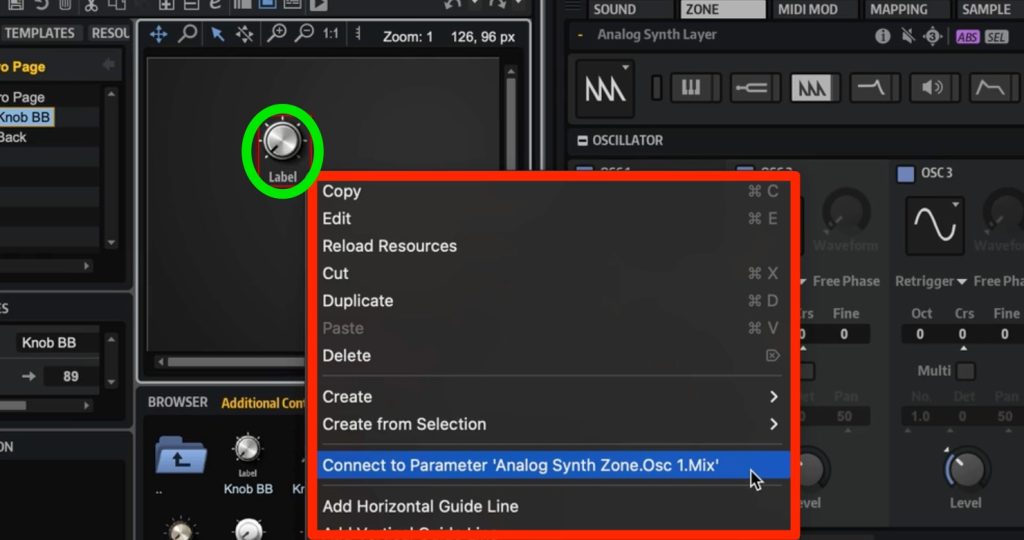
Right-click on the knob you dropped earlier and select "Connect to Parameter 'Analog...'."
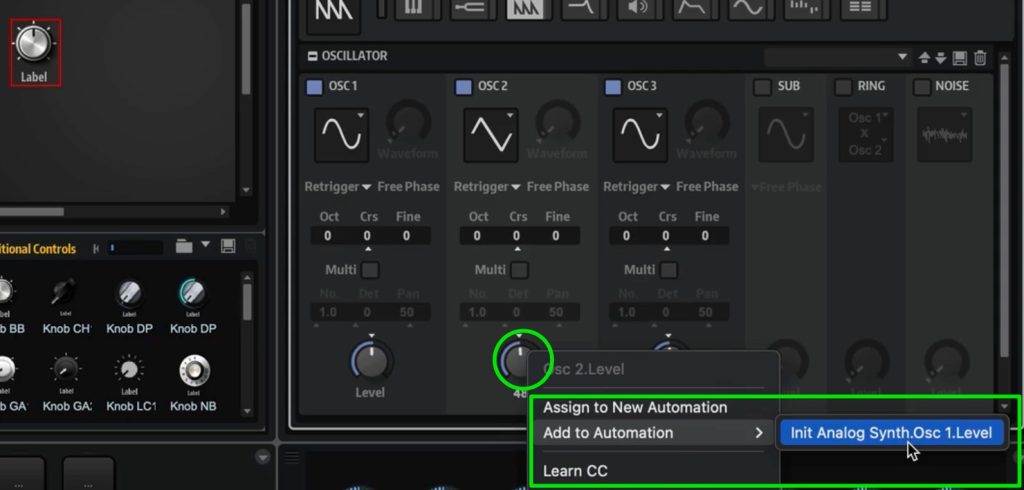
Right-click on OSC2's Level and select "Add to Automation" → "Init Analog Synth...".
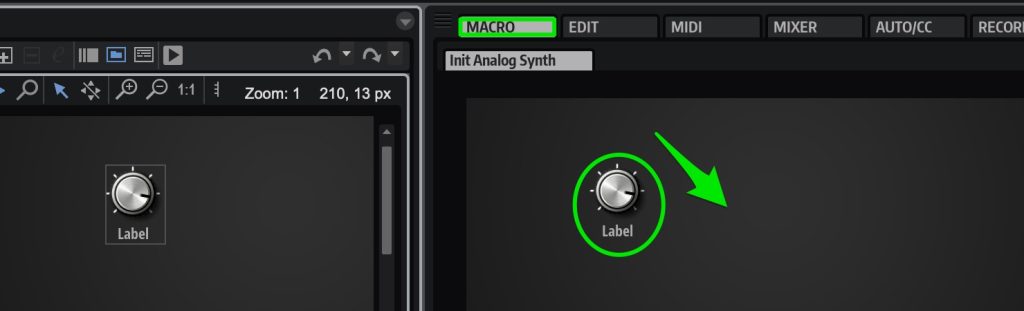
Now the Macro knob moves the Level of OSC1 and OSC2 at the same time.
Let's go to Macro and move the knob.
Return to "EDIT" → "ZONE."
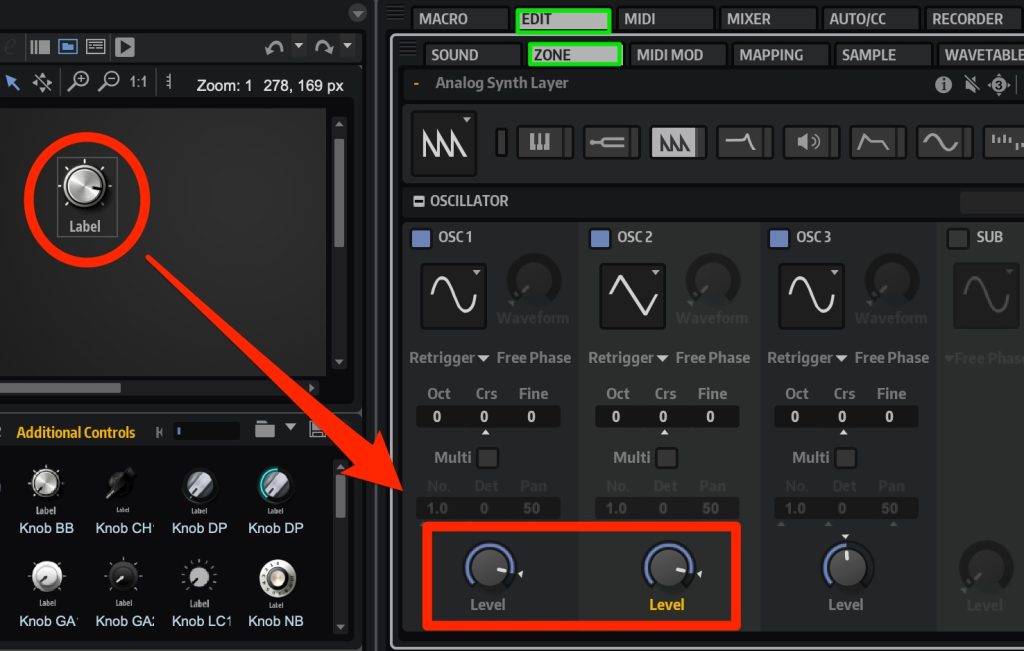
We confirmed that they are linked.
By combining objects and parameters in this way, you can create your own UI and control parameters freely.
Other Features
The USB Dongle Is Gone, Greatly Improving Convenience
The dongle is no longer needed, and with cloud activation it can be used on multiple devices.
Cubase has used the same licensing system since Ver12, and convenience has improved dramatically.

Official Support for Apple Silicon
It officially supports Apple silicon, delivering high, stable performance even on Macs with the M1 chip.
That's all.
Here we focused on the most notable features, but there is much more we could not cover.
If you are interested, please visit the Steinberg page and check it out.
HALion page: https://bit.ly/3Tw1KRX
In addition to "HALion 7," ABSOLUTE 6, which contains 27 instruments in total including "Groove Agent 5," "Electric Bass" and "Padshop 2," has also been released.
It offers outstanding value compared with buying the products individually, so if you are interested, please check it out as well.

Frequently Asked Questions
Q1. What is FM Zone in HALion 7?
It is an FM synth section developed in cooperation with YAMAHA, the company that created the classic DX7. It has eight operators and lets you choose various waveforms besides sine waves, and with plenty of presets, even beginners can immediately use high-quality FM sounds.
Q2. What kind of audio editing is possible with Spectral Zone?
With the time stretch & resynthesis algorithm, it minimizes sound degradation when making large tempo changes to audio samples such as drum loops. You can also adjust the transient detection sensitivity to preserve a natural sound.
Q3. What are the 10 newly added effects?
Eight of the new effects are bass-related, including low-end reinforcement with an octaver, modulation and bass amp simulation. These enable diverse sound making to suit your songs.
NEW ARTICLES
Latest English Articles











