
This article explains in detail how to create a "crisp, bright chord pad" in music production. By combining layered saw oscillators, detuning for thickness, a high-pass filter to emphasize definition, and effects such as reverb and delay, you can achieve a flashy, vibrant pad with emphasized highs. Mastering this technique, usable in a wide range of genres from pop to EDM, can greatly improve the polish of your songs.
An eye-catching, flashy backing sound
This recipe is a "crisp, bright chord pad."
The sound is characterized as "flashy and vibrant."
The keys are thickness of sound and emphasis on the high range.
It can be used widely, from pop to EDM.
How to create the sound
Excerpt of a question and answer from the YouTube video

Do you have something like a course for FL Studio?

At the moment, we don't have an FL Studio course. If there are many requests, we'll consider offering one.
OSC settings
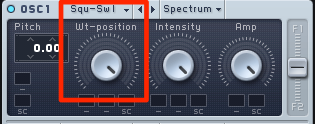
Since we want a flashy sound, we use "SAW" for the OSC.
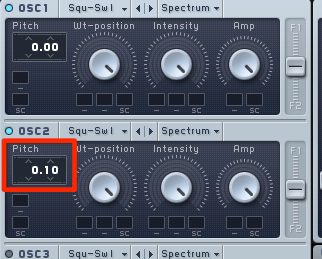
Detune "OSC2" to add thickness to the sound.
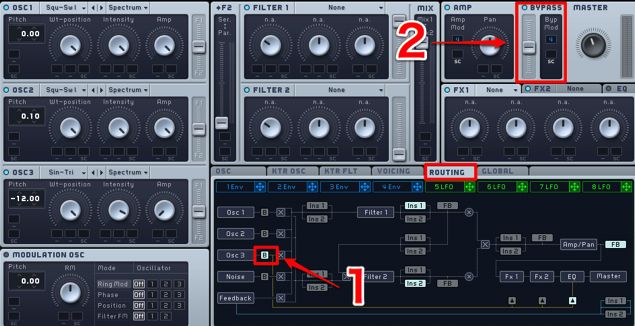
"Bypass" "OSC3" to send it directly to the master.
This way, the "filter" applied later doesn't affect it, so you can use the raw sound.
We also recommend lowering its pitch by one octave here.
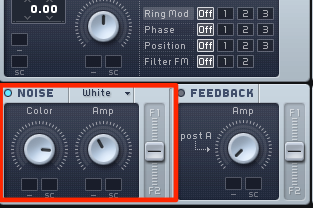
Also add a little of the noise oscillator.
It fills out the frequency range, thickening the sound.
Applying unison and FM
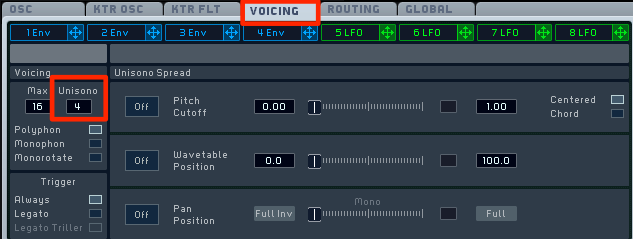
Add unison from the "Voicing" tab.
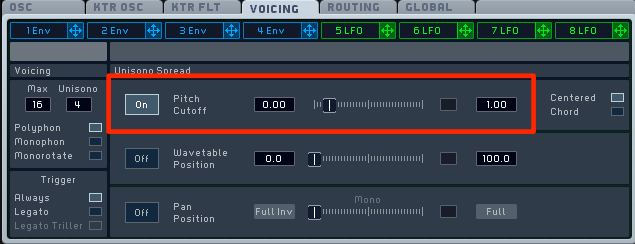
Add a little detune to make the sound even thicker.
Don't overdo it.
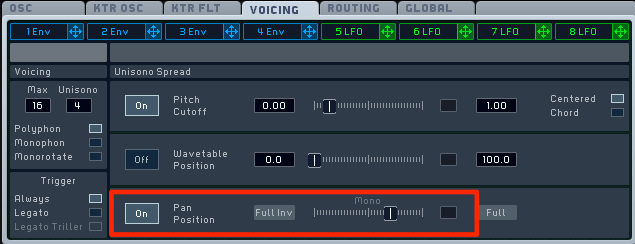
Use "Pan Position" to spread the sound wide.
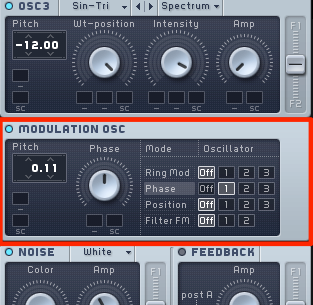
Then apply "Phase" to "OSC1" to add sparkle.
Changing the pitch slightly here adds even more variation to the tone.
Applying the filter
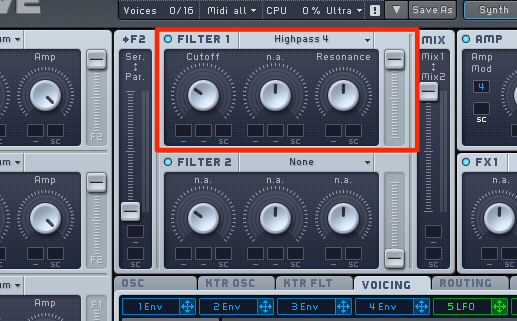
Apply a "high-pass filter (cuts the lows)" to emphasize the sound's definition.
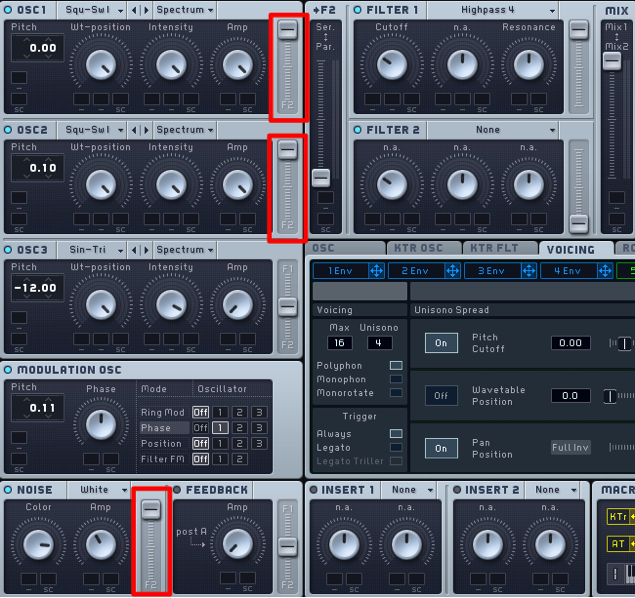
Turn the "OSC" routing fully to Filter 1 (the HP side).
Flavoring with effects
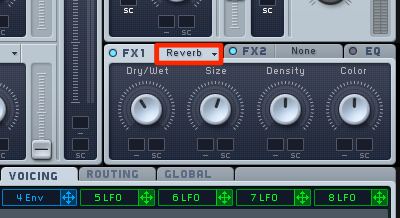
Apply reverb to spread the sound further.
It may be good to apply it a bit strongly.
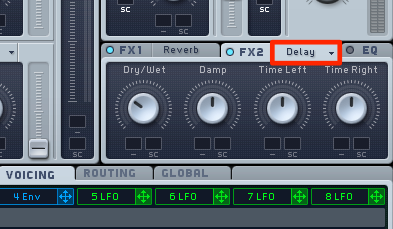
Delay also suits it well.
Once depth is added, the sound is complete!
Frequently asked questions
Q1. What are the basic oscillator settings for a crisp, bright chord pad?
Start with SAW oscillators and detune OSC2 for thickness. Bypass OSC3 to send its raw sound directly to the master, and add a little of the noise oscillator to fill out the range for a thick sound.
Q2. Why use a high-pass filter?
Cutting the lows with a high-pass filter emphasizes the sound's definition and makes the flashy, clear highs stand out. This creates a crisp, bright impression.
Q3. How should I use reverb and delay?
Apply reverb fairly strongly to spread the sound and use delay to add depth, completing a pad with three-dimensional, spacious width. The combination of the two is important.
NEW ARTICLES
Latest English Articles











