
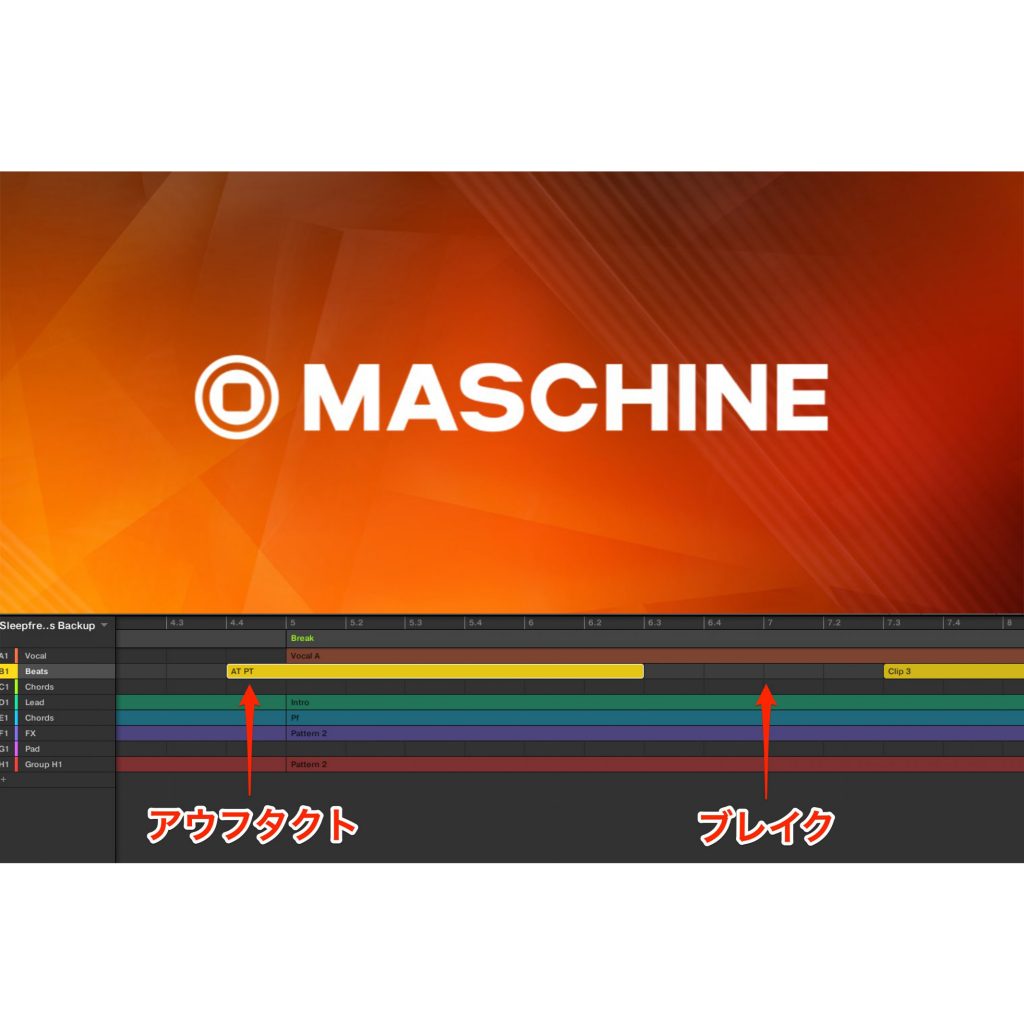
The MASCHINE Ver 2.12.0 update adds a "Clips" feature that enables flexible timeline editing like a DAW (digital audio workstation). Unlike the conventional pattern-based production method, clips can be freely placed and edited on the timeline, making it easy to insert parts mid-scene and add pickups and breaks. Because clips are independent of patterns, editing them does not affect the original patterns, and you can also create clips from existing patterns. This feature lets MASCHINE users achieve a more intuitive and efficient music production workflow.
The Headline Feature, "Clips," Enables DAW-Like Production

The MASCHINE software has been updated to coincide with the release of the "MASCHINE+".
Handy features to support composing have been added, and among them, the one that most affects your production style is
"adding clips in Song mode".
For example, in a case like the one below,
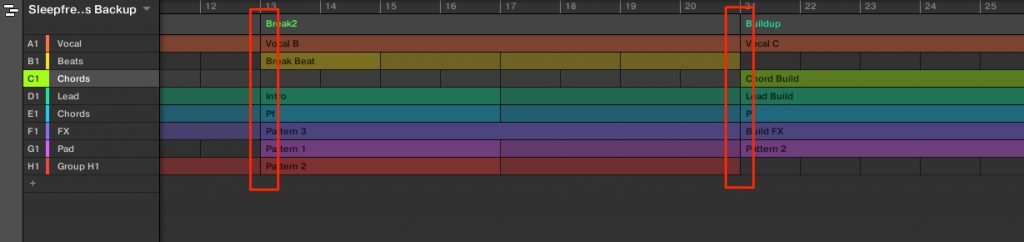
patterns you created could not be placed across scenes.
Adding a pickup also took extra effort, and managing patterns inevitably became complicated.
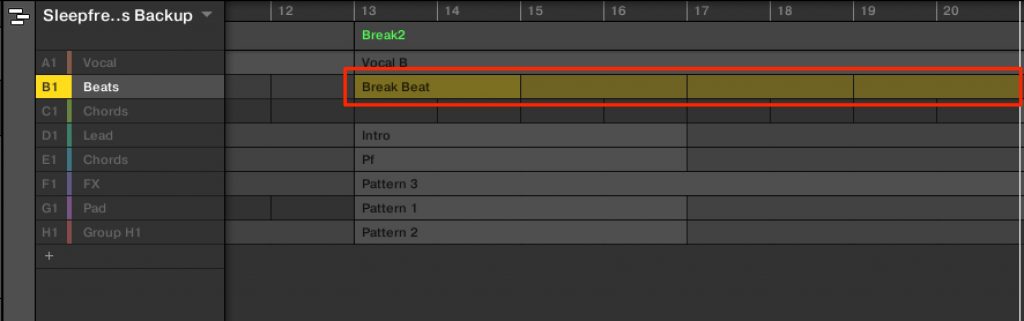
Also, because patterns are placed as loops, arrangements such as inserting a break into part of the timeline took effort.
The "Clips" added in this version solve these problems at once, and it has evolved so that you can produce as if editing a DAW timeline.
Here, we explain an overview of clips and how to edit them.
Placing Clips on the Timeline and Editing Their Contents
In the MASCHINE production style until now,
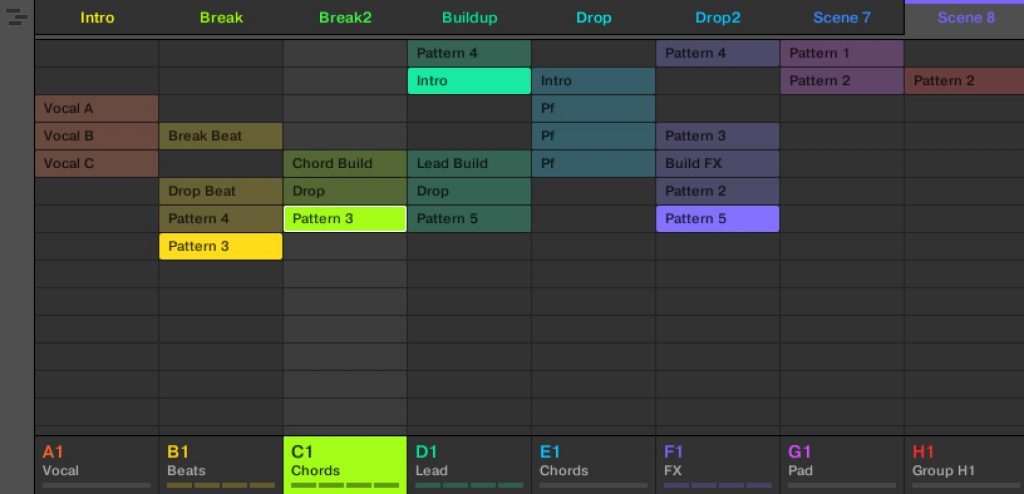
you first created patterns,
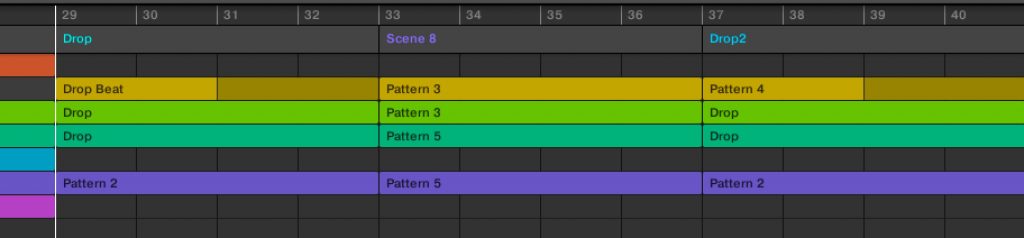
and then placed these patterns on the Song mode timeline.
The newly introduced clips are separate from these patterns.
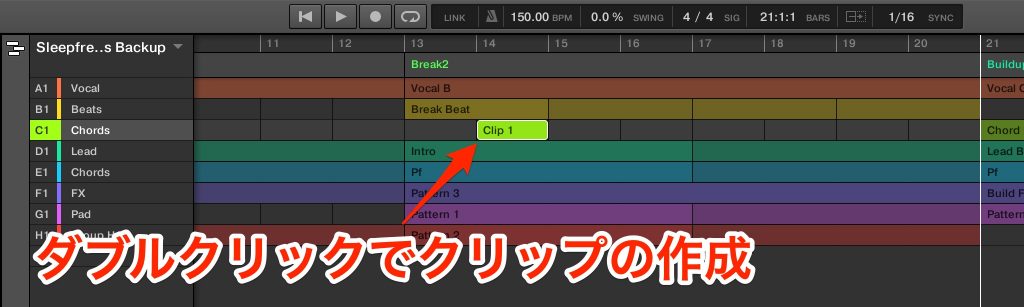
You can create a clip by double-clicking on the timeline.
As shown, clips can be placed in the middle of a scene.
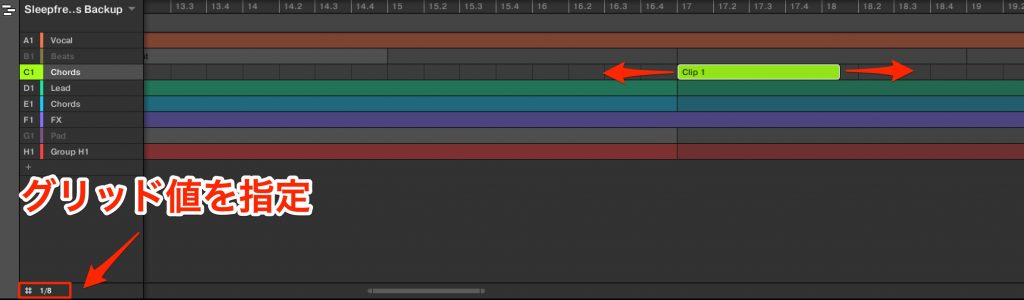
You can also change the length of a clip in units of the grid value.
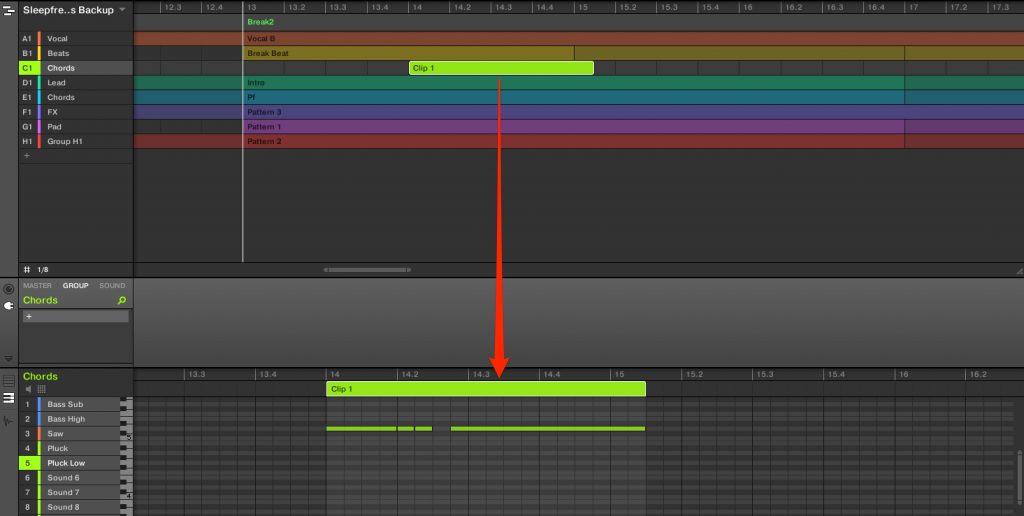
Like patterns, you can program new patterns or phrases into a clip,
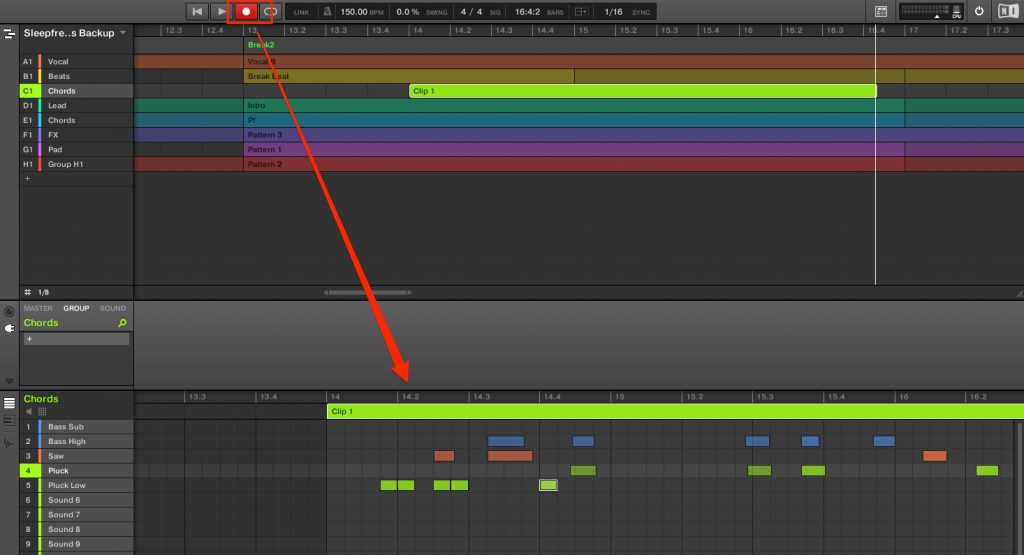
or record in real time from the pads on the MASCHINE hardware.
A clip with a recorded performance is separate from the patterns.
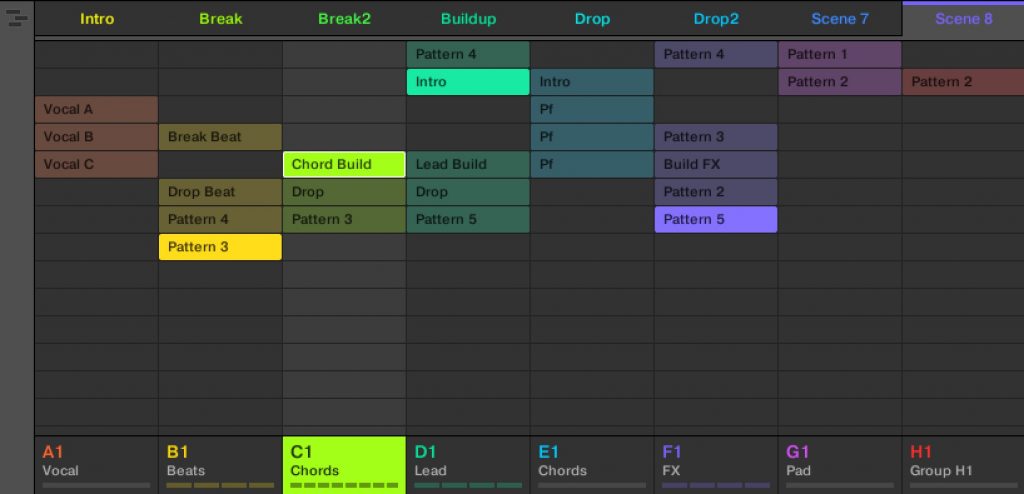
Therefore, the patterns are not affected.
Placing Existing Patterns as Clips
With this update, performances placed on the timeline have been unified as clips.
Rather than creating clips from scratch, you can create them from existing patterns.
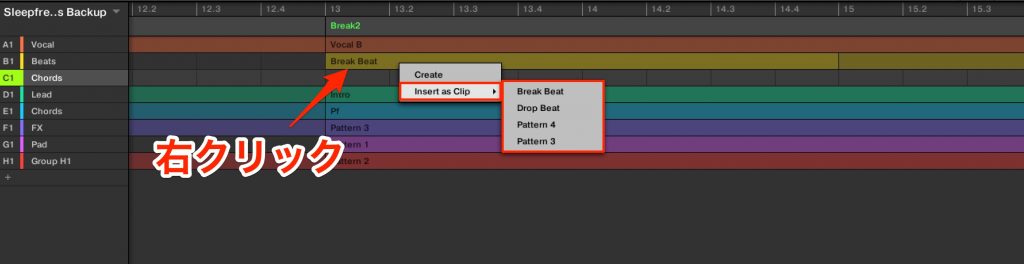
Right-click an existing clip in the target group or the spot where you want to place a clip.
Specify which pattern to place as a clip.
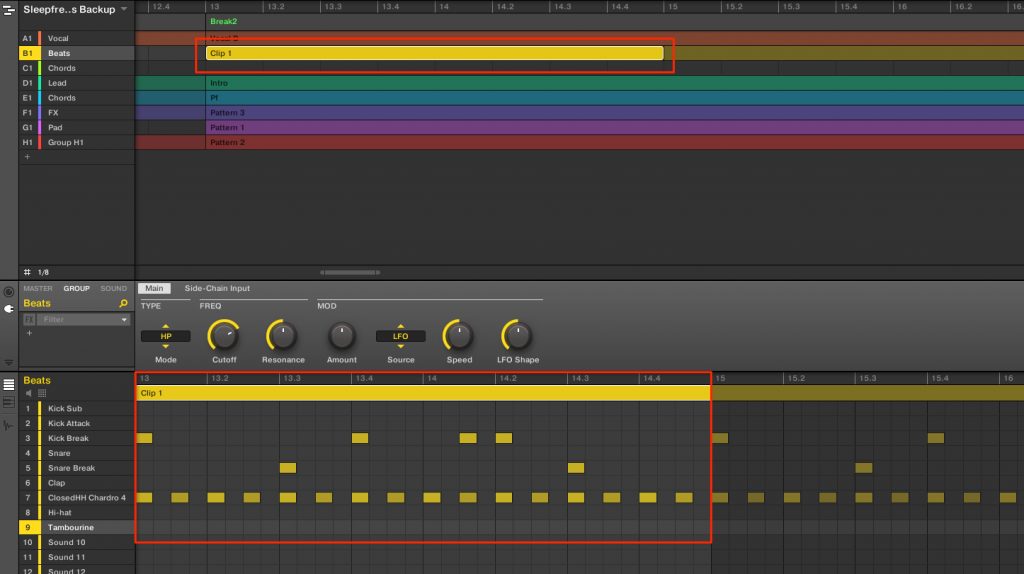
As shown, the pattern has been placed as a clip.
As mentioned above, clips and patterns are independent of each other.
Even if you change the contents of a placed clip, the original pattern is not affected.
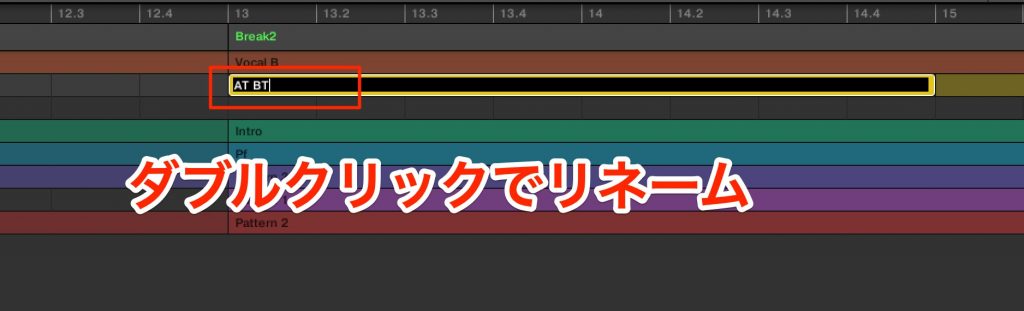
You can rename a clip by double-clicking it.
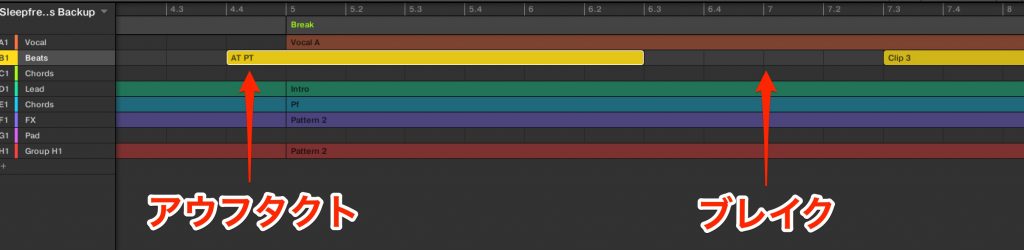
Because you can freely change the length of clips, it is very easy to add a pickup that starts before a scene or insert a blank break!
Please bring this greatly improved clip feature into your production.
Frequently Asked Questions
Q1. What is the difference between clips and patterns in MASCHINE?
Patterns are reusable loop elements, while clips are individual performance data placed on the timeline. Editing a clip does not affect the pattern, so you can create multiple variations from the same pattern.
Q2. Can clips really be placed in the middle of a scene?
Yes. You can create a clip just by double-clicking on the timeline and place it freely across scene boundaries, making it easy to insert pickups and breaks.
Q3. How do I convert an existing pattern into a clip?
Just right-click the target group or the spot where you want to place a clip and specify which pattern to place as a clip. You can easily generate clips from existing patterns.
Q4. Can I freely change the length of a clip?
Yes. You can freely change the length of a clip in units of the grid value. This greatly increases your production flexibility.
Related Articles
How to Use Maschine: Working with a DAW
We explain how to use Maschine together with DAWs such as Cubase and Logic.

How to Use Maschine MK3
Here, we thoroughly explain how to use Maschine MK3. We share key operating points while actually creating a song, so even beginners can enjoy learning to use the hardware.
NEW ARTICLES
Latest English Articles











