
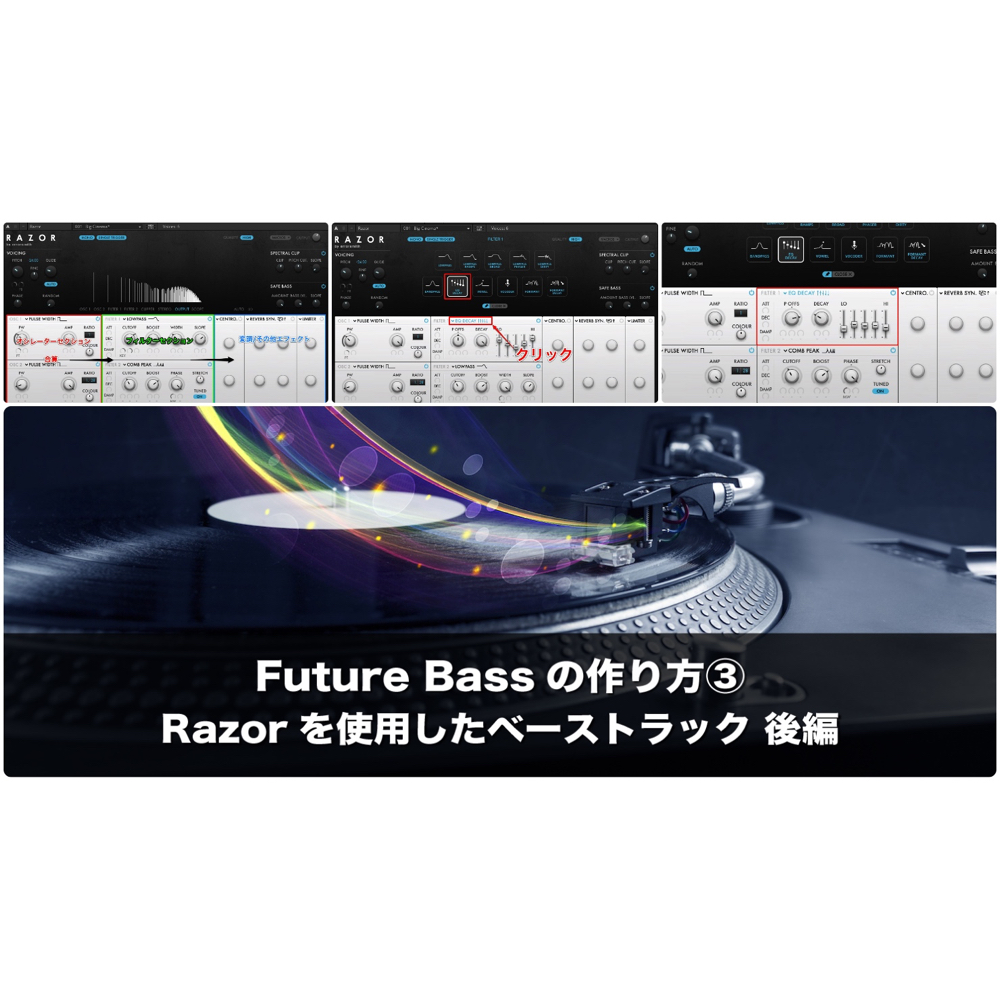
This article is the second half of how to make a Future Bass bass track with the production synthesizer "Razor." It explains in detail practical sound design techniques: setting up Razor's two filters (EQ Decay and a multimode filter), using the Stereo Spread effect, and adjusting the volume with a limiter. Through concrete parameter values and side-by-side listening comparisons, readers can learn the skills to make professional synth basses and achieve sound design that combines Future Bass's characteristic low end with stereo width in the highs.
About Razor's filter section and effects
Continuing from last time, we'll explain bass sound design with Razor.
Let's apply filters to the bass sound we've made so far.
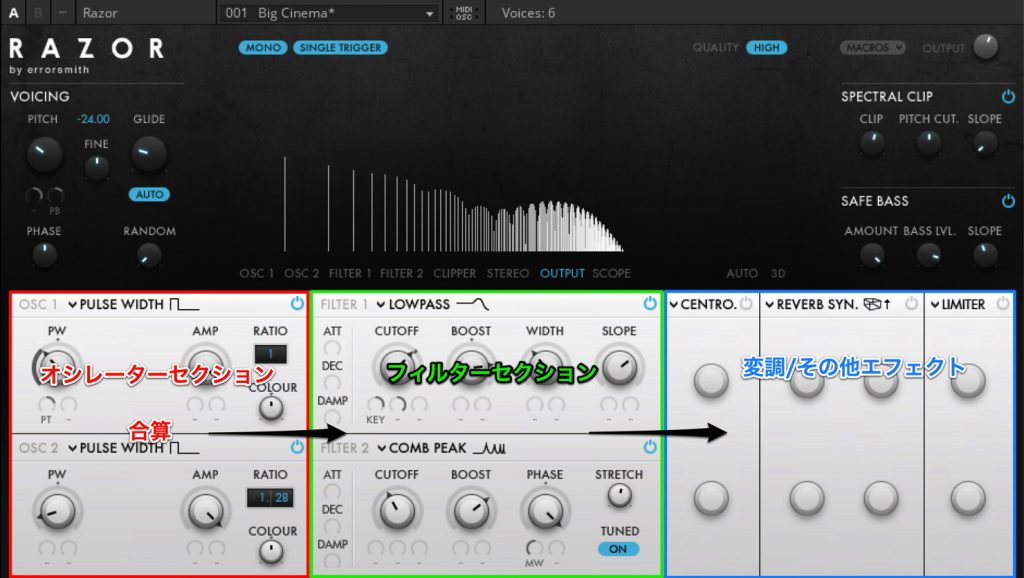
You can think of Razor's audio signal flow as shown in the figure above.
We'll apply both filters.
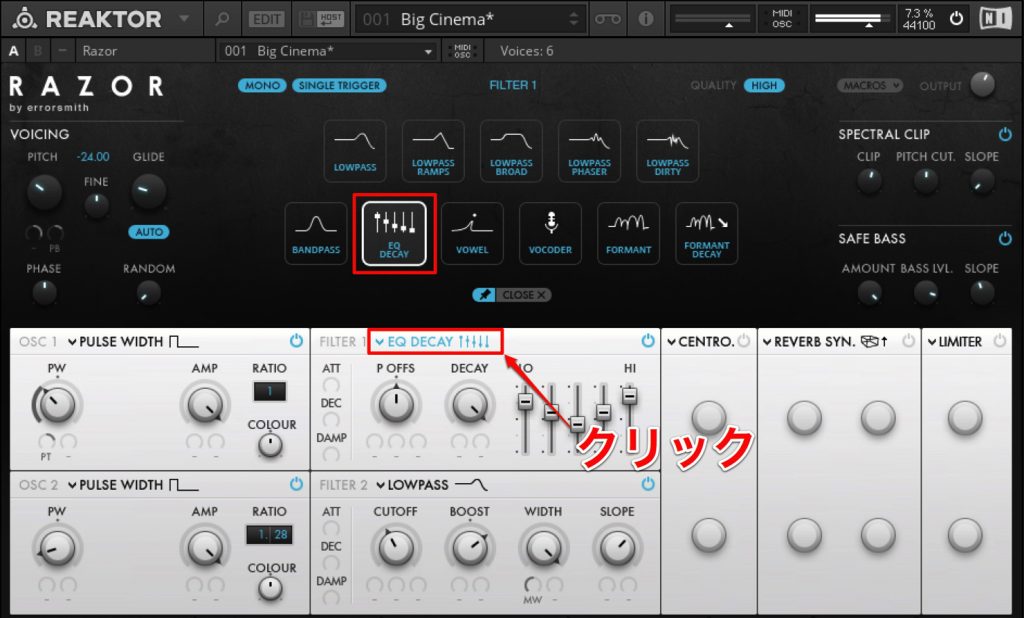
First, click the part of "FILTER 1" labeled "LOWPASS" and click "EQ DECAY" in the window above.
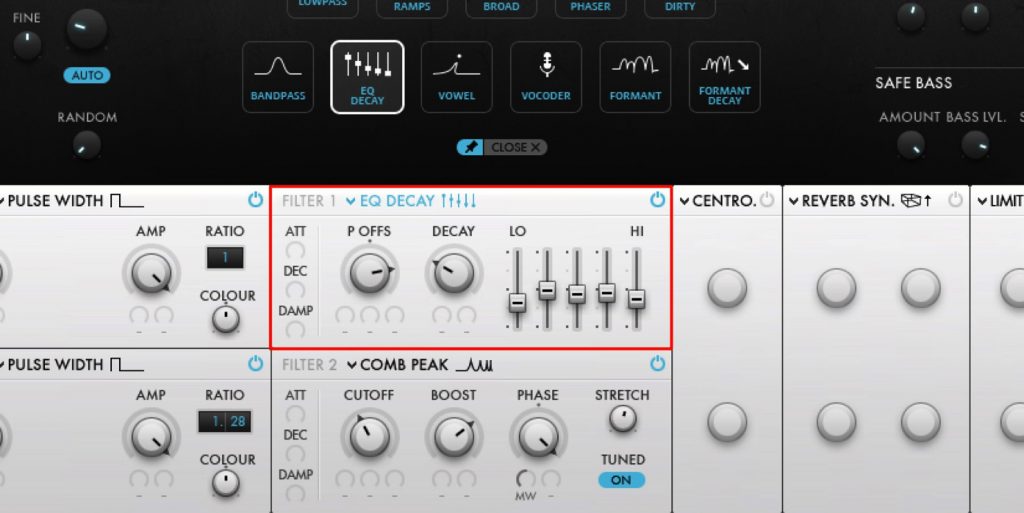
The assigned filter has changed. This is a 5-band equalizer, but it has the function of "receiving note signals and decaying each band."
"P OFFS" corresponds to a filter's "cutoff."
Let's set each parameter.
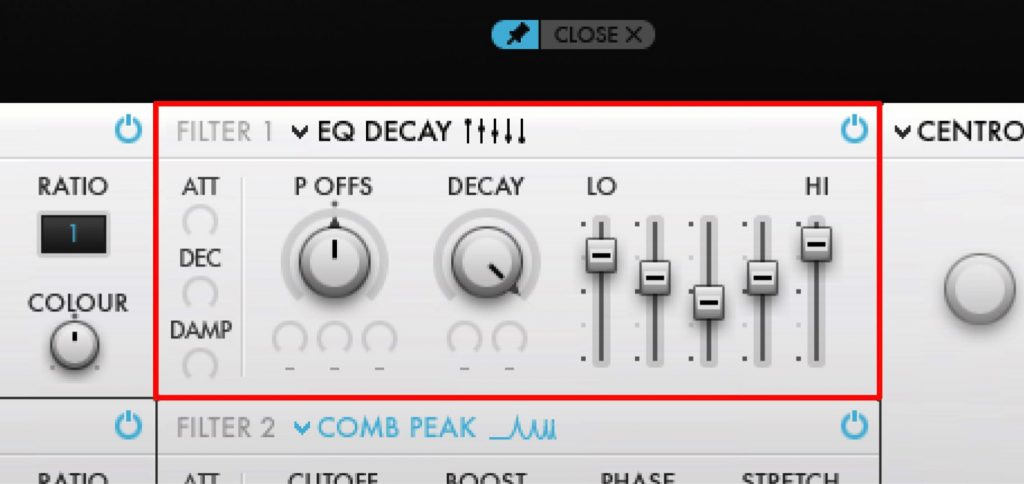
Here I set "P OFFS=0/DECAY=80," and the equalizer from "LO" to "HI" to "5/1/-3.5/2.5/8.5." See the figure below.
Note that the smaller the "DECAY" value, the stronger the effect (because the response time gets faster).
Here I raised the "DECAY" value and used it like an equalizer.
Now let's set up the second filter.
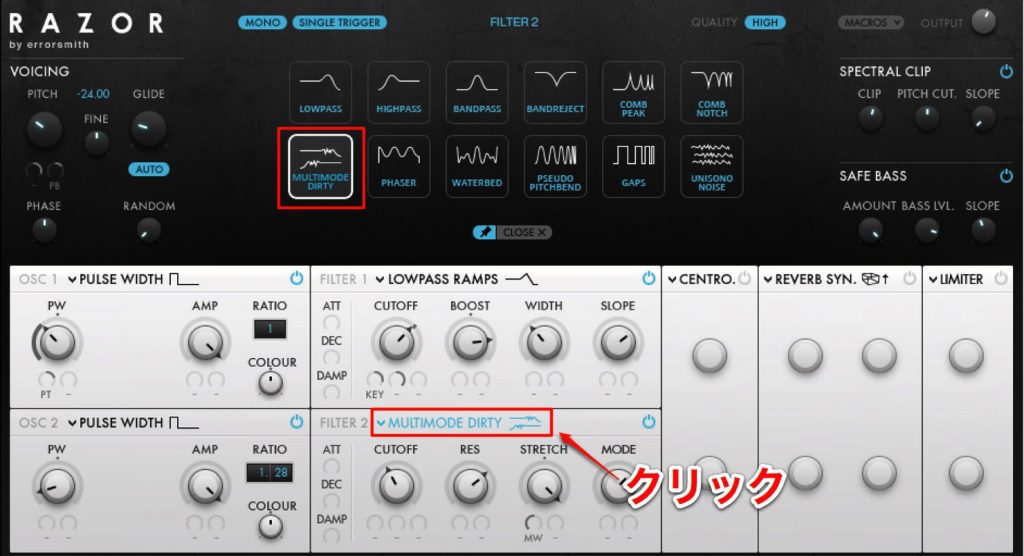
Click the power button to the right of "FILTER 2."
In the same way as "FILTER 1," this time let's select "MULTIMODE DIRTY."
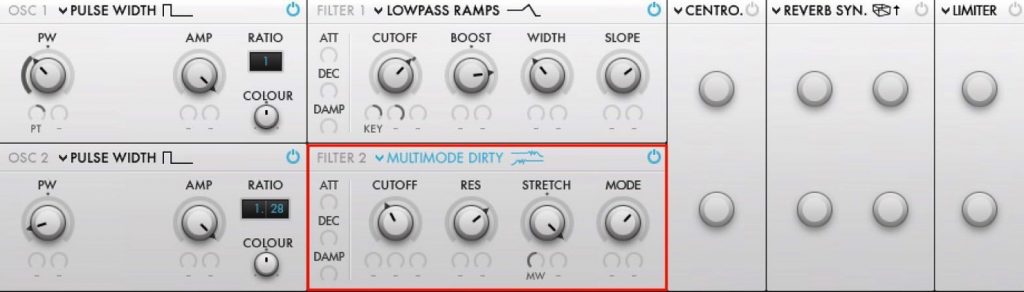
This filter "blends and outputs low-pass (LP), band-pass (BP) and high-pass (HP) filters."
"CUTOFF" and "RES" are the same as the parameters on typical filters.
"MODE" sets the blend (left = LP, center = BP, right = HP), and "STRETCH" adjusts the filter curve.
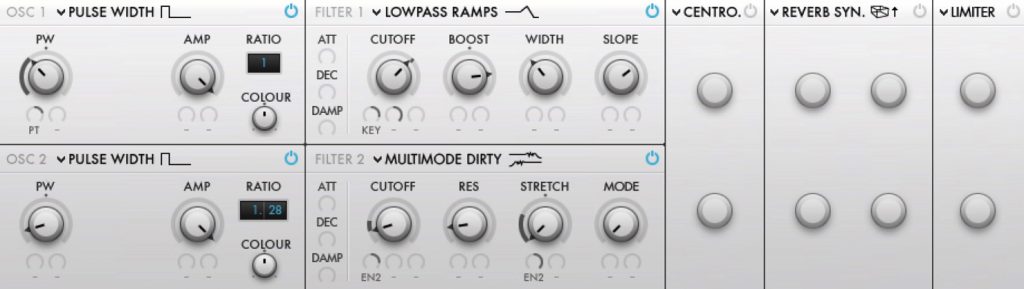
I set the parameters as follows:
"CUTOFF=20/RES=15/STRETCH=-1/MODE=0."
Also, as in (1) of the previous article, I assigned "ENVELOPE 2" to the parameters.
I set "CUTOFF=75/STRETCH=80."
That's it for the filter settings.
The highs are tamed, and I think it now sounds much more like a synth bass.
Note that some of the available filters differ between "FILTER 1" and "FILTER 2."
Be sure to try various settings.
Applying effects
In (4), let's now set up a stereo effect.
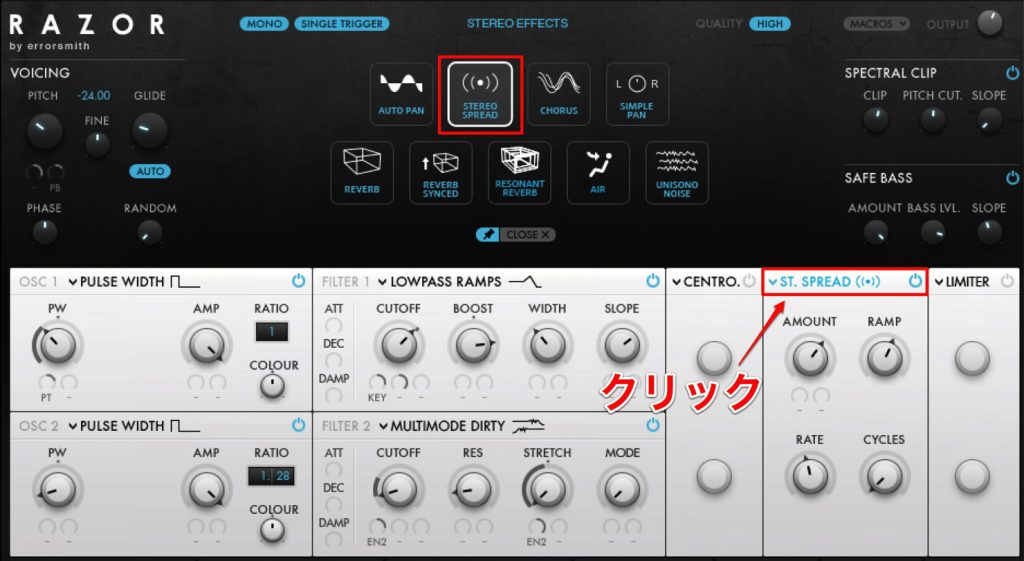
Select an effect in the same way.
Here let's choose "STEREO SPREAD."
This effect is a so-called "auto-pan," but it's a slightly unusual auto-pan that "can make things more mono toward the low end."
Since this is a bass music sound, let's create a sound with solidly centered lows and more stereo width toward the highs.
"AMOUNT" sets how strongly the effect is applied, and "RATE" and "CYCLES" set things like the panning speed.
And "RAMP" is the parameter that "makes things more mono toward the low end."
Raising the value makes only the low end sound centered.
Try changing the parameters in various ways and check how the stereo image changes.
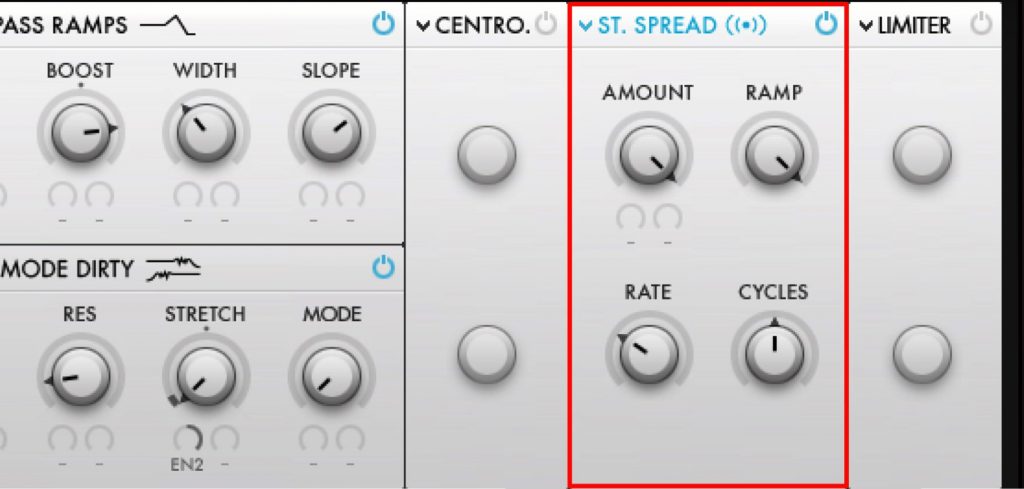
Here I set the parameters as in the image above.
"AMOUNT=1/RAMP=127/RATE=0.3/CYCLES=0.5."
Finally, apply a limiter to even out the volume.
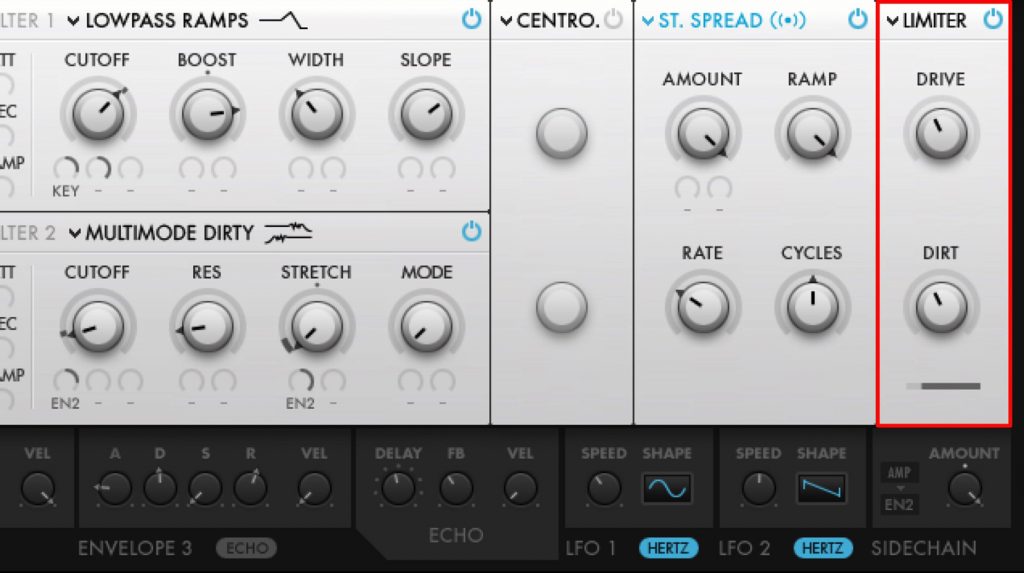
I used "DIRTY LIMITER" and set it as in the image above.
"DRIVE=7/DIRT=0.4."
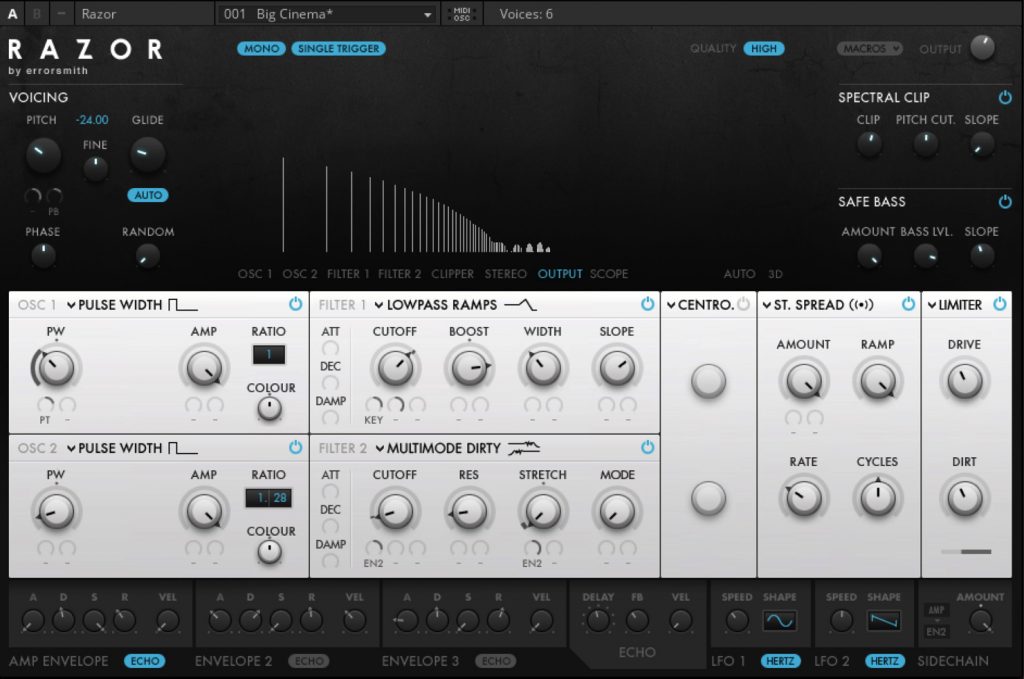
That completes the bass sound design.
Supplement: tips for programming the bass
In Future Bass, the bass is often heard in the climax of the song (provisionally called the "chorus" in this article).
As a rule it's placed in the same spots as the kick, and playing them together creates a synergistic effect.
Creating the drum track is also introduced here, so please use it for reference.
About the author

Takumi Kadode
A track maker, VJ and audiovisual artist from Osaka.
Got into music after making noise/tape collage pieces with cassette tapes and MiniDiscs in high school.
While later majoring in architectural acoustics in graduate school, began making dance music influenced by acid house, ambient, breakcore and more.
Live performances center on "audiovisual" expression, with the linking and fusion of sound and visuals as a motif.
Uses self-programmed software in REAKTOR, Pure Data, TouchDesigner and more.
Administrator of the REAKTOR fan site "Native Instruments REAKTOR Users Japan" (www.niru.jp).
Website: http://stereotypeone.com/
Frequently asked questions
Q1. What's the difference between Razor's FILTER 1 and FILTER 2?
FILTER 1 lets you choose multiple filter types such as EQ Decay and Wah filter, while FILTER 2's multimode filter can blend low-pass, band-pass and high-pass. Since the filter types differ, using them according to purpose enables rich sound design.
Q2. What does the "RAMP" parameter of the Stereo Spread effect do?
The RAMP parameter makes the sound more mono toward the low end. Raising the value centers the low end, giving the effect of a solid bass core with stereo width in the high range.
Q3. When making a Future Bass bass track, what should I watch out for in relation to the kick?
In Future Bass, the bass and kick are placed in the same spots in the chorus and played together to create a synergistic effect. Programming the bass with the drum track's structure in mind is a key point for making the song more convincing.
NEW ARTICLES
Latest English Articles











