
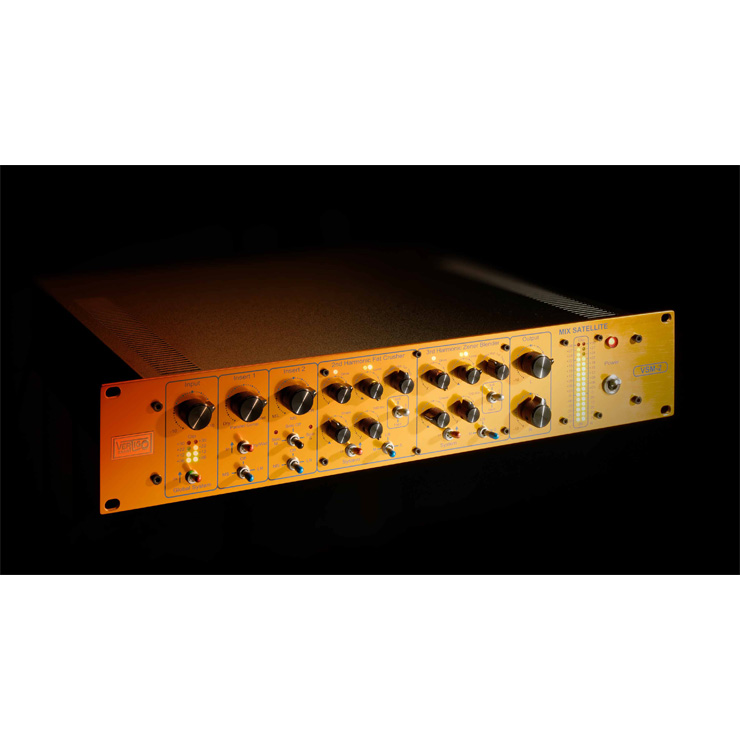
UAD Vertigo Sound VSM-3 is a plug-in that faithfully recreates the "VSM-2," hardware costing over one million yen, and features two types of harmonic generators for 2nd and 3rd harmonics. It handles a wide range of scenarios from mixing to mastering, and because you can choose LR or MS processing and parallel or serial processing, you can freely design the analog character you want. By finely controlling the coloration from harmonics, you can achieve professional sound design, making it a versatile processor that improves the sound of every kind of track, from bass tracks to the master bus.
A Harmonic Generator That Adapts to Many Situations
In this eighth installment of our series introducing outstanding UAD plug-ins, we cover the "Vertigo Sound VSM-3."
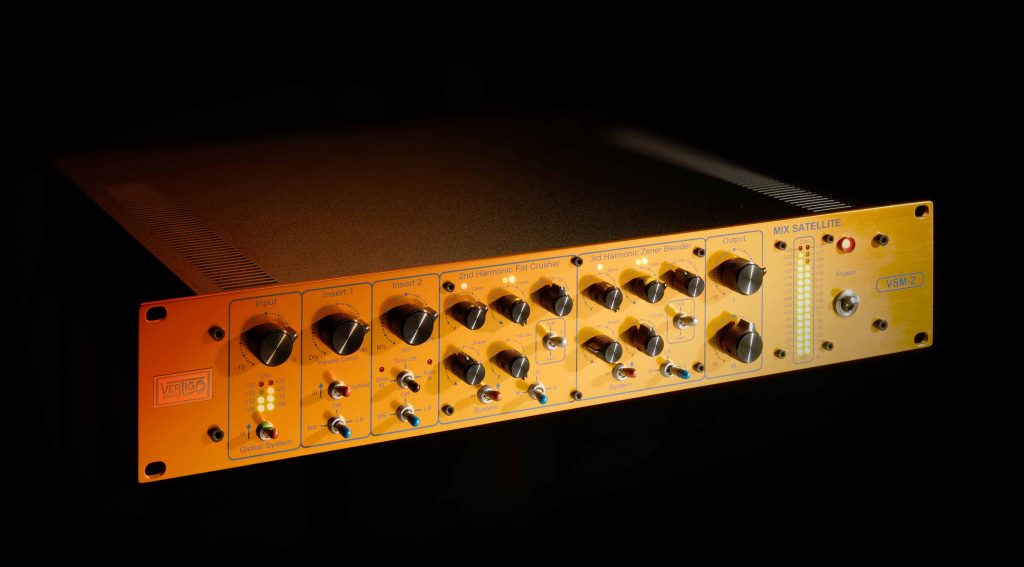
The original hardware is the "VSM-2," and it was turned into a plug-in under the name "VSM-3," faithfully recreating its characteristics while adding new features.
We discussed the importance of harmonic control in mixing before in the "Thermionic Culture Vulture" installment, and the VSM-3 is a harmonic generator with very versatile features that handles not only mixing but also mastering.
Coloration from analog gear inevitably tends to be a black box, so you end up switching between several types depending on the case, but with the VSM-3 you can freely design the analog character you want. It can also process LR and MS separately, so another feature is that it covers a wide range of uses.
Product link: Vertigo Sound VSM-3
Note that UAD plug-ins run on dedicated DSP accelerators (or Apollo series audio interfaces). For details, please see this article.

Features of the Vertigo Sound VSM-2 (Hardware)

The VSM-2 is an all-analog mixing and mastering tool developed by Vertigo Sound, the maker of the "VSC-2" compressor we introduced before.
Its functions are hard to sum up in a word: besides coloration from harmonics, it is an all-in-one processor packed with functions such as switching, monitor control, and an MS encoder and decoder. It can truly be called a product that precisely matches the needs of modern mixing and mastering.
Like all Vertigo Sound products, the VSM-2 is built to the highest industrial standards to guarantee maximum durability and extreme performance. The hardware costs over one million yen, so it is hard for individual DTM users to get their hands on, but Brainworx achieved a faithful model of it and turned it into an excellent plug-in.
Main Parameters of the Vertigo Sound VSM-3

- ① Input
Adjusts the level of the signal going into the VSM-3. In principle, the 12 o'clock position is fine, but if the original sound is too loud or too quiet, it is a good idea to adjust it so it is easier to control. - ② Drive
Generates harmonics by pushing the input into the harmonic generator. It can produce anything from subtle saturation to heavy distortion. The LED above the knob lets you check how hard it is being driven (green → yellow → red). - ③ Level
Adjusts the level of the band determined by the Input Filter described below. It is similar to the per-band level adjustment of a multiband compressor. Of the two LEDs, the left shows the source level and the right shows the processed level. - ④ Input Filter
Sets the frequencies sent to the harmonic generator. If you want to add harmonics only to a specific band, choose something other than Full/Track. Selecting Track mode disables the THD Mix described below.
• Low: 10 Hz–120 Hz
• Mid: 120 Hz–1.5 kHz
• HiMid: 800 Hz–4 kHz
• High: 4 kHz–20 kHz
• Full: 120 Hz–20 kHz
• Track: 10 Hz–20 kHz - ⑤ Shape
A low-pass filter that cuts the high-frequency harmonic content. If you hear harsh grit or glare, cutting the highs moderately gives a calmer tone. It affects only the distortion component and nothing else. - ⑥ THD Mix
A knob that mixes the original sound (dry) and the output of the harmonic generator (wet). - ⑦ LR & M/S Selector
A toggle switch that selects whether the channels sent to the harmonic generator are LR or M/S (for example, you can add harmonics only to the high range of the source's S channel). - ⑧ Style
Lets you choose the shape of the knee at the internal threshold where distortion starts. Soft distorts more smoothly with dynamics, while Hard distorts more clearly the higher the level. If you are distorting so much that the Drive LED lights red, you are far beyond the threshold, so there is little difference. - ⑨ System
A switch that turns each harmonic generator on and off. - ⑩ THD Mixer
In Parallel mode, adjusts the balance between the 2nd Harmonic FET Crusher and the 3rd Harmonic Zener Blender. It is disabled in Serial mode. - ⑪ Parallel/Serial Switch
Setting the switch to "Parallel" makes the two harmonic generators work in parallel, and you can adjust the balance with the THD Mixer above. Setting the switch to "Serial" disables the "THD Mixer" knob, and processing runs in series, 2nd harmonics then 3rd harmonics. - ⑫ MS Solo
Lets you monitor the mid and side of the MS channels individually. - ⑬ Distortion Solo
Lets you monitor only the wet signal added to the dry sound at each stage. You can choose from 2nd, 3rd or 2nd & 3rd.
The VSM-3's harmonic generators are divided into two types: the 2nd Harmonic FET Crusher and the 3rd Harmonic Zener Blender.
The 2nd Harmonic FET Crusher generates pure 2nd harmonics by emulating a Class A triode tube stage, adding "warmth" and "richness" to the sound.
The 3rd Harmonic Zener Blender generates 3rd harmonics, plus higher odd-order harmonics depending on the amount of drive. It emulates the distortion characteristics of a pentode tube, adding clarity and definition.
Each has the same parameters, so use them separately to take advantage of their characteristics, or try blending them.
Use Case 1: Applying It to Bass
The classic use of the VSM-3 is on the master bus, but we will save that for last and first apply it to a bass track.
The aim is to create presence through texture rather than volume.
The low end becomes solid while moderate distortion gives the sound a core.
You will hear it later when you listen to the whole mix, but it has a presence that firmly fulfills the role of the bass without getting in the way.
The settings look like this.

For the 2nd, the Filter is set to Low, and we drive it fairly hard with Drive while finding just the right texture with THD Mix.
At the 12 o'clock position, Level was a little boomy, so we lowered it slightly to get a low end that sits well.
For the 3rd, the Filter is set to Full, and here too Drive is raised until the LED glows orange, but it did not produce unpleasant distortion, so THD Mix is at full. With Full, Level affects the overall level, so we left it at 12 o'clock. As a result, the harmonics are moderately reinforced and the presence increases.
As a final adjustment, we set the central THD Mixer slightly toward the 3rd for a well-balanced sound. You can decide this according to taste and how it sits in the overall mix.
Use Case 2: Applying It to Vocals
The VSM-3 can also be used as a saturator/enhancer for vocals.
The aim is to reinforce the mid-high harmonics and help the vocal cut through.
Clarity increases as if a veil had been lifted, and there is no unpleasant harshness in the highs. You can easily imagine it shining pleasantly in the mix. We also include the change in the whole mix later, so please check it.
The settings look like this.

For the 2nd, the Filter is set to High with light Drive. Even this actually distorts quite a bit, so THD Mix is kept modest at 60%.
With Shape we cut quite a lot so it does not get too piercing, then raised Level slightly, aiming for highs that extend pleasantly.
For the 3rd, the Filter is set to HiMid, with Drive stronger than the 2nd and THD Mix at 70%. Partly because it is HiMid, the harmonics are less noisy than the 2nd.
On the other hand, Shape cuts a lot at 60%, adjusted so that the effect concentrates in the mid-highs.
Note that this time the 2nd and 3rd are in Serial. If you do not need to adjust the balance, compare Parallel and Serial and choose the one whose texture you prefer.
Use Case 3: Applying It to the Master Bus
Now for applying it to the master bus, which can be called the VSM-3's true forte.
The aim is to create width and impact using MS mode and to add analog character to the whole mix.
Without drastically upsetting the mix balance, the sides are moderately reinforced and it has transformed into a modern sound. The highs gain a soft sense of air without becoming harsh, and it feels as though the vertical spread has increased too.
The settings look like this.

The 2nd is set to LR mode with the Filter on Full, and is responsible for adding analog character and warmth.
Drive is pushed until the LED lights orange, balanced with THD Mix at 70%. Shape also cuts firmly to avoid unnecessary grit, aiming for a warm, analog-like sound.
The 3rd is set to S mode with the Filter on HiMid, and is responsible for creating width and impact in the mix by reinforcing the sides.
Drive is high at 70%, but the LED is green. This still gives enough harmonic enhancement, so THD Mix is set to 70%, the same as the 2nd. Shape trims the mid-high distortion so it does not become too prominent.
It is a good idea to set Level as if you were adjusting the width. This time we raised it slightly, but raising it too much upsets the balance, so be careful.
Finally, for reference, let's compare all three tracks above before and after applying the VSM-3.
That concludes our introduction to the Vertigo Sound VSM-3.
With so many unfamiliar parameters it looks difficult at first, but once you get used to it, you will see that it is designed to make controlling distortion very easy.
Its effect is very pleasant and its range of applications is wide, so having one will help you polish your sound in all kinds of situations.
If you are troubled that "my mix is missing a little something," please give it a try.
Product link: Vertigo Sound VSM-3
Frequently Asked Questions
Q1. What do I need to use the UAD VSM-3?
The UAD VSM-3 is a plug-in that requires a dedicated DSP accelerator or an Apollo series audio interface. With this hardware, the plug-in runs properly.
Q2. What is the difference between the VSM-3's 2nd Harmonic and 3rd Harmonic?
The 2nd Harmonic FET Crusher emulates a Class A triode tube and adds warmth and richness to the sound. The 3rd Harmonic Zener Blender emulates the distortion characteristics of a pentode tube and adds clarity and definition.
Q3. Can the VSM-3 be used for mastering?
Yes. The VSM-3 is a versatile harmonic generator that handles not only mixing but also mastering. Applying it to the master bus is considered its classic use.
Q4. What effect do I get when I narrow the frequency range with the Input Filter?
You can add harmonics only to a specific band. For example, by adding harmonics only to the bass's lows or only to the highs, you can achieve different coloration for each frequency range.
Q5. How should I choose between the Parallel/Serial Switch settings?
In Parallel mode, the two harmonic generators run in parallel and you can adjust their balance. In Serial mode, processing runs in series from 2nd to 3rd harmonics, allowing stepwise harmonic processing.
NEW ARTICLES
Latest English Articles











