
The swing function built into Studio One's quantize is an important tool for giving your programming human feel and groove. Perfect timing is not always musically ideal, and using swing lets you express a triplet-based "bounce." You adjust the swing value from 0 to 100%, and a setting of around 10 to 20% usually gives a natural groove. It can be applied not only to drums but to all kinds of instruments. Mastering this feature lets you produce songs with more human rhythm and dynamics.
The Swing Setting in the Quantize Function
*Explained from 6:50 to 7:17.
Quantize is a powerful ally for programming.
It is a handy function that corrects mistimed playing to exact positions, but perfect timing is not always musically ideal.
- After applying quantize, the groove disappeared
- You programmed with the pen or step input, but the rhythm lacks life
Many of you have probably had experiences like these.
In such cases, the "swing" setting in the quantize function comes in handy.
What Is Swing?
Swing, also called "bounce," refers to a rhythmic feel based on triplets.
It is a classic feel in blues and similar styles.
In contrast, an even beat with no bounce is called "straight".
Applying swing at the maximum makes the rhythm fully bounce and changes the pattern itself, but by keeping the amount down, you can give the performance human feel and dynamics.
This works not only on drum parts but on all kinds of other instruments.
How to Set Swing
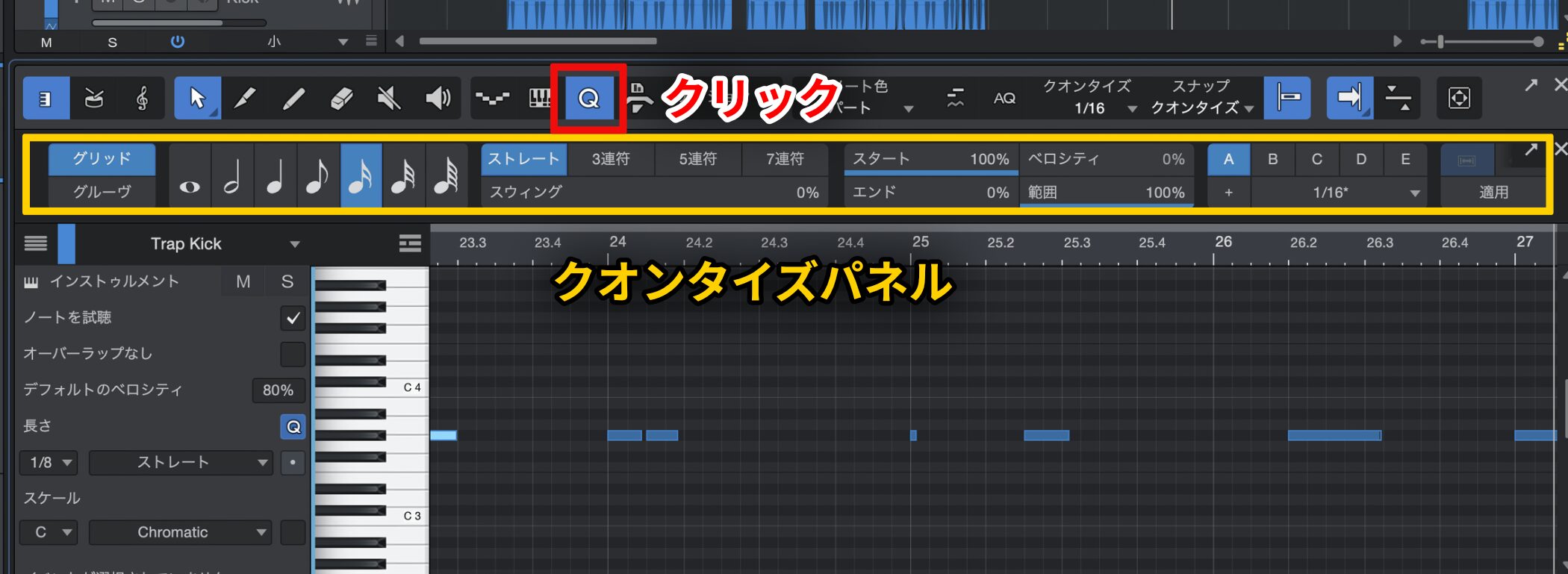
First, click the "Q" icon at the top of the MIDI editor to show the Quantize panel.
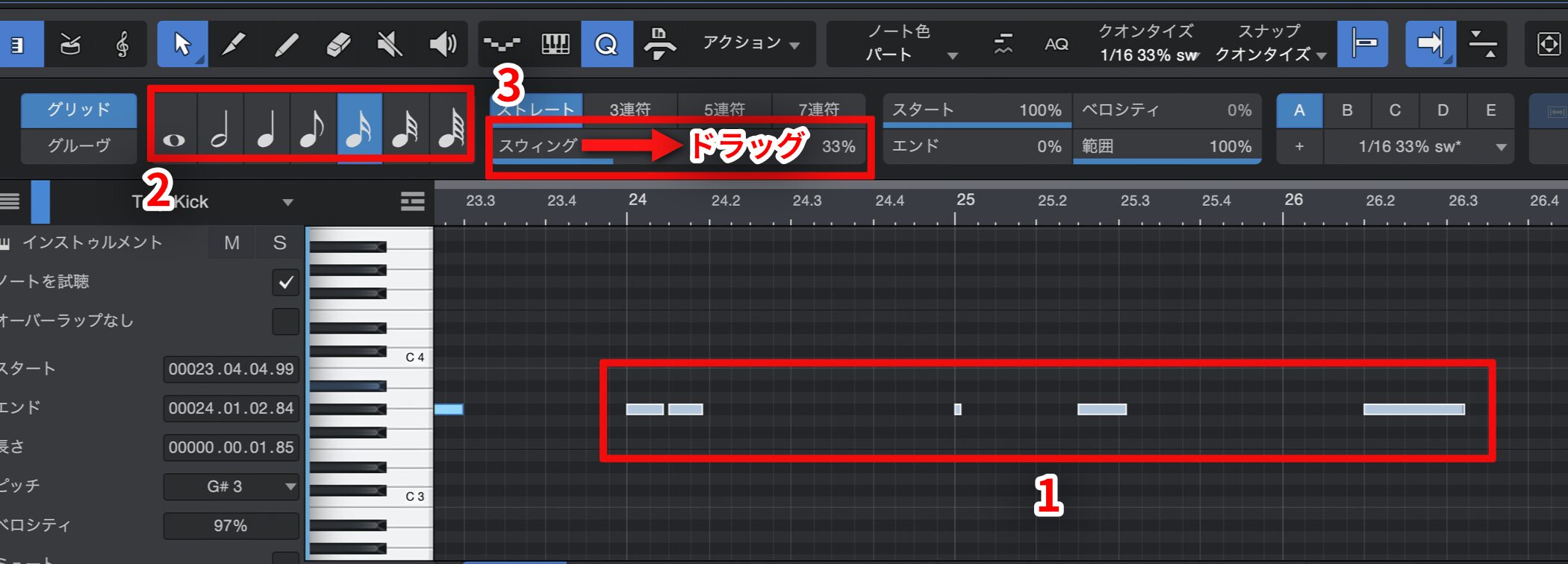
1. Select the notes you want to apply swing to.
2. As the quantize grid, choose the shortest note value in the phrase (eighth notes, sixteenth notes, etc.).
3. Drag the swing value to adjust it.
Swing is adjusted from 0 to 100%, where 0 is completely straight and 100 is a full bounce.
For a natural groove, around 10% to 20% is a good guide.
However, these values are only a reference.
The best value varies greatly from song to song, so we recommend trying various values while checking with your own ears.
Use this swing function to produce songs with more groove.

Frequently asked questions
Q1. What is swing in Studio One?
Swing, also called "bounce," refers to a triplet-based rhythmic feel. It is a classic feel in blues and similar styles and is the counterpart to an even "straight" beat. It is built into the quantize function and lets you add human feel to your programming.
Q2. What is the best swing setting?
Around 10 to 20% is a guide for a natural groove, but the best value varies greatly from song to song. Treat it as a reference and try various values while listening.
Q3. Can swing be used on instruments other than drums?
Yes. Swing works not only on drum parts but on all kinds of instruments, such as bass and melodies. You can pursue the best groove by trying different values for each instrument.
NEW ARTICLES
Latest English Articles











