
Dithering in Studio One is an essential step for minimizing loss of sound quality. This article explains the practical steps, from choosing the bit depth when creating a project and enabling dithering in Options, to setting the limiter on the master track and choosing the correct bit depth when exporting a mixdown. In particular, setting the master track's Ceiling to -0.1 dB prevents distortion so you can finish your track with professional sound quality. It is an important process that beginners and advanced users alike should always follow.
Using Dithering in Studio One
This article branches off from "Dithering" in the Mix category.
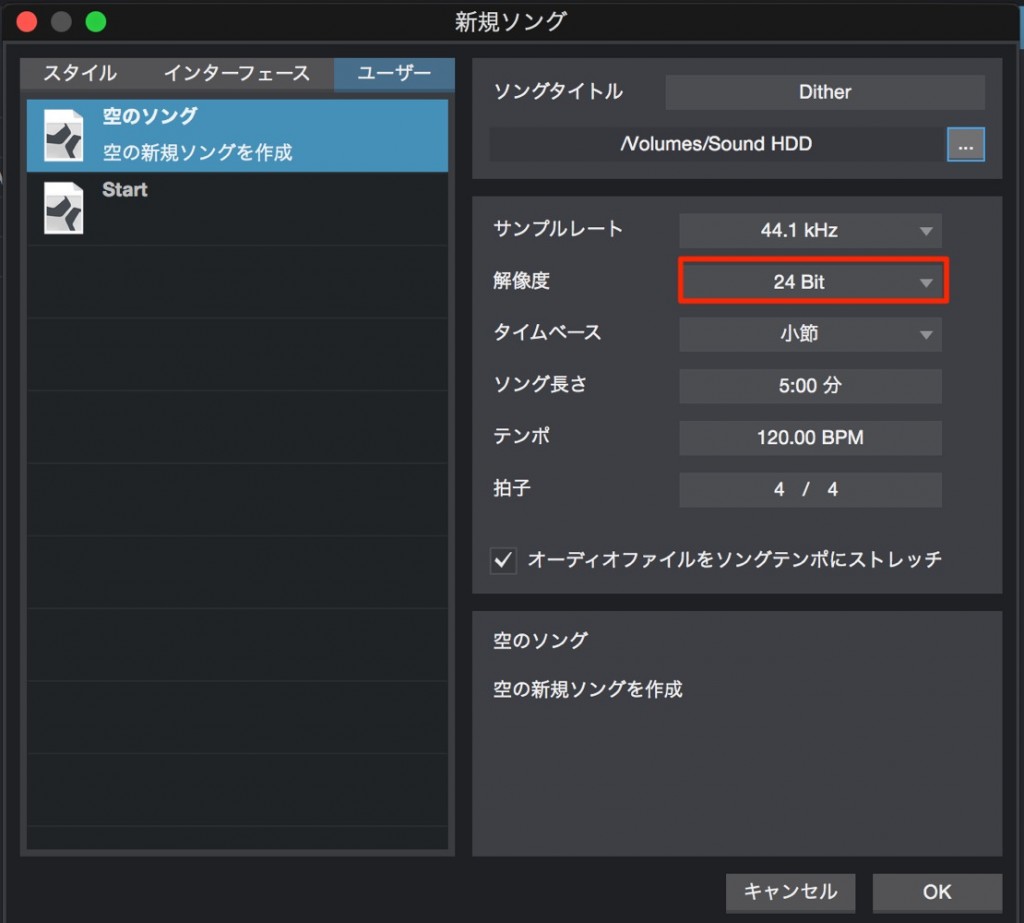
↑ In Studio One, you can choose the bit depth when creating a new song.
The bit depth you choose here is used within the project.
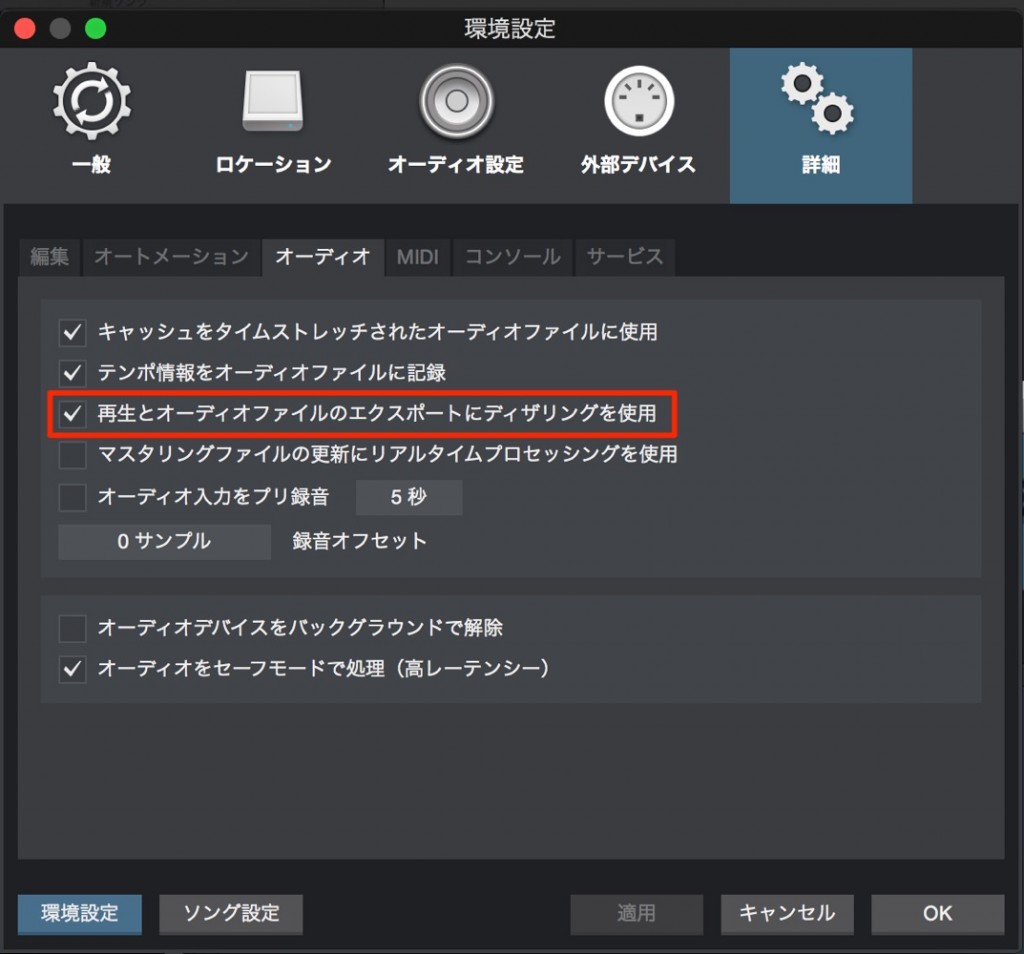
↑ From the menu bar, select "Studio One" → "Options,"
then on the "Advanced" tab under "Audio," check "Use dithering for audio device and…"
One thing to note:
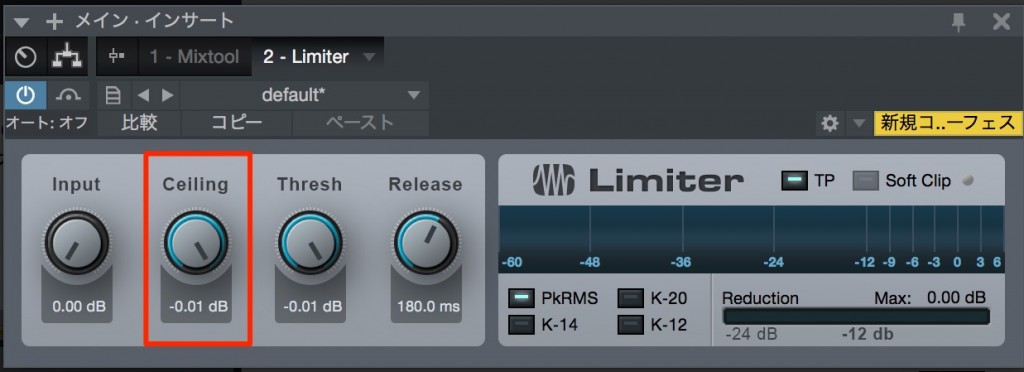
↑ the "Ceiling" of the limiter or maximizer on the master track
must be set to "-0.1 dB." Otherwise, the sound may distort.

↑ Then simply use the normal "Export Mixdown,"
choose the bit depth you want (the same value as the dither setting above), and export.
It is simple, but it is a dithering step you should always do.
Dithering Explained

Frequently asked questions
Q1. What are the benefits of using dithering in Studio One?
Dithering reduces the quantization noise that occurs when converting from a higher to a lower bit depth, minimizing loss of sound quality. It is especially important in mastering and gives you a more natural, higher-quality final audio file.
Q2. Why set the master track's Ceiling to -0.1 dB?
Ceiling limits the maximum output level. Setting it to -0.1 dB reliably prevents peaks from clipping digitally and distorting, leaving headroom for clean mastering.
Q3. Is there anything to watch out for when choosing the bit depth with dithering?
It is important to use the same bit depth when enabling dithering in Options and when choosing the bit depth for the final export. This ensures the dithering is applied correctly.
NEW ARTICLES
Latest English Articles











