
In DTM production, loading many software synths makes CPU usage spike and slows down your work. This article explains how to load multiple instrument sounds inside a single multitimbral software synth and shows how this can greatly reduce CPU load. By setting MIDI channels with Studio One and Kontakt, you can efficiently manage instruments such as piano, bass, guitar, and synths, creating a comfortable environment for music production.
Extremely Effective for Saving CPU
One thing you cannot do without when using a DAW is software synths.
They can produce all kinds of sounds, from piano and drums to ethnic instruments, and let you combine instruments however you like.
On the other hand, the number of software synths inevitably grows, and the rising CPU usage often gets in the way of your work.
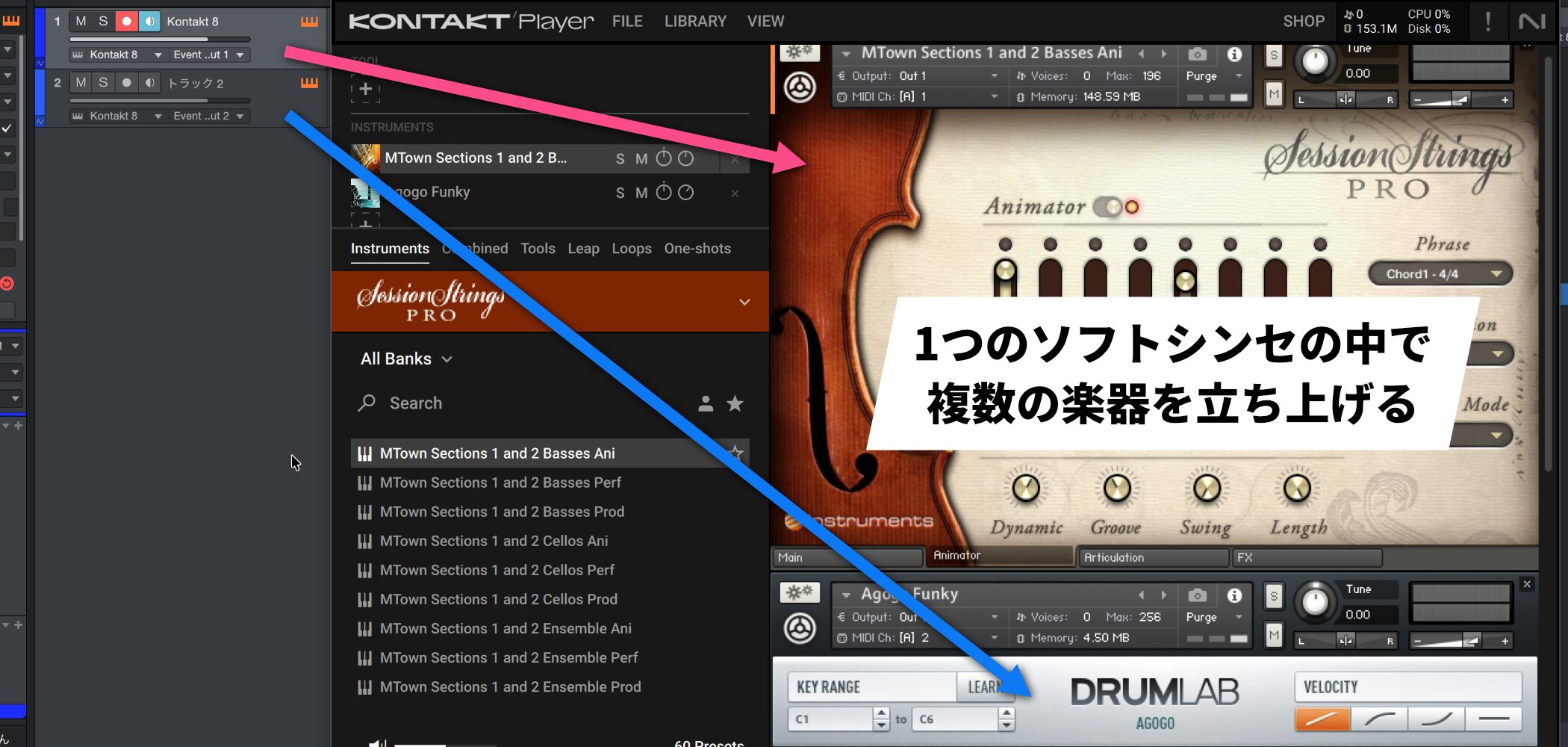
To solve this problem, many products let you load multiple instruments inside a single software synth.
This way, even when you use several instruments such as piano, bass, guitar, and synths, a single software synth is enough, saving a great deal of CPU.
How to Use Multiple Sounds in One Software Synth
Here, we explain using the multitimbral software synth Kontakt.
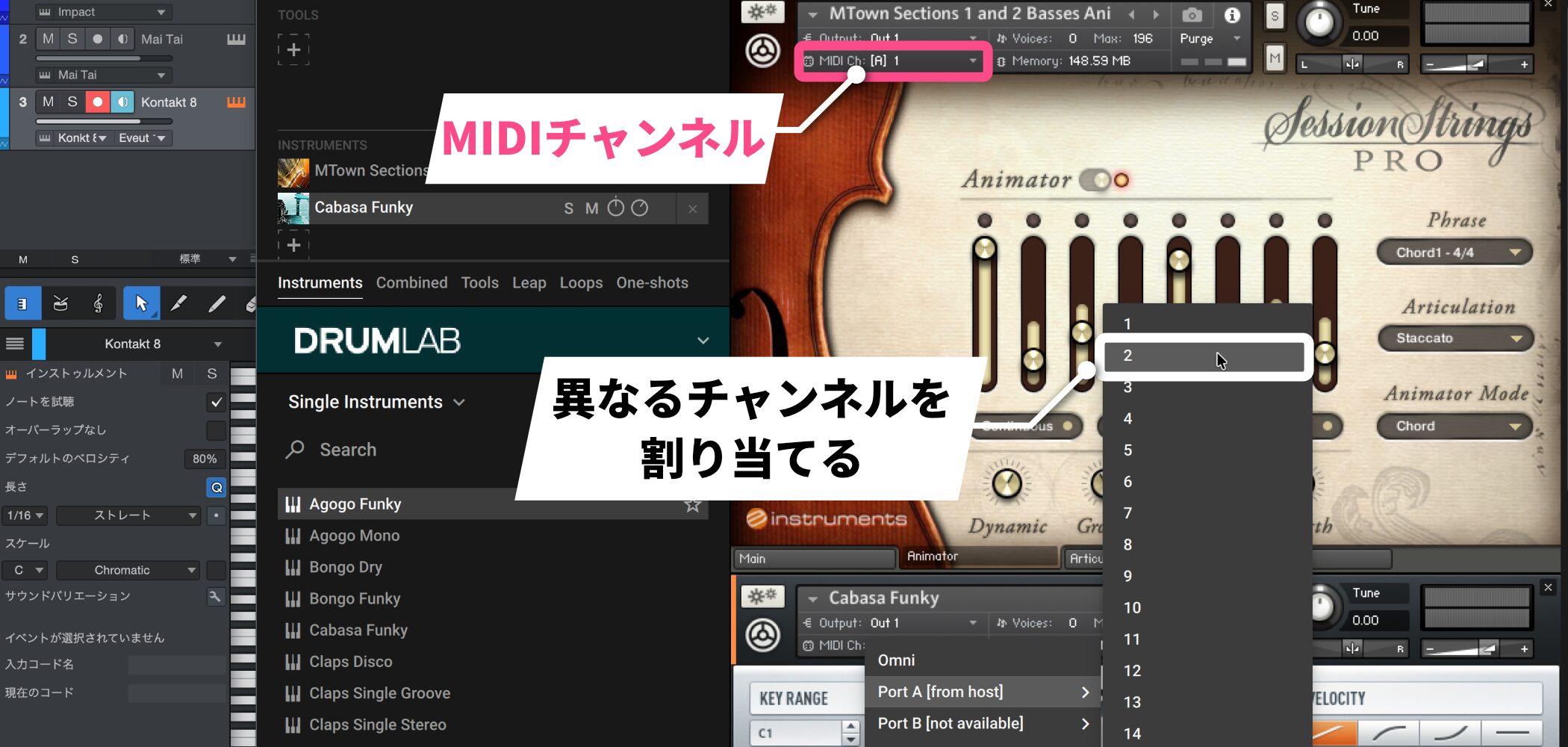
Every multitimbral software synth has MIDI channels.
Assign a different MIDI channel to each instrument.
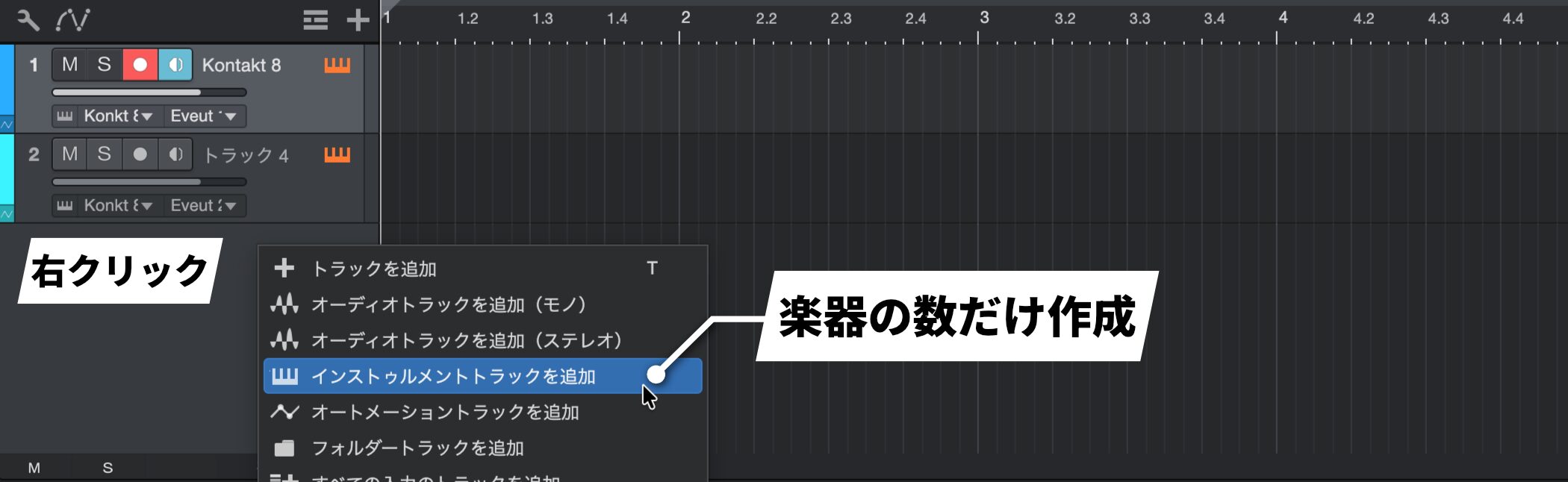
Right-click an empty part of the track area and create as many instrument tracks as the number of instruments you will use.
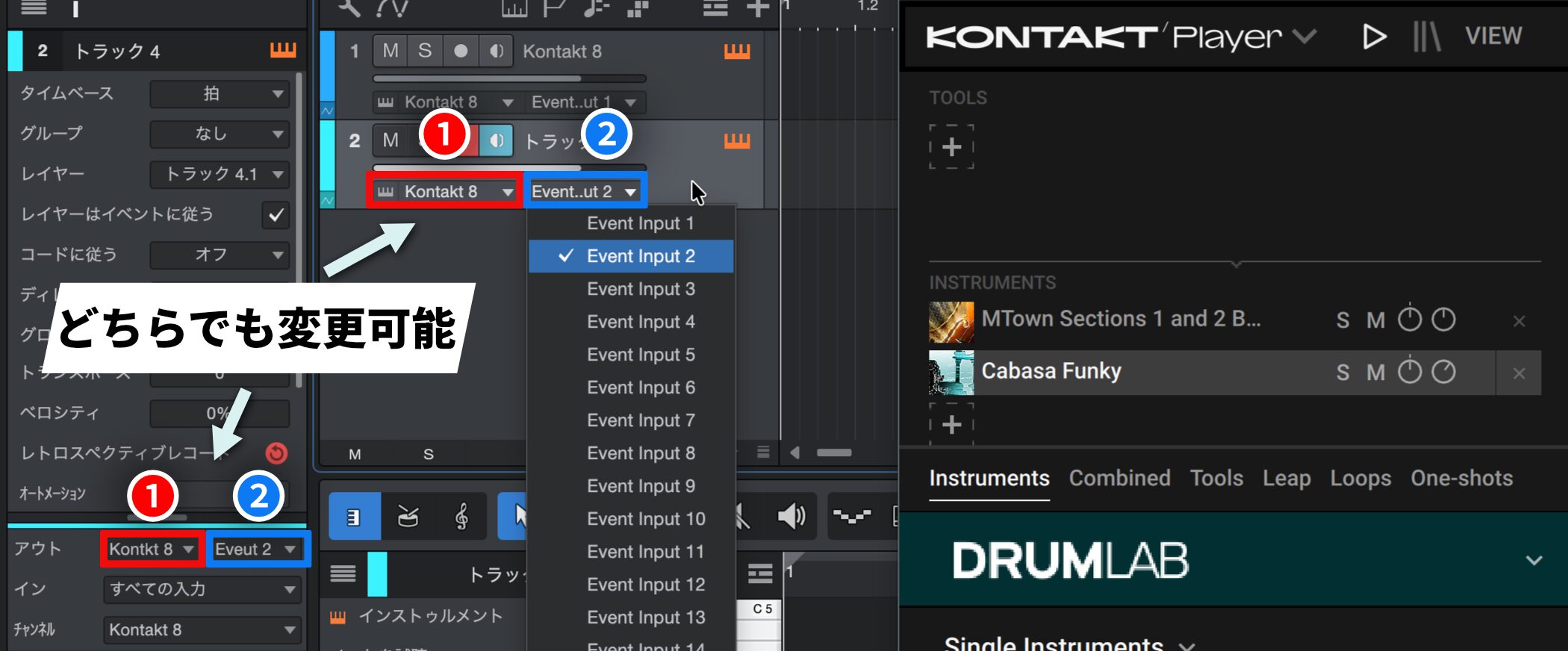
1 (red): Set the area outlined in red to the software synth you want to use
2 (blue): Select the MIDI channel you set above
You can now program each instrument separately.

Frequently asked questions
Q1. What is a multitimbral software synth?
It is a software synth that can host multiple different instrument sounds in a single plugin. By using different MIDI channels, you can handle multiple instruments at once, which saves CPU.
Q2. Why do I need to save CPU?
When there are too many software synths, the CPU load rises, making the DAW sluggish and causing delays in audio processing, which gets in the way of production.
Q3. Is setting MIDI channels difficult?
No. As explained in the article, you just create instrument tracks in the track area and assign the software synth and MIDI channel to each.
NEW ARTICLES
Latest English Articles











