
To use reverb more effectively in Studio One, it is important to apply an equalizer to the FX channel and control its frequencies. Applying a low cut in particular makes the reverb sound clearer and prevents it from clashing with low-frequency instruments. This technique builds on the send/return method and greatly improves the sound of a reverb shared by multiple tracks while keeping CPU load down. Because a simple setting can dramatically improve the sense of space in your song, it is a practical, effective technique for everyone from DTM beginners to advanced users.
Improve Quality by Controlling the Frequencies of the Space
Reverb is an effect that expresses the space of a song,
and it is very important for improving a song's quality.
In an article we introduced earlier,
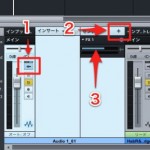
we introduced the classic technique of sharing one reverb across multiple tracks:
send/return.
This time, we introduce a spatial technique that builds on it.
Apply EQ to the reverb track to control its frequencies.
This can give you effects such as:
- The reverb can be heard clearly
- It doesn't clash with low-frequency instruments
These are the effects you can expect.
How to Set Up Reverb EQ in Studio One
The method is very simple.

Apply an equalizer to the FX channel.
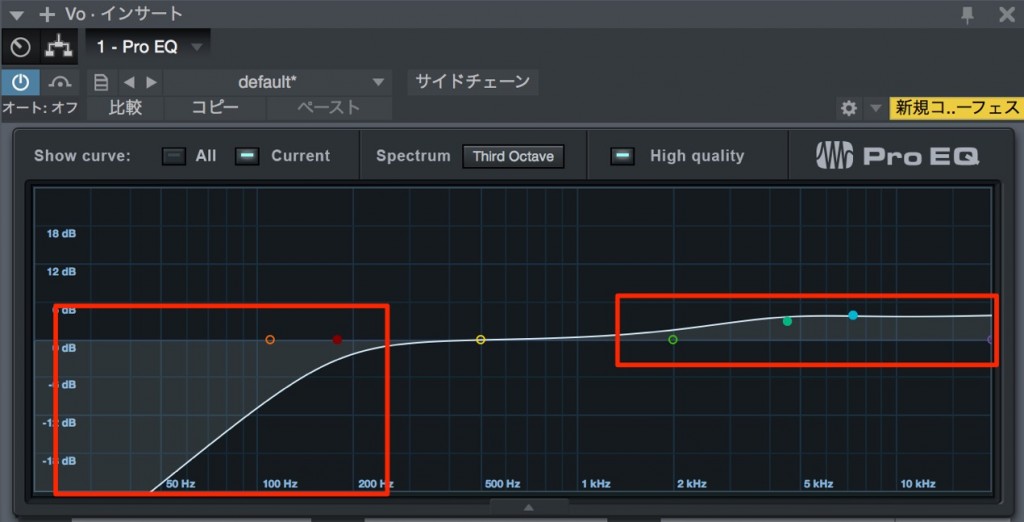
Apply a low cut, and in some cases boosting the highs is also effective.
This alone makes the reverb sound much cleaner.
It is easy and very effective for tidying up the space in your song. Be sure to try it.

Frequently asked questions
Q1. What is the easiest way to improve the sound of reverb in Studio One?
Just insert an equalizer on the FX channel and apply a low cut. This removes unneeded lows so the reverb sounds clear. Boosting the highs as needed is also effective.
Q2. What are the benefits of applying EQ to reverb?
The reverb can be heard more clearly, and it no longer clashes with low-frequency instruments. The sense of space in the song is also better organized, giving a more professional sound.
Q3. How do I share one reverb across multiple tracks?
Use the send/return method. Place one reverb on an FX channel and send to it from each track, so you can use it efficiently while keeping CPU load down.
Q4. What is an appropriate frequency for the low cut?
Generally, cutting from around 200 Hz to 500 Hz is effective. It needs adjusting depending on the genre and the low-frequency instruments in the song, so we recommend finding the best point by ear.
NEW ARTICLES
Latest English Articles











