
Using Studio One's Stems feature, you can export multiple MIDI tracks as separate audio files in a single operation. This kind of export, known as "stem export" or "parallel out," is very handy for reducing CPU load before mixing or when moving to another DAW. Just select the tracks you want to export from the menu and specify the save location and the WAV format, and you can manage your project efficiently and keep your production environment comfortable.
Useful Before Mixing, When Moving to Another DAW, and More
Software synths are a huge help in production, but the concern is always CPU usage.
By the time a song is nearly finished, you are probably using quite a lot of them.
To mix comfortably, you will want to convert finished MIDI tracks to audio.
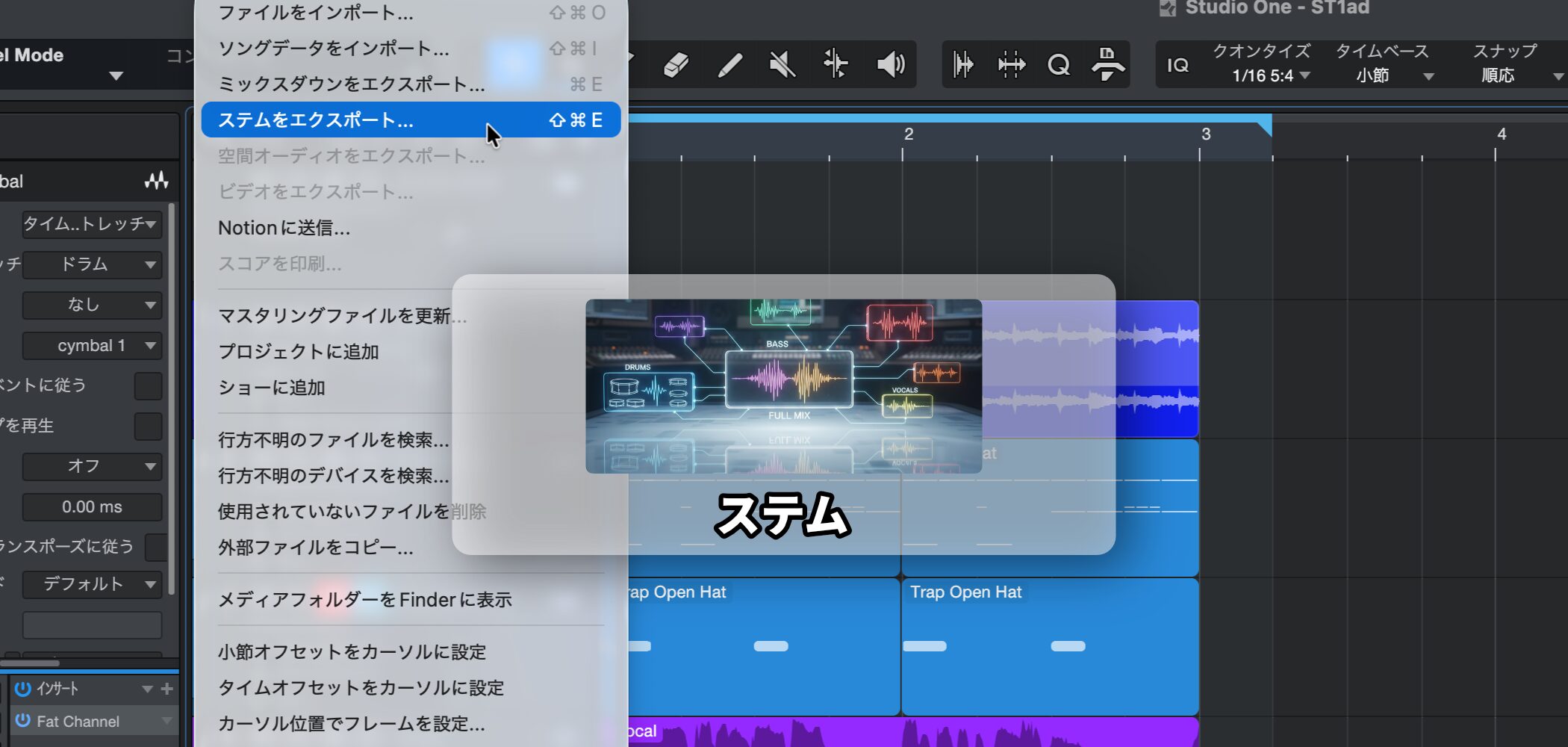
That's where this export feature, Stems, comes in handy.
It can export multiple tracks as separate files in a single operation.
This kind of export is called "parallel out" (stem export).
How to Use Export Stems in Studio One
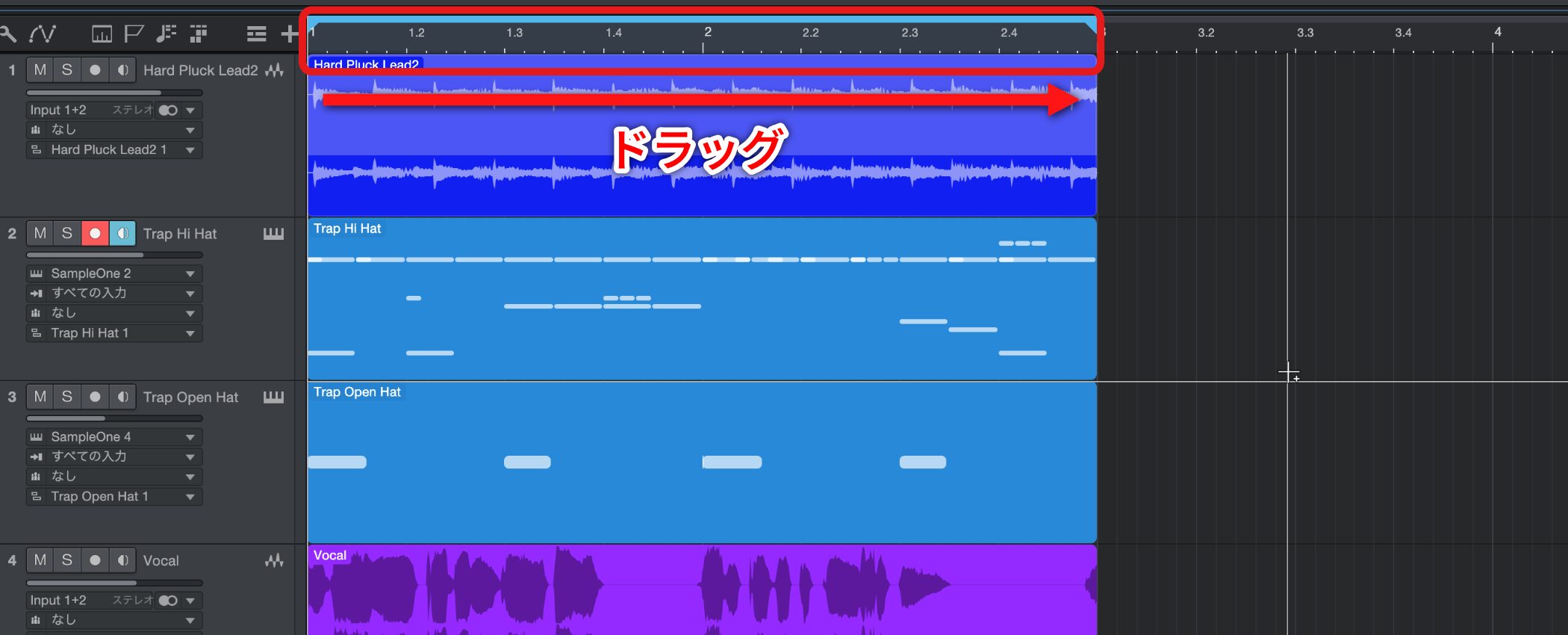
Specify the range to export as stems.
So that the exported files line up with the project, we recommend starting the range from the beginning of the song.
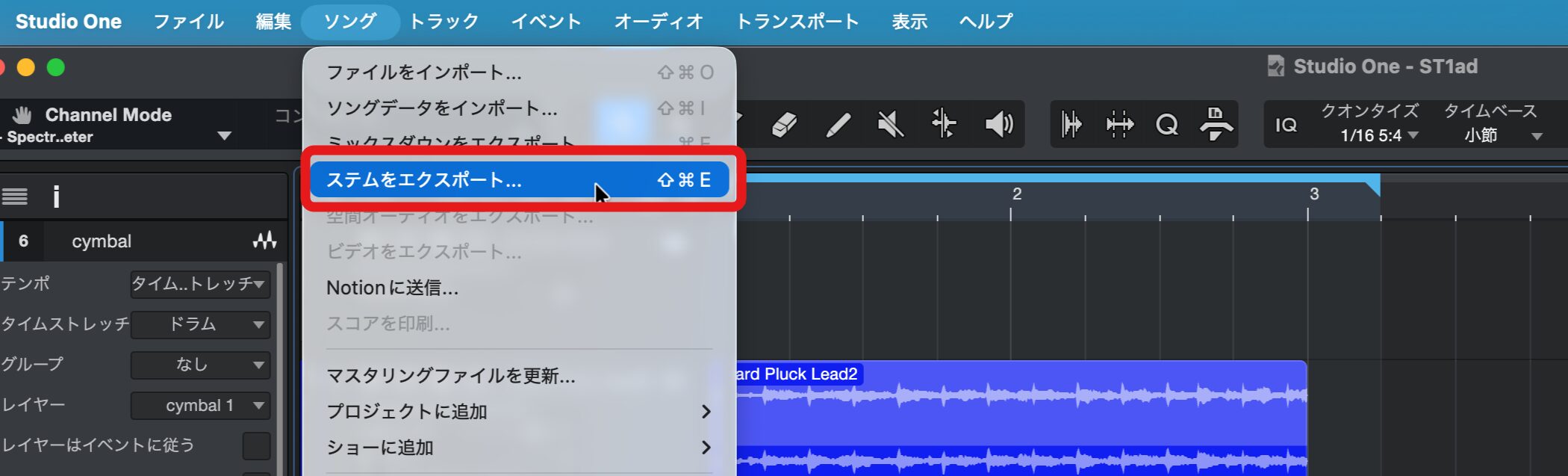
From the menu bar, select "Song" → "Export Stems."
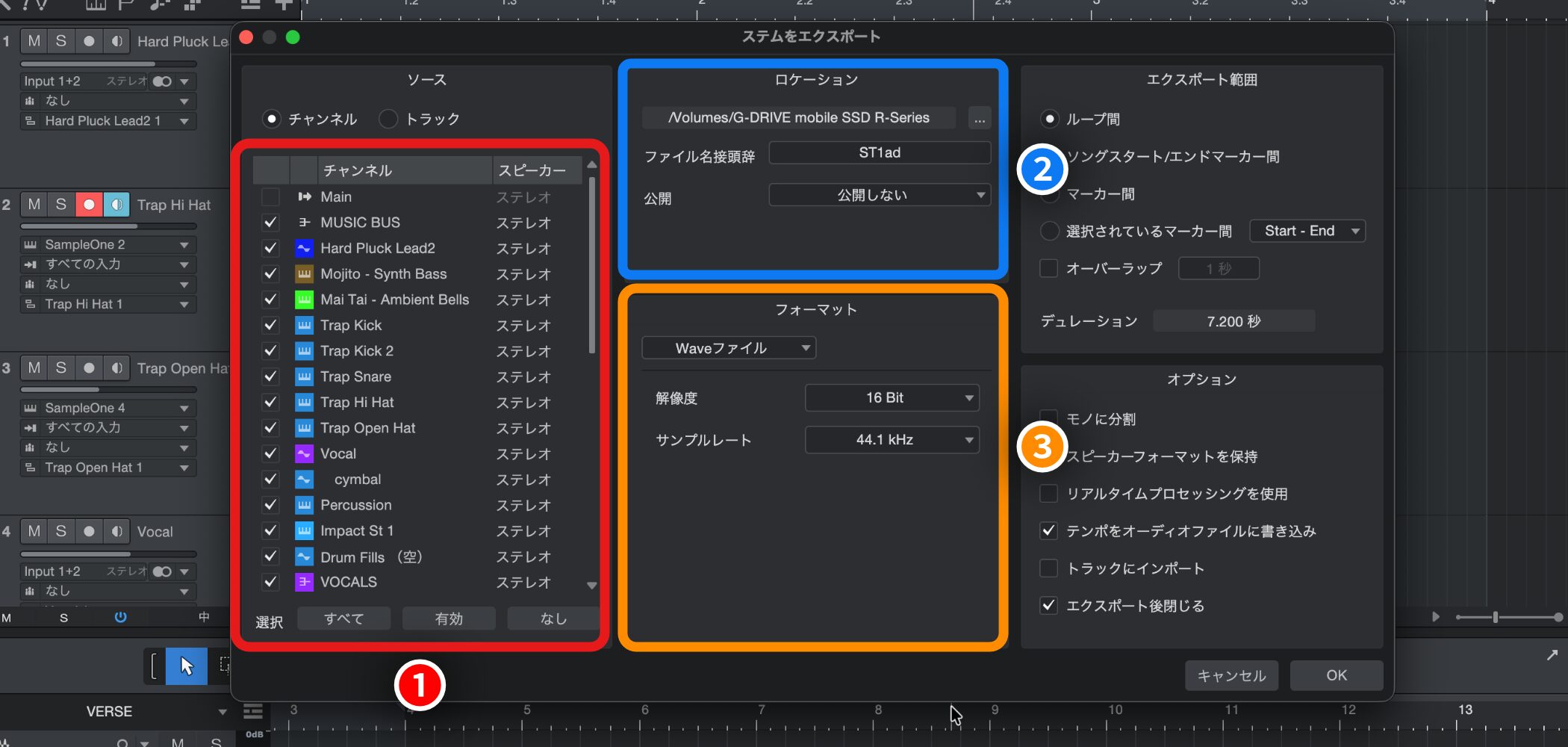
1 (red): Check the tracks you want to export.
2 (blue): Choose the location for the exported tracks. If you don't need this, leave it blank.
3 (orange): The export format. We recommend WAV. Change the resolution and sample rate as needed.
After setting these, press "OK" to start the export.
*External synths cannot be exported this way.

Frequently asked questions
Q1. What is Studio One's Stems feature?
It exports multiple MIDI and audio tracks as separate audio files in a single operation. Also known as "parallel out," it is useful for reducing CPU usage before mixing and when moving to another DAW.
Q2. What should I watch out for when exporting stems?
Starting the export range from the beginning of the song keeps the files in sync with the project. Also, external synths cannot be exported this way, so they need to be handled separately.
Q3. Which format do you recommend for stem export?
WAV is recommended. Change the resolution and sample rate as needed to suit your production environment.
NEW ARTICLES
Latest English Articles











