
By using side-chaining in Logic Pro, you can easily create the "wobbling" pumping effect that is a staple of club music and EDM. This article explains in detail how to use a compressor plug-in to automatically lower the volume of the bass or synthesizer in response to the kick drum, and you will also learn how parameter adjustments change the speed and size of the waves and how to handle a MIDI kick. It is a practical guide that beginners and intermediate users can follow step by step to learn a technique essential for producing professional club sounds.
A staple technique of club sounds

Let's get right to it:
please listen to this sound.
A wobbling sound.
You have probably heard it at least once.
This sound is created using a technique called side-chaining.
It is a standard technique in club music,
set up so that the volume of the "bass" and "synthesizer" drops when the "kick" hits
This time we show you how to set up this "side-chaining".
Side-chain setup video
Advanced side-chaining using a noise gate
How to set up side-chaining in Logic
We set it up so that, in time with the "kick",
the volume of the "bass" and "synthesizer" is lowered.
For this we use a volume-control plug-in,
the "compressor".
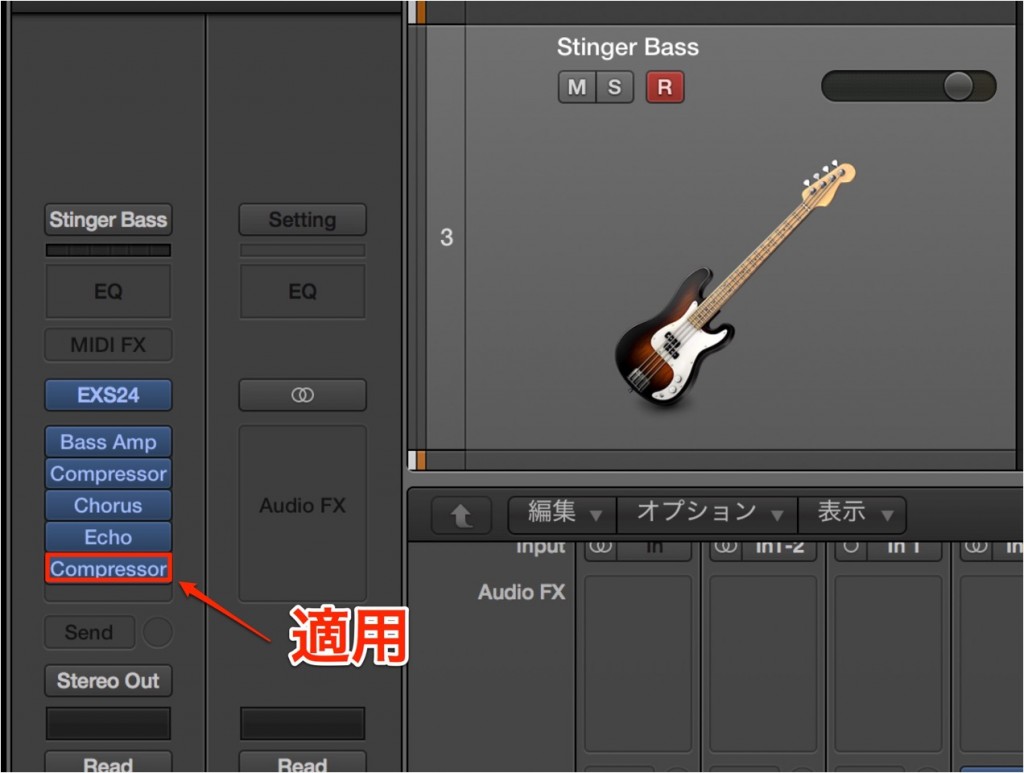
Apply a "compressor" to the track you want to link to the "kick".
Here we apply it to the "bass track".
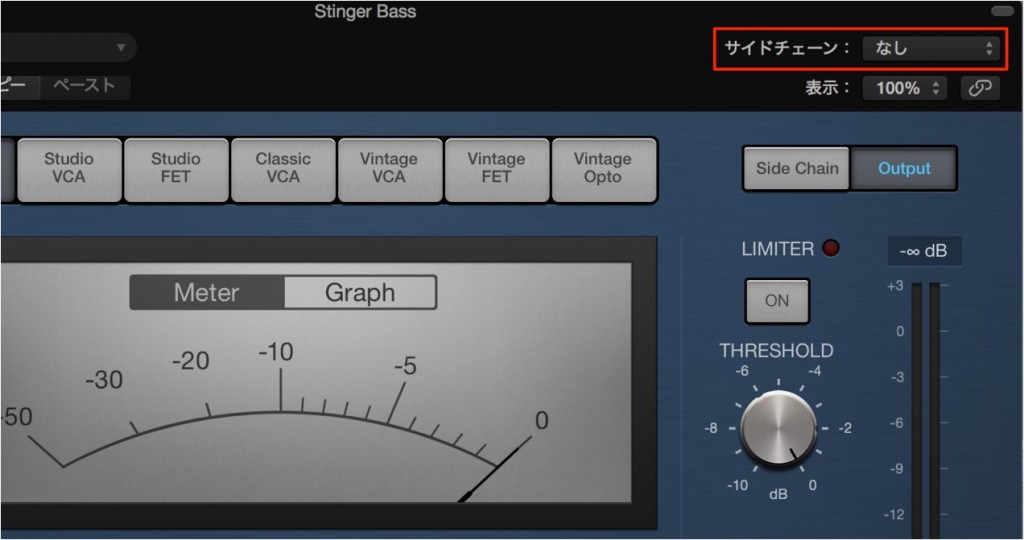
This is the bass track's compressor window.
Click the side chain menu outlined in red.
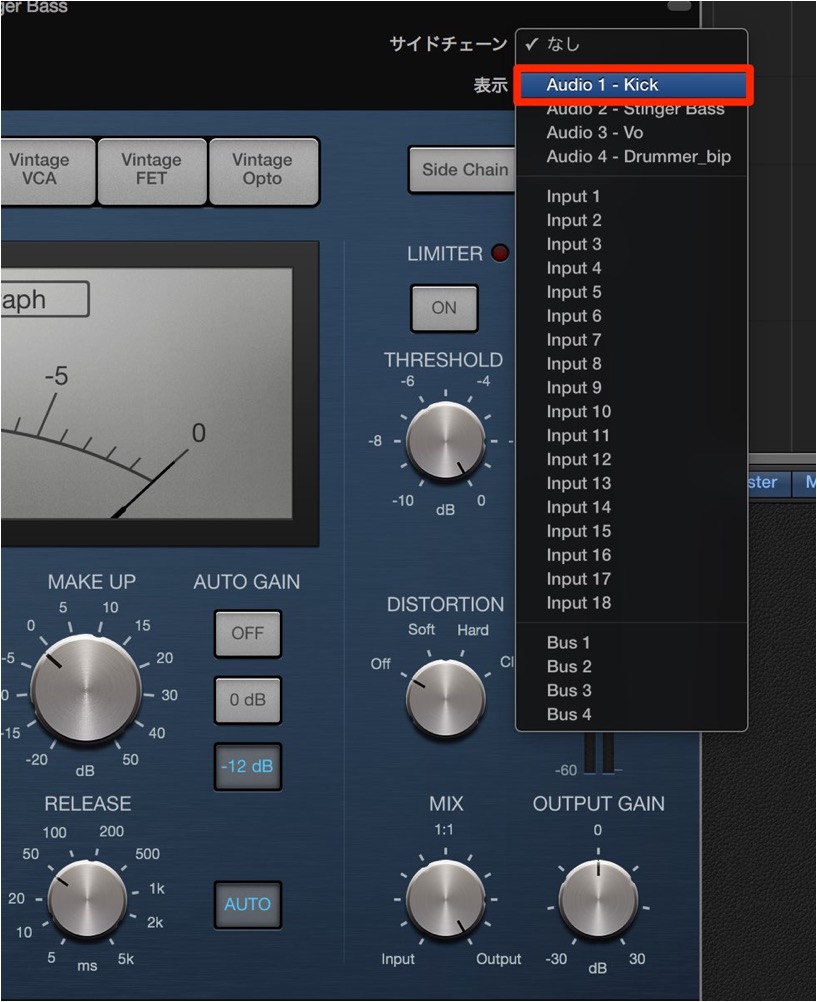
- 1. Select the track you want to link it to.
Here it is the "KICK track". - 2. Use the "compressor" to set how strongly it is affected by the "kick".
"Ratio", "Release" and "Threshold" change the speed and size of the waves.
Let's check the sound at this stage.
"Before side-chaining"
"After side-chaining"
Sounds good.
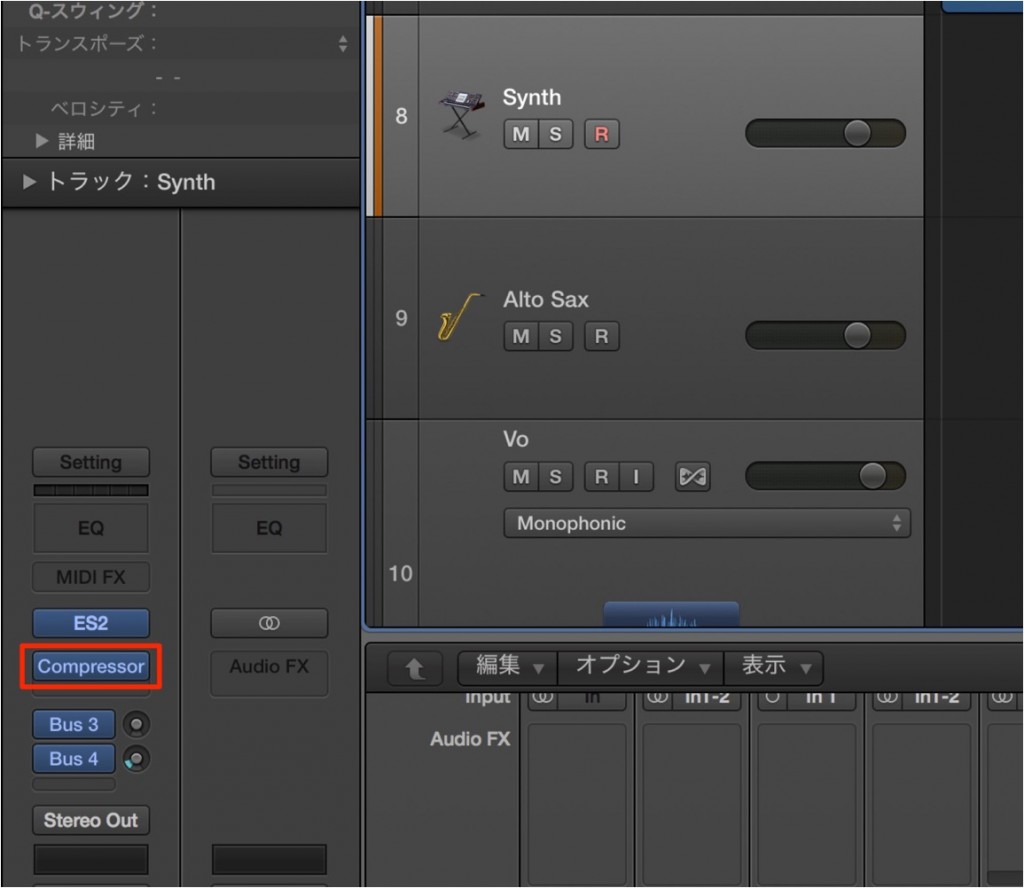
In the same way as above, apply
"compressor" + "side chain" to the "synthesizer track" as well.
"The full mix"
The wobbling sound is complete.
How do I receive a MIDI kick signal?
Above we used a kick on an audio track,
but if you are using a programmed kick,
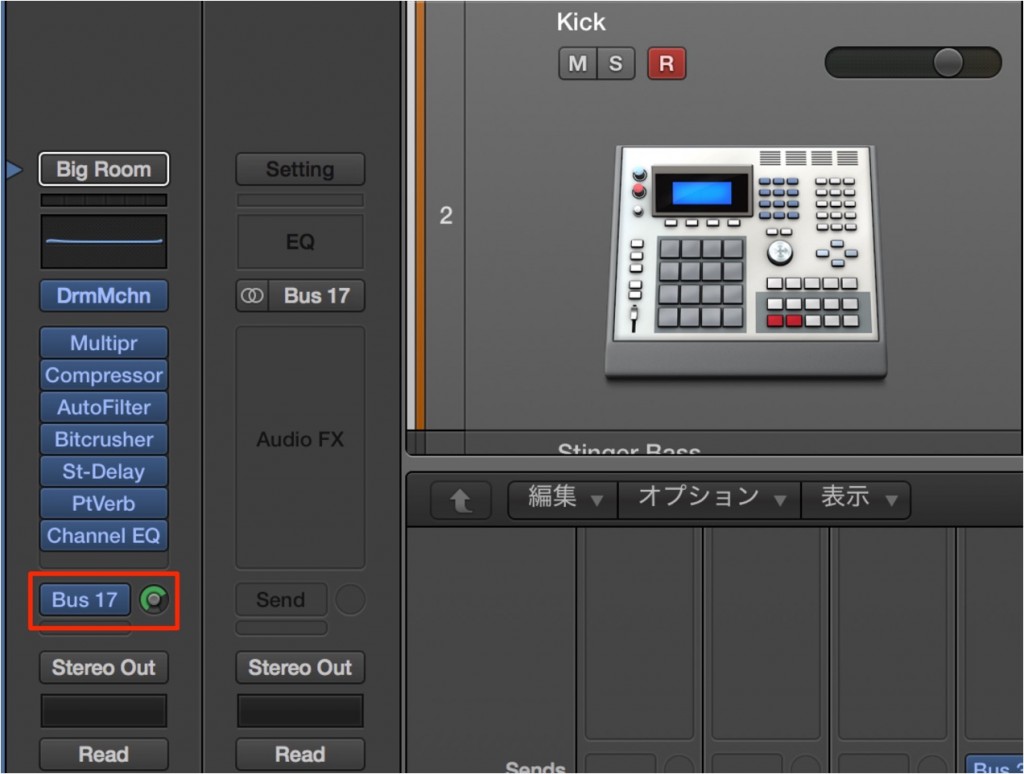
open an unused "Bus" on a send of the programmed kick
and set the send level to "0". (Bus 17 is used here)
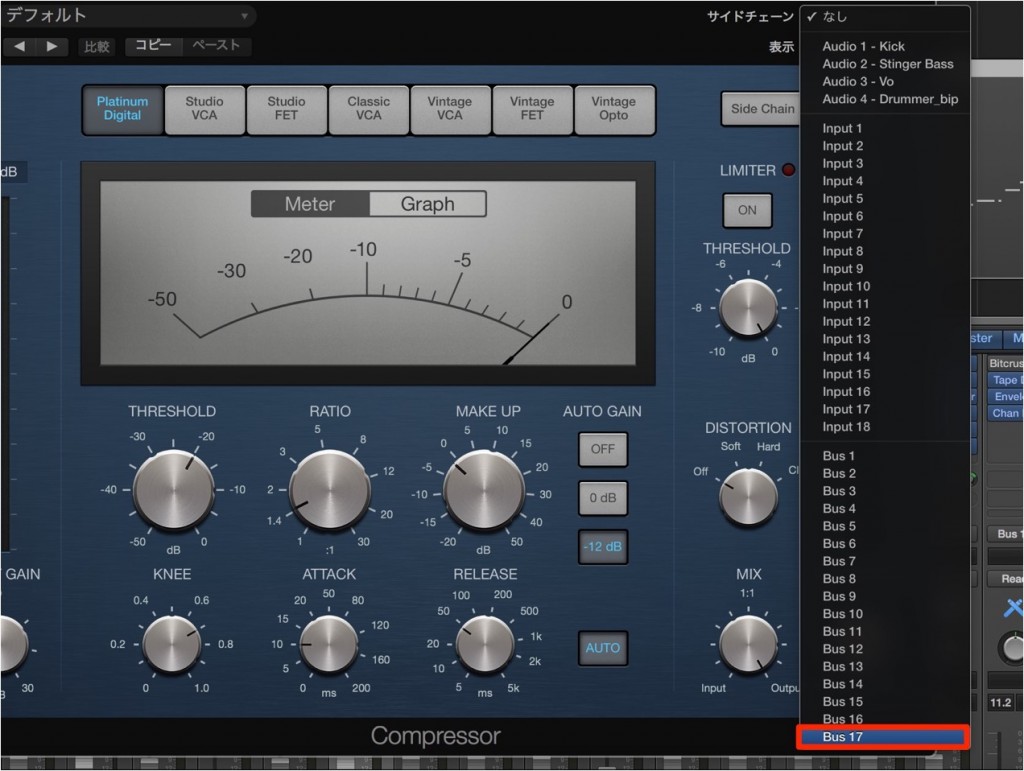
Open the compressor on the track you want to side-chain,
and select the "Bus". (Bus 17 here)
These steps give you the side-chain effect.
Notes on side-chaining

When you use a "Bus", an "Aux track" is created automatically.
Mute this Aux or lower its fader to silence it.
This time we used the "kick", "bass" and "synthesizer",
but you can combine them however you like.
Experiment in various ways and create interesting sounds.

Frequently Asked Questions
Q1. For side-chaining in Logic Pro, do I need a compressor or a bus?
With a kick on an audio track, you can use the compressor's side-chain function directly. With a programmed MIDI kick, on the other hand, you need to open a bus, send the signal via a send, and set the compressor's side chain input to that bus.
Q2. After setting up side-chaining, the kick sounds doubled. How do I fix it?
When using a MIDI kick, the Aux track automatically created by the bus setup may not be muted. Lower the Aux track's volume fader or mute the track to solve this.
Q3. How does adjusting Ratio and Release change the side-chain effect?
Ratio controls the amount of compression, and Release controls how quickly the volume returns after compression. Adjusting these lets you finely control the size and cycle of the pumping effect, enabling your own creative sound design.
NEW ARTICLES
Latest English Articles











