
Logic Pro's region mute and solo is a handy feature that lets you silence or solo just a specific part rather than a whole track. With the track's M and S buttons, everything on the track is muted or soloed, so you cannot switch just part of it; this feature lets you simulate arrangements such as "What if this instrument dropped out partway through?" or "What if only this track remained?" Regions are easy to operate with the M and S keys, and individual MIDI notes can be muted too, so you can try various programming patterns while keeping your work.
Logic: Partial Mute and Solo Not Tied to Tracks
The mute function, which temporarily silences a track,
and the solo function, which temporarily plays it alone, are used constantly while you work.
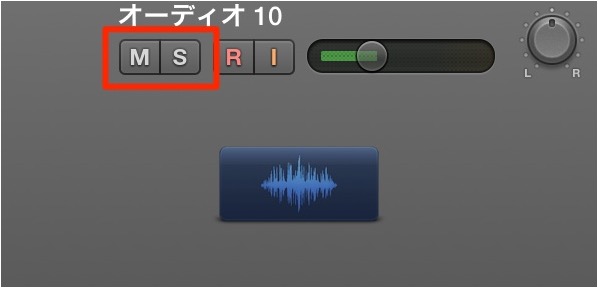
You manage them with the track's "M" and "S" buttons.
However, with this method, every sound on the track is muted or soloed,
so you cannot switch just part of it.
This is where region mute/solo comes in.
Rather than working per track, you can apply mute or solo to just some regions,
which is useful for simulating arrangements, such as "What if this instrument dropped out partway through?" or "What if only this track remained?"
It's a handy way to try things out.
How to Mute
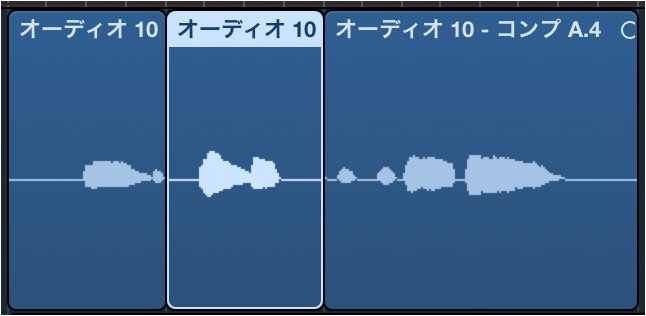
Select the region you want to mute.
Press the M key
on your keyboard.
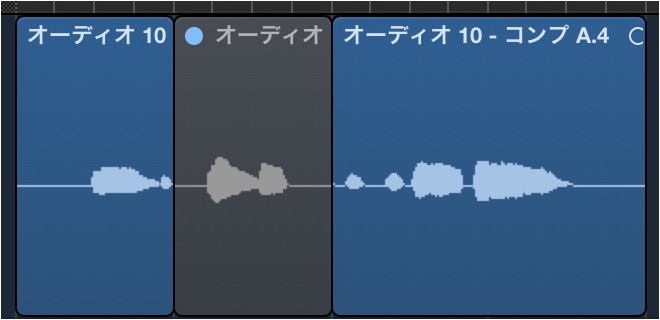
The selected region turns gray and becomes muted.
To unmute it,
select the muted region and press the M key again.
How to Solo
Select the region you want to solo.
Press the S key on your keyboard.
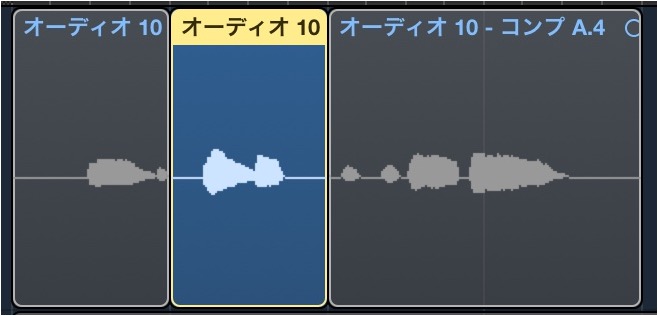
The region is outlined in yellow and soloed.
To clear the solo, press the S key again.
It Also Works on MIDI Notes
You can also use this muting method on individual MIDI notes
in the Piano Roll. (Solo is not available.)
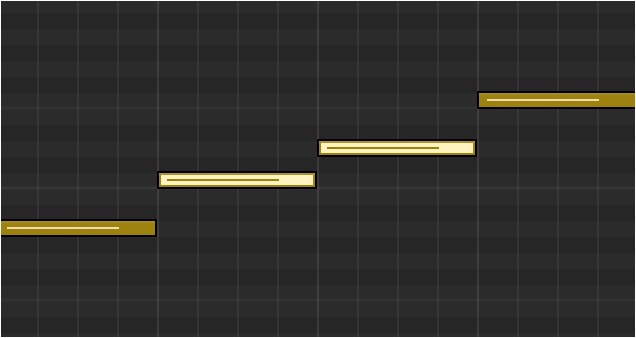
Select the MIDI notes you want to mute
and use the shortcut above.
Press the M key
.
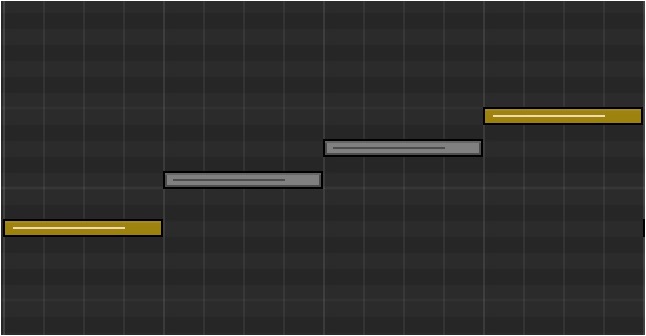
The selected MIDI notes become muted.
You unmute them in the same way as regions.
This lets you try out all kinds of programming ideas while keeping your work intact.

Frequently asked questions
Q1. What is the difference between region mute and the track M button in Logic Pro?
The track M button silences the whole track, while region mute mutes only the regions you select. This lets you silence only the parts you need when a track has different material at different times, so you can simulate arrangements.
Q2. What is the shortcut key for region mute?
Select the region you want to mute and press M. To unmute, select the muted region again and press M. Likewise, S applies and clears solo.
Q3. Can the mute function be used on MIDI notes?
You can mute individual MIDI notes in the Piano Roll. However, solo is not available for MIDI notes; only mute is supported. Just press M to mute specific notes.
Q4. What does a soloed region look like?
A soloed region is outlined in yellow, so you can identify it visually. Press S again to clear it.
NEW ARTICLES
Latest English Articles











