
This is a practical guide to making a bass sound with the Alchemy synthesizer included in Logic Pro X 10.2. You can learn step-by-step sound design techniques, from choosing waveforms and setting up the filter to adjusting the phase and creating a side-chain effect. By combining Saw and sine waveforms, using the LP2 SVF filter and setting a dynamic envelope with an MSEG, you can create a professional bass sound that pumps in time with the kick. If you are a Logic Pro X user you can try this for free, and master a technique essential for EDM production.
Making a bass sound that takes advantage of Alchemy's character
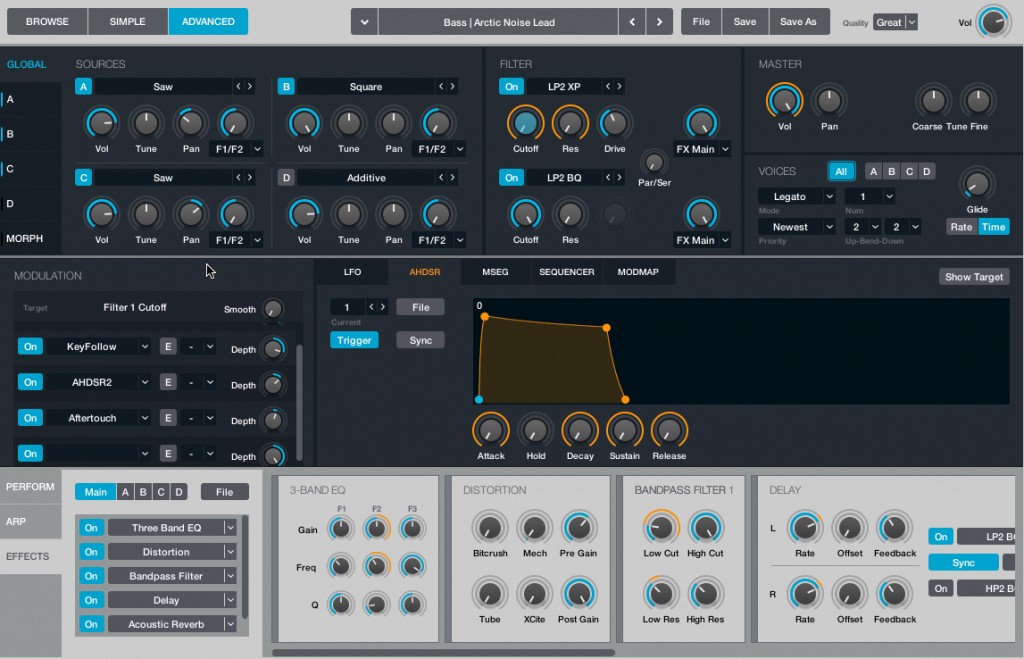
With "Alchemy", included with "Logic Pro X 10.2",
you can fully enjoy synthesizer sound design.
Following the presets in the previous section, we now move on to bass sound design.
Enjoy making a bass sound that takes advantage of Alchemy's character.
If you own "Logic Pro X", you can use it for free.
Manufacturer URL: http://www.apple.com/logic-pro/whats-new/
Let's get into the explanation.
Alchemy video tutorial
1_Basic overview of Alchemy
2_Creating bass sounds (this article)
Resetting Alchemy to its initial state
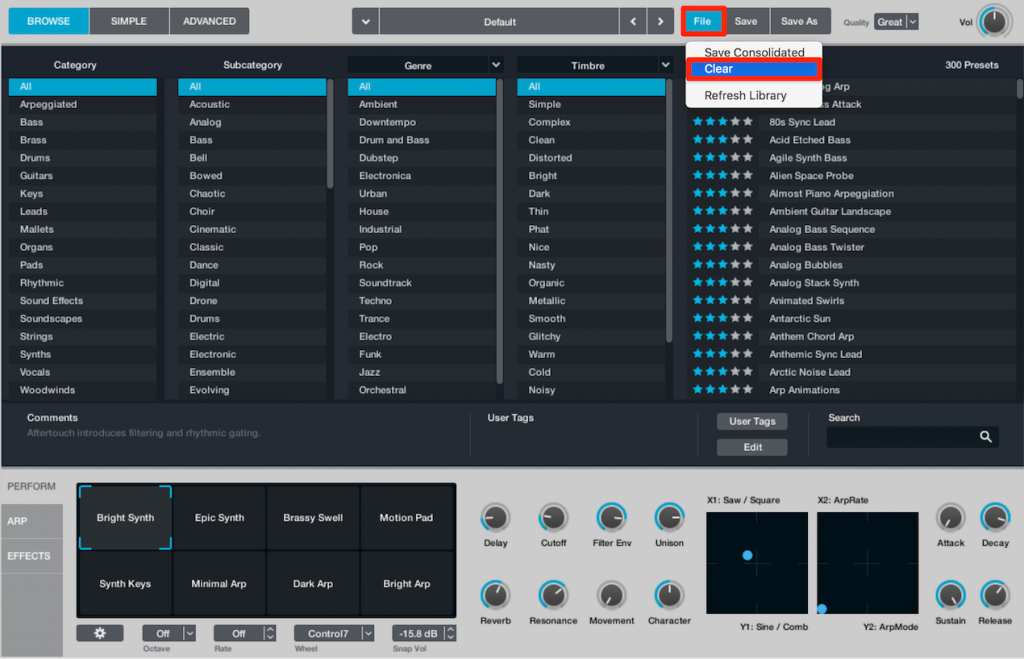
This time we will create a bass from scratch.
To reset Alchemy to its initial state, select "Clear" from "File".
This gives you a pure "Saw" sound.
Choosing waveforms

Select "ADVANCED" to start sound design.
In "SOURCES", you can choose the waveforms to use.
By lighting up "A/B/C/D", you can combine up to four waveforms.
Here we load "Saw into A" and "Sine into B".
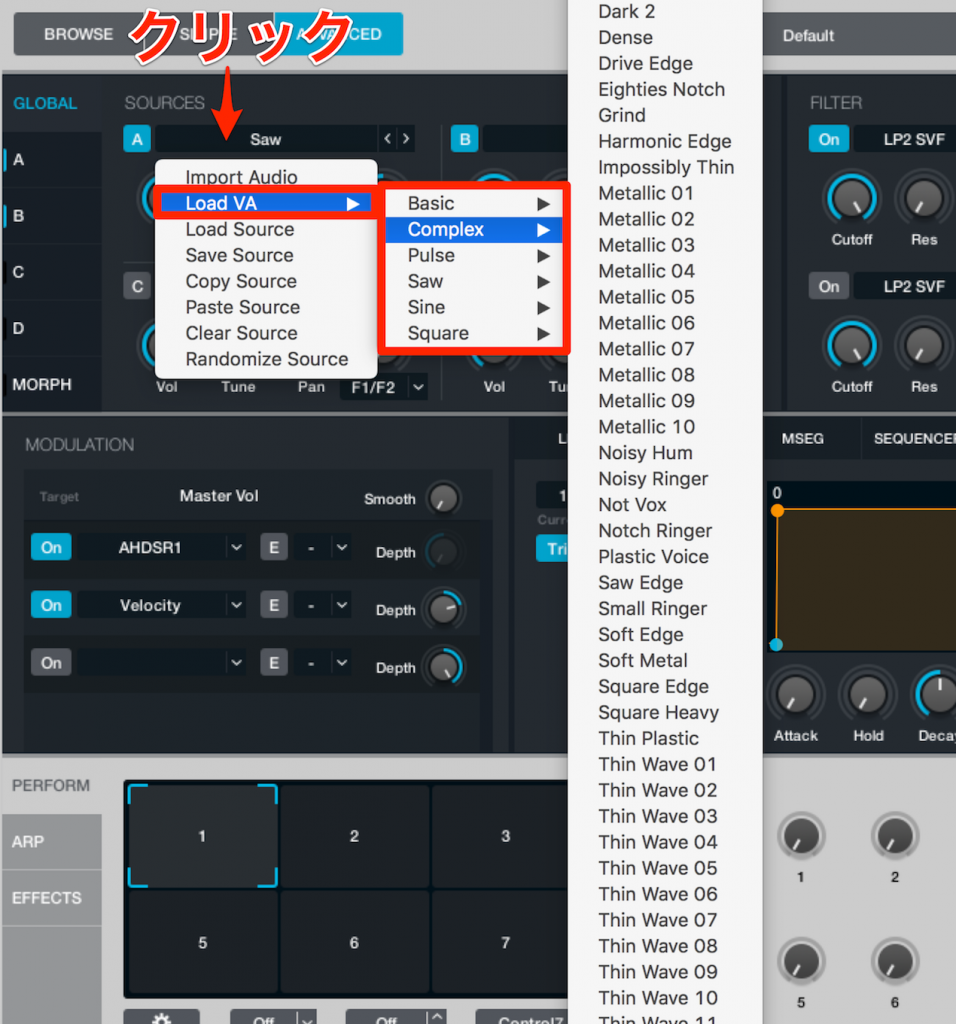
You can also choose the type of waveform.
"Basic: basic waveforms", "Complex: Alchemy's own waveforms"
Try out various combinations.

Choosing a filter
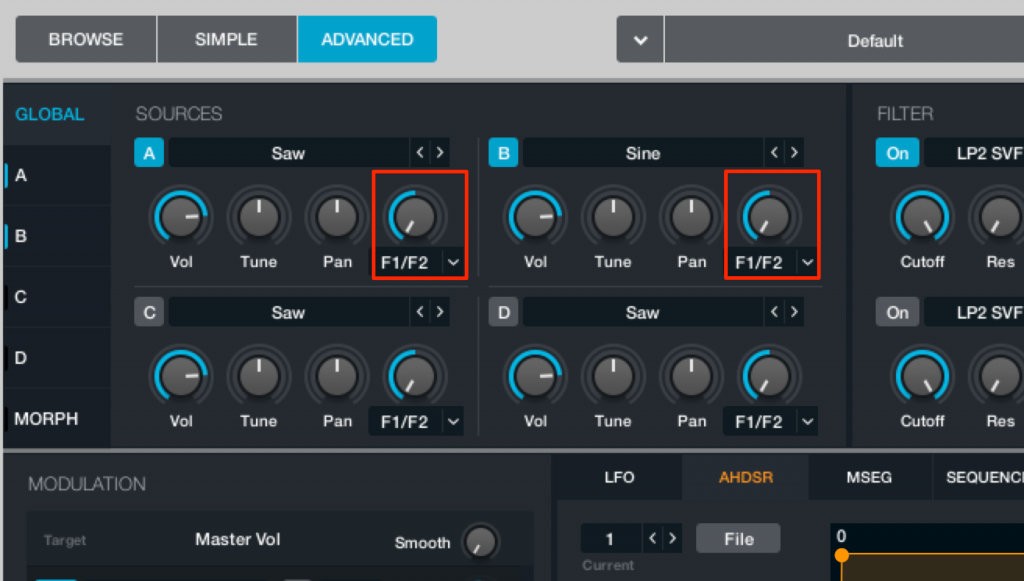
This area lets you set up the filter.
There are "A and B filters", and this knob sets the balance between them.
This time we use filter A, so it is turned all the way to A.
Here we use "LP2 SVF".

Adjusting the phase
In Alchemy's default settings, "Phase" is randomized.
As a result, the phase is different each time a note is played.
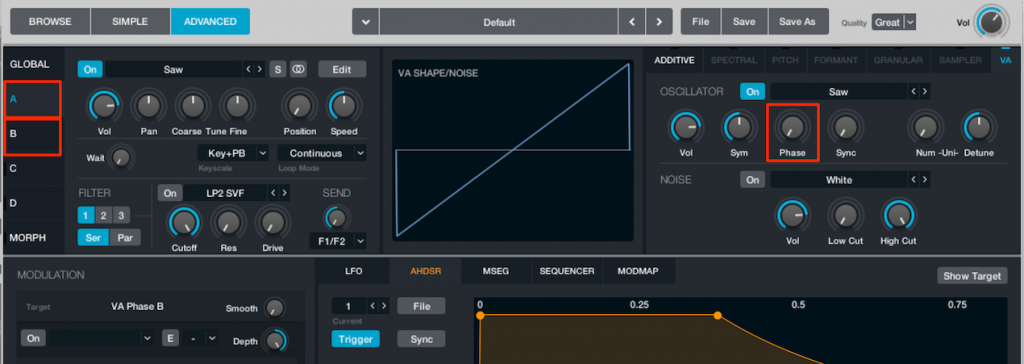
This time we want to align the phase firmly and create a sound with a clear outline,
so we went to each oscillator tab and turned "Phase" off.
Remember that you can control the phase from this area.

Creating a side-chain effect
Alchemy can apply a special envelope to the master volume.
This lets you easily create a side-chain effect that pumps with the kick.
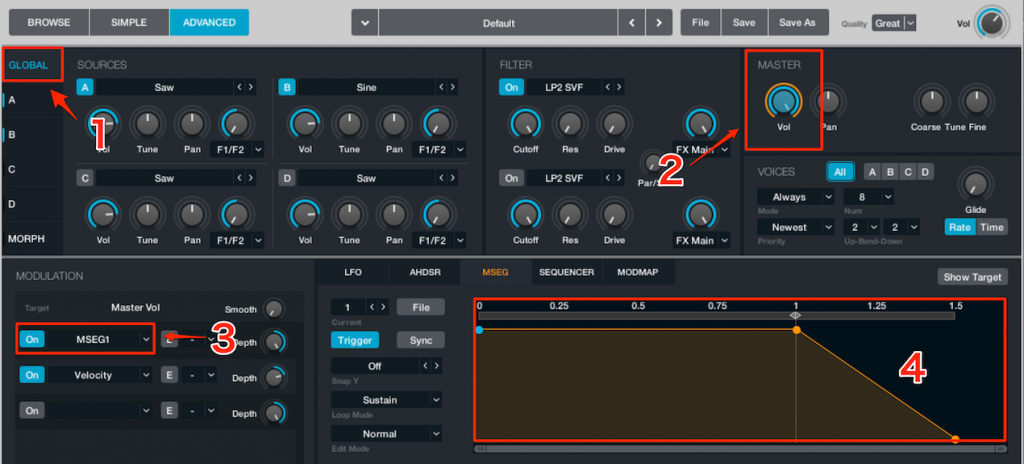
Select "Global" and click the knob you want to set up,
and you can check and change the control parameters assigned to that knob.
This time it is "MASTER".
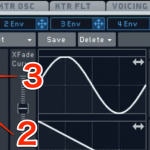
Change "ADSR" in "MODULATION" to "MSEG1".
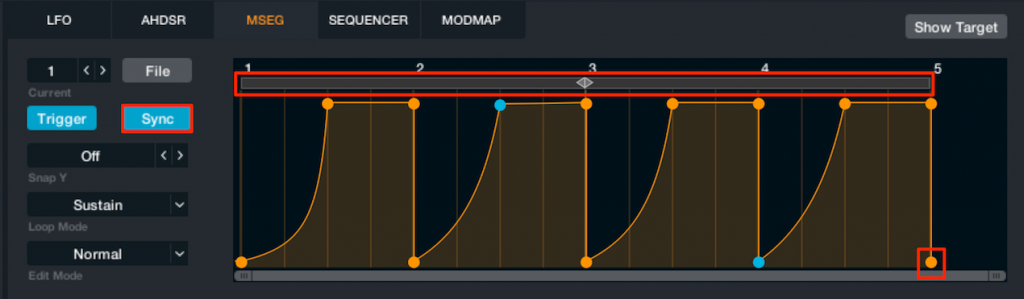
Lighting up "Sync" lets you set the envelope in time with the song's tempo.
Drag to set the range it applies to, and click to add points.
You can also delete a point by double-clicking it.
The process is very similar to automation.
*Record a value of "0" at the last point, or the sound will keep sustaining.
You can also create a side-chain effect by using an LFO.

Frequently Asked Questions
Q1. What should I do first when making a bass sound with Alchemy in Logic Pro X?
We recommend resetting Alchemy to its initial state by selecting "Clear" from "File" and starting from a pure Saw sound. Then set up the waveforms and filter step by step in ADVANCED mode.
Q2. What are the benefits of combining multiple waveforms in Alchemy?
Alchemy lets you combine up to four waveforms (A/B/C/D) in its source selection. For example, mixing Saw and sine lets you create a distinctive bass sound with richer, more complex harmonics, greatly increasing your freedom in sound design.
Q3. How can I easily create a side-chain effect in Alchemy?
Apply the MSEG1 envelope to the master volume and enable "Sync" to lock it to the tempo. Set the range of the shape by dragging, and you get a dynamic effect where the bass pumps in time with the kick.
NEW ARTICLES
Latest English Articles











