
Logic Pro's freeze function is an important feature that dramatically reduces the CPU load caused by adding more software synths during DTM production. Freezing a track can cut its CPU usage to almost zero and keeps your computer from becoming sluggish. However, after freezing, you cannot edit anything except volume and pan, so it is most effective at the final stage of building a track. Setting it up is easy: just enable the Freeze button from the track header settings and play the song.
Reduce the CPU Load of Software Synths to Zero
As you work, the number of software synths naturally increases.
The problem is that your computer's CPU cannot keep up with them,
and operation becomes sluggish or stops altogether.
The freeze function solves this problem.
- Logic X
- Logic 8/9
Logic X: How to Set Up Freeze
By default, the Freeze button is not shown,
so let's display it.
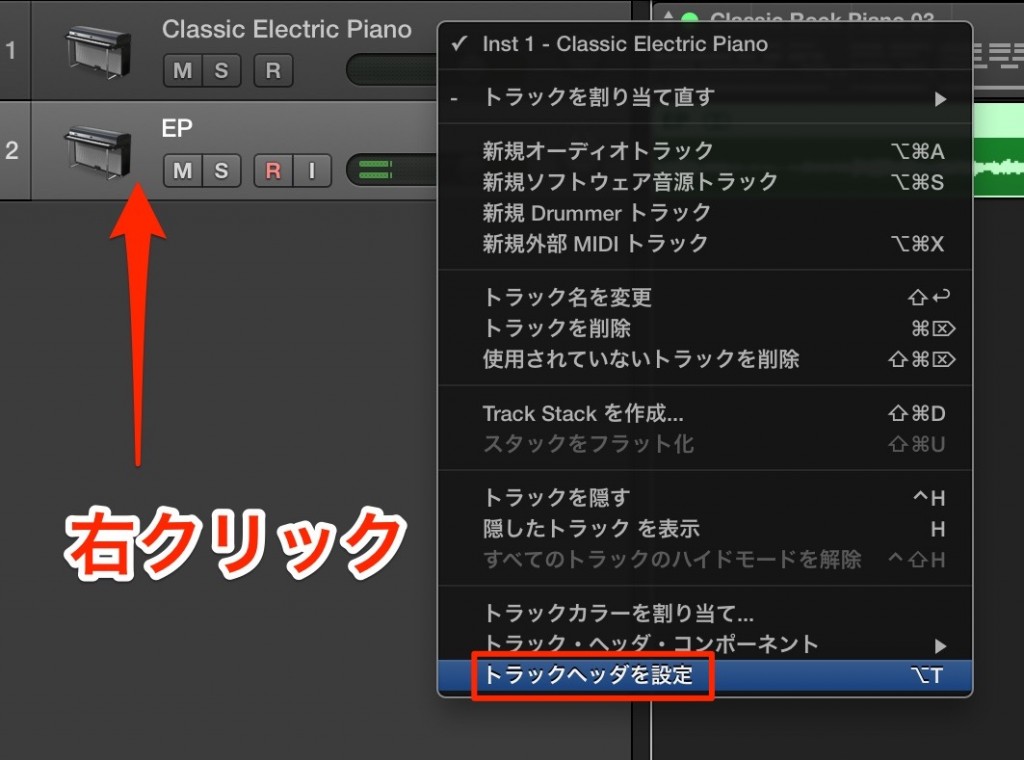
Right-click the track area and, from the menu that appears,
choose "Configure Track Header."
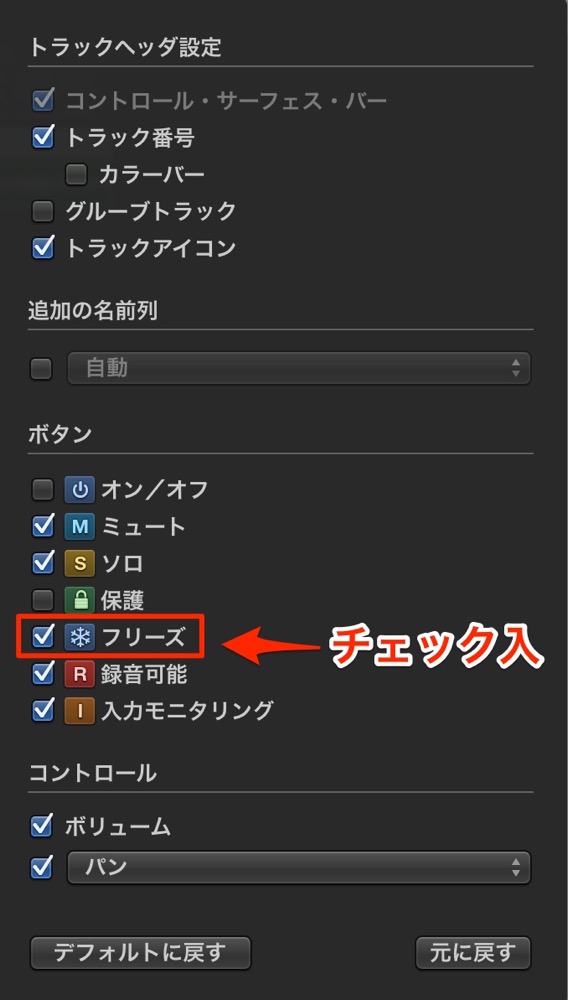
Check "Freeze."
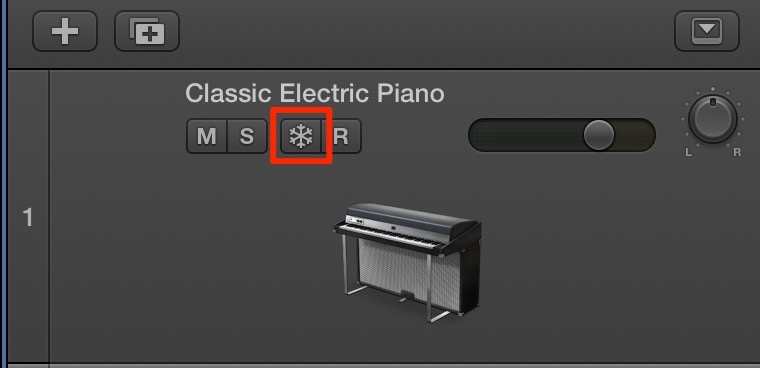
A Freeze button appears on the track, so turn it on.
Just play the song once in this state, and you are done!!
Logic: How to Set Up Freeze
By default, the Freeze button is not shown,
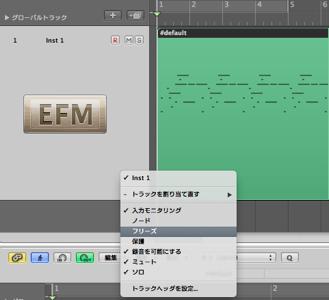
so right-click or Control-click the area outlined in red in the image to display it.
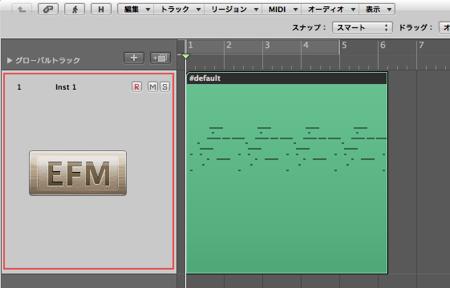
A menu with Freeze appears, so select it.
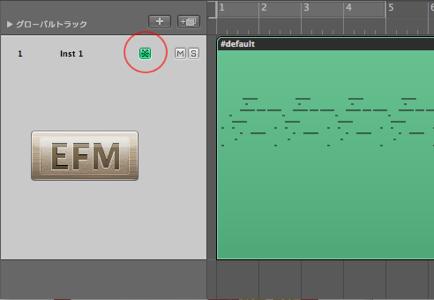
Click the area circled in red, and it lights up green.
Play the song in this state.
That is all!!
- Logic X
- Logic 8/9
Features of Freeze
- It can reduce CPU usage to nearly zero
- Once a track is frozen, nothing except volume and pan can be changed until you unfreeze it
(you cannot correct the programming, for example) - In both versions, to unfreeze, just press the Freeze button again
- It does not free memory (it is not effective against insufficient memory)
If your computer is sluggish while working, be sure to try it.

Frequently asked questions
Q1. How much does Logic Pro's freeze function reduce the CPU load?
Freezing can reduce the CPU usage of the track to nearly zero. Even heavy songs with many software synths become comfortable to work on when you use freeze.
Q2. What should I do if I want to correct the programming after freezing?
Click the Freeze button again to unfreeze the track, and all editing becomes possible again. After making corrections, turn the Freeze button back on to freeze it again.
Q3. Can the freeze function solve insufficient memory?
No. Freeze is only for reducing CPU load and does not free memory. Insufficient memory requires other measures.
NEW ARTICLES
Latest English Articles











