
EVOC 20, the high-performance vocoder included with Logic Pro, can add pitch to any audio material when combined with the side-chain function. This article explains the basic setup of sending the track you want to vocode to a Bus and receiving it in EVOC 20. It also introduces a practical technique of silencing the original audio track and the Aux track so that only the vocoder's output is used, enabling professional vocal processing.
"EVOC 20", Logic's high-performance built-in vocoder
By using "EVOC 20" together with "side-chaining",
you can add pitch to any audio material.
Selected Questions and Answers from the YouTube Video

Even when I mute the Aux volume, the voice from the audio track remains. What should I do?

How about lowering the volume of the original vocal track to the minimum (-∞)? In this case, if you are sending the vocal sound via a Bus, change the send mode to "Pre". https://sleepfreaks-dtm.com/for-advance-logic/evoc20/ In recent versions of Logic, you can easily apply EVOC 20 without using this Aux. Simply specify the vocal track in the "Side Chain" section. Do not mute the vocal track itself; lower its volume to the minimum (-∞). https://app.box.com/s/z7fi9hdkt51k6acmrzzscxla3076n5xb
Is there a way to keep the sound of my own voice and just freely manipulate the pitch mechanically with a vocoder?
Due to the nature of this product, a synth sound will inevitably be mixed in. If you want that kind of sound, it would be better to use "Auto-Tune".
Video point: Using the side chain
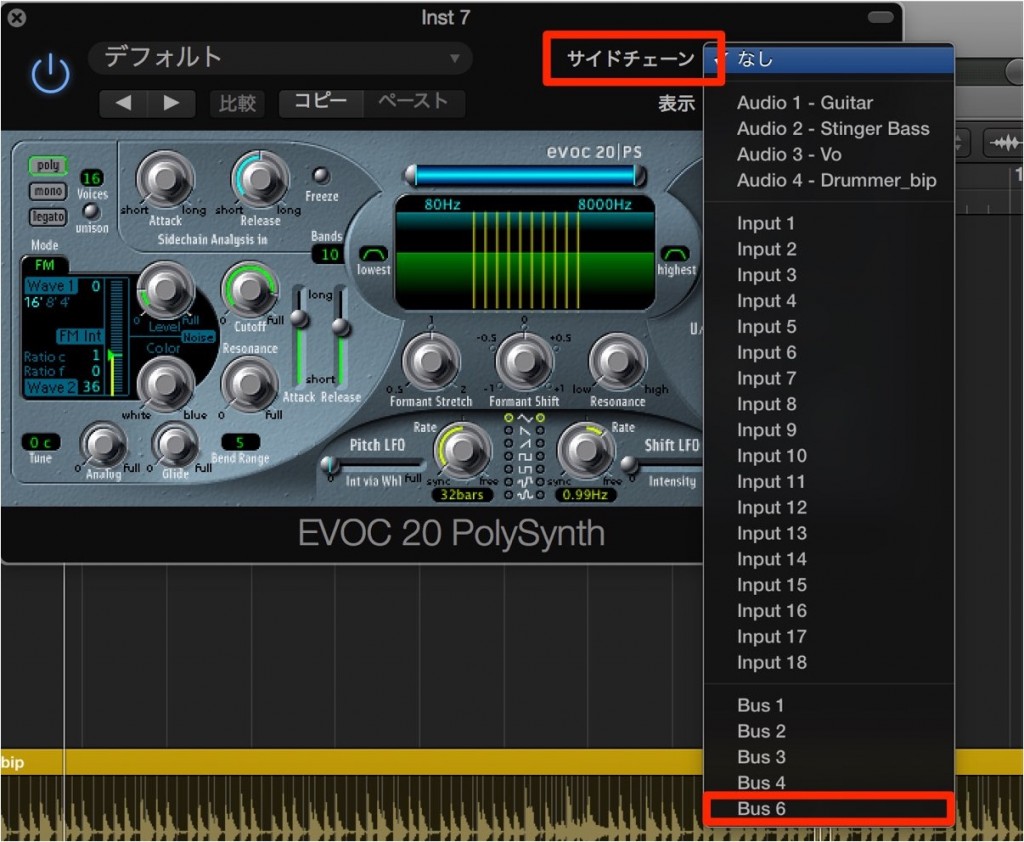
Send the track you want to apply the vocoder to a "Bus",
and receive it in "EVOC 20".
Video point: Silence the original audio track and the Aux
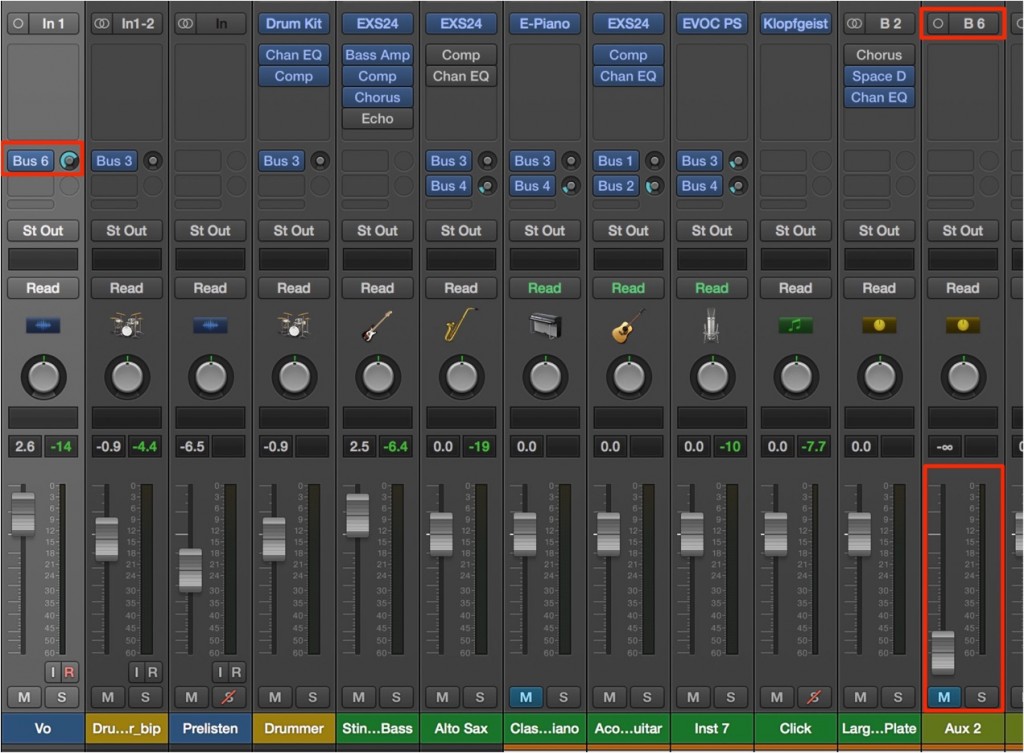
So that it does not overlap with the sound coming from the vocoder,
silence the track volumes of the "original audio track" and the "Aux" track.
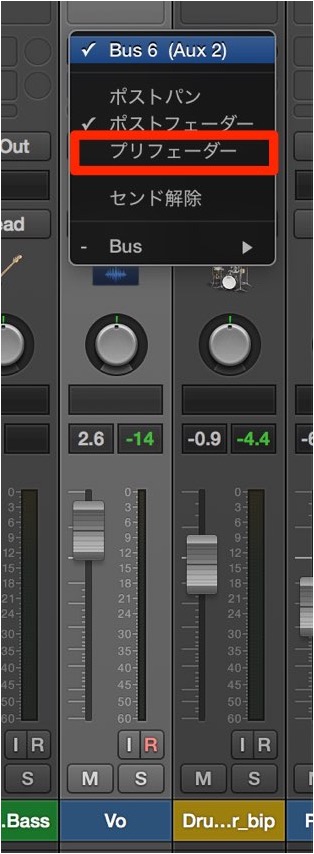
At this point, set the bus send of the original audio track to "Pre Fader".

Frequently Asked Questions
Q1. What effect does Logic Pro's EVOC 20 have as a vocoder?
EVOC 20 modulates the spectrum of the carrier signal, allowing you to give pitch and vocal character to any audio material. Using it together with the side-chain function enables more precise vocal processing.
Q2. Why silence the original audio track and the Aux when setting up the vocoder?
If the vocoded signal and the original signal overlap, the sound can become muddy or the phase can shift, so you need to silence them in order to use only the vocoder's output in the end.
Q3. Why does the bus send of the original audio track need to be set to "Pre Fader"?
Setting it to Pre Fader means a stable signal is always sent to the vocoder regardless of changes to the track volume, allowing accurate and consistent processing.
NEW ARTICLES
Latest English Articles











