
FL Studio's swing function is an important tool for adding a human feel and groove to a song. By applying swing to a rhythm that has been precisely corrected with quantize, you can create a triplet-based "bouncing rhythm". It is easy to set up just by adjusting the slider at the top right of the Channel rack, and it can be used on drums and other instruments. You can also adjust the swing effect for specific channels only, greatly improving the expressiveness of the whole song.
The swing function gives rhythms a distinctive groove
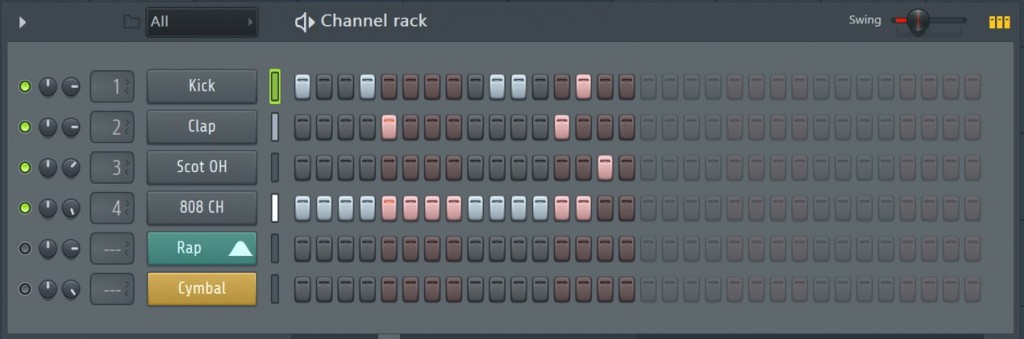
FL Studio offers step recording, where you enter notes with the mouse,
and a quantize function that aligns real-time performances to a precise rhythm.

Quantize lines notes up exactly even when the performance timing is off,
but perfectly precise timing is not always the best approach for a song.
There will be times when you want to add a bit more human feel and groove to a performance.
That is when you will want to use the "swing function".
Here, let's look at how to use swing.
Overview of triplets / swing
*The video uses Logic, but the concept is the same.
Swing, also called a "bouncing rhythm", is a groove based on triplets. It is a staple of blues and similar styles.
A typical beat that does not bounce is called "straight".
Applying swing fully changes the rhythm pattern itself,
but applying just a little of it can add a human feel and dynamics.
It works without any problem not only on drums but on other instruments too.
How to set up swing in FL Studio
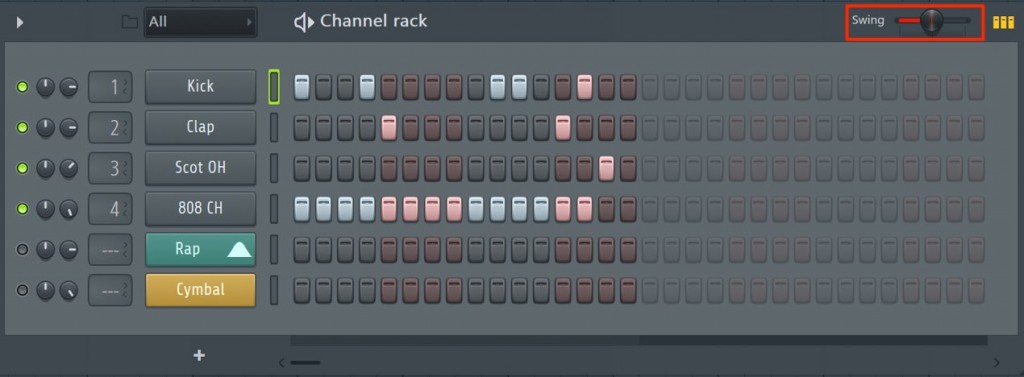
Applying swing is very easy.
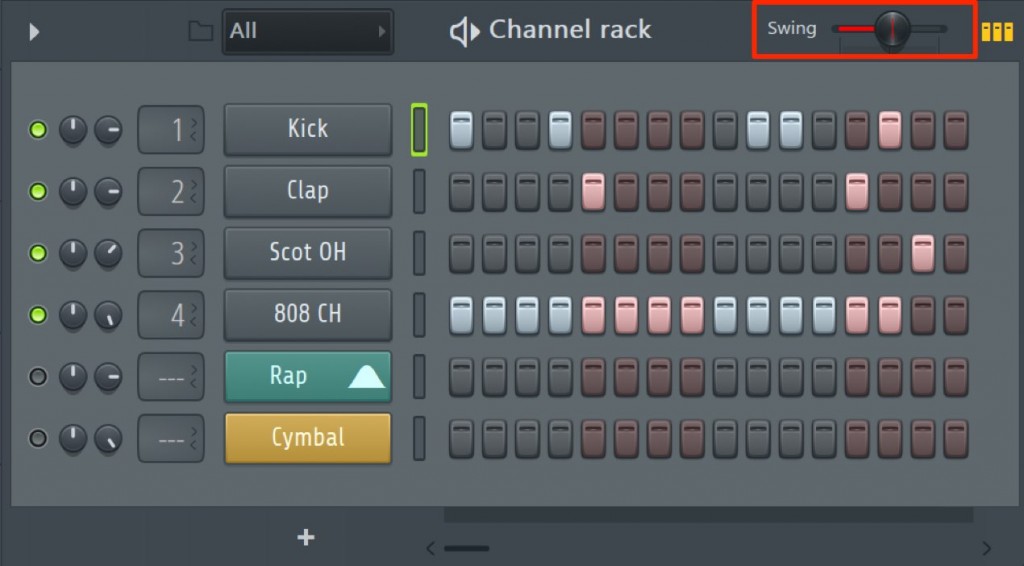
The further you move the "Swing" slider at the top right of the Channel rack to the right,
the more the rhythm swings in 16th-note units.
Going past the center changes the feel considerably, so it is usually best to set it somewhat low.
Here are samples of each setting.
- A normal 16th-note rhythm
- A natural setting with a hint of swing
- Fully swung
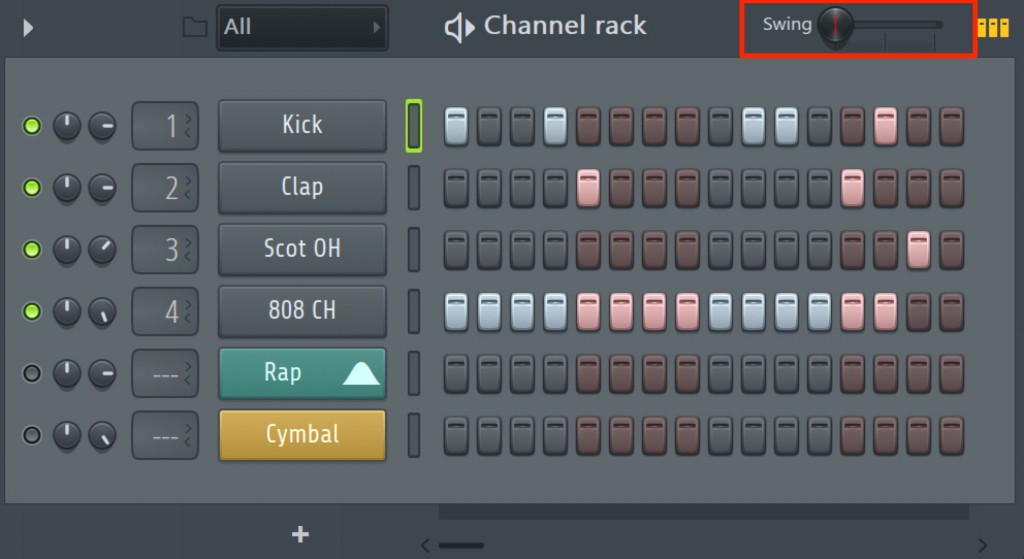
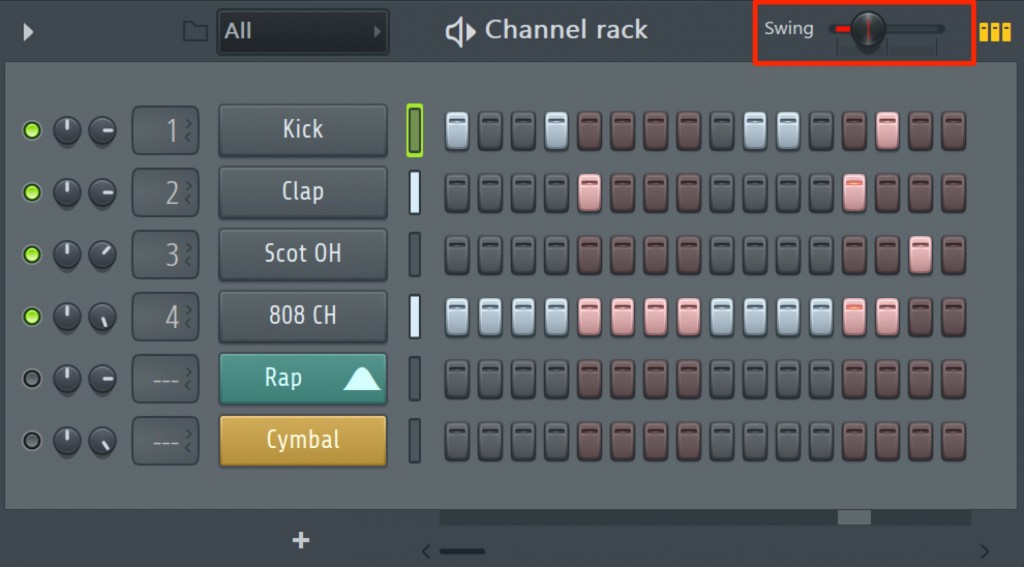
How do I keep the setting from affecting specific channels?
Sometimes you want to weaken the swing effect, or not apply it at all, on specific channels only.
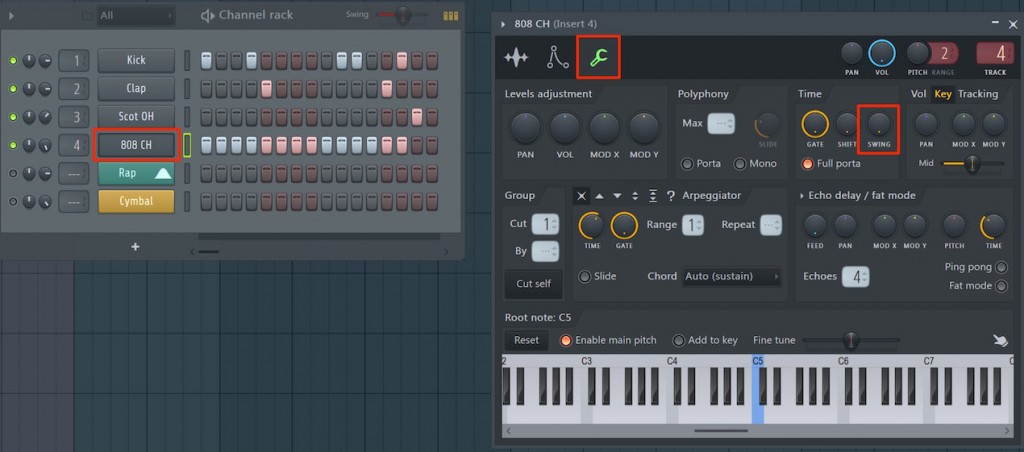
Click the channel you do not want swing to affect to display its editor.
Inside it, on the tab with the wrench icon, setting the "SWING" knob to zero removes any effect.
Raising the value makes the swing setting's effect stronger,
so you can also listen and find a suitable position.

Frequently Asked Questions
Q1. What is FL Studio's swing function?
The swing function, also called a "bouncing rhythm", adds a triplet-based groove to a rhythm. Applying it fully changes the rhythm pattern considerably, so it is common to set it low to add a human feel and dynamics.
Q2. How do I set up the swing function?
Just move the "Swing" slider at the top right of the Channel rack to the right. The rhythm swings in 16th-note units. A somewhat low setting below the center is usually recommended.
Q3. What if I want to remove the swing effect from specific channels only?
Click the channel you want to adjust to display its editor, and set the "SWING" knob on the tab with the wrench icon to zero to remove the effect completely.
NEW ARTICLES
Latest English Articles











