
Using a multi-timbral instrument in FL Studio lets you load several instruments at once in a single software instrument. You can program a piano's right-hand and left-hand parts separately, or play different instruments such as piano, bass, guitar and synth, with the benefit of greatly saving CPU usage. Setting it up only requires assigning the "Port" and "Channel" of MIDI Out correctly, so even beginners can do it easily.
Using multi-timbral instruments in FL Studio
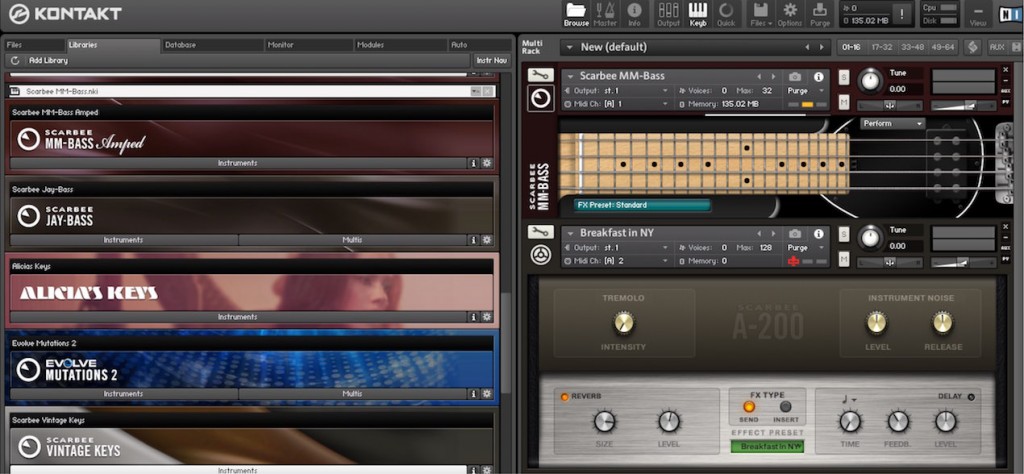
Some software instruments can load several instruments at once in a single instance, using a function called
multi-timbral.
Even when you use several instruments such as piano, bass, guitar and synth,
you only need to load one instrument, so you can save CPU usage.
Also, you can program the right-hand and left-hand parts separately for the same piano instrument.
To use a multi-timbral instrument in FL Studio, "MIDI Out" needs to be set up.
Let's go through how to do it step by step.
Loading sounds into the instrument
First, load the instruments you will use into a single software instrument.
Here we explain using the example of playing three instruments in "Omnisphere",
but the procedure is the same for any software instrument.
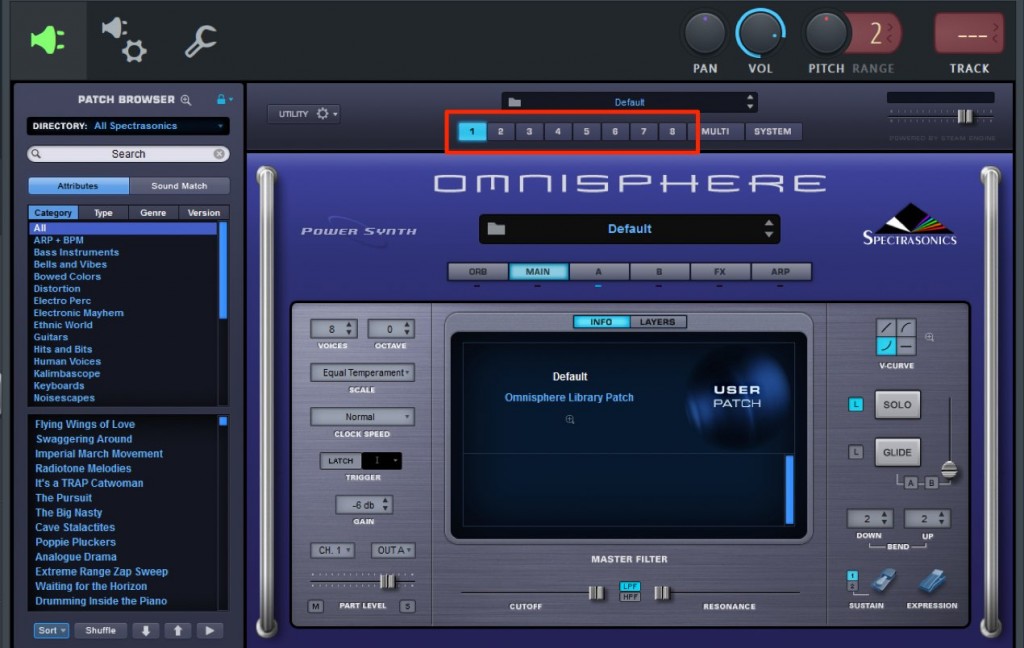
In a multi-timbral instrument, a MIDI channel is assigned to each instrument.
In Omnisphere these are "1 to 8", which means you can handle up to eight instruments.
For example, if you load an instrument into "2", that instrument's MIDI channel is "2".
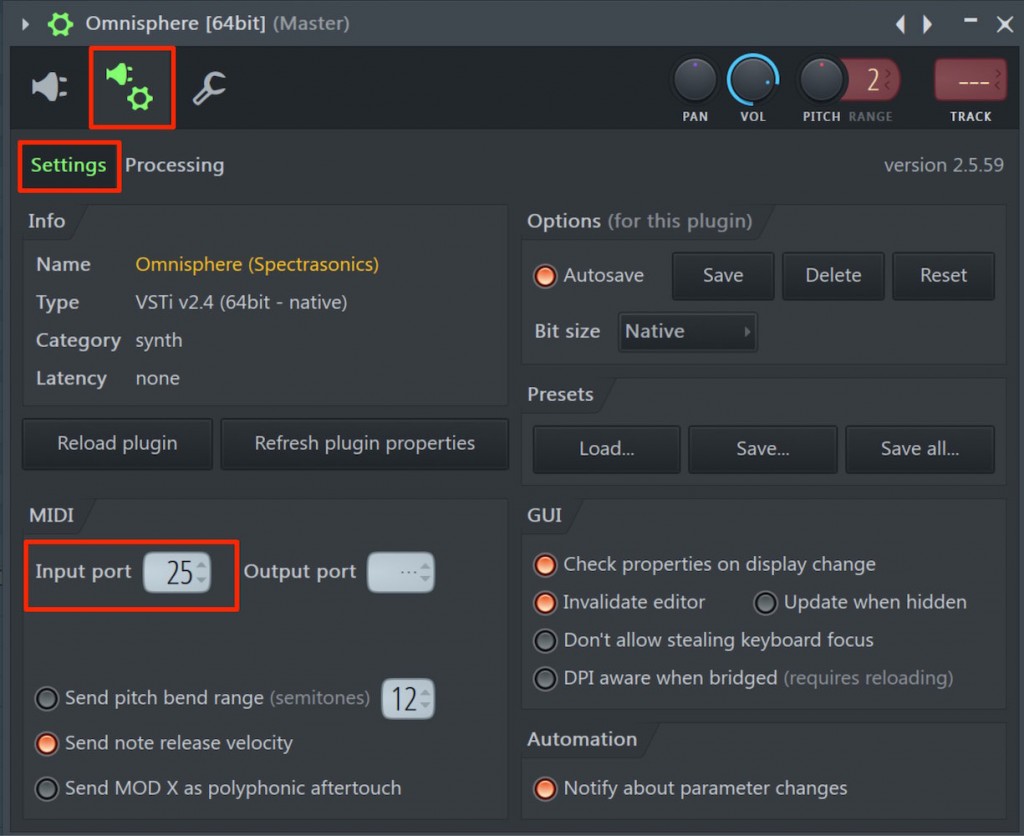
Click the plug-in and gear icon at the top of the software instrument.
Under "MIDI", assign any number to "Input port".
Make this number one that does not overlap with other MIDI sound modules, software instruments or MIDI devices.
In other words, within one song, each device or software instrument is assigned a different number.
Here we used "25".
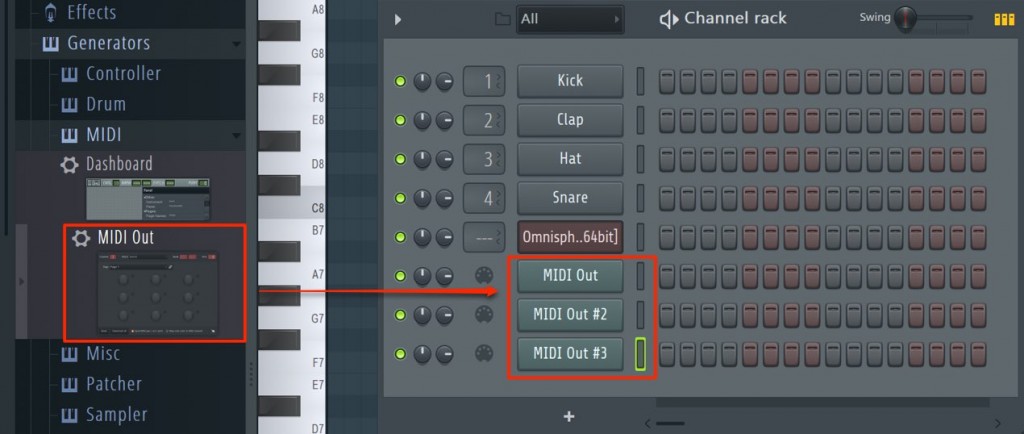
Load as many "MIDI Out" plug-ins as the number of instruments you want to play.
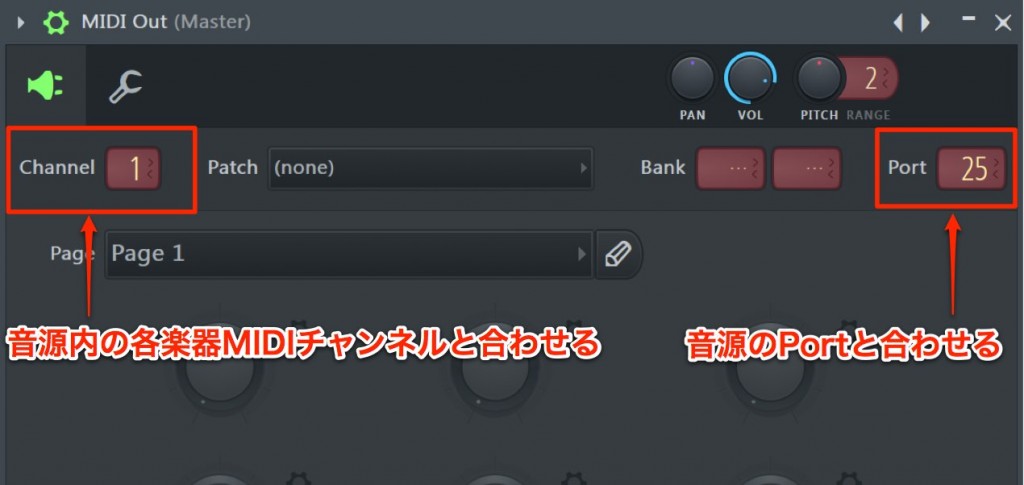
Configure the three "MIDI Out" plug-ins.
- Port: Set the number "25" assigned to the instrument above.
This number is the same for all three MIDI Out settings. - Channel: Specify the MIDI channel of each instrument loaded in the instrument.
There are three instruments this time, so the Channel of each MIDI Out is 1, 2 and 3 respectively.
That completes the setup.
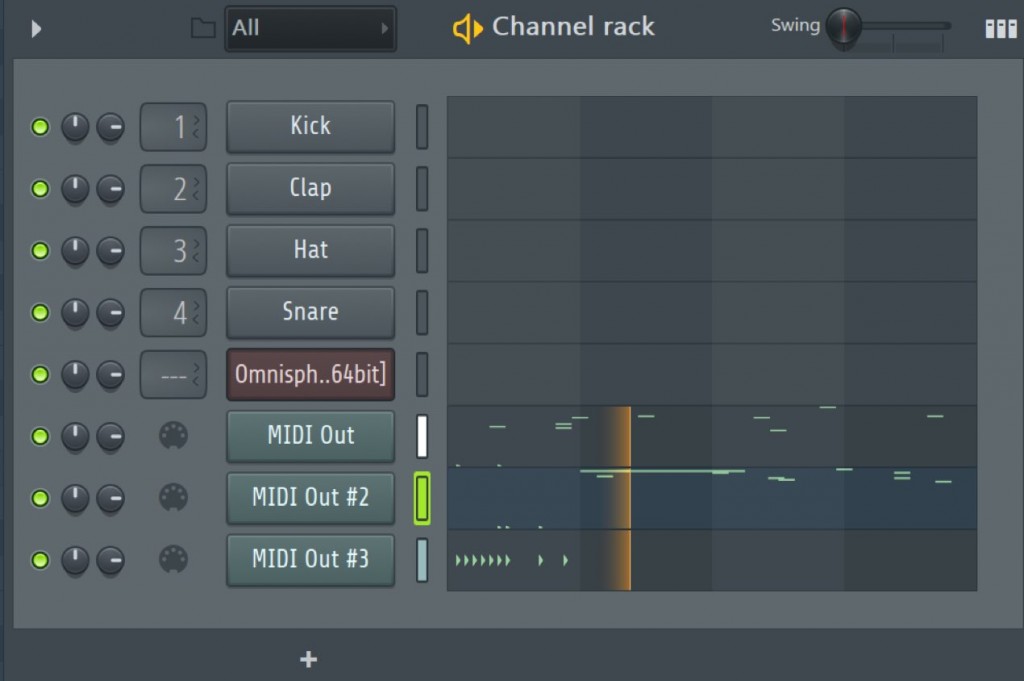
Now you can play each instrument simply by programming as usual.
To separate the sound output of each instrument, use the multiple-output function.


Frequently Asked Questions
Q1. What are the benefits of using a multi-timbral instrument in FL Studio?
You can manage several instruments in one software instrument, which saves CPU usage. Assigning different sounds within the same instrument also keeps file sizes smaller and makes project management more efficient.
Q2. How many instruments can Omnisphere handle at once?
Omnisphere supports up to eight MIDI channels, so it can handle eight instruments at once. MIDI channels 1 to 8 are assigned to the instruments.
Q3. What is the difference between Port and Channel in MIDI Out?
Port is a shared number that specifies the whole software instrument, so the same number is used in several MIDI Outs. Channel specifies an individual instrument within the instrument, so you set a different channel number in each MIDI Out.
Q4. Can I separate the audio output of each instrument when using a multi-timbral instrument?
Yes, using the multiple-output function lets you assign the audio output of each instrument to a separate mixer channel. This enables detailed volume adjustment and effect processing for each instrument.
NEW ARTICLES
Latest English Articles











