
Using a hardware MIDI controller with FL Studio lets you record intuitive, natural automation that is hard to achieve with the mouse. By having FL Studio recognize a controller such as Native Instruments KompleteKontrol in the MIDI settings and assigning its faders and knobs to parameters, you can record dynamic sound expression in real time. This makes high-quality automation control easy for anyone from beginners to professionals, improving both the efficiency and expressiveness of music production.
Record automation intuitively with hardware MIDI devices
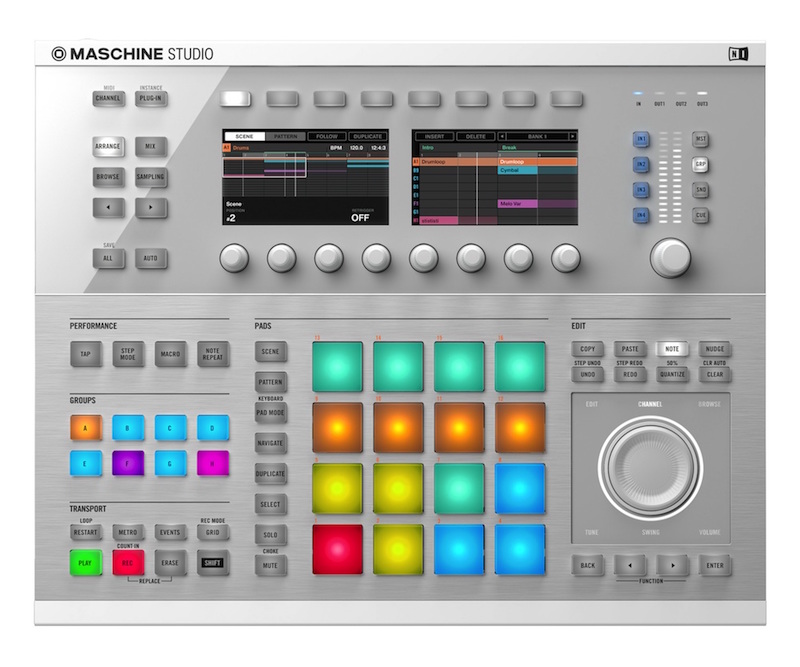
In FL STUDIO, you can use an external hardware MIDI controller
to record automation.
Operating real faders and knobs gives you intuitive control
that is hard to get with mouse clicks.
Setting up the MIDI device
Here we use "Native Instruments KompleteKontrol" as an example.
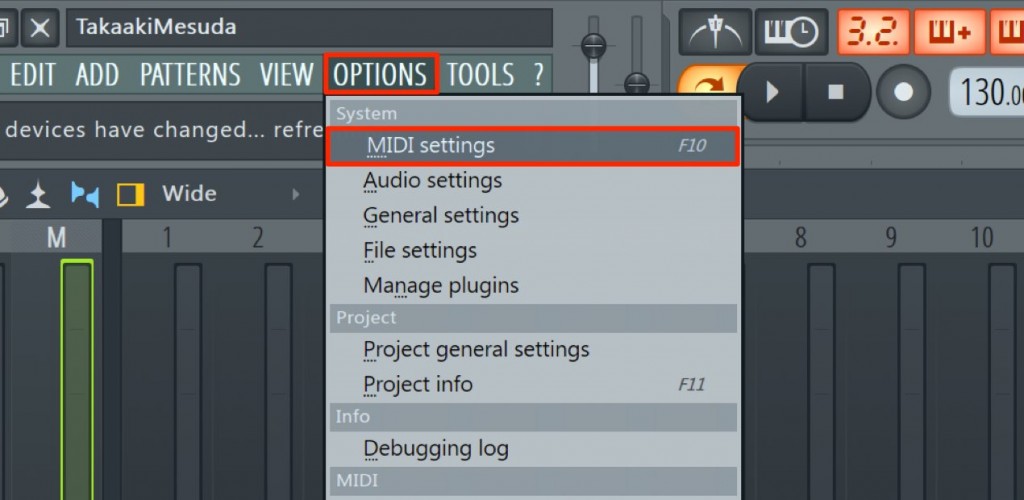
First, FL Studio needs to recognize the device.
Select "MIDI Settings" from "MIDI Settings" at the top of the screen.
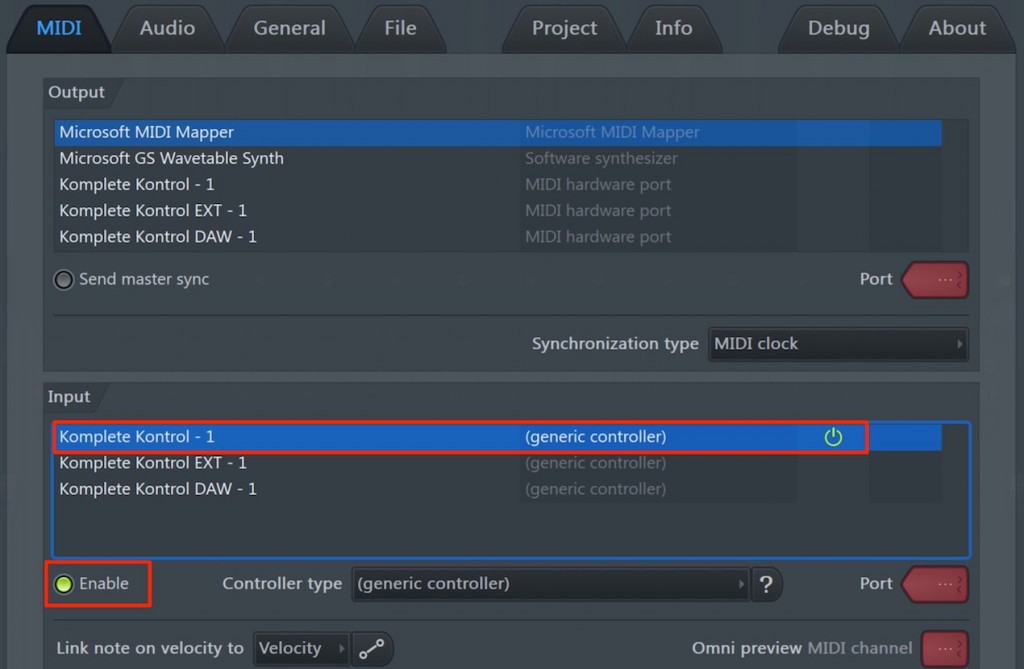
Select the controller you will use and turn on "Enable".
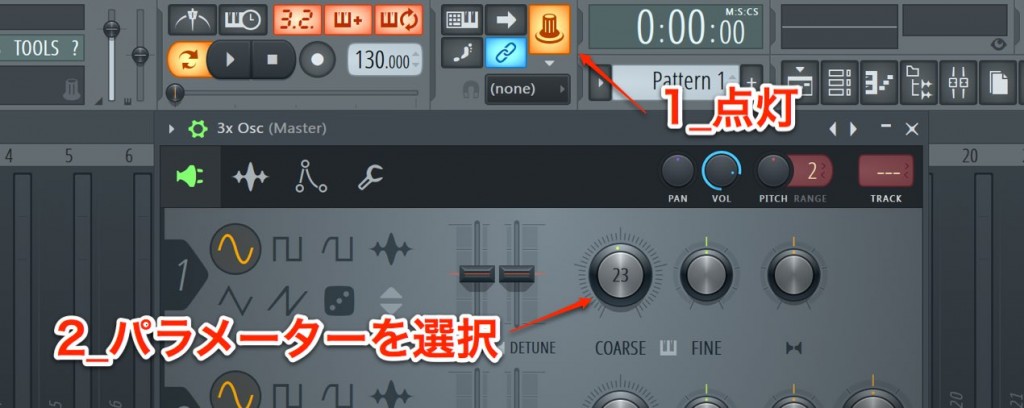
- 1_Click the controller icon to turn it on
- 2_Click the parameter you want to control
- 3_Move a knob or fader on the controller
The link is now set up.
Then you can record in real time, just like normal automation recording.


Frequently Asked Questions
Q1. How do I get FL Studio to recognize a MIDI controller?
Select the controller from "MIDI Settings" at the top of the screen and turn on "Enable". Then click the controller icon to turn it on, select the parameter you want to control, and move a knob or fader to complete the link.
Q2. What are the benefits of recording automation intuitively?
Physically operating faders and knobs produces natural, smooth changes that cannot be expressed with mouse clicks, achieving professional sound effects and rich expressiveness.
Q3. Does it work with any MIDI controller?
FL Studio supports many controllers that comply with the MIDI standard, but with major products such as Native Instruments KompleteKontrol you can expect more stable operation and complete integration.
NEW ARTICLES
Latest English Articles











