
To make mixing in FL Studio more efficient, grouping multiple tracks into a single bus track is an important technique. It lets you adjust volume and apply effects all at once while keeping the balance between tracks, giving the sound a sense of unity and cohesion. It also makes it easier to combine processing such as bus compression and send/return, so you can finish with a professional sound. With FL Studio's "Route to this track only" function, even beginners can easily set up bus processing and greatly improve the quality of their mixes.
The benefits of processing tracks together
One technique used when mixing to finish a song
is to group similar tracks into one track (a bus) and process them together.
This has several benefits, such as the following.
- You can adjust the volume all at once while keeping the balance between tracks
- Applying one effect to everything together creates a sense of unity
- Effects such as send/return also blend together more easily
- Operations such as muting can be done all at once
The video is from a different DAW, but please use it to check the sound.
Grouping tracks and processing them with effects
Now let's look at bus settings in FL Studio.
Bus settings in FL Studio
Here we will group five tracks, "1 to 5", into "track 10".
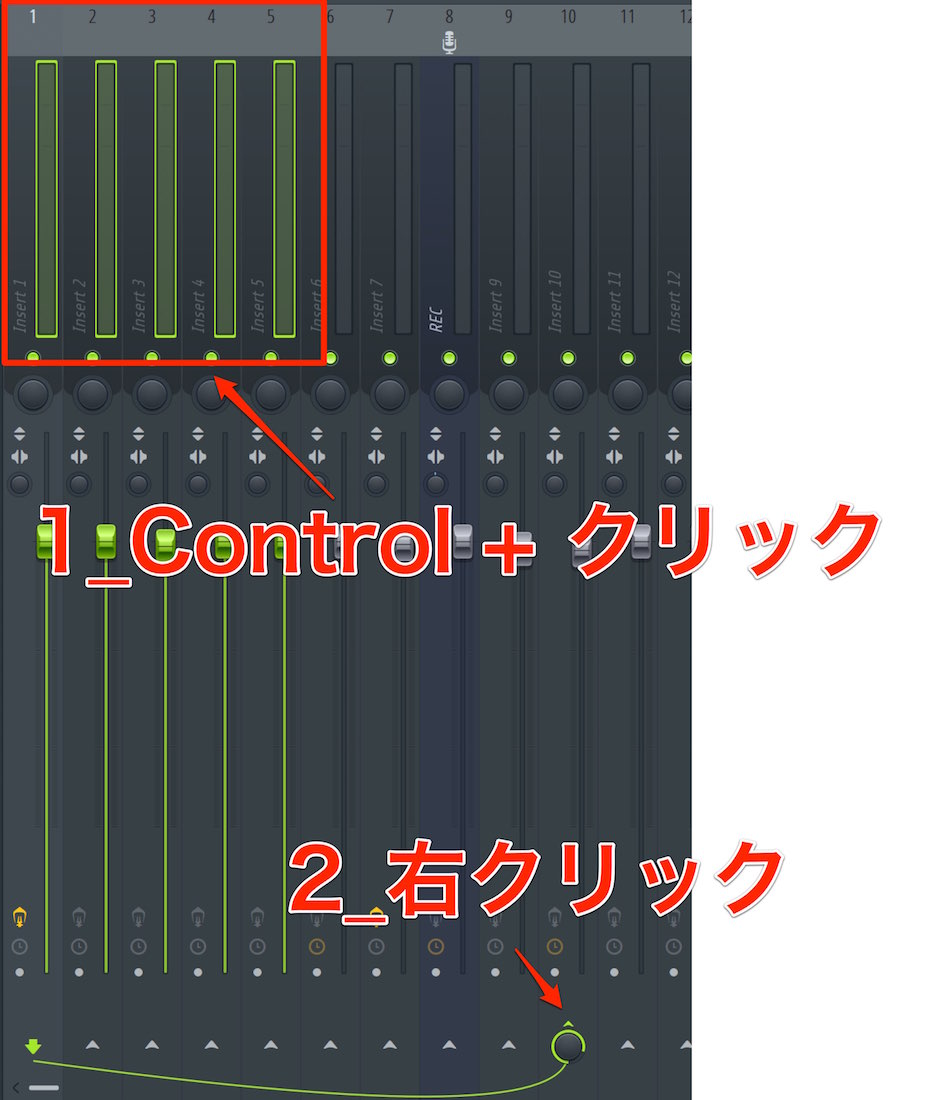
If the tracks you want to group are next to each other,
you can select several with "Control key + select".
Then right-click the area outlined in red on track 10.
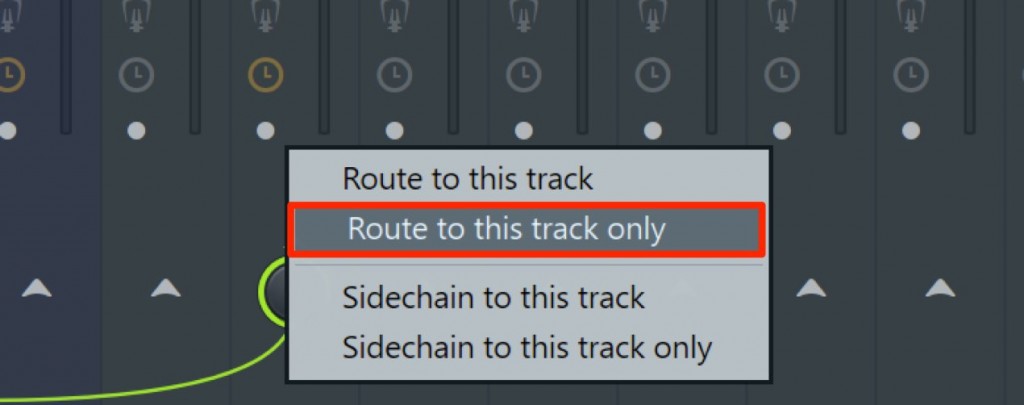
Select "Route to this track only".
Now the output of "1 to 5" no longer goes directly to the master track, but flows through track 10.
This time we used tracks that are next to each other as an example,
but for tracks that are apart, simply make this setting for each one individually.
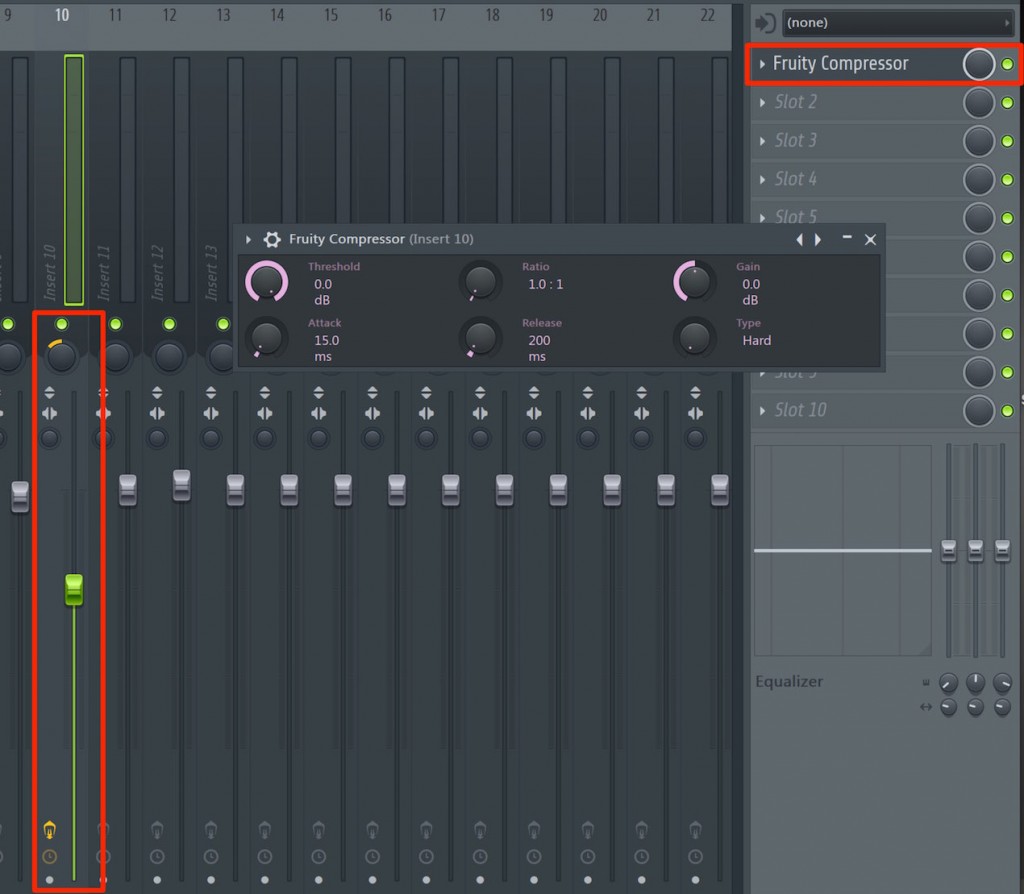
By adjusting the volume, pan, mute, effects and so on of track 10,
you can control the mixed sound of "tracks 1 to 5" all at once.

Frequently Asked Questions
Q1. What are the benefits of grouping multiple tracks into a bus in FL Studio?
Grouping multiple tracks into one bus lets you adjust volume and apply effects all at once, giving the sound a sense of unity. Muting and panning can also be done efficiently, simplifying the whole mixing process.
Q2. Is the procedure different when grouping tracks that are apart?
Even for tracks that are apart, the basic "Route to this track only" procedure is the same. However, because you cannot select them all at once, you need to make the setting for each track individually.
Q3. What effect does a bus compressor have?
A bus compressor gives the combined sound of multiple tracks a sense of unity and cohesion, so you can finish with a cohesive, professional mix.
NEW ARTICLES
Latest English Articles











