
FL Studio's automation function lets you change synth and plug-in parameters automatically over time. This article explains everything from basic automation settings to a more practical real-time recording method, showing that recording while operating parameters directly with the mouse lets you create automation more intuitively and efficiently than drawing it. Controlling effects such as reverb, filters and delay dynamically enables expressive music production, from professional sound design to club-style arrangements.
You can also record by moving parameters directly
In the previous section, we explained the basics of automation.
We hope it gave you a sense of the possibilities of freely changing parameters within a song.
This time, we will take this a step further
and record automation by moving parameters directly.
This lets you record values more intuitively than recording with the mouse.
Recording automation in real time
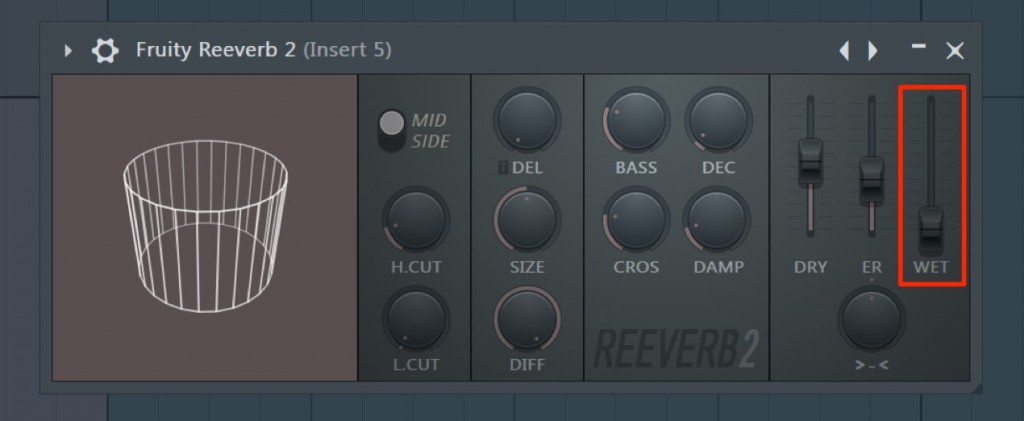
Here, let's record a movement that increases the reverb applied to a track.
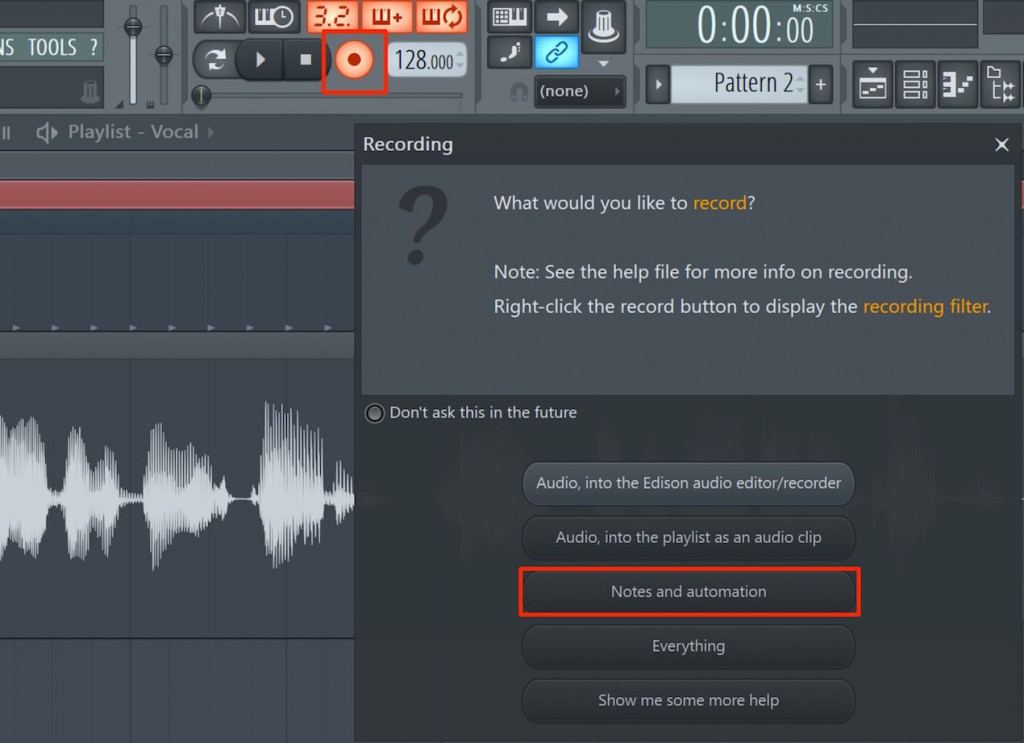
From the dialog that appears when you click the record icon,
select "Notes and automation".
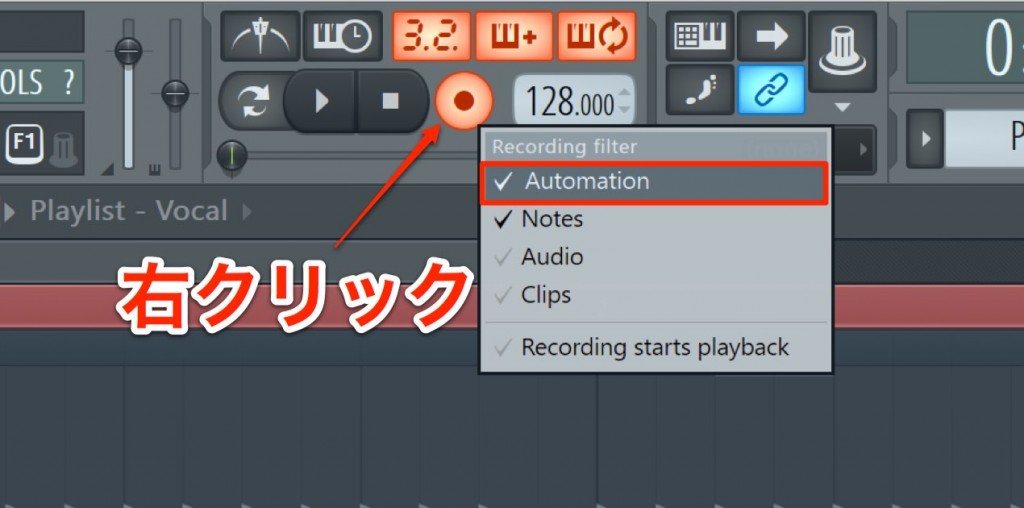
If the dialog above does not appear,
right-click the record icon and select "Automation".
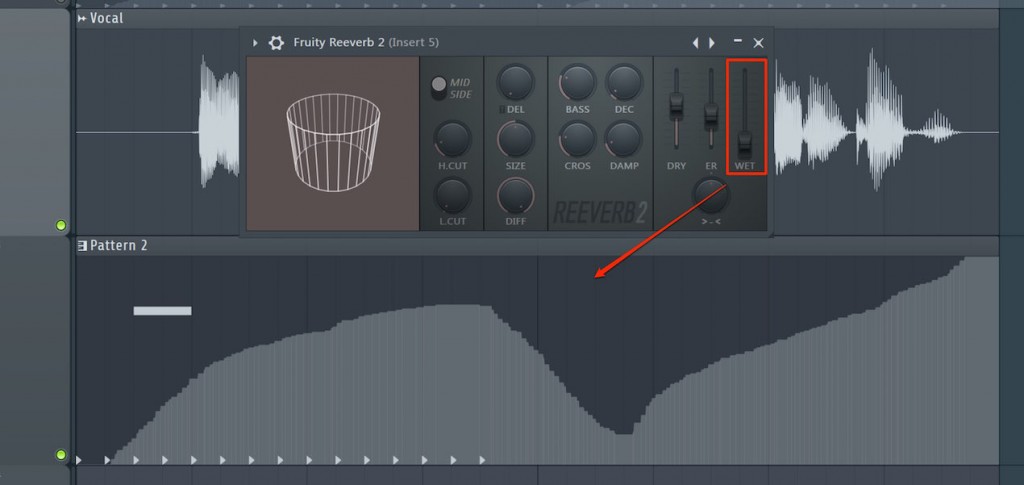
Then just move the parameter you want to record while playing back the song.
It is recorded easily like this.
We also recommend recording roughly first and then tidying it up with mouse clicks.

Frequently Asked Questions
Q1. What do I need to do to record real-time automation in FL Studio?
Just select "Notes and automation" from the dialog that appears when you click the record icon, then operate the parameter you want to move while playing back the song. No complicated settings are needed, so even beginners can start easily.
Q2. Which is recommended, drawing with the mouse or real-time recording?
Real-time recording is more intuitive and captures natural movements. However, you can also fine-tune with the mouse after recording, so combining both methods is the most efficient.
Q3. Which parameters can automation be applied to?
Automation can be applied to any knob, including track volume and pan as well as plug-in parameters such as reverb and delay, giving you limitless expressive possibilities.
NEW ARTICLES
Latest English Articles











