
This article explains how to unify the tempos of multiple songs when producing music in Cubase. It walks step by step through matching songs at different tempos, remix material, and sample CD material to a single tempo. You will learn how to find the tempo of the reference song, adjust the tempo of other material, and sync it perfectly using time stretching. This method makes editing with multiple songs much more efficient and gives you a practical skill for DJ work, remixing, and many other situations.
Matching Other Material to the Tempo of a Reference Song
In the previous article, we introduced "Working Out a Song's Tempo".
This time, we apply that to show you how to match the tempos of two or more songs.
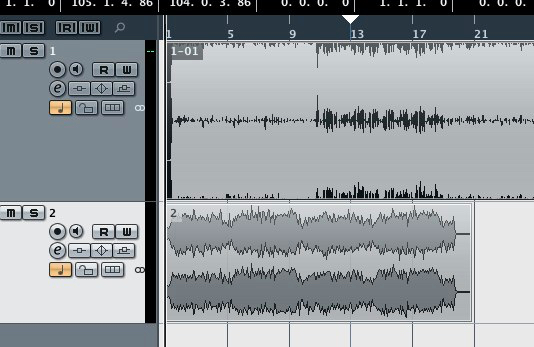
- Matching remix material to the current song's tempo
- Bringing material from sample CDs and the like into a song
- Playing two songs with matched tempos, for example as a DJ
It is useful in situations like these.
How to Set It Up
Let's match the tempos of two songs.
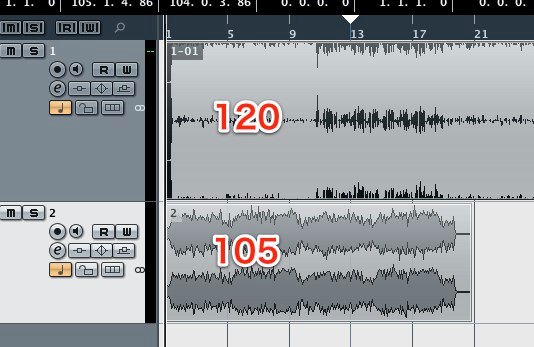
First, find the tempo of both songs using the method from the previous article.
They turned out to be 120 and 105.
Decide which one will be the reference and which one you will change.
Here, we will match the upper event at 120.
That means we will adjust the lower event.
From here on, we will look only at the 105 event.
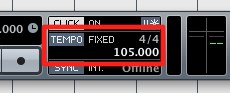
First, set the project tempo to 105.
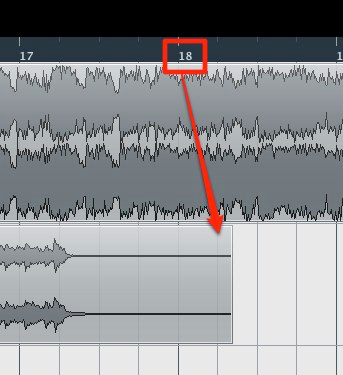
You can see that it is about 18 bars long.
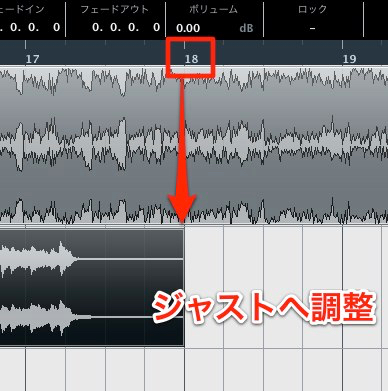
At this point, cut the silent part at a clean bar line.
We cut it to exactly 18 bars.
Make a note of this number.
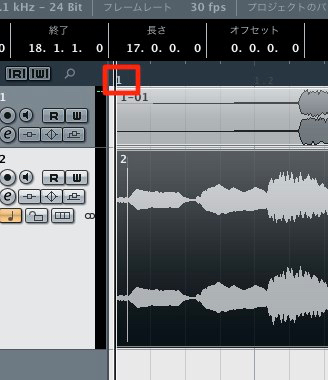
Also, the event must include any silence so that the song starts from bar 1.
You can use the method in the following article.
"Editing Audio by Creating Independent Files"
https://sleepfreaks-dtm.com/for-advance-cubase/audio_edit/
After that, set the tempo back to the reference song's 120.
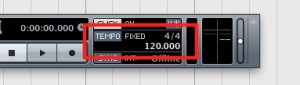
Then,
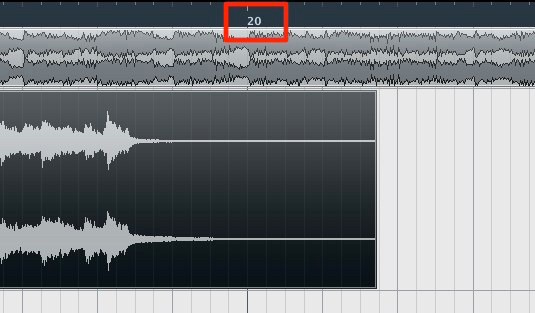
the event that used to be 18 bars is now about 20 bars long.
This is because the tempo changed.
That means if you compress this event back to its original 18 bars, the tempo will match.
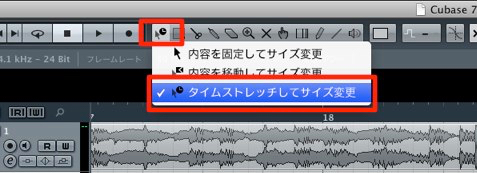
Press and hold the tool outlined in red and change it to "Time Stretch."
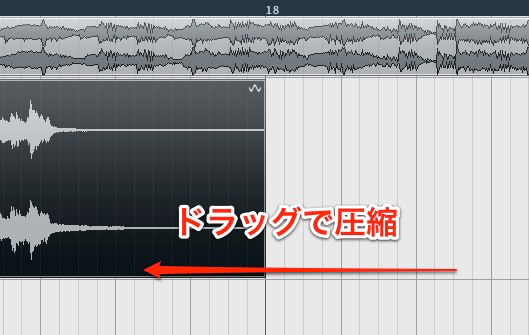
By compressing the event to 18 bars, it is perfectly synced at a tempo of 120.
This makes working across songs dramatically easier!
Frequently asked questions
Q1. What are the steps for matching two songs at different tempos in Cubase?
First, measure the tempo of both songs and decide on the reference song. Then edit the song you are changing as an independent file, determine its exact bar count, and use time stretching to compress or expand it so the tempos sync.
Q2. What should I watch out for when using time stretching?
Prepare the song you are editing so that it starts from bar 1, including any silence, and cut it at a clean bar line. Making a note of the bar count also lets you compress it accurately after the tempo change.
Q3. Can this tempo-matching method actually be used when bringing remix material or sample CD material into a project?
Yes. This method is practical in many situations, such as remixing, using sampled material, and DJ work. Matching material to the song's reference tempo enables seamless editing and greatly improves production efficiency.
NEW ARTICLES
Latest English Articles











