
Using external synths in Cubase gives you a wider range of sounds than relying only on the software synths inside your DAW. This article explains step by step how to connect external instruments via a MIDI interface and how to set the port, channel, and program in Cubase. By converting MIDI to audio, you can also apply Cubase's effects, integrating hardware and software in your production. It is easy to set up even for beginners, and gives you knowledge that helps you build a professional production environment.
How to Connect an External Synth in Cubase
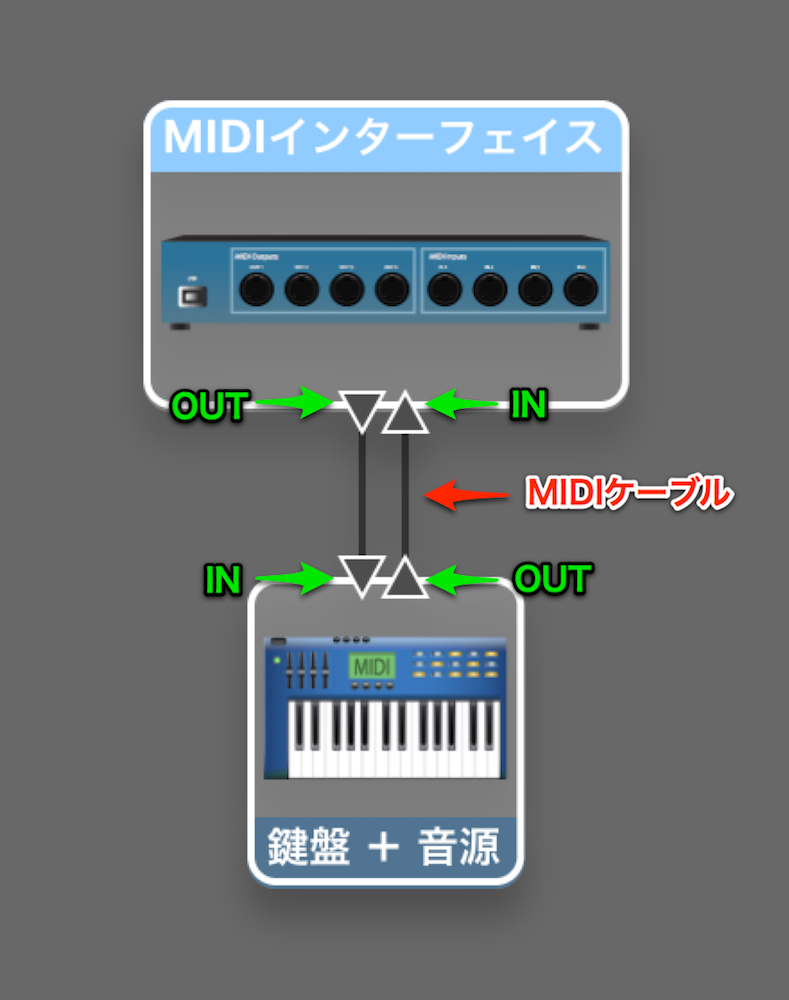
Connect the MIDI IN and MIDI OUT of your MIDI interface and external instrument.
If the External Instrument and Keyboard Are One Unit
If the External Instrument and Keyboard Are Separate
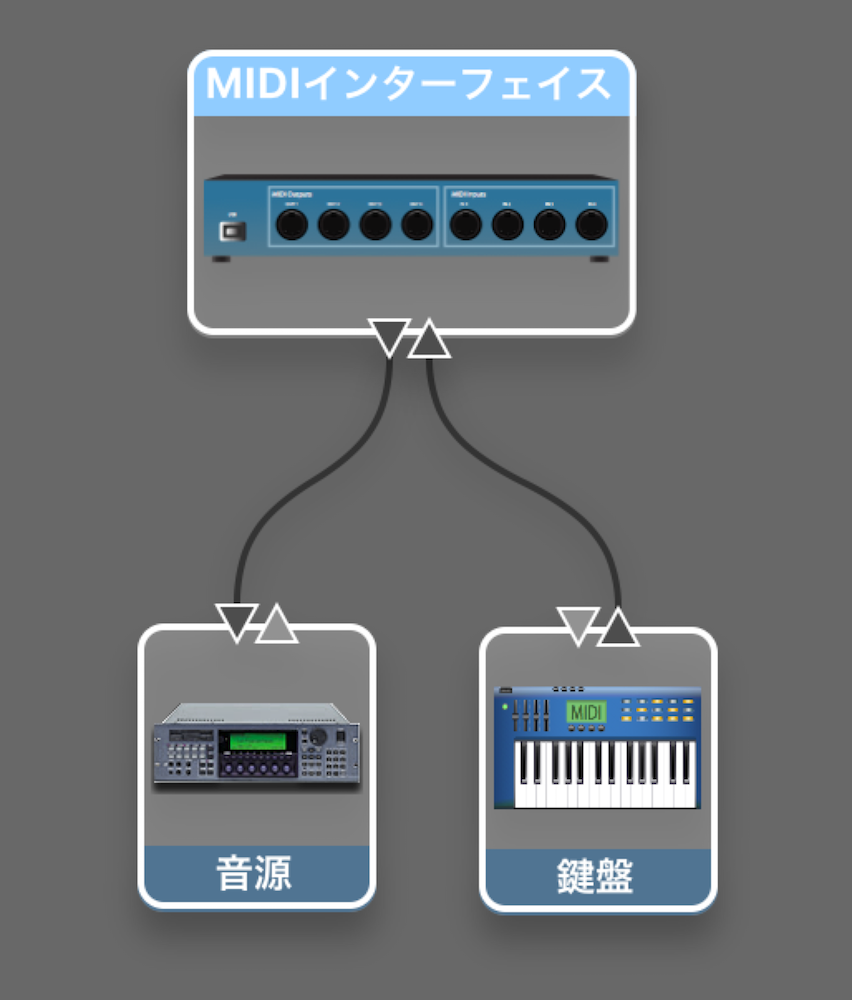
*The wiring is the same as in the image above.
MIDI Interface
They are very easy to connect and inexpensive, so you can add one casually.
Settings in Cubase

↑ Create a MIDI track

1_Port
Select the instrument connected to the MIDI interface.
2_Channel
Most synths can play 16 tracks (sounds) at once.
Here you decide which of those 16 channels to use.
If you want to use multiple sounds, create new MIDI tracks in Cubase
and change the channel here.
*If you want to use the external synth's drum sounds, set it to channel 10.
This is defined by the GM standard and is common to most synths.
3_Program
Here you decide which sound to play
on the channel set above.
The numbers correspond to the synth's patch numbers, so assign the sound you like.
With these settings made, playing the keyboard produces the synth sound.

Just as with software synths, you can perform MIDI edits such as quantizing.
Converting MIDI to Audio
You can also record this external synth sound and turn it into an audio file.
This lets you apply Cubase's effects, which is very convenient.

Connect the external instrument's audio output to your audio interface's input.
In exactly the same way as you normally record vocals or guitar, you can turn your external instrument parts into audio.

Advanced: Convenient Integration with Hardware Synths
Selected questions and answers from the YouTube video

When using software synths and hardware synths together, won't the hardware synth sound be slightly late and ruin the music?

There are several possible solutions: "1_Adjust the latency," "2_Make it sound earlier with the delay function" https://sleepfreaks-dtm.com/for-advance-cubase/lesson8-6/ and "3_Adjust the delay in VST Connections when registering the synth." How much the sound lags depends on your computer and the synth itself, so when adjusting the delay, listen to the sound and find the best value by checking as you go. Please give it a try.
Frequently asked questions
Q1. What do I need to use an external synth with Cubase?
Basically, you need a MIDI interface, an external synth, and an audio interface. The MIDI interface connects the synth and keyboard to Cubase, and the audio interface brings the synth's audio into your computer. They are inexpensive and easy to set up.
Q2. Which channel do I use to play drum sounds from an external synth?
Set it to channel 10 for drum sounds. This is defined by the GM standard and is common to almost all synths.
Q3. Can I edit and process an external synth's sound in Cubase?
While it is MIDI, you can perform MIDI edits such as quantizing. If you also convert the external synth's sound to an audio file, you can apply Cubase's effects to process it.
NEW ARTICLES
Latest English Articles











