
This article introduces a technique for making dreamy, atmospheric vocal effects in EDM production. By rendering a reverb-treated vocal to audio and then reversing it, you turn an ordinary vocal into an FX sound that can be used for builds and as a texture in the chorus. The technique can be done in production software such as Ableton Live, and by combining it with delay and sidechain effects, you can build a more polished EDM sound. It is a standard method that even beginners can learn.
Introducing This Category
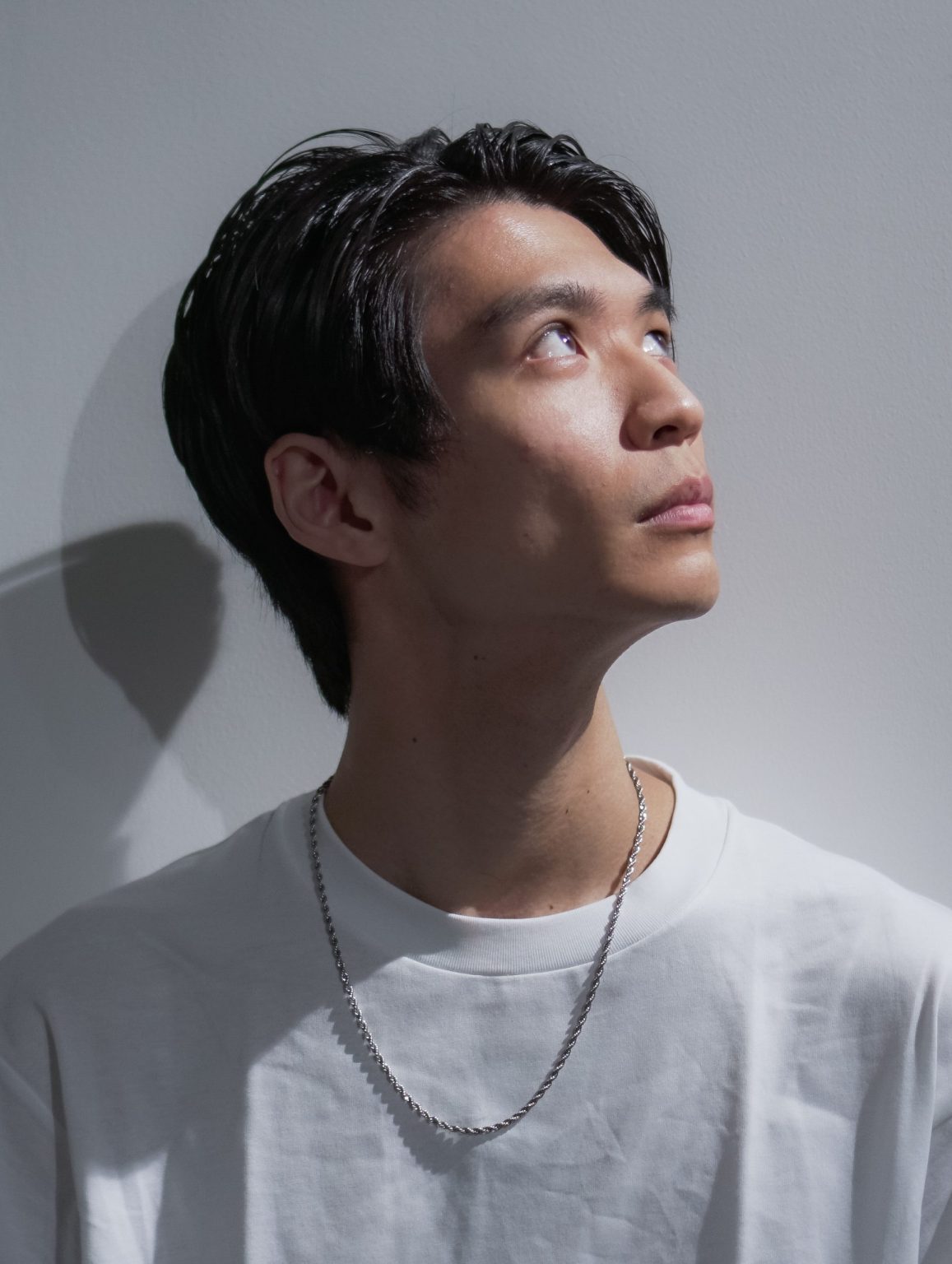
I am Kohei Machida, a Sleepfreaks instructor, and I will be in charge of this category from now on.
Electronic music, including EDM, incorporates various methods such as effects, audio processing, sound gimmicks and layering, and this is where it differs greatly from genres built mainly around acoustic instruments.
Whether you know many of these methods and can put them into practice is directly linked to your production skills.
Here, we will deliver various sound production methods to you one at a time, likening them to recipes.
Just as musicians practice their instruments to improve their playing technique, we hope you will master many methods and use them in your music production.
Now, let's go to the first recipe.
A Technique for Easily Turning Vocals into FX
In this first part, we introduce a technique for easily turning vocals into FX.
This technique is a standard in EDM production, so be sure to learn it.
The reverb used in the video is [Valhalla Room].
However, this technique can be applied with any reverb, so please try it with various reverbs!
A Technique for Easily Turning Vocals into FX
- 1STEP1 – Add reverb to the vocal
- 2STEP2 – Record or render the vocal with reverb
- 3STEP3 – Reverse the audio
- 4STEP4 – Edit the reversed sound
- 5STEP5 – Bonus techniques
First, let's check what the sound is like when you apply what we introduce here.
A plain vocal sound has become an FX sound that can be used for builds in a song or as a texture in the chorus.
From here, we introduce step by step the technique that completely transforms the vocal sound, so please read to the end.
Add Reverb to the Vocal
First, let's check the vocal sound we prepared this time.
First, add reverb to this a cappella vocal.
This time, we use [Valhalla Room].
* This can be applied with other reverbs too.
▶︎ Valhalla Room
After adding the reverb, choose a preset.
The point when choosing a preset is to choose one that creates a fairly large space, such as [Halls], [Cathedrals] or [Big Space].
In the video, we chose the preset [Bright Space Cathedral].
▶︎ Reverb preset setting
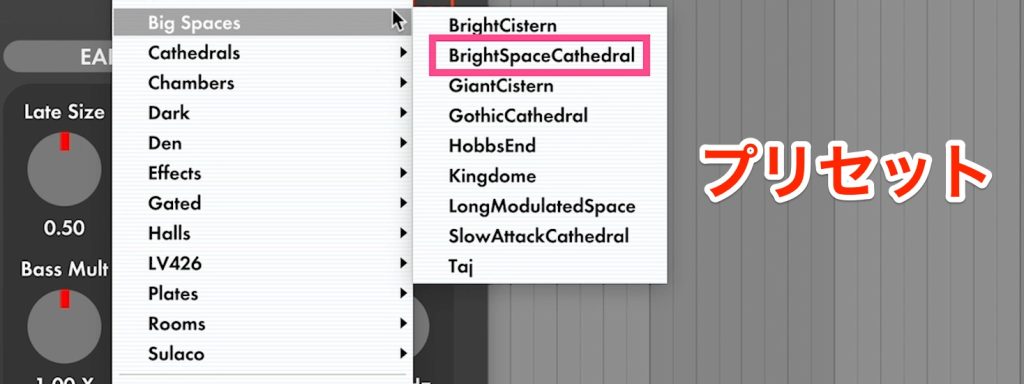
Depending on the preset, Mix may not be at 100%, so in that case, always set Mix to 100%.
▶︎ Reverb Mix setting

Record or Render the Vocal with Reverb
Next, we edit the sound including the reverb as audio.
To edit it as audio, first you need to record or render the track.
Here are the steps for rendering in Ableton Live.
- 1_Select the track
- 2_Right-click and choose "Freeze Track" from the menu
- 3_Right-click again and choose "Flatten" from the menu
This renders the sound with the effects applied as audio.
Reverse the Audio
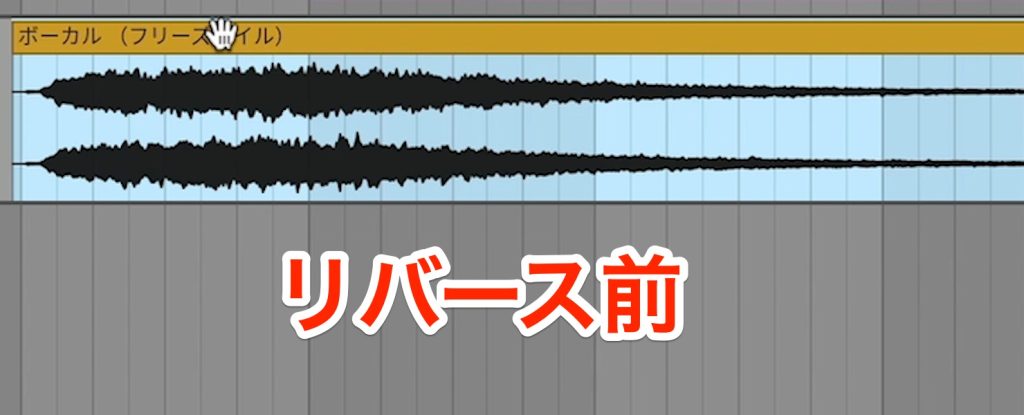
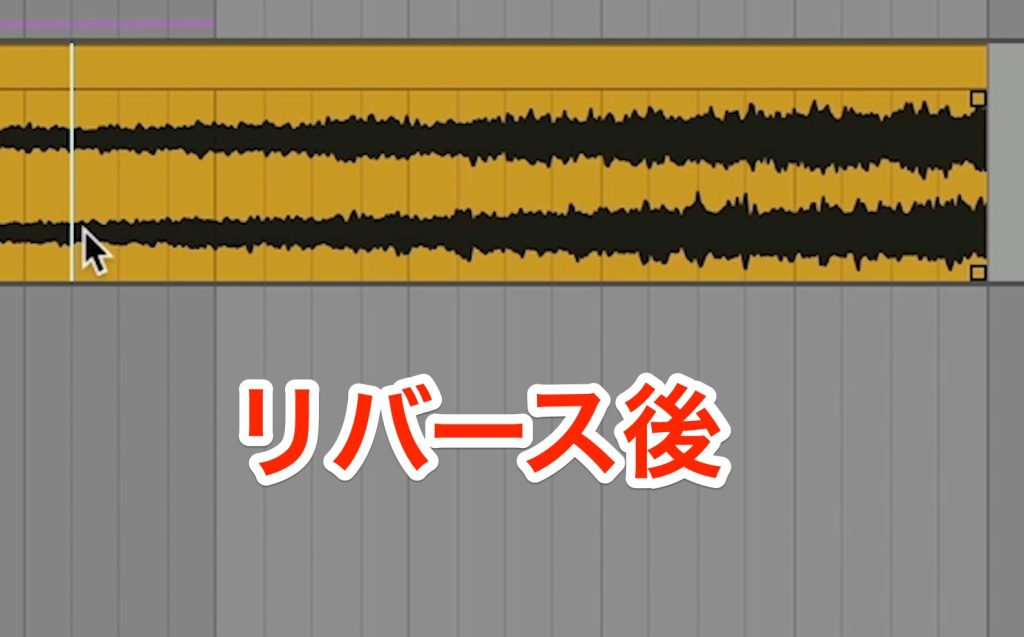
Next, reverse the rendered audio.
In Ableton Live, you can reverse a sound by pressing the R key on the keyboard.
▶︎ Before reversing
▶︎ After reversing
Edit the Reversed Sound
Next, cut the beginning of the reversed sound.
▶︎ Before cutting the beginning
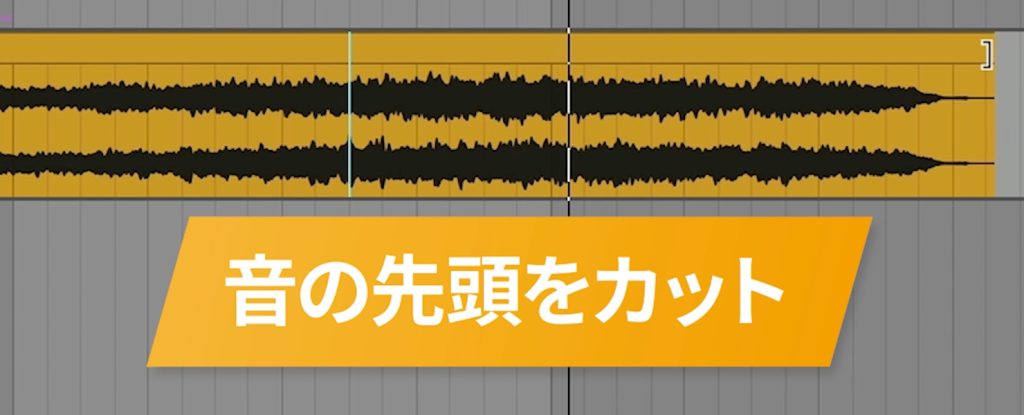
▶︎ After cutting the beginning

Then place the cut sound before the original sound.
▶︎ Moving it before the original sound
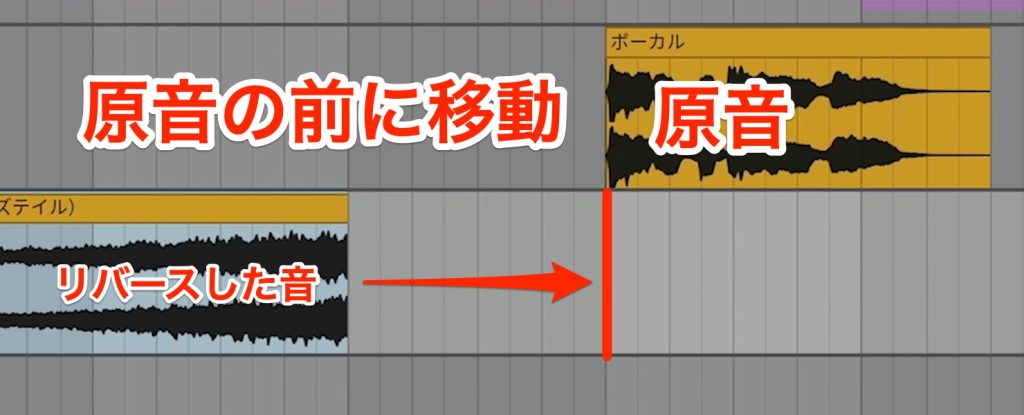
As it is, the sound cuts off a little abruptly.
To remove this abrupt cutoff, add reverb again to the reversed sound.
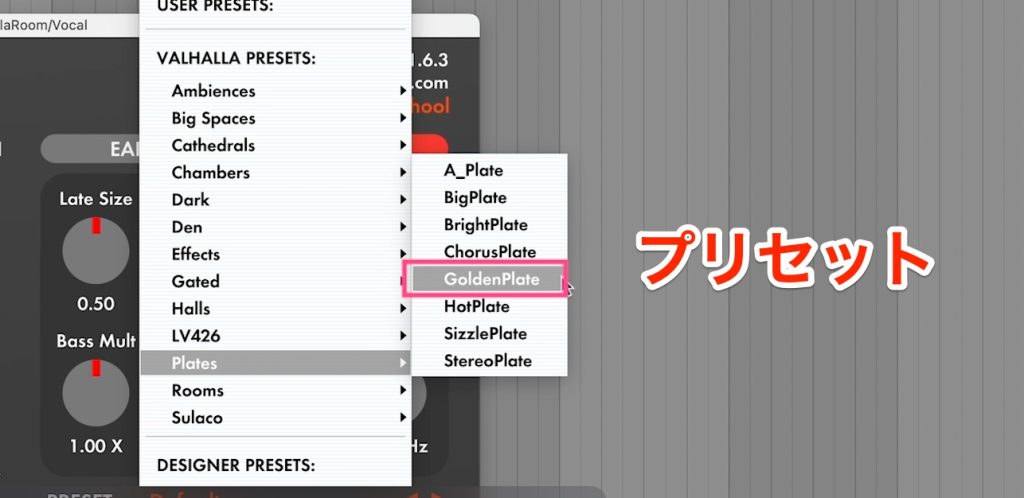
Choose a preset with a shorter reverb tail than before.
In the video, we chose the preset [Golden Plate].
▶︎ Reverb preset setting
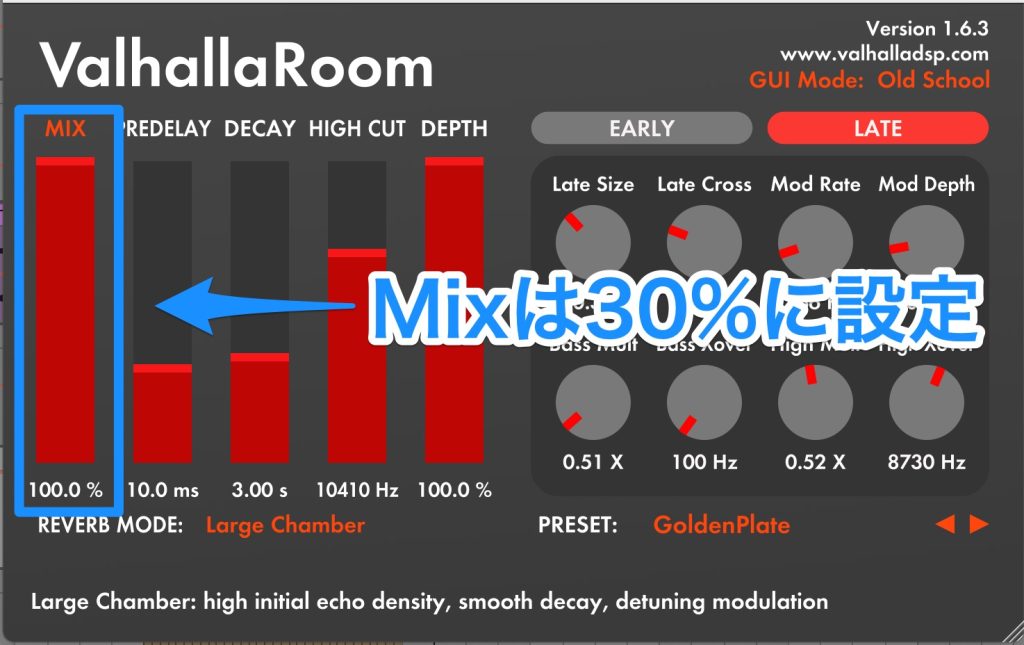
Set the reverb Mix to 30%.
▶︎ Reverb Mix setting
Now when you play it back, you get a sound like this.
Bonus Techniques
You can further arrange the FX sound you created.
This time, as bonus techniques, we introduce two arrangement patterns.
- Add delay to the reversed sound
- Cut out the reversed sound and loop it
Add Delay to the Reversed Sound
Adding delay to the reversed sound increases its sense of sustain and gives a more dynamic sound.
In the video, we use EchoBoy by Soundtoys, specifically the included [EchoBoy Jr.].
▶︎ EchoBoy Jr.
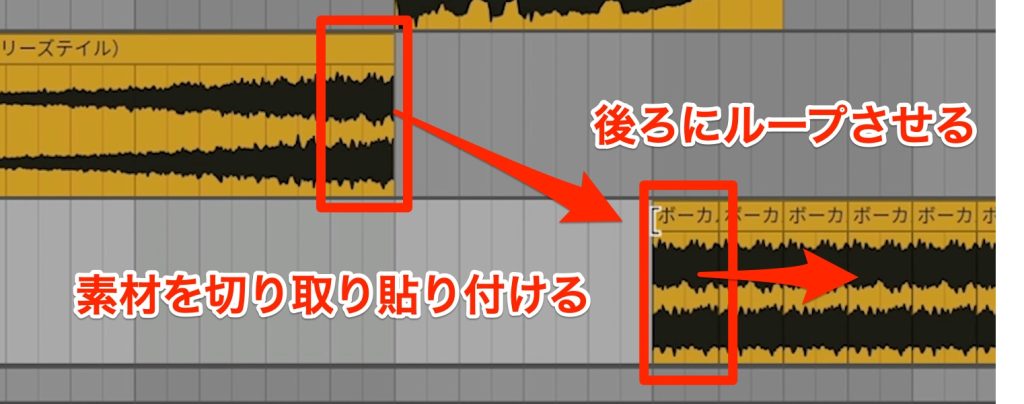
Cut Out the Reversed Sound and Loop It
The reversed sound can also be used elsewhere as an FX sound.
In the video, we looped the cut-out sound in the chorus and used it as a texture for the chorus.
Adding a sidechain effect to the looped sound helps it blend better with an EDM chorus.
In the video, we use Nicky Romero's [Kickstart].
▶︎ Kickstart
This technique is a standard in EDM, so please learn it and use it in your own songs.
It can also be applied not only to vocals but to many other parts, so please try it on synths, drums and more.
See you in the next recipe.
Frequently Asked Questions
Q1. Can beginners use the technique of turning vocals into FX?
Yes. This technique is a standard method in EDM production and consists of the basic steps reverb → render to audio → reverse, so beginners can learn it. It can be applied in any DAW.
Q2. Can this technique be applied to things other than vocals?
Of course. It can be applied to various parts such as synths and drums. This method works on any audio track that includes reverb.
Q3. Do I get the same effect with any reverb?
It can basically be applied with any reverb, but choosing a preset with a fairly large space, such as a hall or cathedral, is effective. The tone changes depending on the reverb's tail and texture.
Q4. Why add more reverb to the reversed sound?
To make the abrupt cutoff of the reversed sound natural. The additional reverb smooths the end of the sound, giving a more polished FX sound.
Q5. What is a sidechain effect?
It is an effect that automatically raises and lowers the volume of other sounds in response to the volume of the kick drum. In EDM, it syncs the chorus texture sound with the kick to create a sound with more energy.
EDM Recipe #1: Dreamy Vocal Reverb FX
Here, we will deliver various sound production methods one at a time, likening them to recipes.
In part 1, we introduce a technique for easily turning vocals into FX.YouTube: https://t.co/JkGKZE4h4c
Article: https://t.co/DZfPkExXQg#DTM #EDM pic.twitter.com/dWymElJgDX
— SLEEP FREAKS (@SLEEPFREAKS_DTM) March 3, 2023
NEW ARTICLES
Latest English Articles











