
This article explains, in four steps, snare build-up techniques for creating excitement before the chorus in EDM production. It introduces methods even beginners can put into practice, from programming in 16th notes and adjusting velocity to adding reverb and a filter and combining multiple snare sounds. By combining these techniques, you can turn monotonous drums into a dynamic sound with movement, helping you produce higher-quality EDM tracks.
Pre-Chorus Effects Using the Snare
Part 4 introduces techniques for building excitement before the chorus using the snare.
This time too, we introduce techniques that are easy to apply, so please put them into practice!
Build-Up Techniques Using the Snare
- 1STEP1 – Program a snare roll
- 2STEP2 – Add reverb to the snare
- 3STEP3 – Add a filter to the snare
- 4STEP4 – Add a snare with a different sound
First, let's check what the sound is like when you apply what we introduce here.
Using the techniques gives a more dynamic build-up.
From here, we introduce the techniques for widening the sound step by step, so please read to the end.
Program a Snare Roll
First, program the snare sound in [16th notes].
▶︎ Snare programmed in 16th notes

Next, use [velocity] to vary the loudness of the notes.
Changing the volume of each note with velocity creates realism and groove.

Add Reverb to the Snare
Once the snare is programmed, next use [reverb] to create a sense of spatial width.
The reverb used in the video is [Valhalla Room].
Of course, this can be applied with other reverbs too, so please try it with various reverbs!
▶︎ Valhalla Room
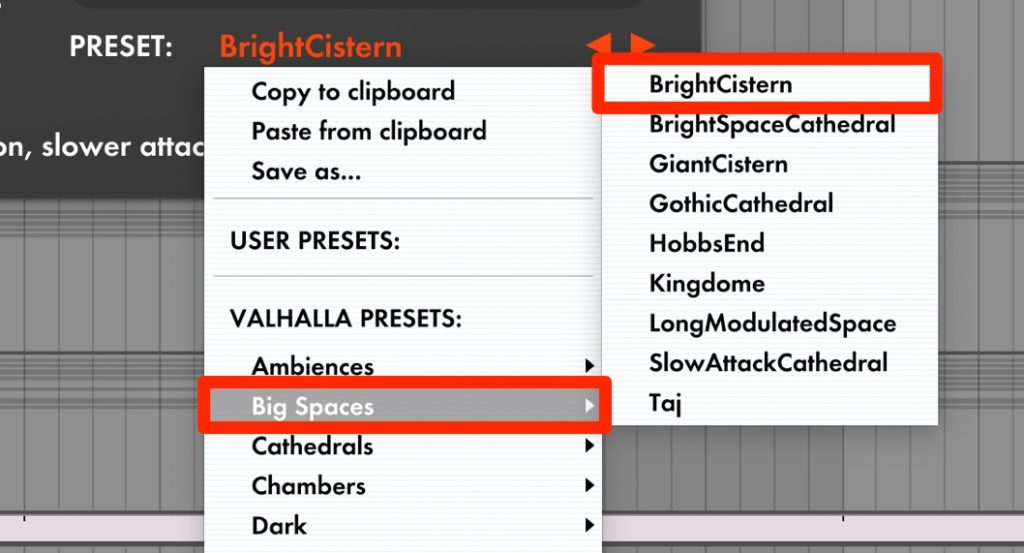
Next, choose a reverb preset.
Choose a preset that creates a fairly large space.
For Valhalla Room, we chose the preset [BrightCistern].
▶︎ Reverb preset setting
Next, use [automation] to add movement that widens the sound toward the end.

For the reverb's [Dry/Wet] value, the starting point on the left is set to [0%] and the end point on the right to [40%].
This gives the effect of the reverb sound gradually spreading out.
Add a Filter to the Snare
After the reverb, insert a [Filter] to add further movement and build excitement.
▶︎ Filter
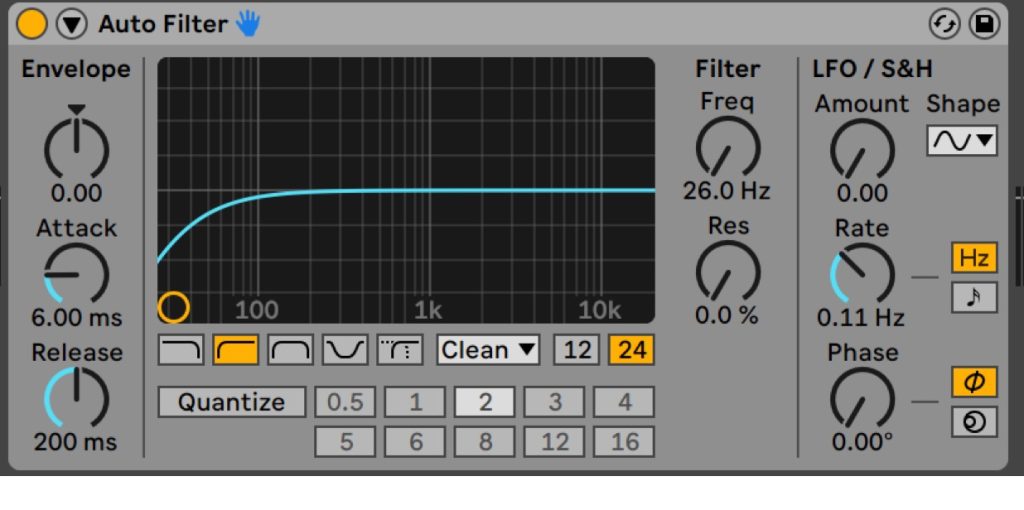
Switch the filter mode to [Hipass].
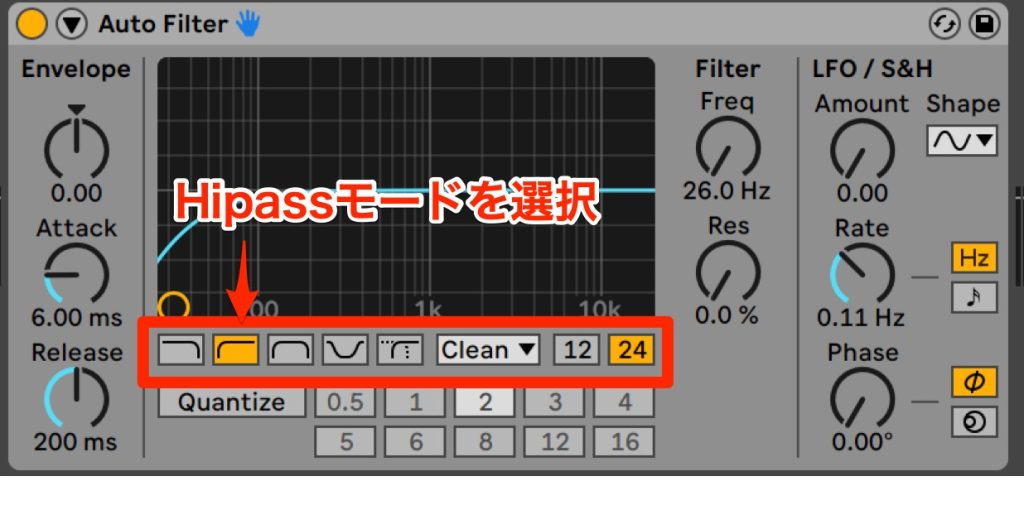
Next, as before, use [automation] to add movement that cuts the low frequencies toward the end.
First, set the starting point on the left to [26.0 Hz] and the end point on the right to [1.35 kHz].

Add a Snare with a Different Sound
Finally, to add thickness and movement to the sound, add a snare with a different tone.
Here are the steps for adding a snare.
- 1_Duplicate the first snare
- 2_Insert a new snare
- 3_Change the programming pattern
▶︎ Duplicating the first snare

▶︎ Inserting a new snare
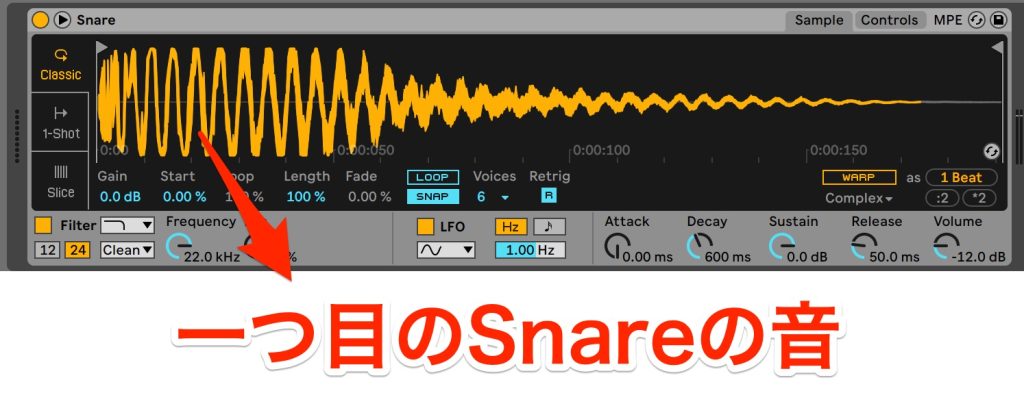
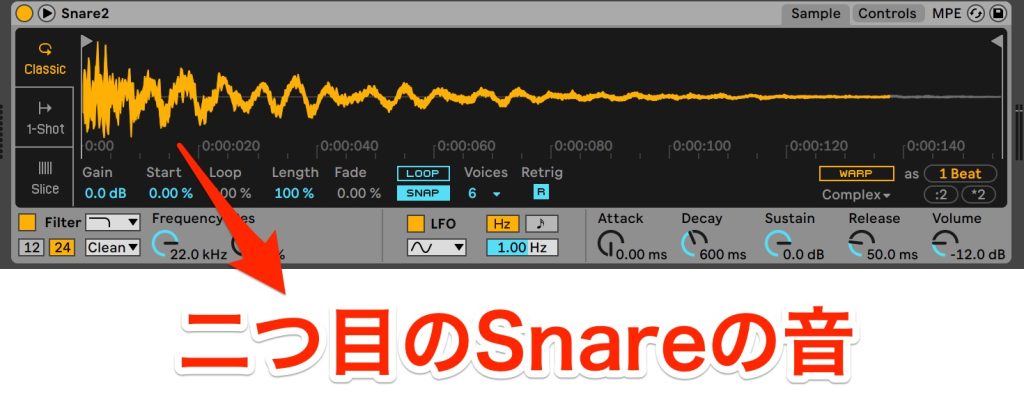
▶︎ Changing the programming pattern

This gives the snare movement and lets you create a more dynamic build-up.
This time, as a technique for widening the sound, we introduced snare build-up techniques that are essential for building excitement before the chorus.
Using these techniques lets you finish your build-ups at a higher quality.
Please master these techniques and try them in your own songs!
See you in the next recipe.
Frequently Asked Questions
Q1. What is the most important element in producing an EDM build-up?
Gradual changes in sound using a snare roll, reverb and filter are important. Combining them achieves an effective build-up that raises the listener's anticipation.
Q2. What are the tips for using reverb on the snare?
Gradually raising the Dry/Wet value with automation is effective. For example, changing it from 0% to 40% gradually creates spatial width.
Q3. Can these techniques be applied to other sounds?
Yes, the same methods can be applied to other drum sounds and synth bass. However, because the snare has a lot of high-frequency content, it is especially well suited to build-ups.
Q4. What mistakes do beginners tend to make?
Programming at a uniform volume without adjusting velocity gives a mechanical, bland sound. Giving each note groove is the first step toward a realistic result.
[DTM] EDM Recipe #4: Build-Up Techniques Using the Snare
This time, we introduce methods for building excitement before the chorus using the snare.
They are easy to apply, so please put them into practice!Video: https://t.co/nUWwAFPHDE
Article: https://t.co/DpjXbBEvjB#DTM #EDM #composing pic.twitter.com/FiSoZttjNh
— SLEEP FREAKS (@SLEEPFREAKS_DTM) April 10, 2023
NEW ARTICLES
Latest English Articles











