
This article shows how to change Logic X's default behavior of automatically assigning instruments and buses when you create a track. Simply setting the "Instrument" menu to "Empty Channel Strip" when creating a track saves you the trouble of deleting unwanted settings every time. For audio tracks, you can do the same by unchecking "Load default patch" and "Open Library." You can also set your preferred instrument in the dialog in advance to build an efficient production environment.
Creating Tracks with Nothing Assigned
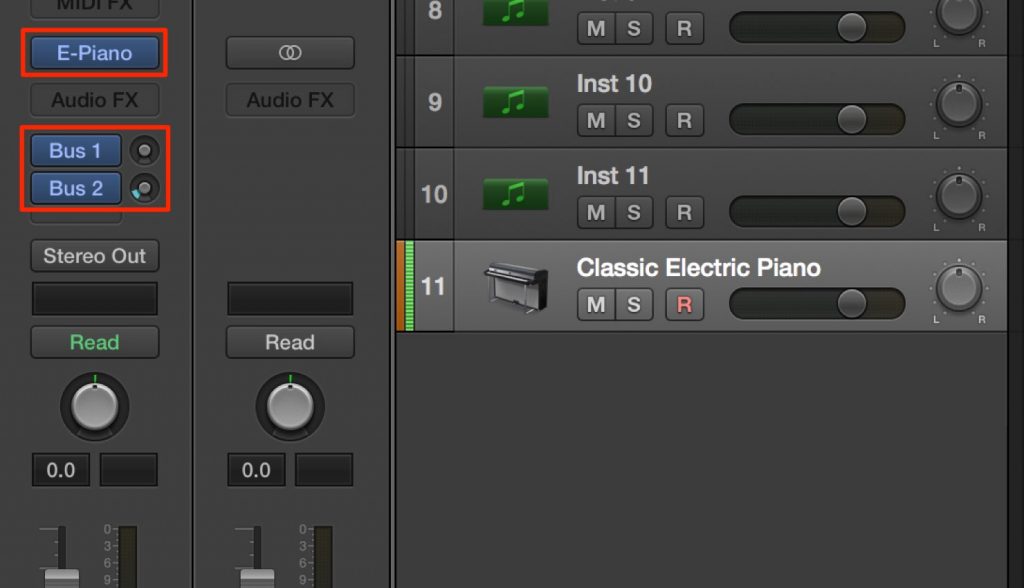
When you create a track in Logic X, an instrument and buses are assigned automatically.
This can be convenient, but some of you may not need these settings and end up deleting the instrument and buses every time.
The fix is very simple.
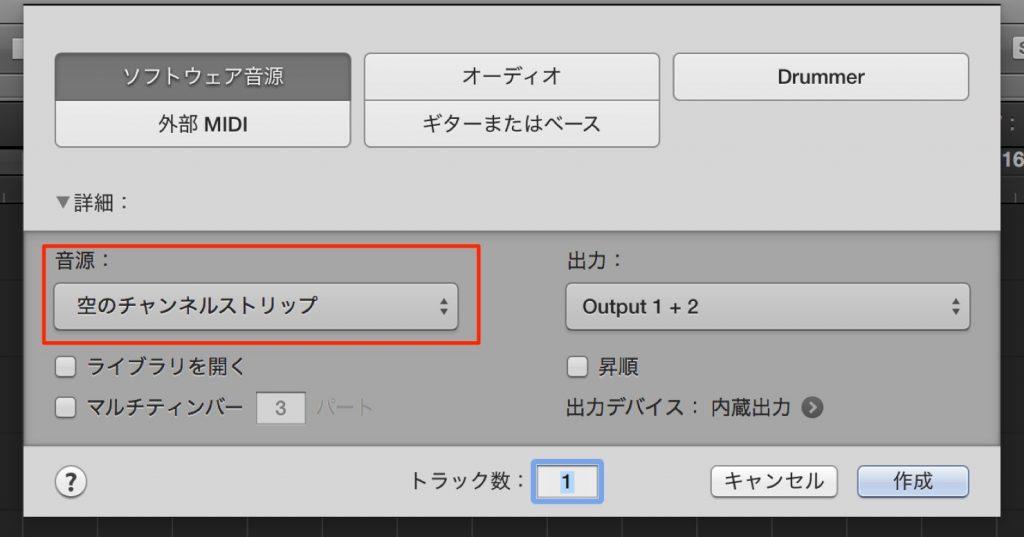
When creating a track, just set the "Instrument" menu to "Empty Channel Strip."
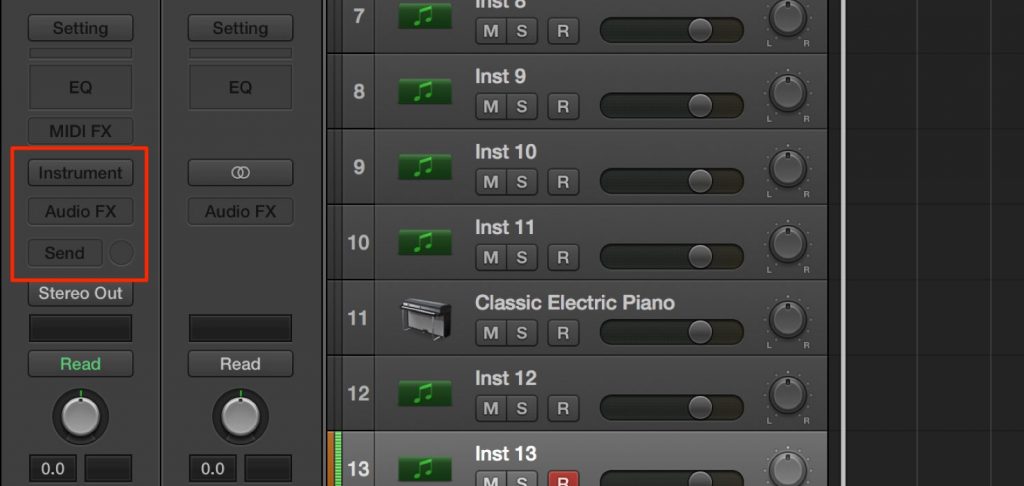
As you can see, you can create the track in an empty state.
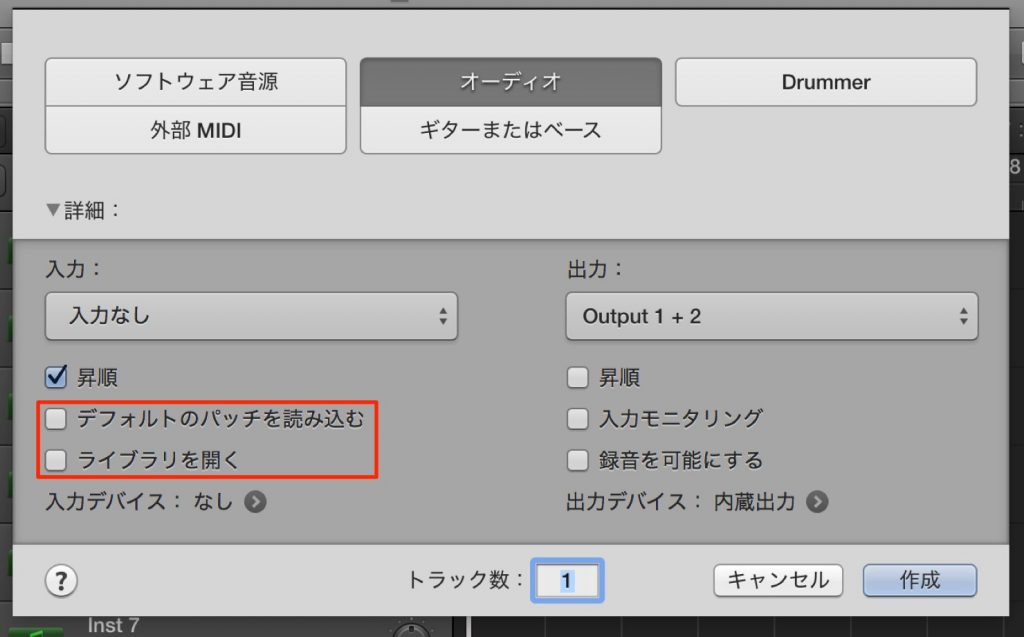
The same applies to audio tracks.
Just uncheck "Load default patch" and "Open Library," and the track will be created empty.
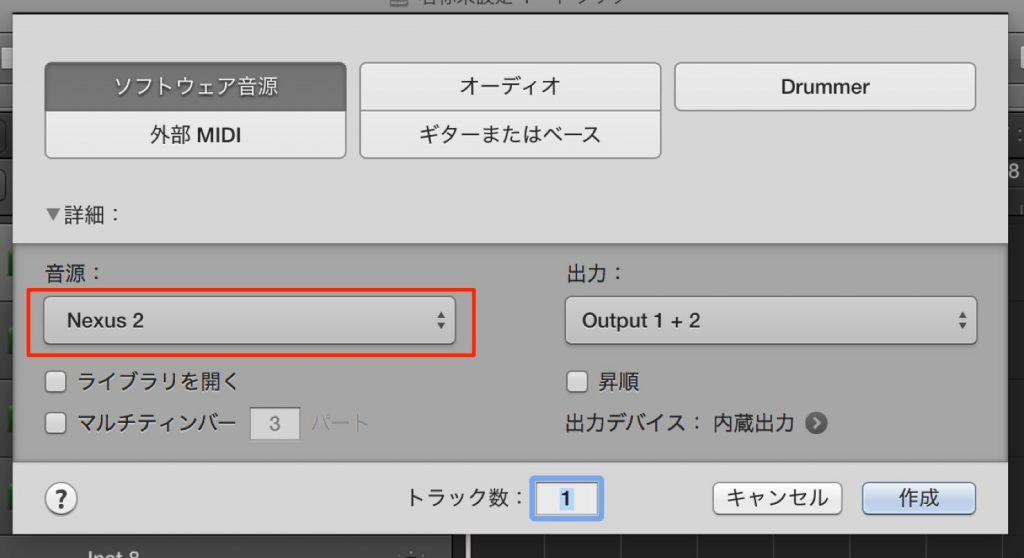
Also, if you set your preferred instrument in the dialog, the instrument launches together with the track, which is very convenient.
Frequently Asked Questions
Q1. I delete the instrument every time I create a track in Logic X. Is there a way to skip this?
Just set the "Instrument" menu to "Empty Channel Strip" when creating a track, and an instrument will no longer be inserted automatically. This setting eliminates the unnecessary deleting and improves production efficiency.
Q2. How do I create an audio track in an empty state?
Just uncheck the "Load default patch" and "Open Library" checkboxes when creating an audio track, and the track will be created empty.
Q3. How can I automatically launch a specific instrument I use often?
By setting your preferred instrument in the track creation dialog in advance, that instrument launches automatically when you create a new track, making production more efficient.
NEW ARTICLES
Latest English Articles











