
If Logic Pro automatically opens your previous project when it launches, you can fix this by changing "Startup Action" under "Project Handling" in Preferences to "Create New Project from Template." With this setting, the template selection dialog appears at launch, which can shorten startup time and improve efficiency. It's the ideal fix for users who want to start from a new project every time.
The Previous Project Opens at Launch Instead of the Startup Dialog
When launching Logic, the song you were working on last time opens,
and some users were having trouble because "the startup dialog doesn't appear" and "launching takes a long time."
Here, we explain how to avoid this by setting the startup action.
How to Fix It
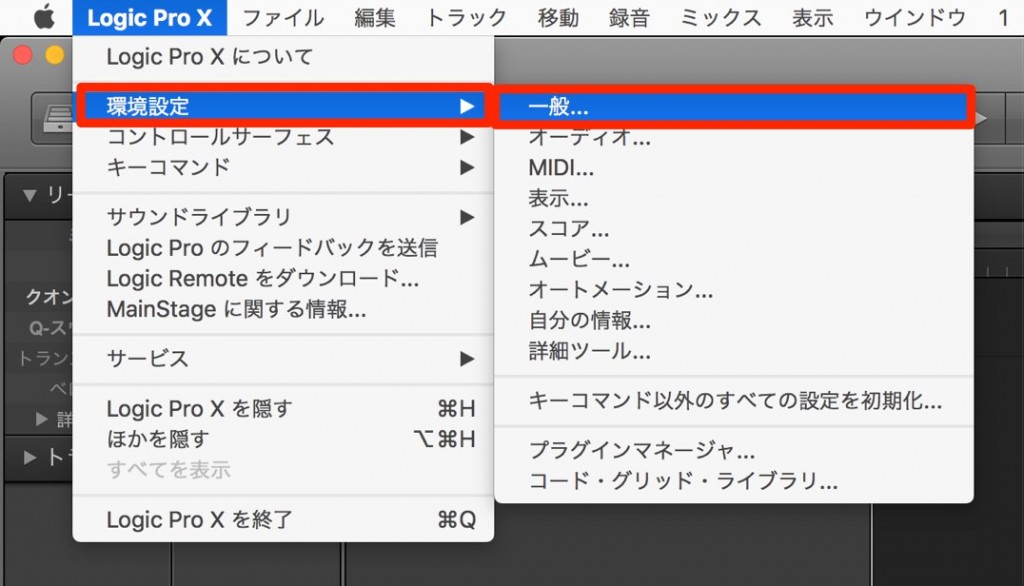
Select "Preferences" > "General" from the top menu.
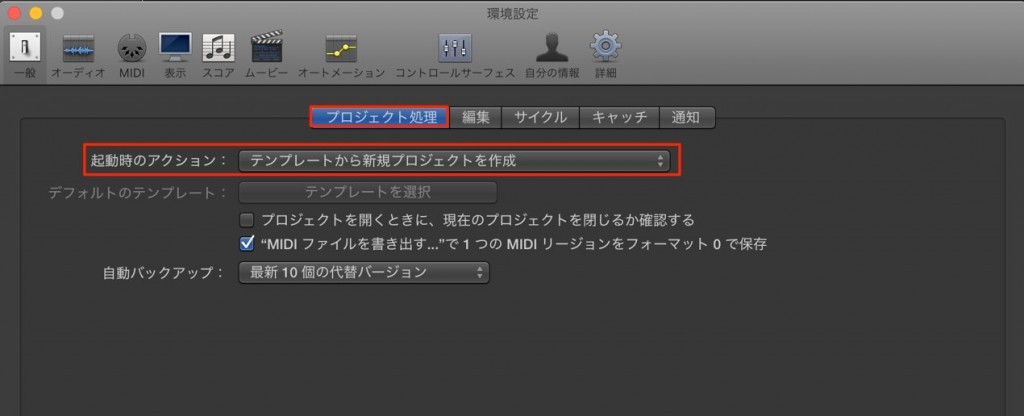
Go to "Project Handling"
and change "Startup Action" to "Create New Project from Template."
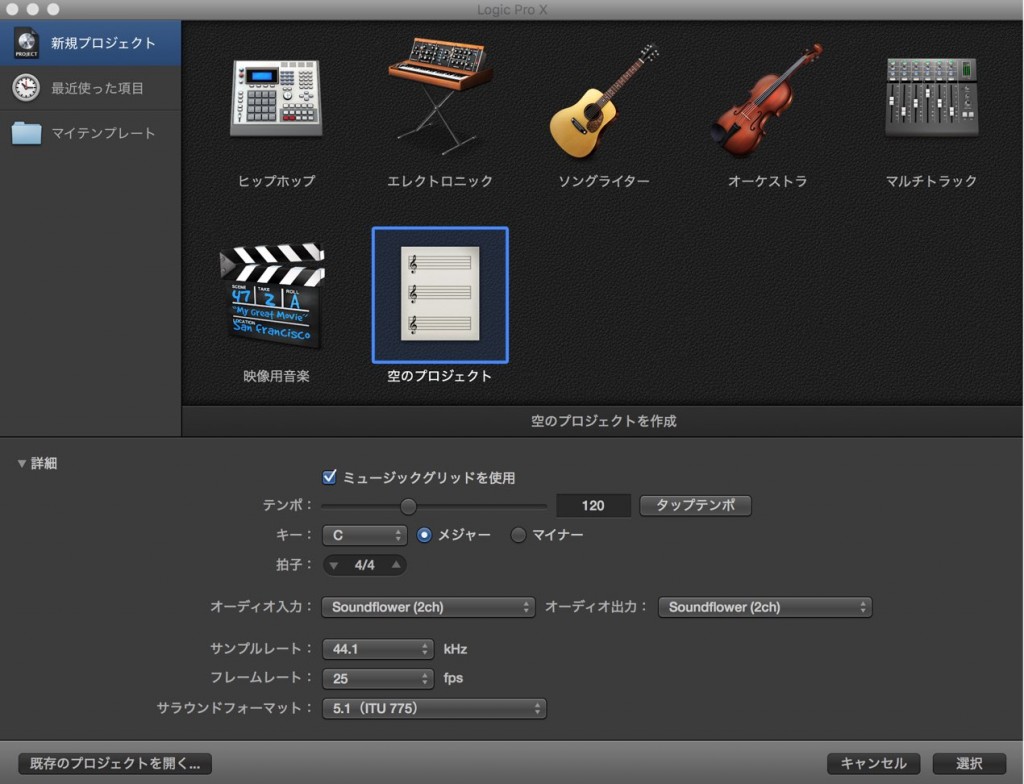
From the next time you launch Logic, the template dialog will open.
Frequently Asked Questions
Q1. I want to stop the previous project from opening every time I launch Logic. What should I do?
Go to "General" > "Project Handling" in Preferences and change "Startup Action" to "Create New Project from Template." From the next launch, the template dialog will appear.
Q2. What are the benefits of showing the startup dialog?
You can choose a new template every time, so you can start working with different project settings and set up the best environment for what you want to do. It also prevents time wasted by unnecessary projects opening automatically.
Q3. After changing this setting, can I no longer open my previous project?
No, this setting only changes the default behavior at launch. After launching, you can open any previous project by selecting "Open" from the menu.
NEW ARTICLES
Latest English Articles











