
When using a controller set up in Cubase, with the default settings unwanted MIDI notes and CC data may be sent to instruments automatically, causing unintended sounds and incorrect recordings. This problem can be easily solved by excluding the controller's MIDI input in "MIDI Port Setup" within "Studio Setup." Applying this fix lets you operate your DAW stably and comfortably, prevents unwanted noise and mistaken recordings, and improves the efficiency and quality of your production work.
Prevent Instruments from Sounding When You Operate a MIDI Controller
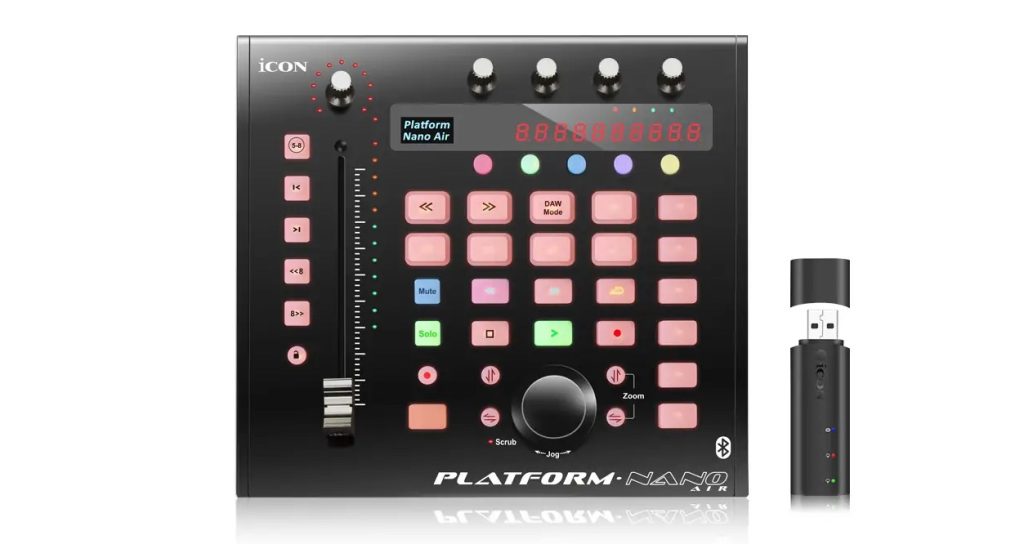
Today, various MIDI controllers are sold for smoothly controlling DAWs.
They are very convenient, so many people use them.
However, when using these controllers with Cubase, there are cases where unwanted MIDI note data and CCs get sent.
Here, we describe how to deal with this.
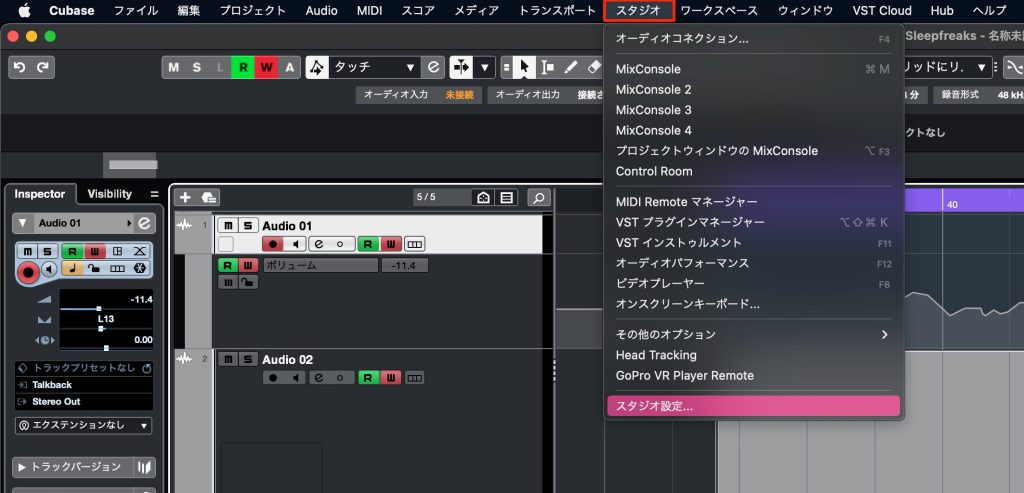
Open "Studio" → "Studio Setup" from the top menu.
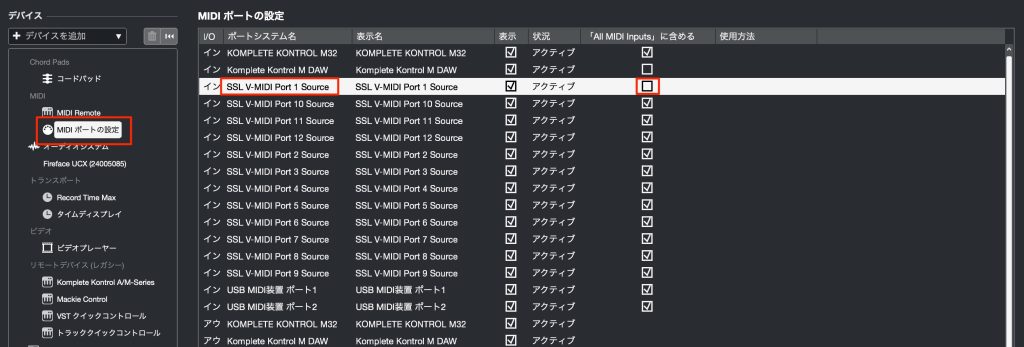
Just select "MIDI Port Setup" and remove the controller's MIDI input.
MIDI notes and data will no longer be sent.
Please give it a try!
Frequently Asked Questions
Q1. Why do sounds play on their own when I use a controller in Cubase?
Because the MIDI port is not set correctly, the controller's operation signals are mistakenly sent to the DAW's instruments. Removing the MIDI input in Studio Setup solves it.
Q2. Where can I change the MIDI port settings?
Open "Studio" → "Studio Setup" from Cubase's top menu, select "MIDI Port Setup" and turn off the controller's input.
Q3. If I remove the MIDI input, will the controller stop working?
No. Removing the MIDI input only prevents signals from being sent to instruments; other functions such as controlling DAW parameters and the transport work normally.
Q4. What should I do if CC data is being sent unnecessarily?
Likewise, check the controller's port settings in MIDI Port Setup in Studio Setup and uncheck the unnecessary MIDI input.
NEW ARTICLES
Latest English Articles











