
When using Cubase on a Mac, if sound comes out of the Mac's speakers even though headphones are connected, the cause is that Cubase's output settings are not configured correctly. This article explains how to select "Built-in Audio" as the VST audio system in Studio Setup and check "External Headphones" in the Control Panel. If the problem persists, assigning the output device ports in Audio Connections to 1/2 reliably sends the sound to the headphones. It is an essential setting for music production beginners who want to produce with the built-in output without an audio interface.
Headphones Are Connected, Yet Sound Plays from the Mac Itself
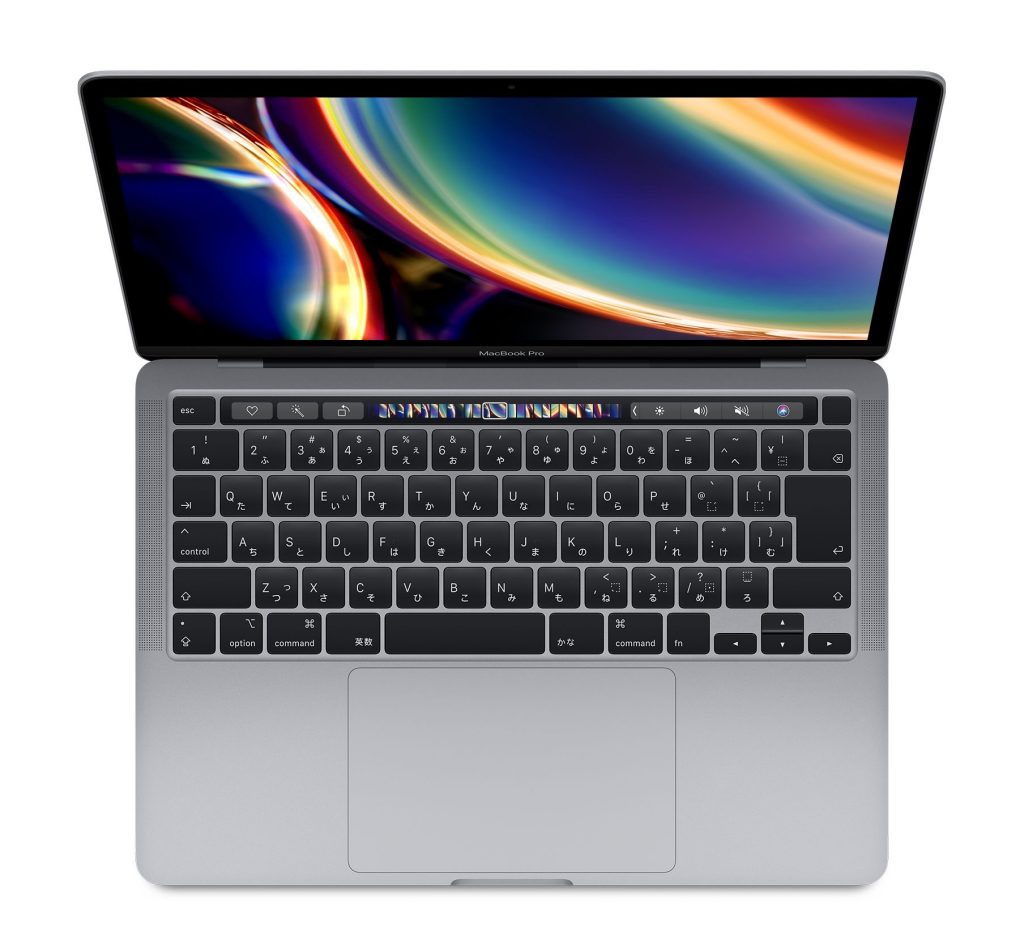
Many of you probably use Cubase on a Mac with the built-in output instead of an audio interface, or want to set it up that way.
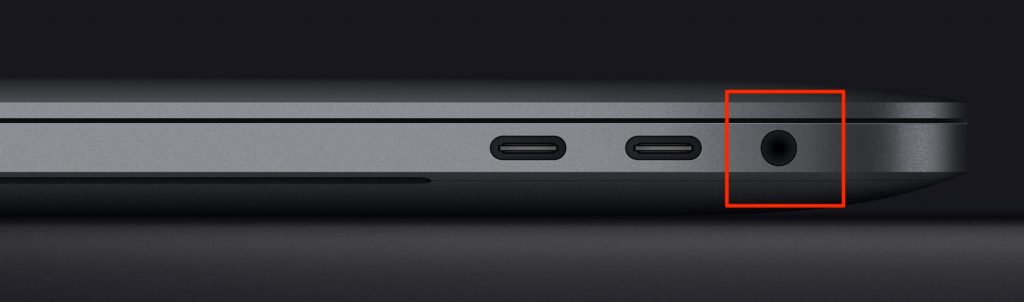
Macs have a headphone output, and when you connect earphones or headphones to it, the sound from Cubase comes out of the connected device.
However, sometimes Cubase's sound does not come out of the headphones but out of the Mac's speakers.
Here is how to fix this symptom.
Cubase Output Settings
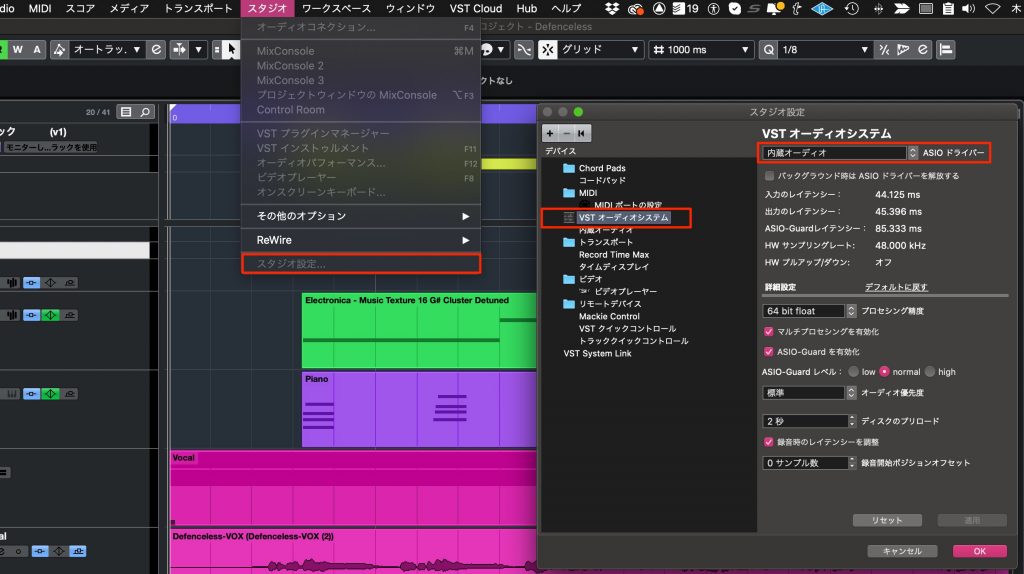
Select "Studio Setup" from the "Studio" menu at the top.
In the window that opens, select "VST Audio System" and choose "Built-in Audio."
Many of you probably already have this set correctly.
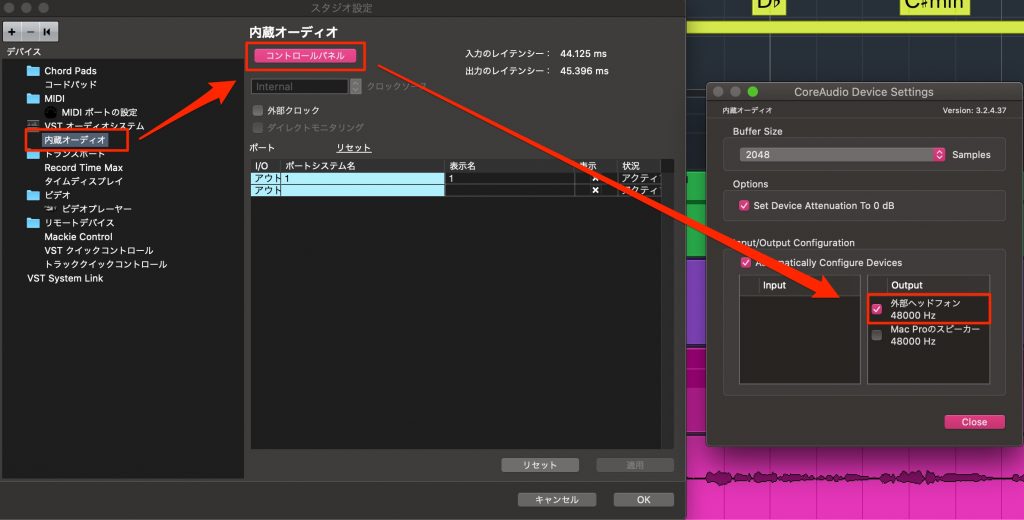
Next, select "Built-in Audio" and choose "Control Panel."
In the Output section of the new window, check "External Headphones."
Cubase's sound now comes out of the headphones.
If the sound still does not come out in this state,
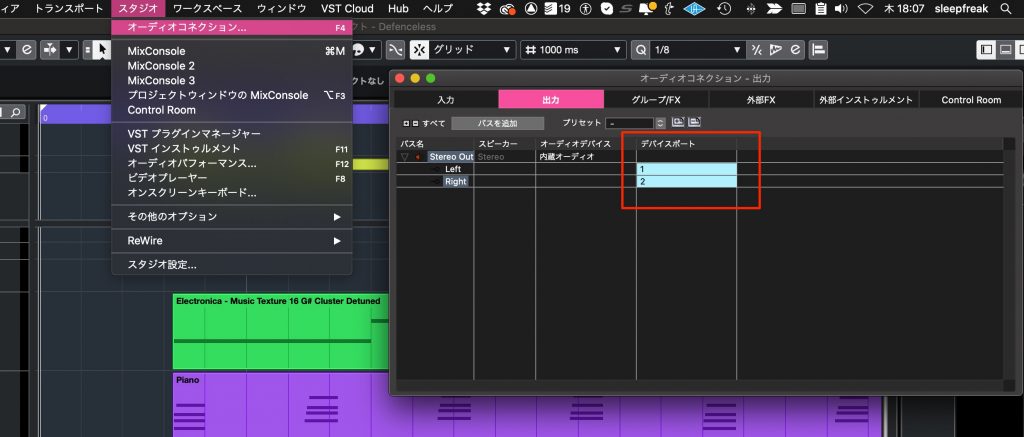
open "Audio Connections" from "Studio" and assign "Outputs" > "Device Port" to 1/2.
That is how to solve the problem.
For other problems where no sound plays, we have also prepared the video below, so please make use of it.
Video to Watch When Cubase Makes No Sound

Frequently Asked Questions
Q1. If Cubase makes no sound through connected headphones, what settings should I check first?
Open "Studio Setup" from the Studio menu and check that the VST audio system is set to "Built-in Audio." Next, open the "Control Panel" and check that "External Headphones" is checked in the Output section.
Q2. What should I do if checking External Headphones in the Control Panel does not help?
Open "Audio Connections," check the "Device Port" on the "Outputs" tab and reassign it to 1/2. This solves the problem in many cases.
Q3. Does the same setup work on other Mac models such as the MacBook Pro?
Yes. The setup introduced in this article applies to any Mac that uses its built-in audio, such as the MacBook Pro and Mac mini.
NEW ARTICLES
Latest English Articles











