
If timing delay occurs after recording audio in Logic Pro, the mastering plug-ins applied to the master "Output" track are likely the cause. When you notice delay during recording or playback, an important step is checking whether these plug-ins are causing it. Understanding the latency introduced by plug-ins and setting things up appropriately lets you record with accurate timing.
Recordings end up late in Logic
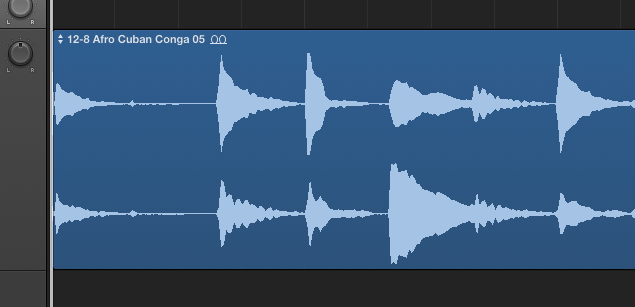
The audio you recorded ends up late...
Sometimes it's already late during recording monitoring,
but when you play it back, the delay bothers you. No, it's definitely late...
Here's something to check in that case.
Solution
Excerpt of a question and answer from the YouTube video

Only one particular file quits right away for an unexpected reason. What should I do?

Thank you for your question. How about the following article? https://sleepfreaks-dtm.com/dtm-trouble/restoration-project/ Please give it a try.
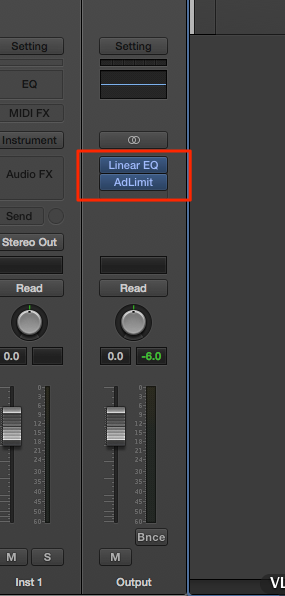
Check whether plug-ins used for mastering are applied to the master "Output" track.
Please check this.
Passing audio through them can cause latency.
Frequently asked questions
Q1. Why is audio recorded in Logic Pro late?
The main cause is mastering plug-ins applied to the master "Output" track. Their processing introduces latency to the audio signal, so they need to be checked and adjusted.
Q2. What should I do if I notice delay while monitoring during recording?
Check whether unnecessary plug-ins are applied to the master Output. Removing the mastering plug-ins or using the latency compensation function can improve it.
Q3. Is it possible to eliminate plug-in latency completely?
Complete elimination can be difficult, but adjusting Logic Pro's latency compensation and plug-in settings can minimize the delay to a practical level.
NEW ARTICLES
Latest English Articles











