
Studio One includes the mastering features you need to turn songs made in your DAW into an album. Mastering is an important process that corrects differences in volume and sound quality between songs so the whole album sounds consistent. In Studio One, you create a new project, drag and drop your 2-mix files into it, and efficiently handle the gaps between songs, crossfades, metadata entry, and more. By following the points to watch when preparing 2-mix files for mastering, such as leaving room for reverb tails, avoiding clipping, keeping natural levels, and exporting as WAV, you can achieve a professional finish.
Studio One Lets You Do Serious Mastering
Studio One is not only for producing songs;
it can also do mastering, which polishes your songs until they are ready for distribution or CD pressing.
What Is Mastering?
When you put the songs you made in your DAW together into one album,
the problem that arises is the differences between songs in volume and sound quality.
Mastering is the work of correcting these,
with the aim of making the whole album pleasant to listen to and unifying the sound to create a concept for the album as a whole
. That is what we call mastering.
It also involves adjusting the gaps between songs and crossfading songs,
and entering text such as song information and the JAN code, so there is quite a lot to do.
We will explain the mastering workflow step by step.
Creating a Project

↑ Songs are produced with "Create a new Song,"
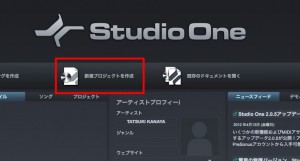
but for mastering, select "Create a new Project".

↑ Drag and drop the 2-mix songs you want to master
into the project.
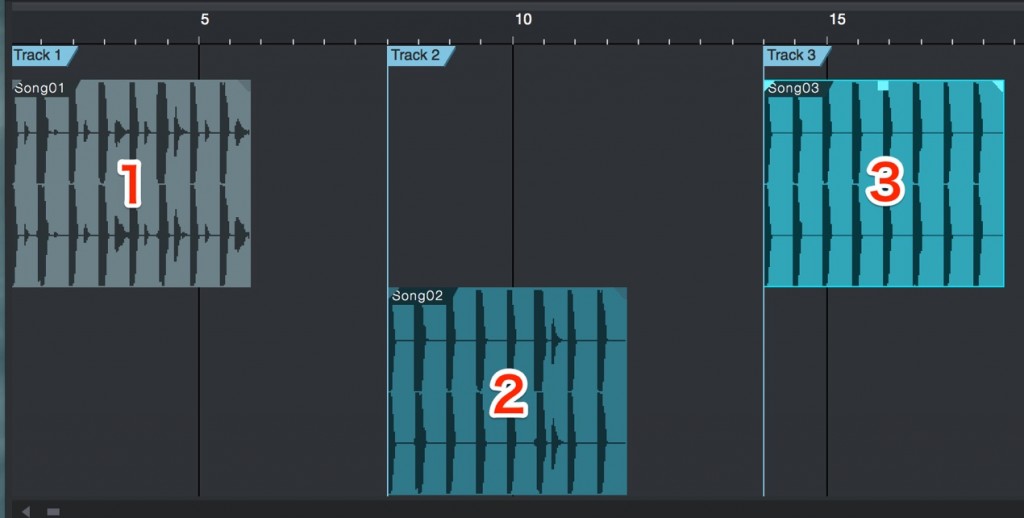
↑ The songs are placed alternately on two tracks.
About 2-Mix Files
Points to watch for the 2-mix files you will master:
- 1_Export them a bit long so that reverb tails and other decays are not cut off
- 2_They must not clip
- 3_Do not raise the loudness at the 2-mix stage (no limiter or maximizer).
Keep the level natural - 4_Export as WAV files, not MP3
Please keep these points in mind.
You Can Import Songs Directly
You can also drag and drop Studio One song data.

↑ This integration is very convenient: if you edit the song,
the change is also applied to the file you are mastering.

Frequently asked questions
Q1. How should I prepare 2-mix files before using Studio One's mastering features?
Export them a bit long so reverb tails are not cut off, avoid clipping, and keep natural levels without raising the loudness. Always export as WAV, not MP3. This prevents quality loss and lets you get the most out of mastering.
Q2. What happens if I edit the original song data while mastering?
Studio One links songs and mastering projects, so edits made to the song are automatically reflected in the mastering file. You don't need to import it again manually, so you can work efficiently.
Q3. What exactly do you do in mastering?
You unify the volume and sound quality of multiple songs, adjust the gaps between songs, set crossfades, enter metadata such as song titles and the JAN code, and make final adjustments for distribution or CD. It is an important process that completes the consistency and concept of the whole album.
NEW ARTICLES
Latest English Articles











