
This article compares six of the latest singing voice synthesis programs, VOCALOID 6, Piapro Studio, Piapro Studio NT, CeVIO AI, VoiSona and Synthesizer V Studio, in detail from several perspectives, such as functionality, ease of use and the strength of their AI features. By understanding the differences in supported OS, price range and bundled DAW for each product, you can choose the best software for your production environment and budget. In particular, the evolution of AI voice tuning means that even beginners can now easily create natural, expressive vocal tracks, a major benefit for everyone from DTM beginners to advanced users.
Comparing the Features and Usability of the Latest Six Singing Voice Synthesis Products
Released by Yamaha in 2003, the singing voice synthesis software that became a big topic: "VOCALOID"

Triggered by the arrival of this "VOCALOID," many manufacturers entered the development of singing voice synthesis software.
Many products full of individuality would go on to be created.

Recently in particular, they have made remarkable progress in "natural singing voices," "nuance," "usability" and "built-in artificial intelligence", reaching the point where anyone can easily bring singing voice synthesis software into their work.
This time, we bring you content that compares six of the latest, most talked-about singing voice synthesis products from various perspectives.
The comparison items are as follows.
- 1Points to check before buying
- 2Comparing the strength of AI vocals
- 3Ease of basic entry and editing
- 4Ease of manual voice tuning
- 5Distinctive, unique features
We dig into each of these items in detail, aiming for content that serves as a guide for choosing a product, so please read to the end!
Latest Six Singing Voice Synthesis Products Comparison Video
Introducing the Products Compared
The six products compared are as follows.
First, let's check the supported libraries, OS and price along with each product name.
The links below include affiliate/PR links.
1. VOCALOID 6

- Supported OS: Windows / Mac
- Editor & library price: from 27,500 yen
- Supported libraries: supports VOCALOID V3 to V6 libraries (called voicebanks in VOCALOID)
The initial price is a little higher, but buying the editor includes eight libraries with the product.
It is cost-effective for those who want to use many singing voice libraries.
2. Piapro Studio
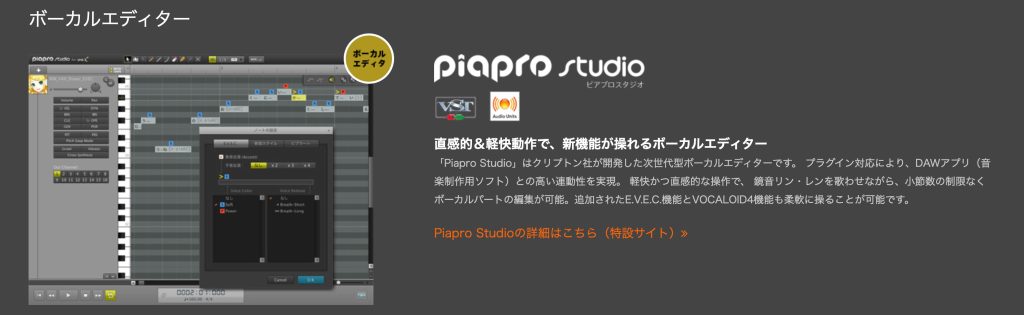
- Supported OS: Windows / Mac
- Editor & library price: from 17,600 yen
- Supported libraries: supports VOCALOID V2 to V4 libraries
Buying a Crypton library includes the editor for free.
It is compatible with VOCALOID, but note that it does not support V5 or later libraries.
3. Piapro Studio NT

- Supported OS: Windows / Mac
- Editor & library price: from 19,800 yen
- Supported libraries: Hatsune Miku NT only
Unlike the old Piapro Studio, which was compatible with VOCALOID, it supports only its own libraries.
Currently (2022), it is positioned as "software dedicated to Hatsune Miku NT."
4. CeVIO AI

- Supported OS: Windows
- Editor & library price: from 21,560 yen (separate starter kit discount available)
- Supported libraries: CeVIO AI song voices / CeVIO AI talk voices
Besides CeVIO AI song voices, it also supports CeVIO AI talk voices.
Note that it does not support Mac.
5. VoiSona

- Supported OS: Windows / Mac
- Editor & library price: from 880 yen per month / from 6,600 yen per year (subscription only)
- Supported libraries: VoiSona only
It is positioned as the successor to CeVIO AI, but the libraries are not compatible, and it supports only its own format.
Its distinctive feature is that the editor software is free and the libraries are subscription-based.
Because you can start for free, it is very attractive for those who want to try singing voice synthesis software.
URL: https://voisona.com/
6. Synthesizer V Studio
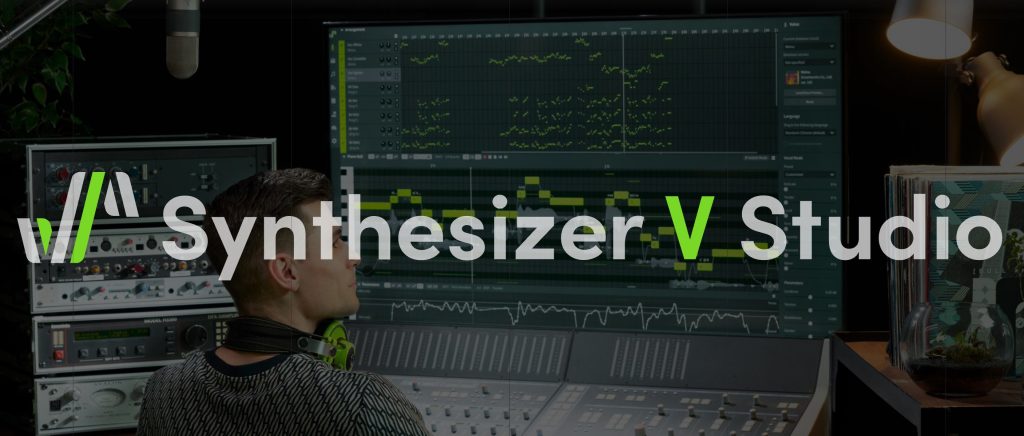
- Supported OS: Windows / Mac
- Editor & library price: from 20,470 yen
- Supported libraries: Synthesizer V only
Besides Synthesizer V Studio Pro, which we compare here, there is also Synthesizer V Basic, editor software with limited features, which is provided free of charge.
Points to Check Before Buying
The first thing you need to understand is how singing voice synthesis software works.
About Editors and Libraries
Singing voice synthesis software consists of the following two parts.
- Editing vocal phrases (singing): [editor software]
- The vocal voice: [library]; various products exist for each character or concept
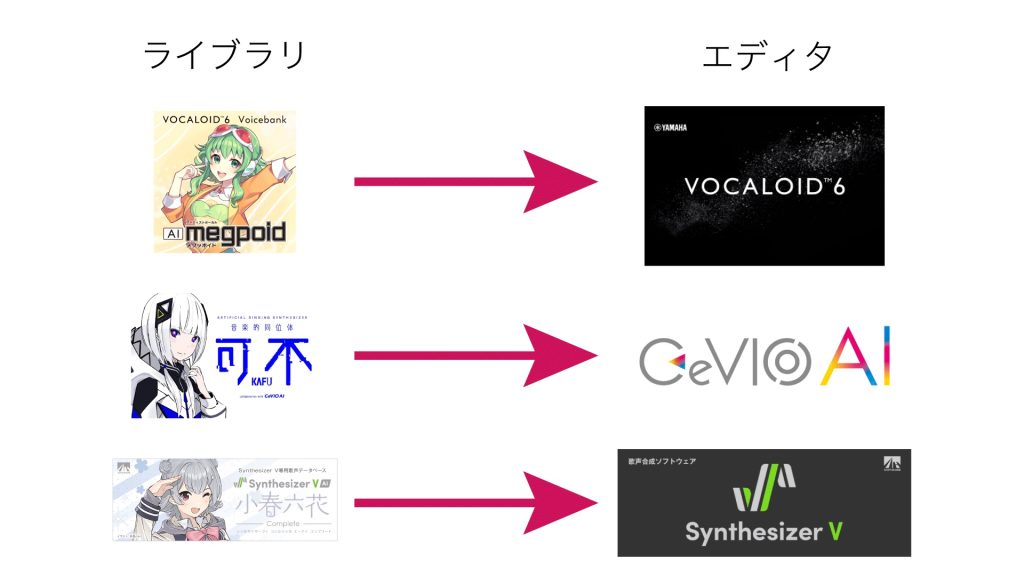
For example, in VOCALOID 6, the editor software is [VOCALOID Editor],
and singing voice libraries such as [Haruka] and [AI Megpoid] run within it.
In CeVIO AI, libraries such as [KAFU] run.
If you have already decided on the library (singing voice) you want to use, you need to buy editor software that supports that library.
About Bundled DAWs
Some singing voice synthesis products come with music production software (a DAW).
With this DAW, you can produce not just the vocal track but the whole song.
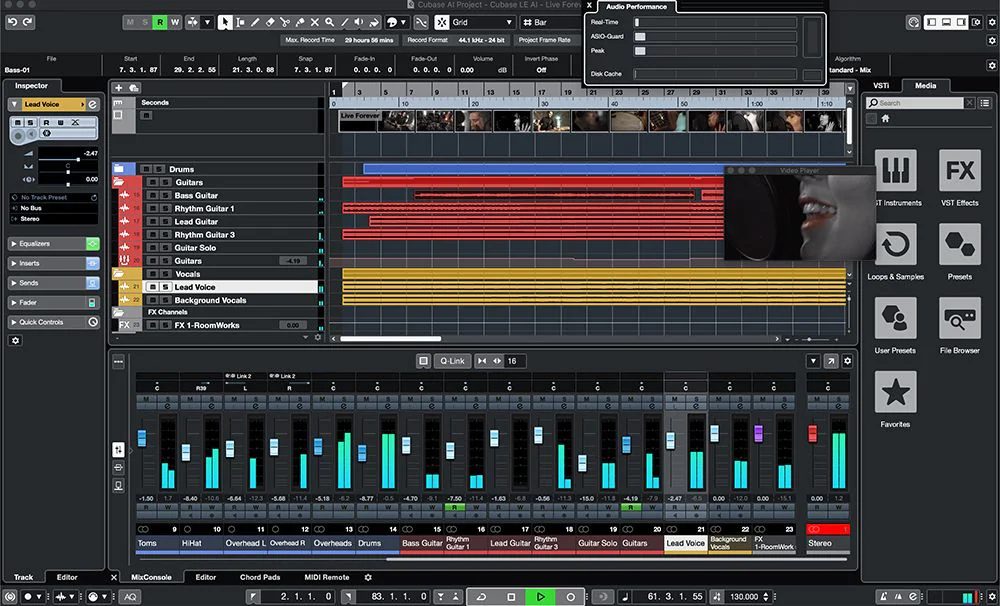
VOCALOID 6 comes with [CUBASE AI], an entry-level edition.
When you want to get serious about music production, you can upgrade at a preferential price to a higher edition such as [CUBASE Pro].
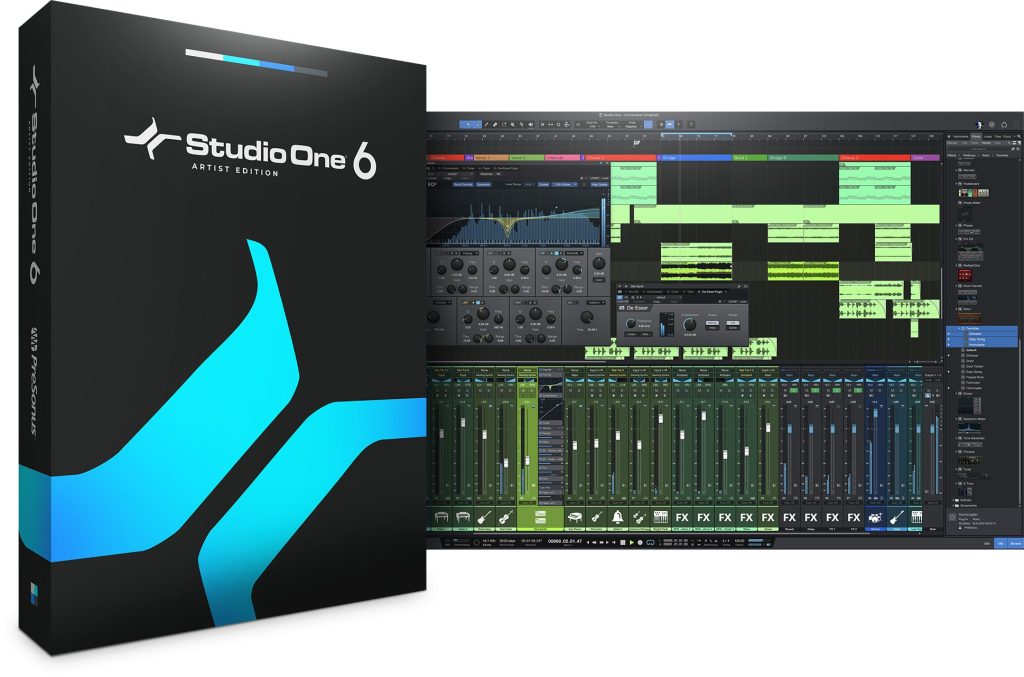
Piapro Studio and Piapro Studio NT come with [Studio One Artist].
This is the entry-level edition in the Studio One series,
and likewise you can upgrade at a preferential price to the higher-tier [Studio One Professional].
Comparing the Strength of AI Vocals
Many of you probably want to use singing voice synthesis software to generate human-like singing.
What makes this wish come true is the "AI vocal feature".
Just by entering a melody line and lyrics, it is a reliable feature that automatically adds nuance and expression to the vocal take.
Below, we compare two patterns: the sound automatically tuned by the AI feature, and the sound after manually making detailed edits to the take generated by the AI feature.
* Piapro Studio / Piapro Studio NT are omitted because they do not include AI voice tuning.
* CeVIO AI is omitted because its features are almost no different from VoiSona.
VOCALOID 6

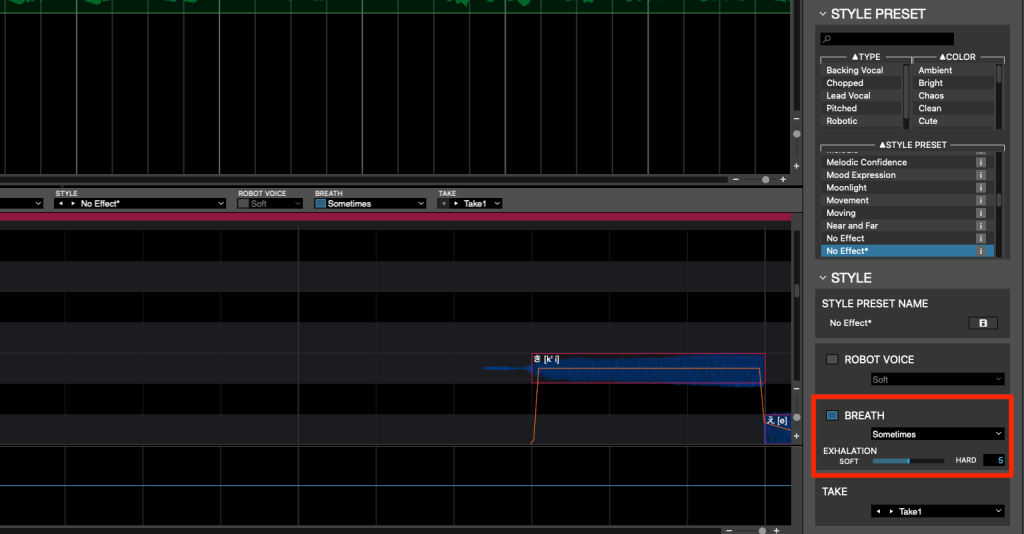
Being able to set in detail whether breaths are included and how often is a feature other products do not have.
The AI tuning gave a slightly unnatural impression, but after editing it became very natural.
The range of editing is wide, and I got the impression that it is a product with a lot of room to grow.
VoiSona
What stood out was that breaths are included automatically and the pitch is deliberately shifted.
It even reproduces the instability of a real human singer, which was very interesting.
Synthesizer V

Of the products used this time, its automatic AI tuning gave the result closest to a human.
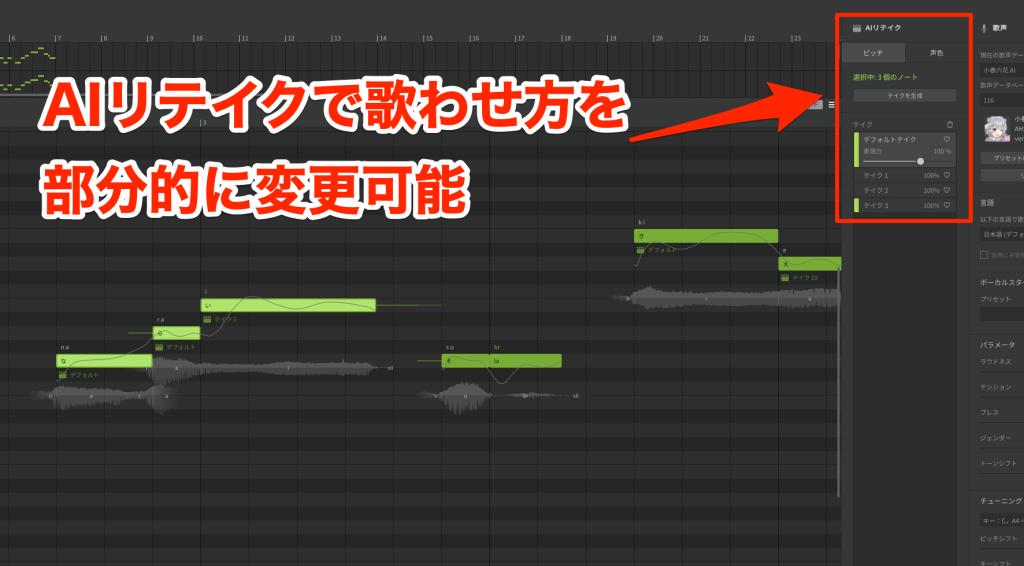
Unlike the other products, it has an [AI Retakes] feature that changes how it sings, letting the AI suggest different nuances.
I felt it is the best when you want human-like singing without any manual work.
The AI tuning does not include breaths automatically, so you need to enter them manually.
Impressions After Using the AI Features
The two products [VoiSona] and [Synthesizer V] seem well suited to the need to create human-like vocals automatically.
On the other hand, if you want to make detailed adjustments yourself, I felt there is less room for manual tuning.
[VOCALOID] can be described as a product designed with the idea that you will tune the voice yourself, using the automatic tuning result as a base.
It is recommended for those who want to add detailed nuances through editing, or who enjoy doing so.
Ease of Basic Entry and Editing
We compare the basic functions you always use during production, such as entering notes and lyrics and play/stop.
Ease of Play and Stop
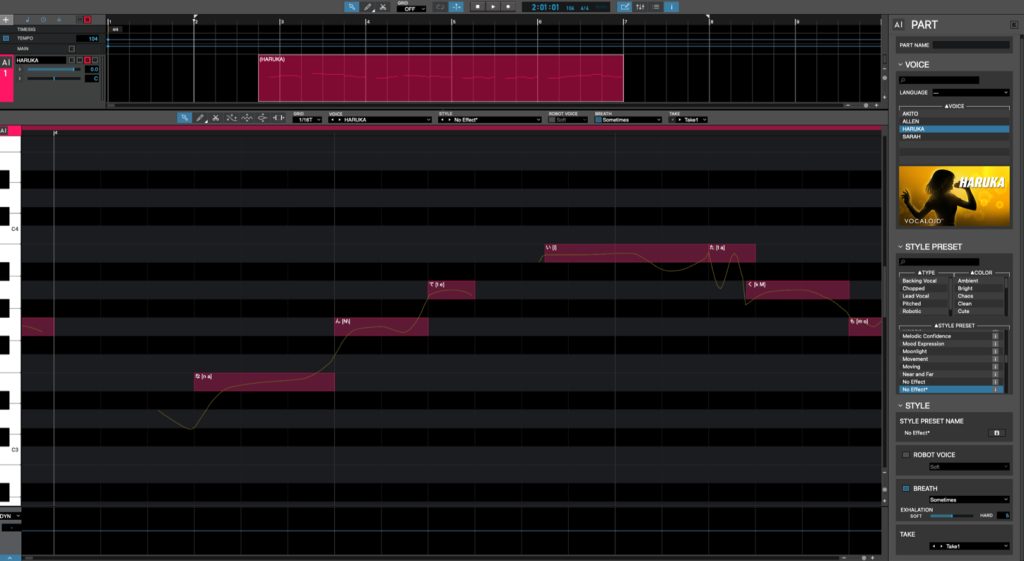
It is limited to ARA-compatible DAWs, but in two products, VOCALOID 6 and VoiSona, you can control the DAW's transport from the editor software.
Play and stop in particular are used frequently during production, so we can expect better work efficiency.
Entering Lyrics Continuously
Whether you can enter two or more characters of lyrics on one note is also an important point.
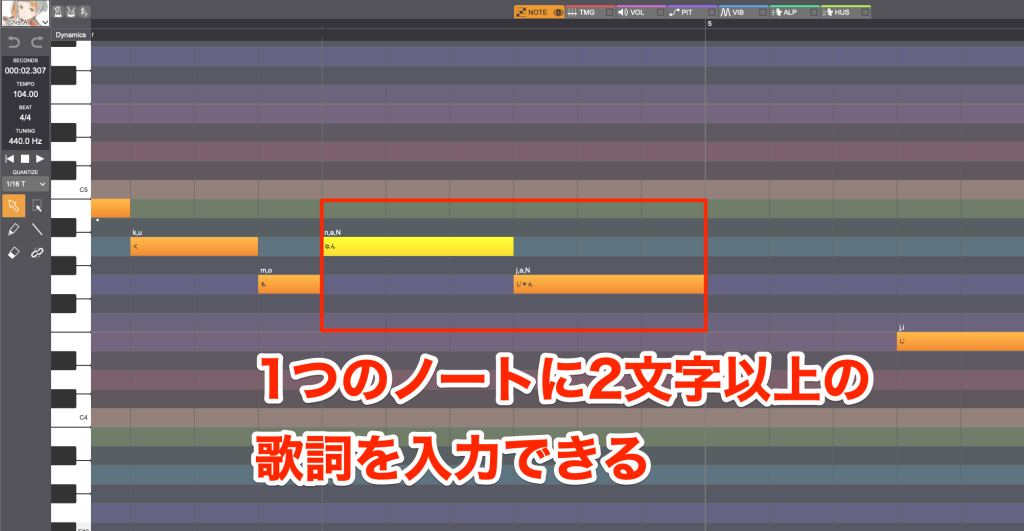
[CeVIO AI], [VoiSona] and [Synthesizer V] are the three products that can do this.
Language Switching
When using both English and Japanese in a song, use the "language switching" function.
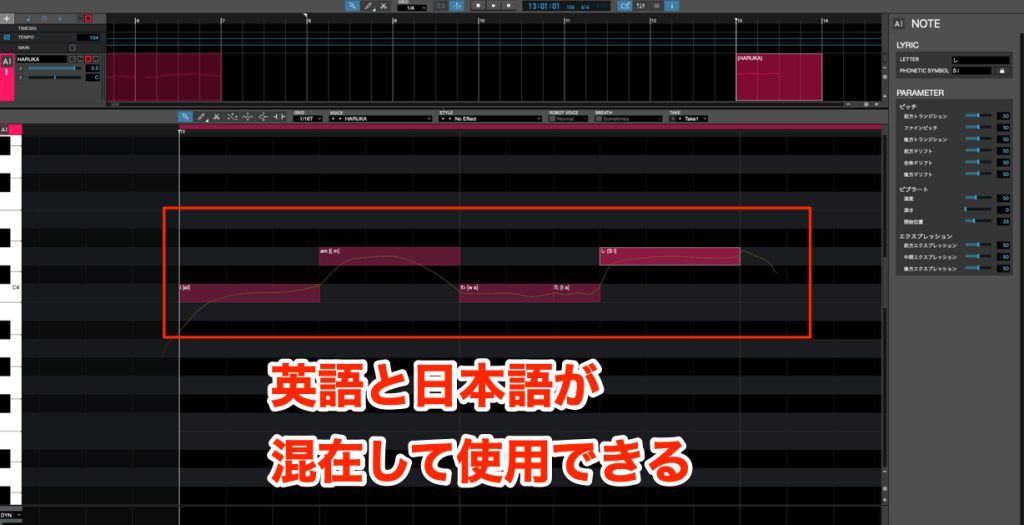
VOCALOID 6 supports Japanese and English, and you can switch partway within the same track. (Chinese support is planned.)
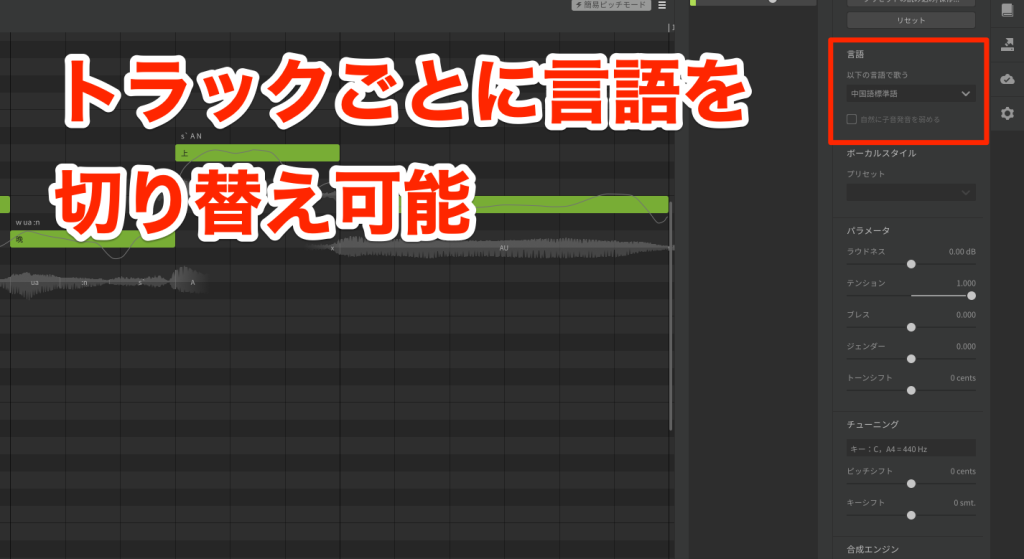
Synthesizer V lets you specify the language for each track and supports Japanese, English and Chinese.
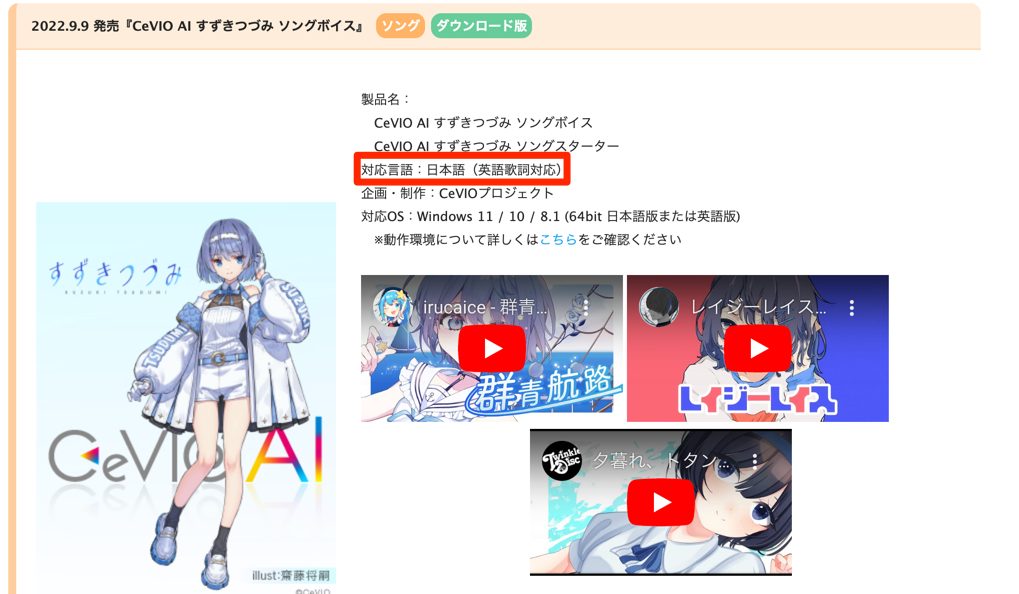
CeVIO AI varies depending on the library used, but there are products that support Japanese and English.
Ease of Manual Voice Tuning
Besides AI tuning, there is also the enjoyment of crafting nuances manually.
We pick out and compare the features needed for that.
Adjusting Consonant Length
Deciding how long to pronounce consonants is an important element in making lyrics sound natural.
The products I felt were excellent here are [VOCALOID 6], [CeVIO AI] and [VoiSona], these three.
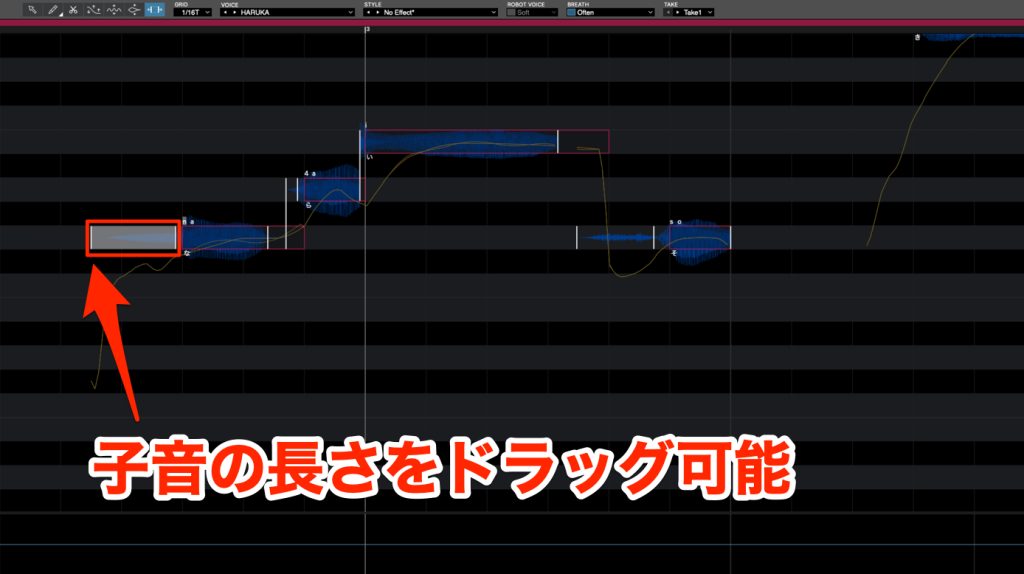
These products not only let you see consonants visually but also let you control consonant length intuitively by drag and drop.
[Piapro Studio NT] and [Synthesizer V] adjust consonant length numerically.
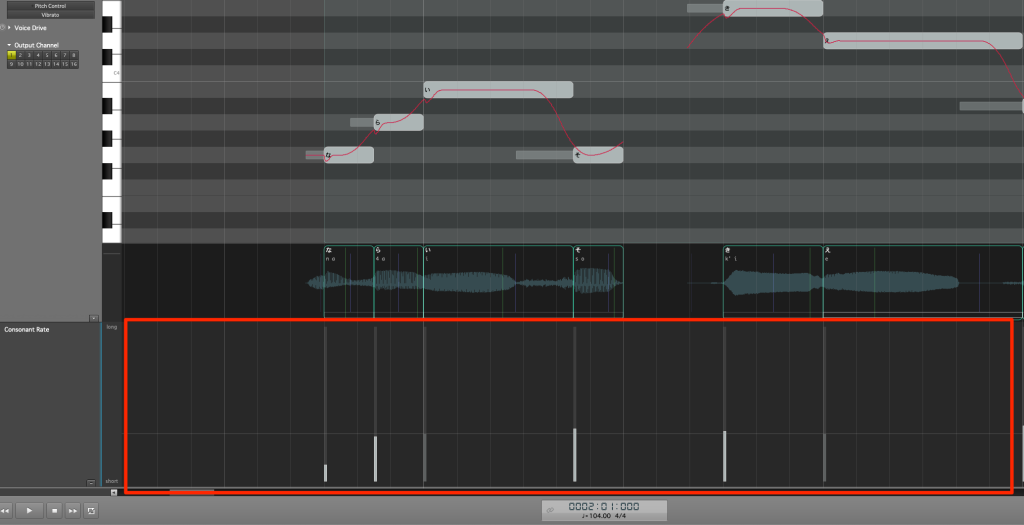
Piapro Studio NT adjusts it with a parameter called [Consonant Rate],
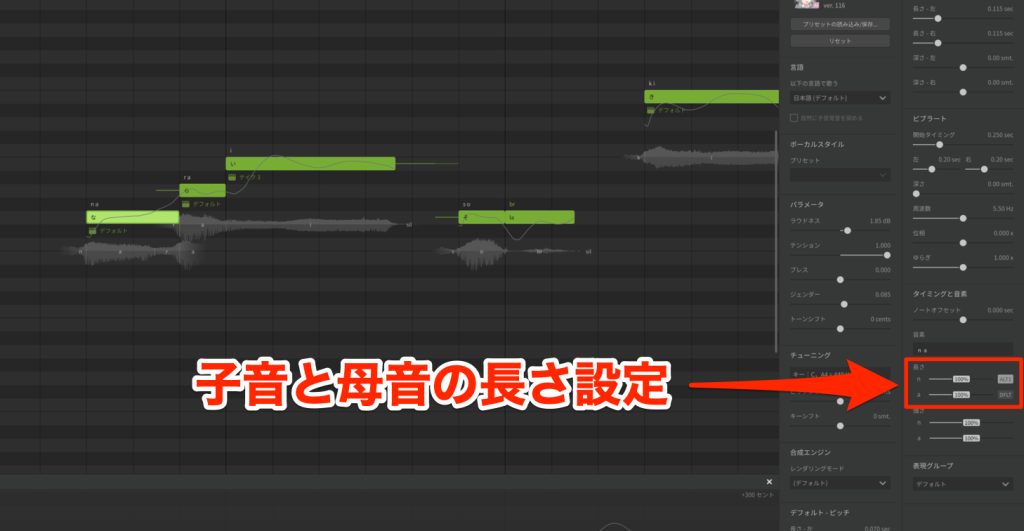
and Synthesizer V adjusts it with [Duration] parameters provided separately for consonants and vowels.
However, neither lets you specify the length directly on the timeline, so they lack intuitiveness.
Ease of Pitch Editing
We compare editing pitch movement.
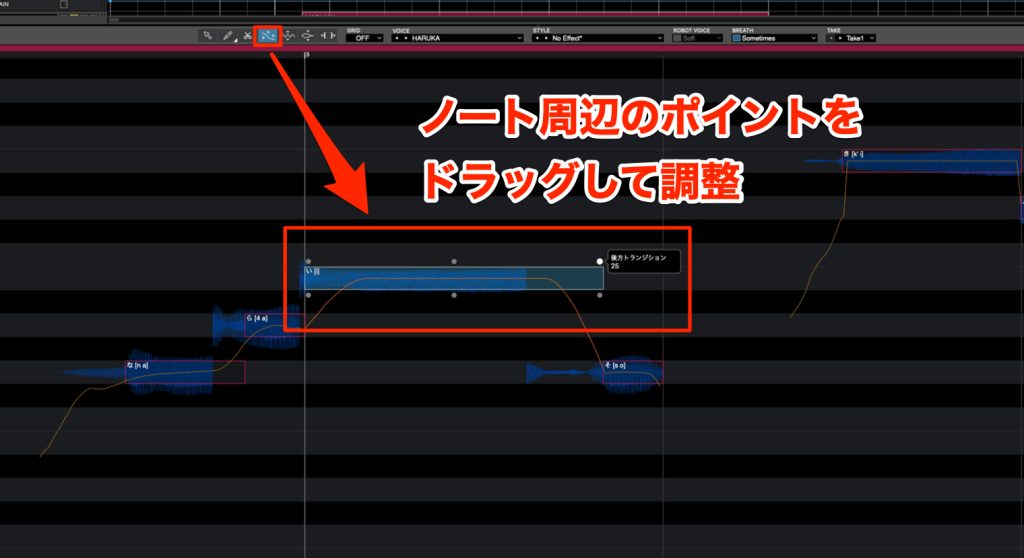
VOCALOID 6 uses the [Pitch tool], with which you drag and drop points on notes, which is very intuitive.
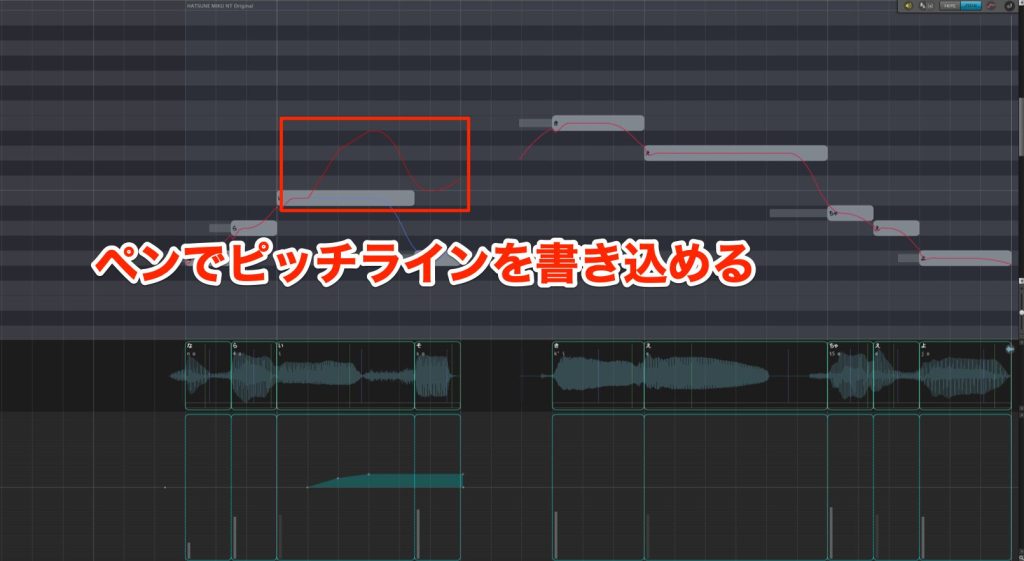
Four products, Piapro Studio NT, CeVIO AI, VoiSona and Synthesizer V, have you draw lines directly on the pitch line with the pen tool.
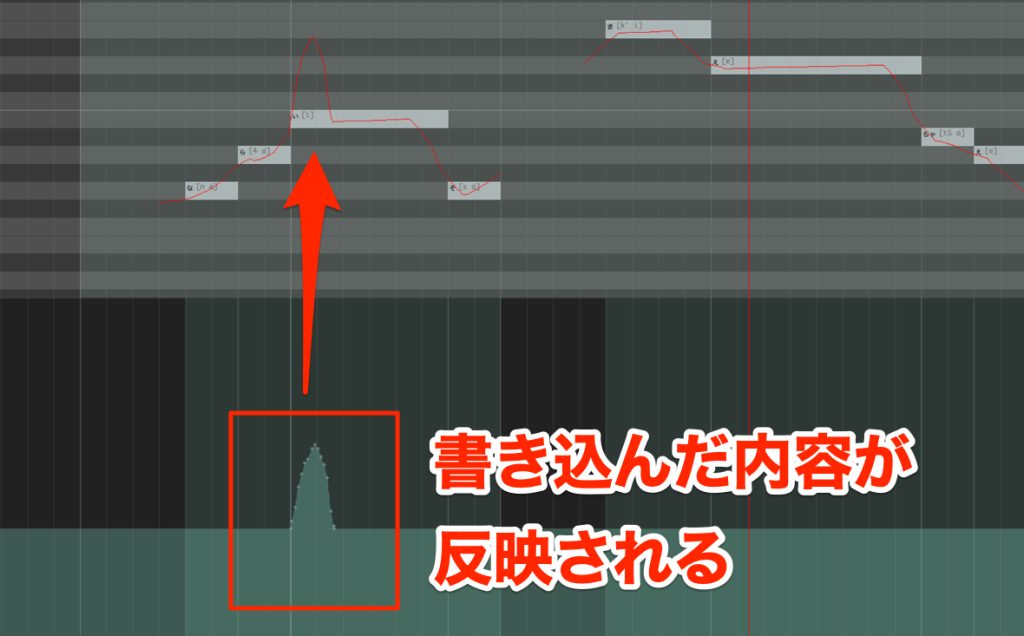
Piapro Studio has you edit the pitch bend lane or portamento.
You cannot adjust it directly on the piano roll, so it is less intuitive than other products.
Ease of Vibrato Editing
Vibrato is a typical technique for adding nuance to singing.
Because it is a feature you use often, ease of editing is important.
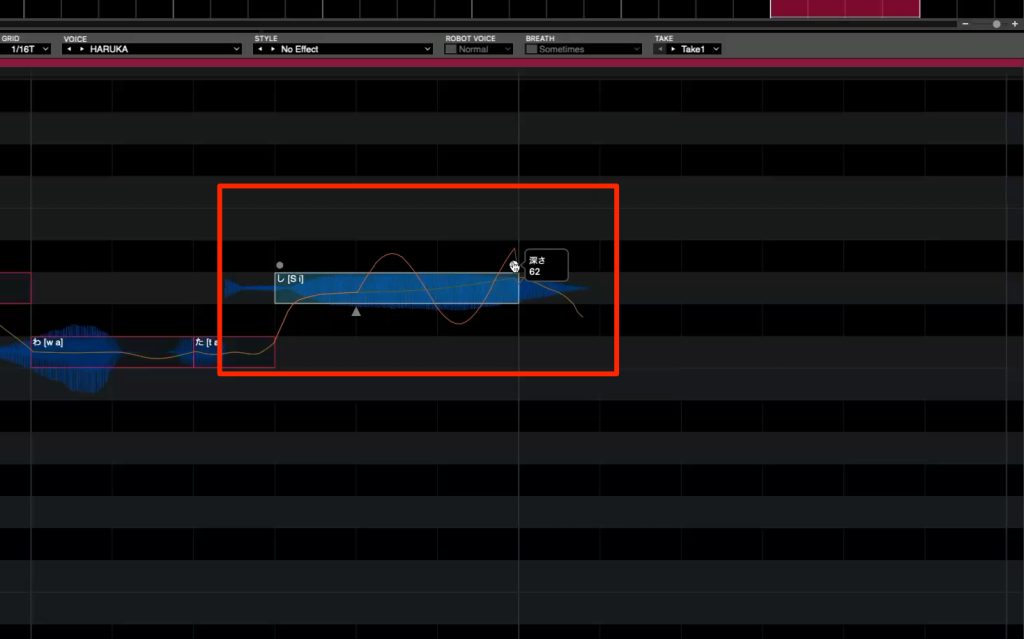
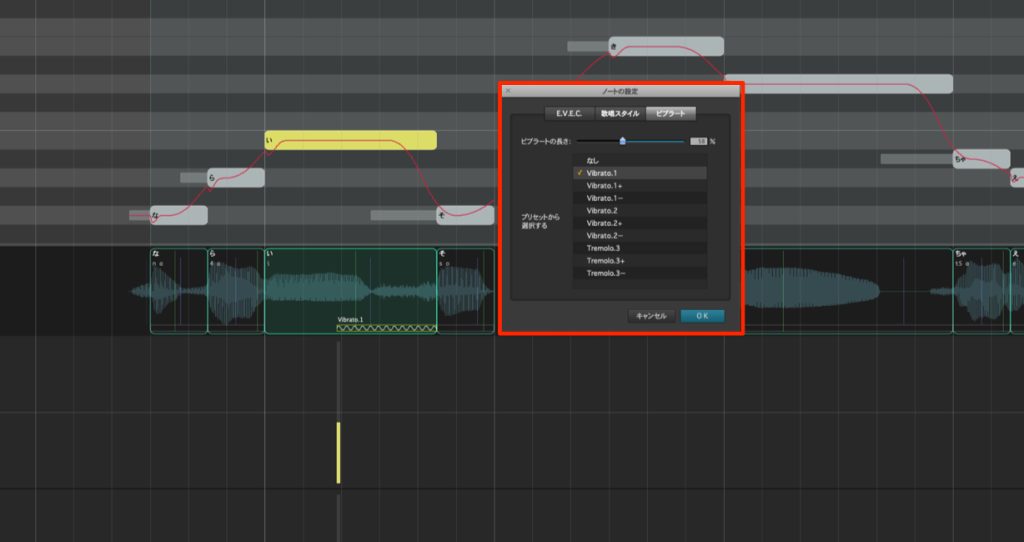
VOCALOID 6 lets you control the depth, speed and start point of the wobble with the [Vibrato tool].
You can edit it on the entered note, and after setting it the amount applied is reflected in the pitch line, so you can control it very intuitively.
Piapro Studio NT lets you control the depth, speed and start point of the wobble.
However, the pitch change when vibrato is applied is not reflected in the pitch curve.
You need to adjust it while listening to the sound.
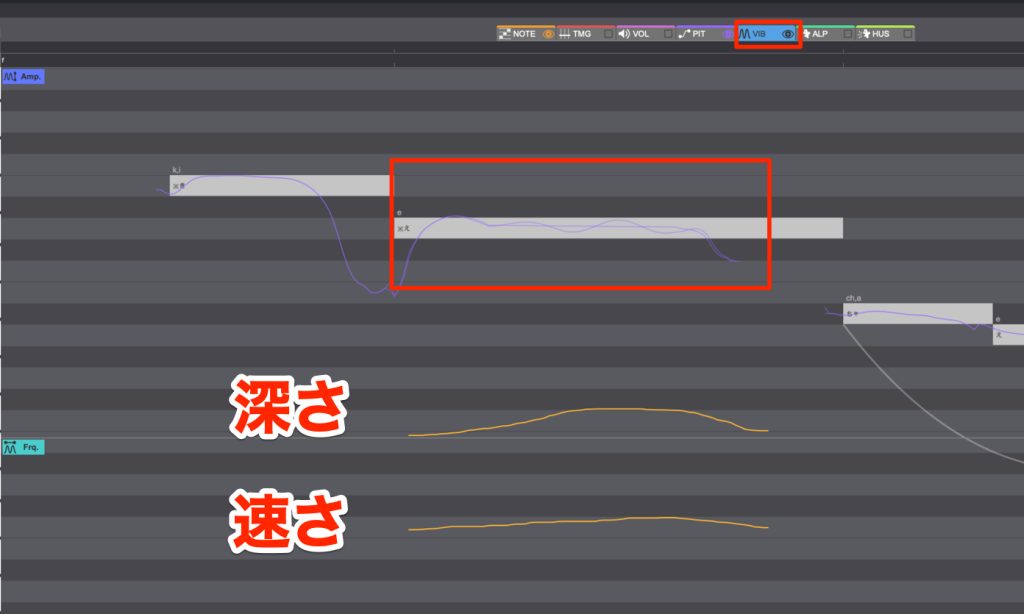
CeVIO AI lets you freely draw the depth and speed as automation.
You can do fine control such as applying vibrato momentarily only at the start of a note, but it requires drawing lines with the pen tool, so operation can be called difficult.
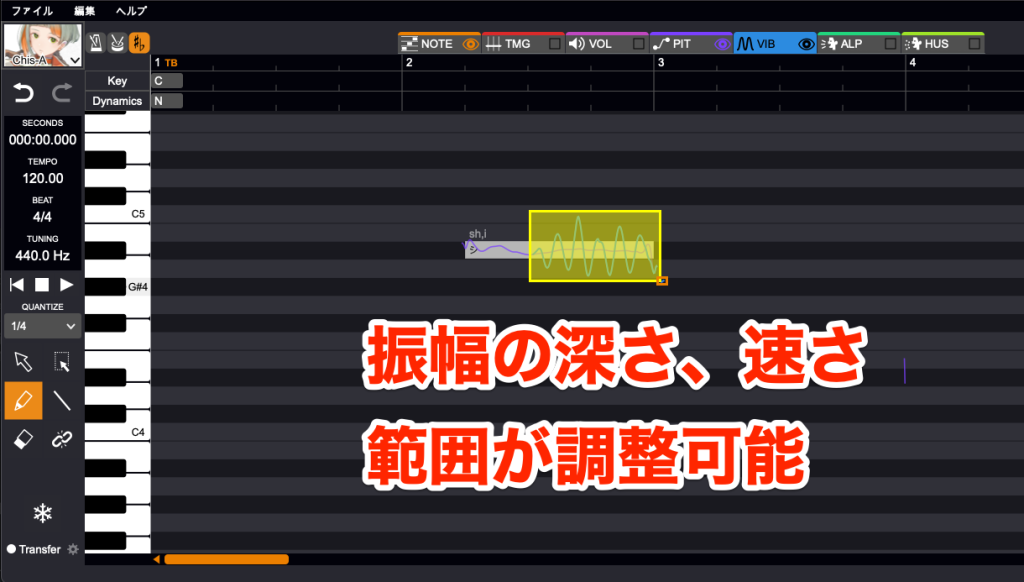
Besides the [Detailed] editing mode, like CeVIO AI, VoiSona's vibrato feature also has a mode with simpler operation called [Simplified].
In Simplified, you can control the depth, speed and start point of the wobble all in one place.
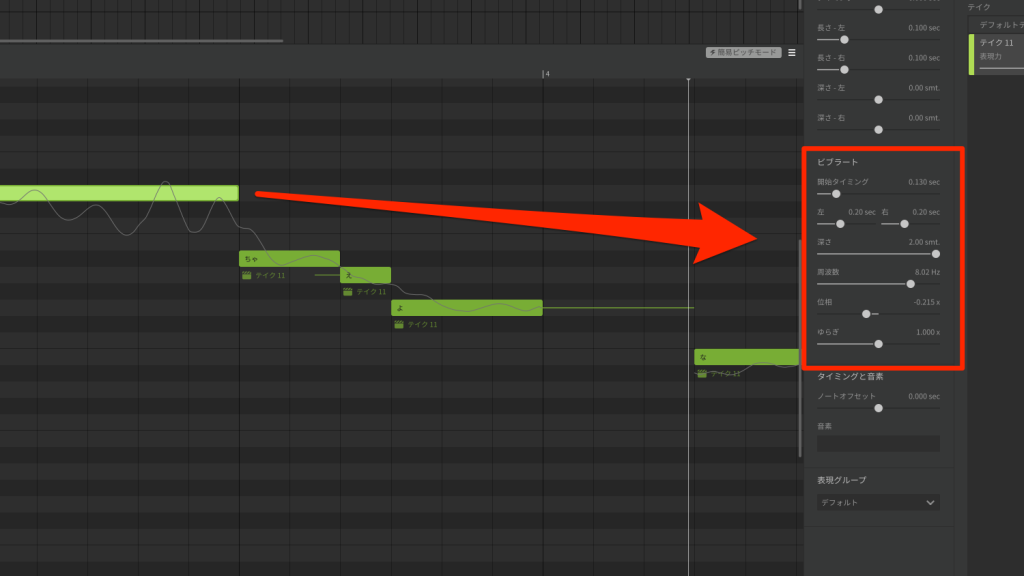
Synthesizer V lets you create fine vibrato nuances using [Phase] and [Left/Right] parameters in addition to the depth, speed and start point of the wobble.
You can fine-tune it closely, but there are many parameters, so beginners may find it difficult.
Adjusting Vocal Tension
In human singing, dynamics change not only volume but also the tone of the voice.
We compare control of this "vocal tension."
Piapro Studio has no parameter for vocal tension.
We check the remaining five products.
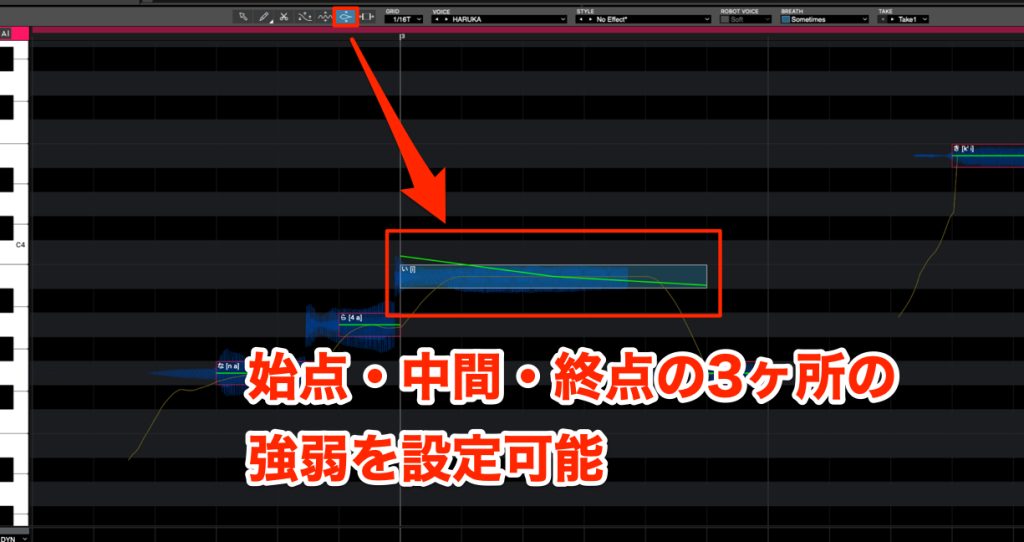
VOCALOID 6 uses the [Expression] function to adjust volume and tension at the start, middle and end of each note.
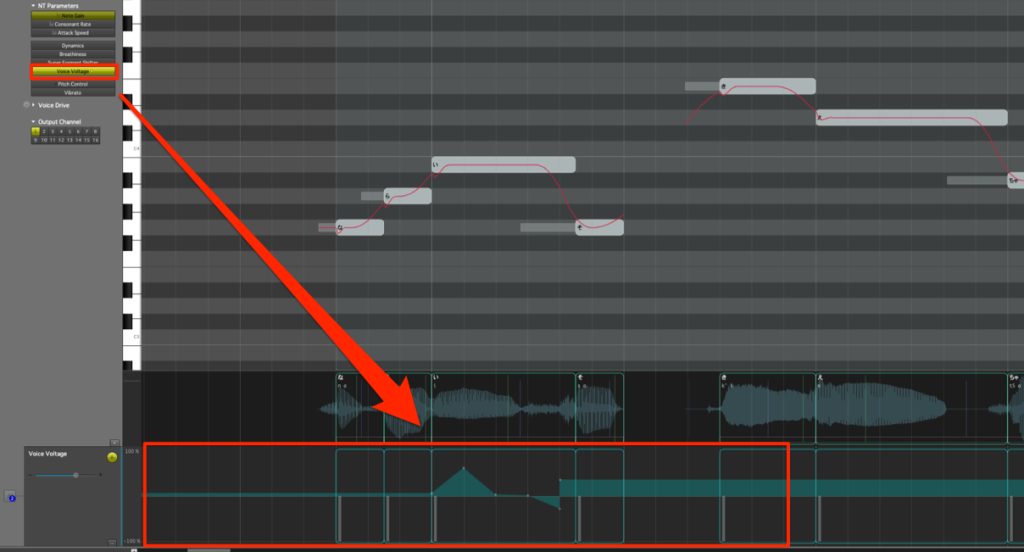
Piapro Studio NT uses the [Voice Voltage] function, letting you change it in detail by drawing automation.
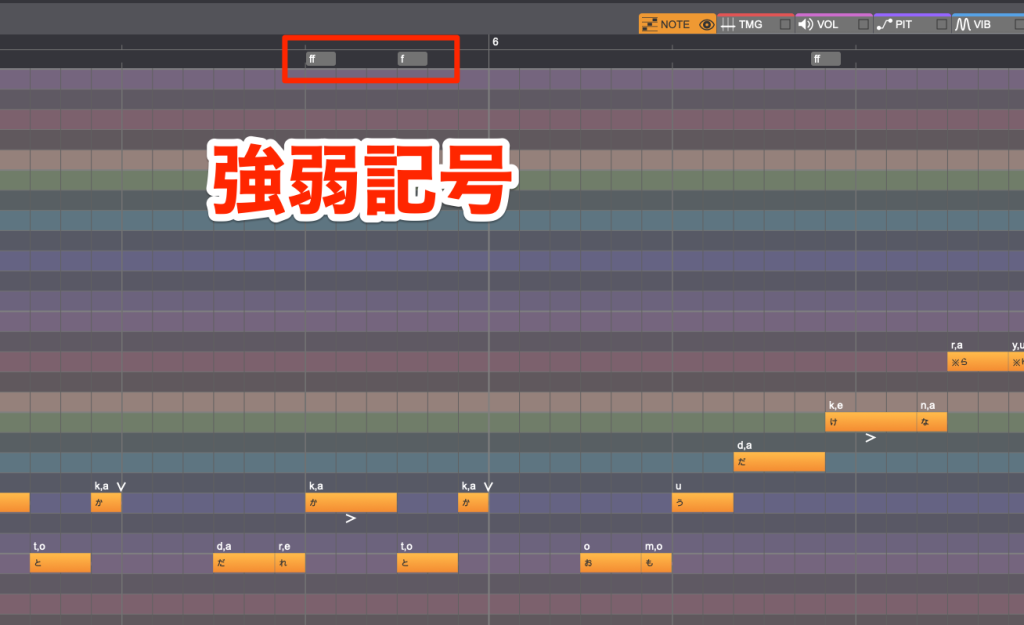
CeVIO AI & VoiSona let you change it per note by entering dynamic markings in [Dynamics].
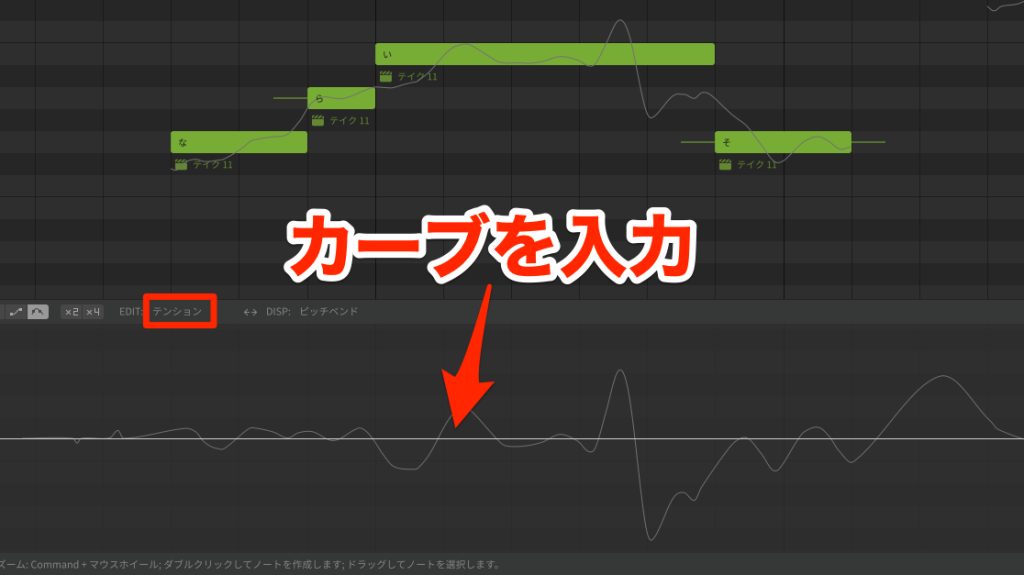
Synthesizer V lets you change it in detail by drawing automation for the [Tension] parameter.
For more detailed editing, we recommend [Piapro Studio NT] and [Synthesizer V]
, and for ease of use, [VOCALOID 6], [CeVIO AI] and [VoiSona].
Falsetto Function
Falsetto is also an indispensable element of vocal expression.
Some products can apply it to specific notes and some cannot.
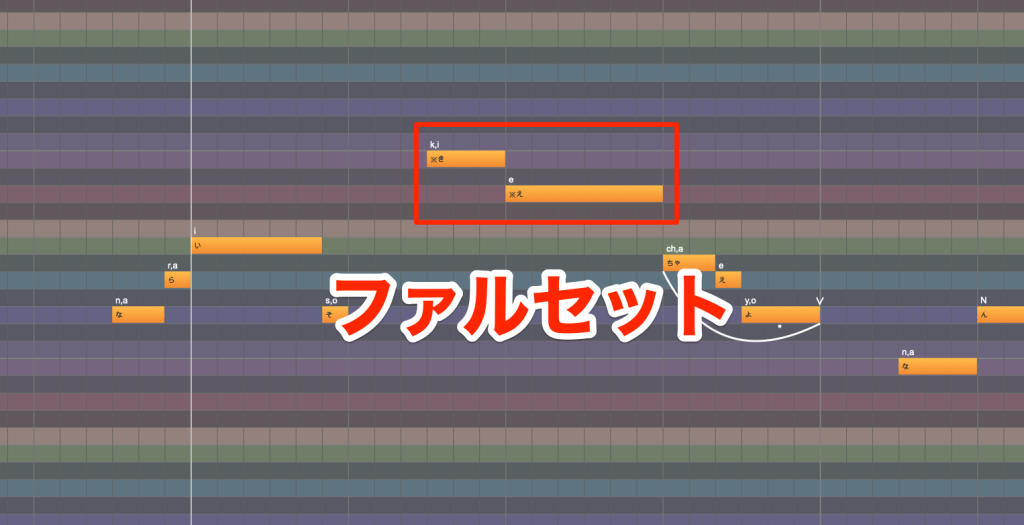
In [CeVIO AI] and [VoiSona], adding "※" before a lyric applies falsetto.
In [Synthesizer V], it cannot be used with the AI libraries currently on sale, and supported libraries are limited.
Ease of Doubling
Doubling is a technique that pans multiple takes left and right to create a sense of stereo.
We check the features that create pitch and timing variations in each take.
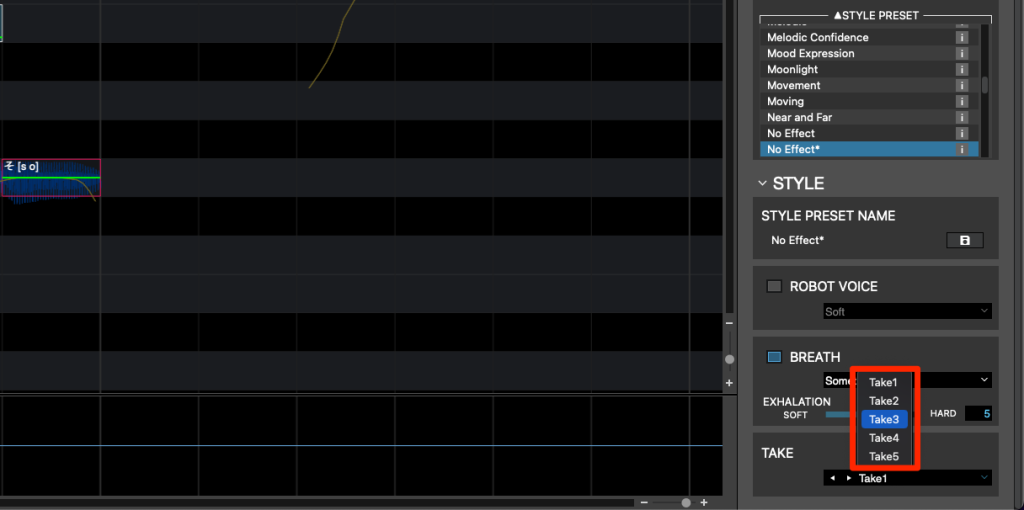
VOCALOID 6 has a feature called [Takes], and when you create one track, five parts of singing data are generated automatically.
Each take is slightly off in timing and pitch, and layering them easily gives the take more thickness.
Also, changing the panning of each take lets you create choruses and harmonies with a sense of stereo.
Distinctive, Unique Features
[Vocalo Changer], included in VOCALOID 6, is a unique feature that can replace an audio file of a person singing with a Vocaloid voice.
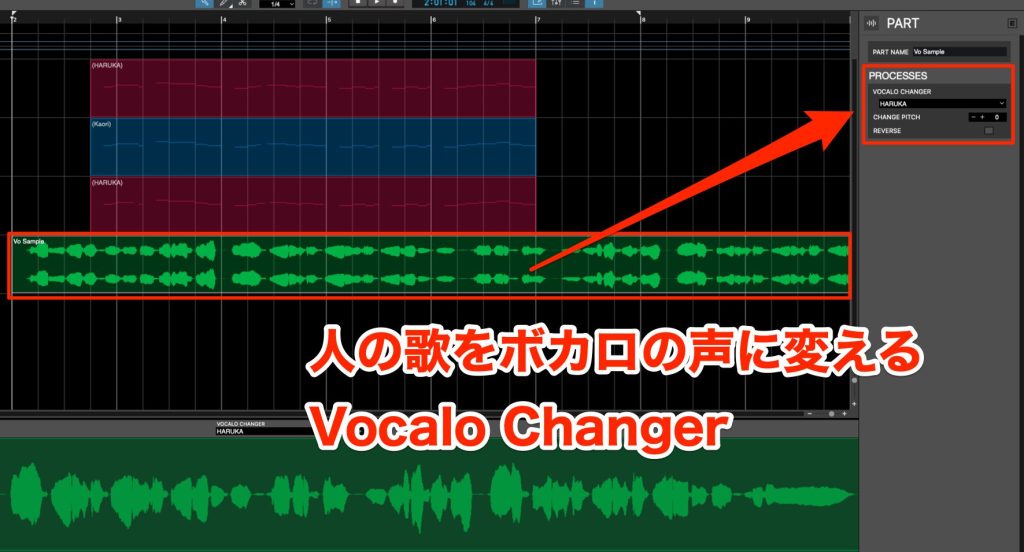
We prepared a vocal sample below.
The original vocal track, and the sound with the voice changed to Haruka.
Changing [CHANGE PITCH] lets you create a singing voice that sounds natural even for female → male or male → female changes.
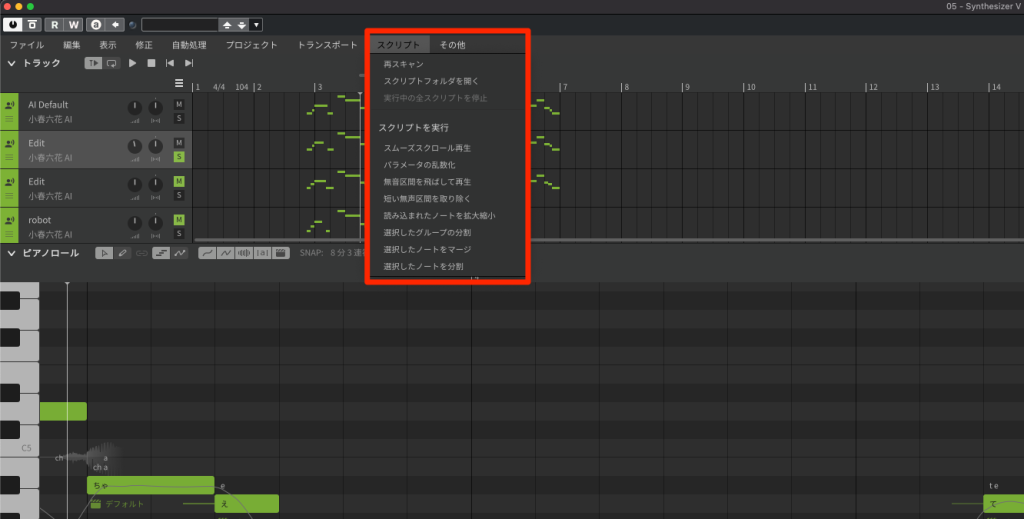
Synthesizer V can be extended with scripts written in JavaScript.
You can further expand the possibilities of Synthesizer V, for example by improving work efficiency or creating special singing styles.
How did you find it?
We hope you can see that even among voice synthesis software, there are quite large differences between products.
The progress in the last few years since AI features appeared has been especially remarkable.
It is also great that many products create nuances closer to a human while keeping effort to a minimum!
We hope this is helpful for those considering getting one.
Comparing the latest four singing voice synthesis products
VOCALOID 6, Piapro Studio, CeVIO AI (VoiSona), Synthesizer V
We dig into these products in detail, aiming for content that serves as a guide for choosing a product, so please read to the end!
Video: https://t.co/ESBuaeJmCiArticle: https://t.co/gzEMV9fBch#Vocaloid #VOCALOID #DTM pic.twitter.com/BDJUQU5S2c
— SLEEP FREAKS (@SLEEPFREAKS_DTM) December 16, 2022
Frequently Asked Questions
Q1. Which product is easy to use for singing voice synthesis beginners?
VoiSona uses a subscription format you can start for free, making it suited to beginners. Synthesizer V Basic is also offered free of charge, making it suitable for those who want to try it at low cost.
Q2. What singing voice synthesis options are available on Mac?
Five products support Mac: VOCALOID 6, Piapro Studio, Piapro Studio NT, VoiSona and Synthesizer V Studio. CeVIO AI, on the other hand, is Windows-only, so be careful.
Q3. Can I do serious music production with the bundled DAW?
CUBASE AI, bundled with VOCALOID 6, and Studio One Artist, bundled with Piapro Studio, are entry-level editions, but basic music production is possible. When aiming for more serious production, you can upgrade to a higher edition.
Q4. Do all products have AI automatic voice tuning?
No. VOCALOID 6, CeVIO AI, VoiSona and Synthesizer V Studio have AI voice tuning, but Piapro Studio and Piapro Studio NT do not.
Q5. Can I use VOCALOID libraries I already own in new software?
VOCALOID 6 supports V3 to V6 libraries, but compatibility differs by product. CeVIO AI, VoiSona and others support only their own formats, so check before buying.
NEW ARTICLES
Latest English Articles











