
Splice is a subscription service for DTM that gives you access to an overwhelming number of music samples and instrument software on a monthly or annual basis. It has three plans, which differ in the number of samples and synth presets you can download. Using both the web version and the dedicated desktop app greatly improves production efficiency, and rich category search features suited to creators from beginners to advanced users let you quickly find sound material that fits your needs.
Plenty of Sound Material and Instrument Software for Music Production
A very reliable monthly or annual subscription service that lets you freely use an overwhelming number of music samples and instruments in your music production: "Splice"
It is very easy to use and has been around for quite a long time, so many of you may already be using it.
However, we still receive many questions through our lessons and site asking, "What is Splice?"
To answer such questions, we explain an overview of "Splice," how to sign up and what you can do with the service as concisely as possible.
Video
Excerpt of a Question and Answer on the YouTube Video

Can it be used with FL Studio too?

Yes, it can!
Splice Plans
First, let's check the service's prices and plans.
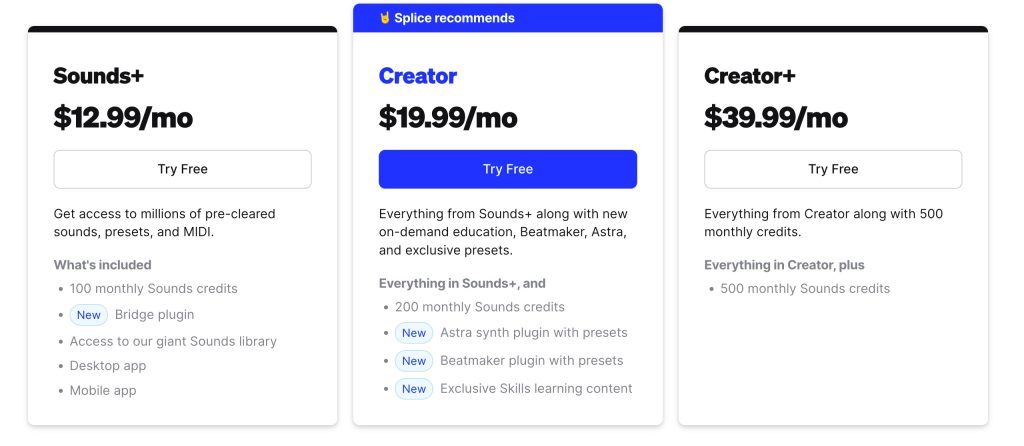
Three plans are available, and higher plans include all the services of the lower ones.
- Number of samples (100/200/500)
- Instruments such as software synths
and so on differ between them.
It is also fine to start with "Sound+" and switch to a higher plan as needed.
All plans also come with a free trial period.
Signing Up for Splice
Next, we go through signing up to use Splice.
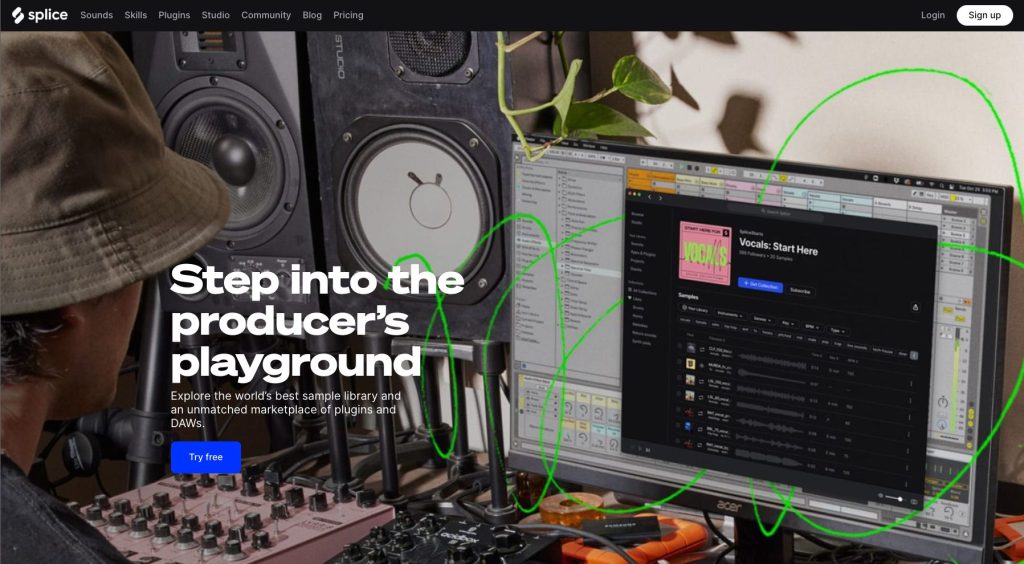
Splice From [Try free] on the top page, go to the page for creating a free account.
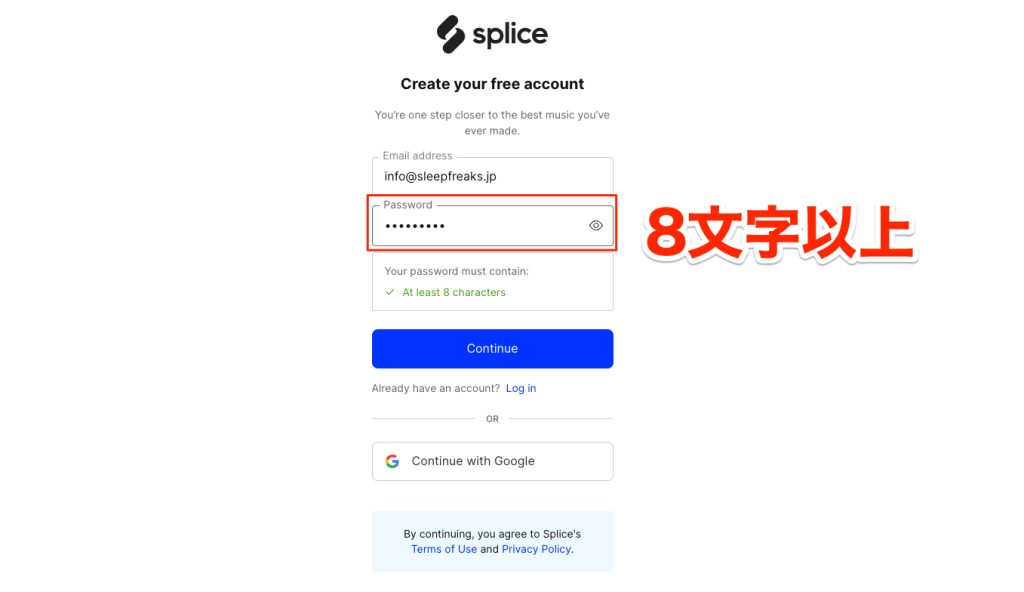
Enter your email address and a password of at least 8 characters, then click [Continue] to create your account.
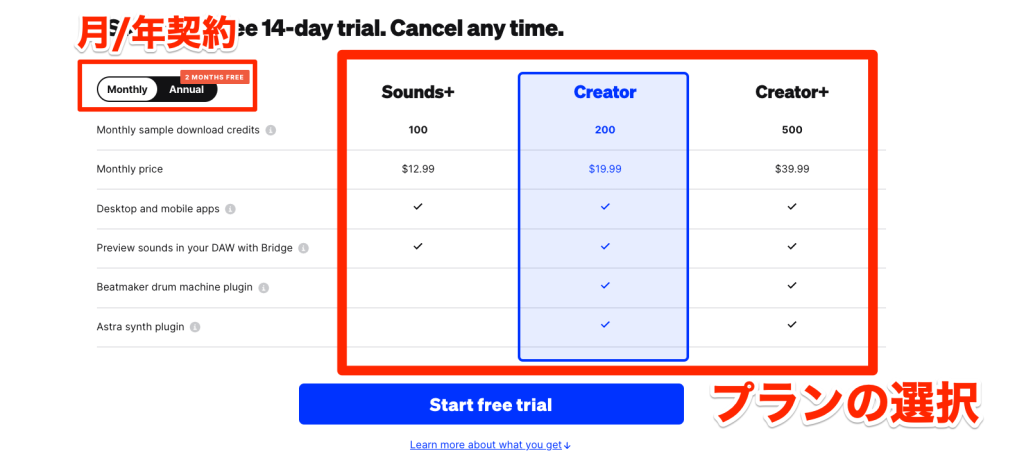
Next, a page appears for choosing the plan after the 14-day free trial. Choose [Monthly] (monthly contract) or [Annual] (annual contract) at the top left, and choose a plan.
After selecting all the items, click [Start free trial] to proceed to the payment information page.
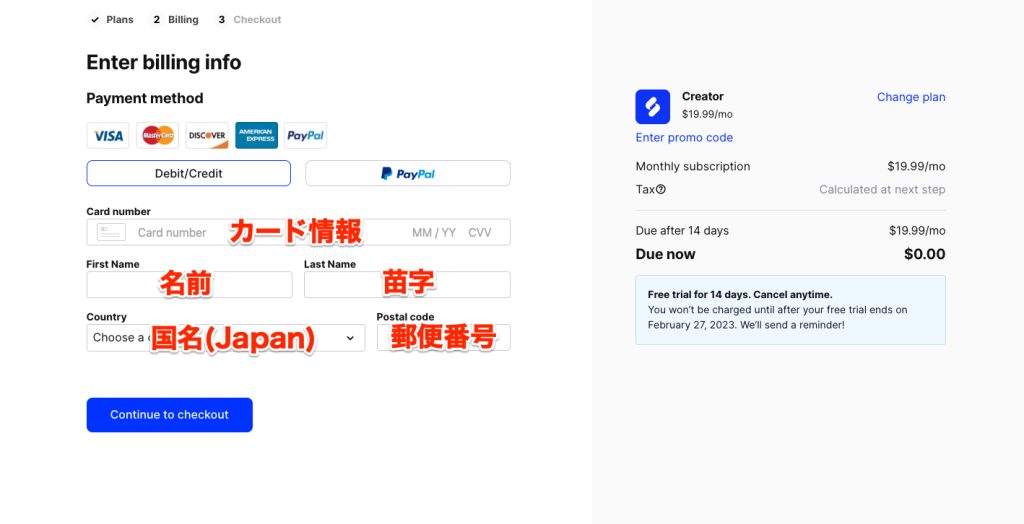
Choose credit/debit card or PayPal and enter the required information. Then confirm payment with [Continue to checkout], and registration is complete.
How to Use Splice
Let's check what you can do with Splice.

From [Sounds] in the menu, you can search for and buy (using credits) the audio samples you want to download.

You can check the number of credits you currently have at the top right of the page.
If it shows 100, you can download 100 samples.
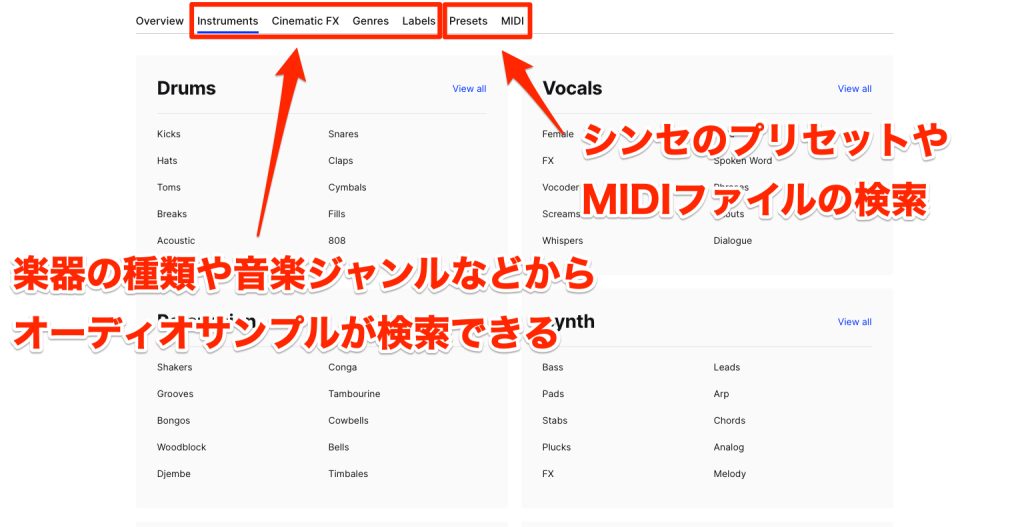
You can search audio samples by category from the items on the left.
- Instruments: by instrument
- Cinematic FX: sound effects
- Genres: music genres
- Labels: sample creators
[Presets] on the right lets you search for presets for popular synths such as SERUM and Sylenth1.
Note that these presets require 3 to 5 credits each.
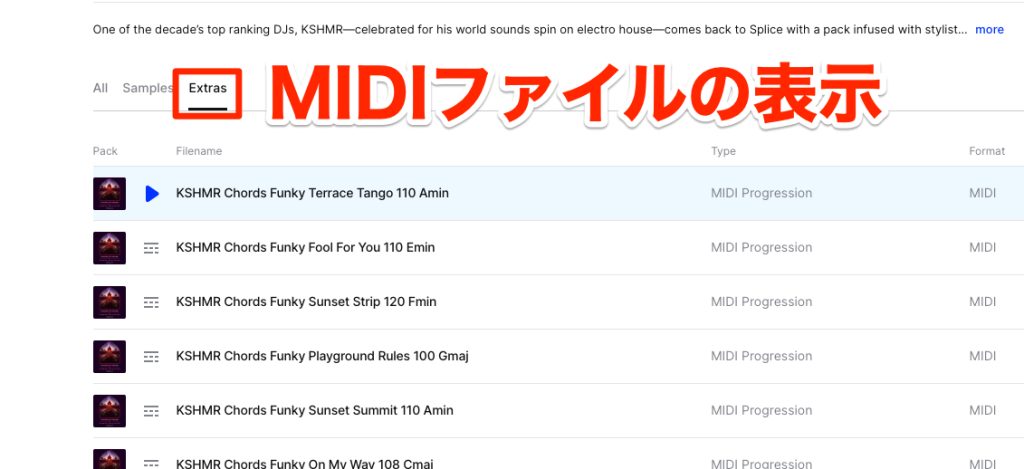
When looking for MIDI,
you need to select [Extras] inside the package. Be careful not to download audio samples by mistake.
Likewise, each file uses about 3 credits.
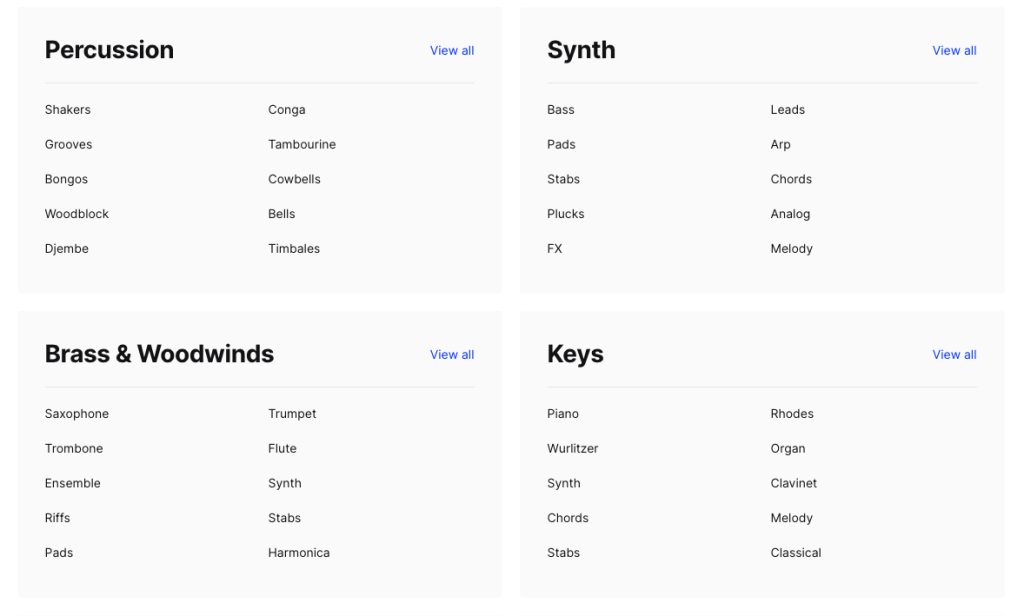
In sample search, selecting a category shows even more detailed subcategories.
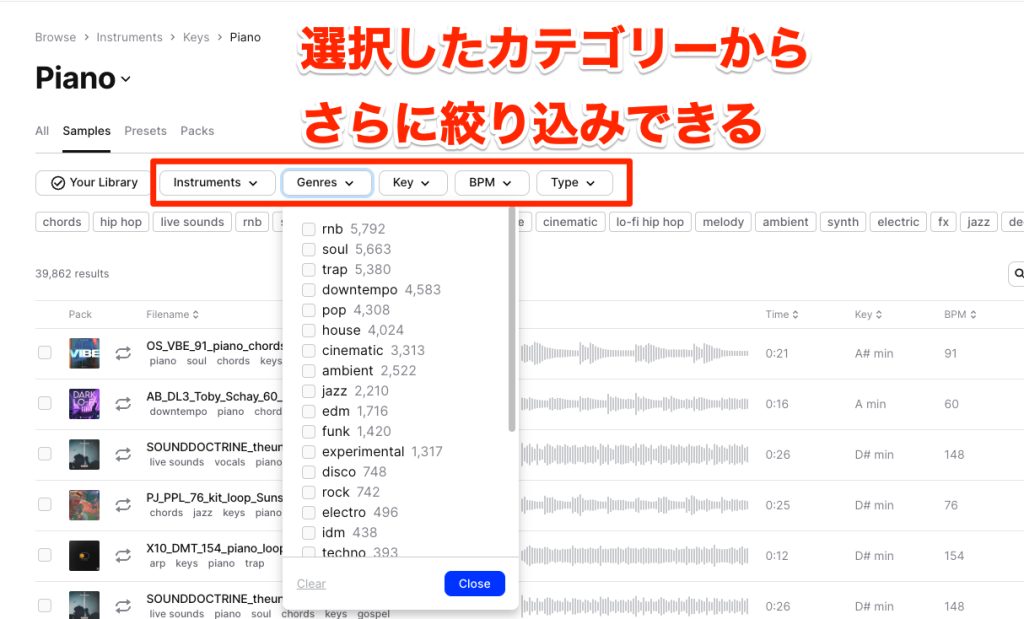
In the subcategories, you can also narrow down samples by genre, key, BPM (tempo) and more.
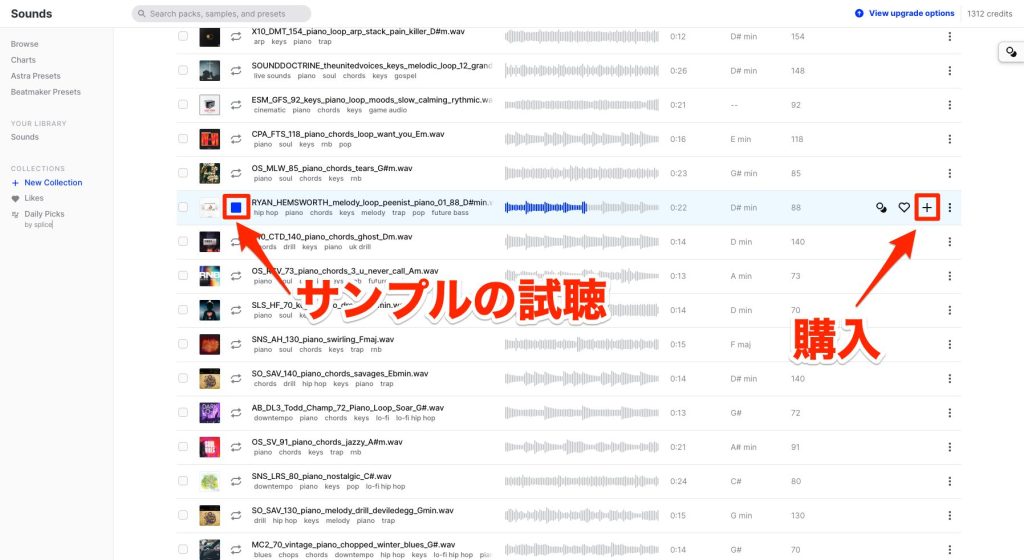
Use the [▶︎] at the start of a file name to preview a sample, and the [+] at the right end to buy it.
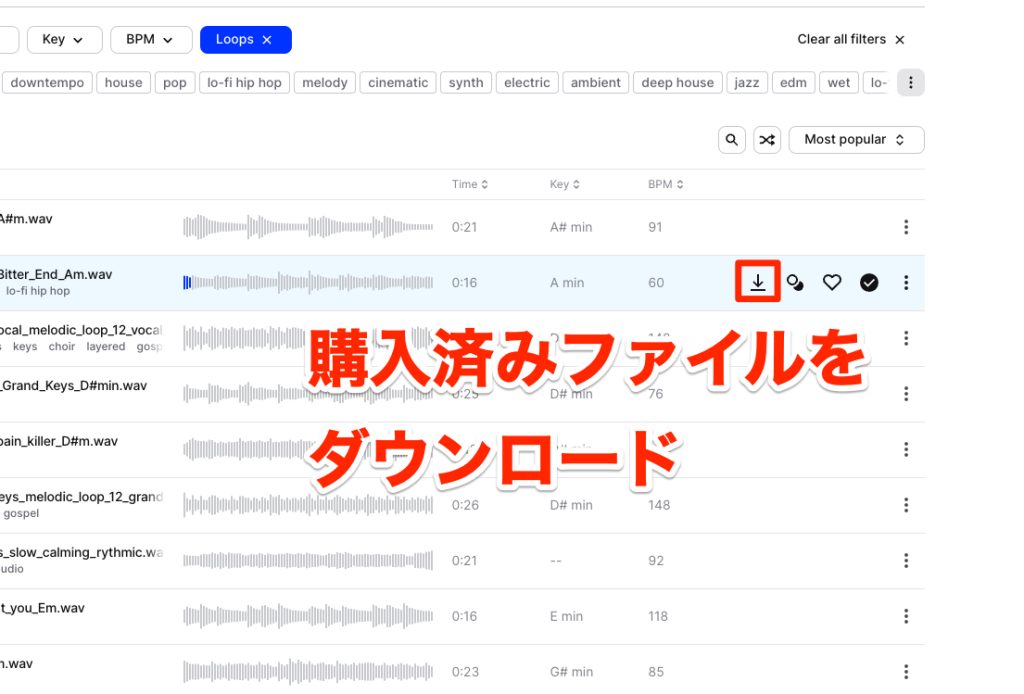
Purchased samples show a download button.
You then load the downloaded files into your DAW.
Downloading and Using the Dedicated App
With the method above, keeping track of and managing files becomes cumbersome as your purchased samples grow.
We recommend using the dedicated app provided.

Press [Install desktop app] from the user account icon to download the app.
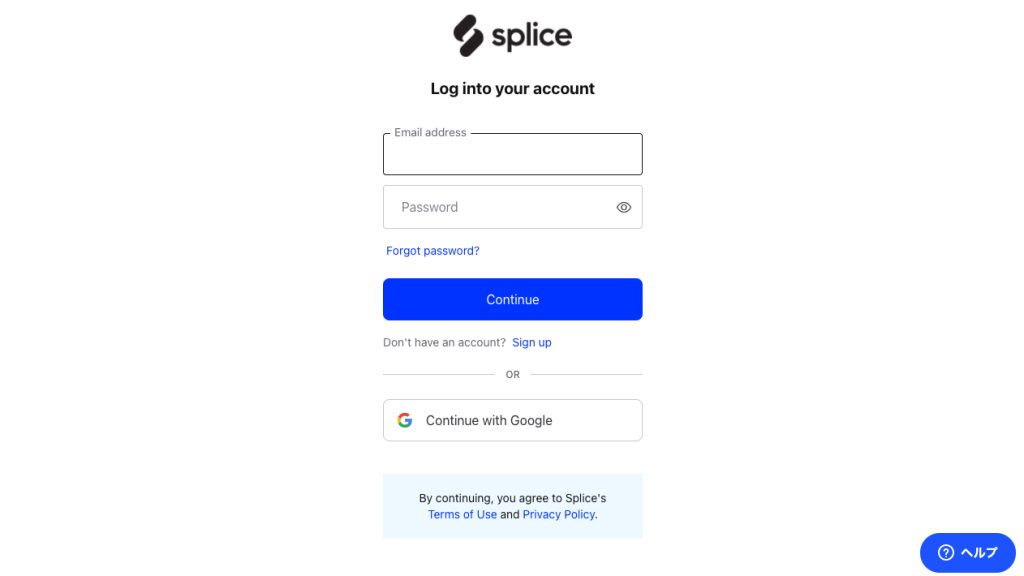
Install and launch the app.
Log in from the screen that appears.
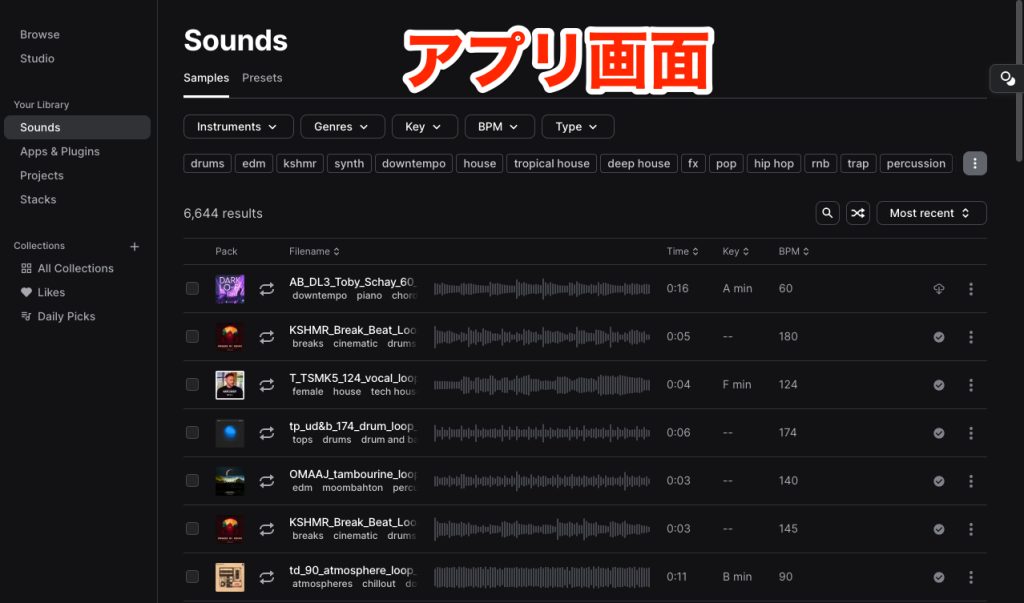
As you can see, the layout is the same as the website.
Of course, you can also search for and buy samples and presets.
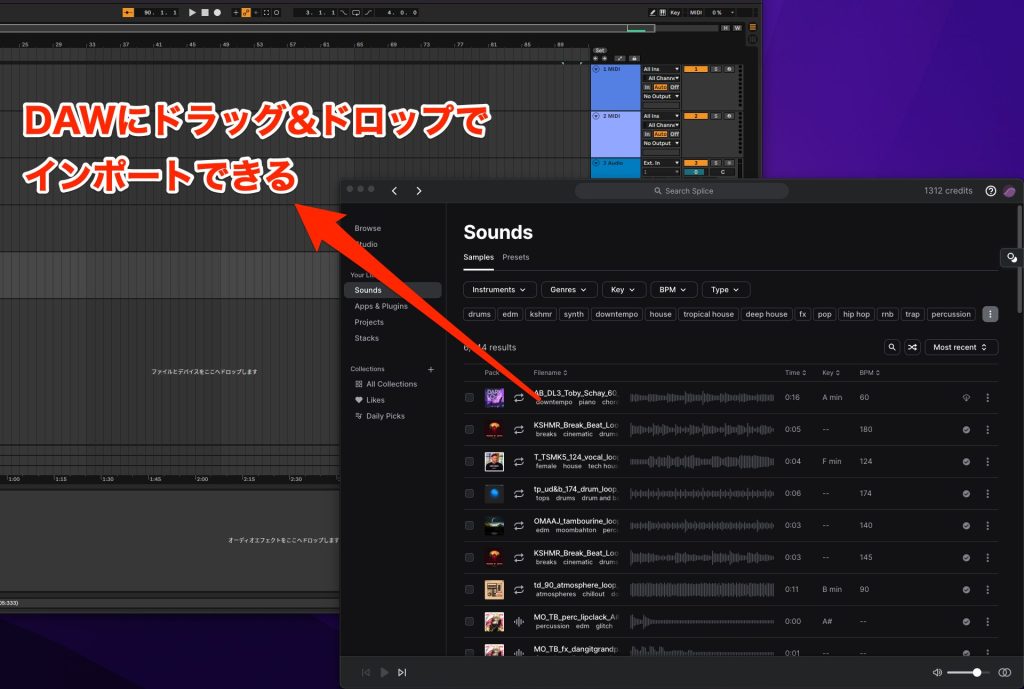
You can drag and drop purchased samples from the app into your DAW, greatly speeding up production.
How did you find it?
We hope you can see that you can start the service inexpensively and that it offers many benefits.
It is also nice that you can choose a plan that matches how often you use it.
Please bring the service into your workflow and broaden the range of your music production!
Thank you for reading to the end.
[🔰 For beginners] Sounds cool just by dropping it in! Beat making with Splice
We still get many questions in lessons asking, "What is Splice?" Here, we explain an overview of Splice, how to sign up and what you can do, as concisely as possible.
YouTube: https://t.co/7Axe2W7BrLArticle: https://t.co/3cqfLh4u5M pic.twitter.com/jN2l7IjhWH
— SLEEP FREAKS (@SLEEPFREAKS_DTM) March 5, 2023
Frequently Asked Questions
Q1. What kind of service is Splice?
Splice is a cloud service for DTM that lets you use millions of audio samples, presets and MIDI files on a monthly or annual subscription. You can efficiently search for and manage material to use in your DAW.
Q2. How do Splice's pricing plans differ?
There are three plans, which differ in the number of samples you can download per month. "Sound+" allows 100 samples, and higher plans allow 200 to 500 samples. All plans come with a free trial period.
Q3. How do I load downloaded samples into my DAW?
Download the purchased samples from the web version or the desktop app, then load them into your DAW. With the desktop app, you can load them easily by drag and drop, greatly improving production efficiency.
Q4. Do presets and MIDI use the same number of credits as samples?
No. Presets use 3 to 5 credits each, and MIDI files about 3 credits each. They require more credits than audio samples.
Q5. Which plan should beginners choose?
We recommend starting with "Sound+" and switching to a higher plan as needed. You can use the free trial to check how it feels in practice.
NEW ARTICLES
Latest English Articles











