

Thanks to advances in AI technology, we've entered an era in which even beginners with no music production experience can create high-quality songs in a short time. "Jukedeck," introduced in this article, is an AI composition service that automatically generates polished background music in just a few minutes when you specify things like genre, mood, tempo and song length. It offers several plans, from a free license to paid licenses, and supports commercial use, making it much more efficient to secure music for content such as YouTube videos and podcasts.
"Jukedeck," an AI-Powered Automatic Composition Service
Recently, all kinds of AI-powered services have appeared, such as composition assistants and mastering services. This time we introduce "Jukedeck," an automatic composition service with overwhelmingly powerful features.
It has actually existed for several years, and even people with no music production experience can create songs of astonishing quality.
First, listen to a song we made as a test.
(Music from Jukedeck - create your own at http://jukedeck.com.)
What did you think?
This song took about three minutes in total to make, and that alone shows what this service can do.
It can be used on smartphones as well as computers, and commercial use is allowed.
About Jukedeck
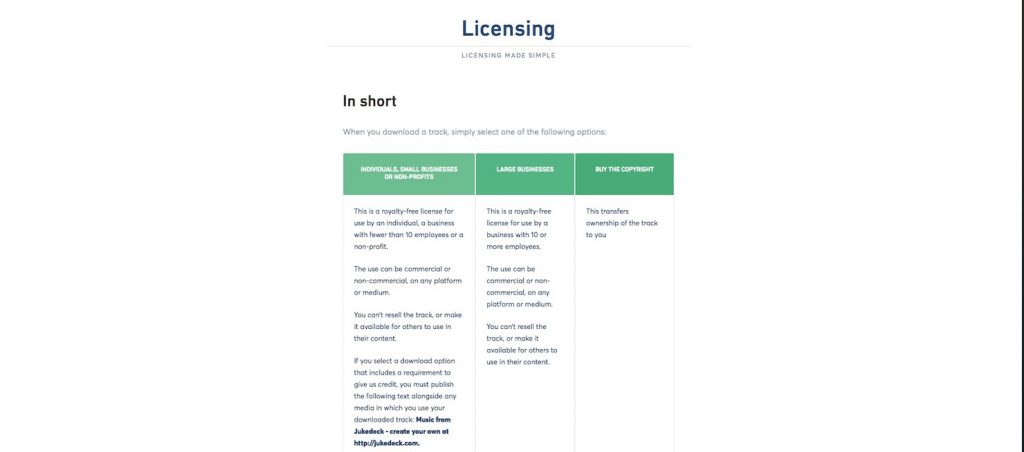
Jukedeck has three licenses.
- For individuals and small businesses: free license
- For large businesses: $21.99 per month
- Copyright purchase: $199
When you use the free license, Jukedeck holds the copyright to the song.
Therefore, reselling and the like are prohibited, and downloads are available only as MP3.
There's no limit on the number of downloads, but a Jukedeck credit is required. If you pay $0.99 per song, you can omit the credit.
(However, even in this case, Jukedeck retains the copyright.)
Now let's look at how to actually use it.
How to Sign Up

You need to register as a member to use Jukedeck's service.
First, go to this page.
Click "SIGN UP" at the top right and enter your email address and password.
Agree to the terms of use, choose whether to receive the newsletter, and check the box confirming you're 13 or older.
Once you've filled it in, click "SIGN UP" in the area circled in orange.
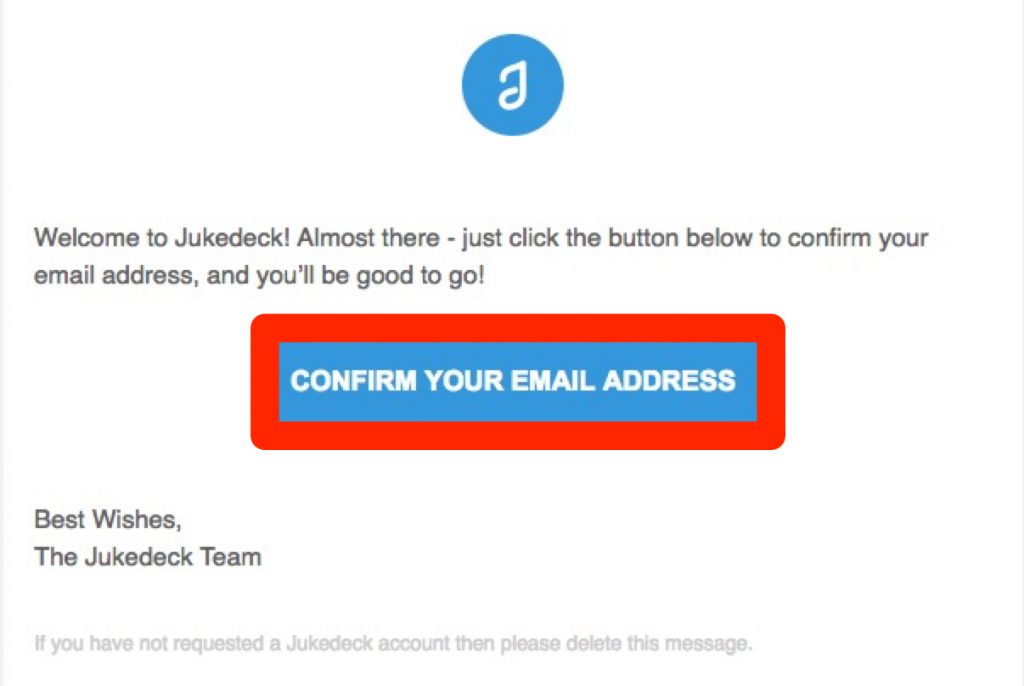
After a while, an email will arrive at the address you entered, so click the part that says "CONFIRM YOUR EMAIL ADDRESS."

You'll be taken to Jukedeck's website, and if you see a screen like this, registration is complete.
Creating a Track
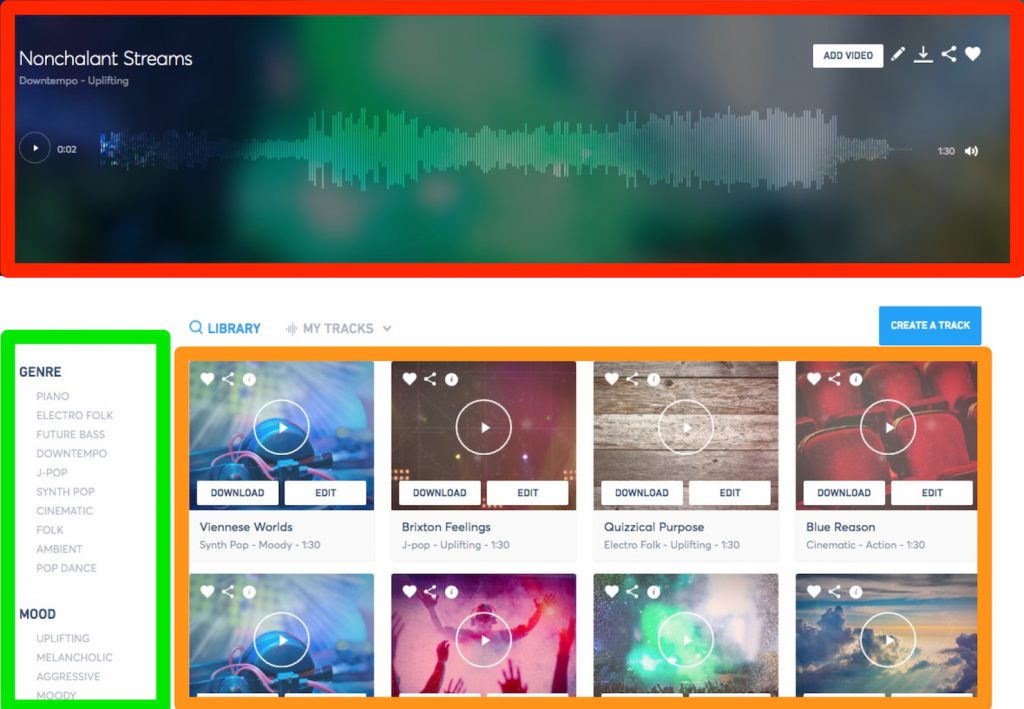
Jukedeck comes with dozens of sample songs already.
The red frame shows the song currently playing, and the orange frame shows the list of songs.
In the green frame, you can narrow them down by genre and mood.
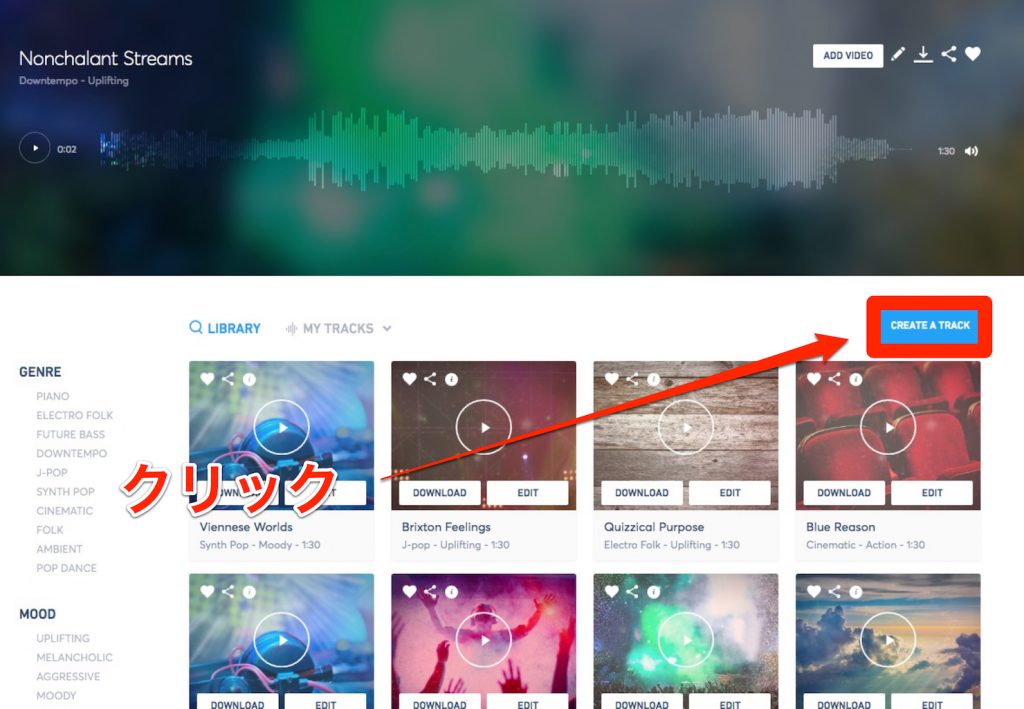
Now let's actually create a track.
Click "CREATE A TRACK" in the red frame.
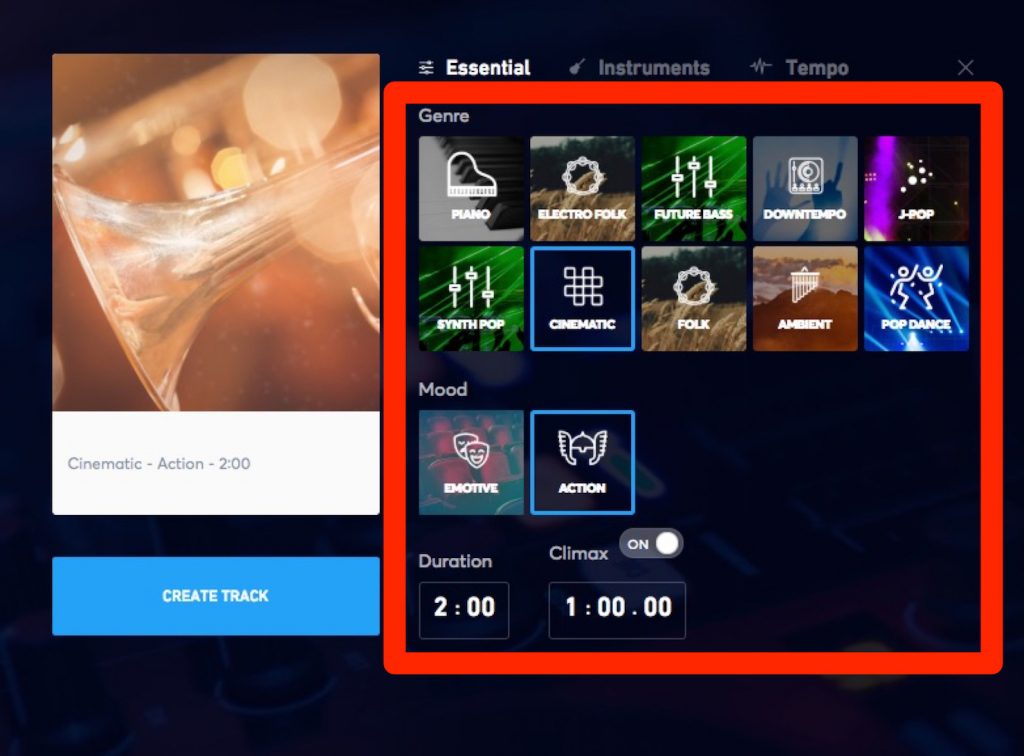
Let's choose a genre and mood.
You can set the length of the song with "Duration."
Also, by turning "Climax" ON and specifying a time, you can set where the song reaches its peak.
This time, we set a two-minute song to peak at exactly one minute.
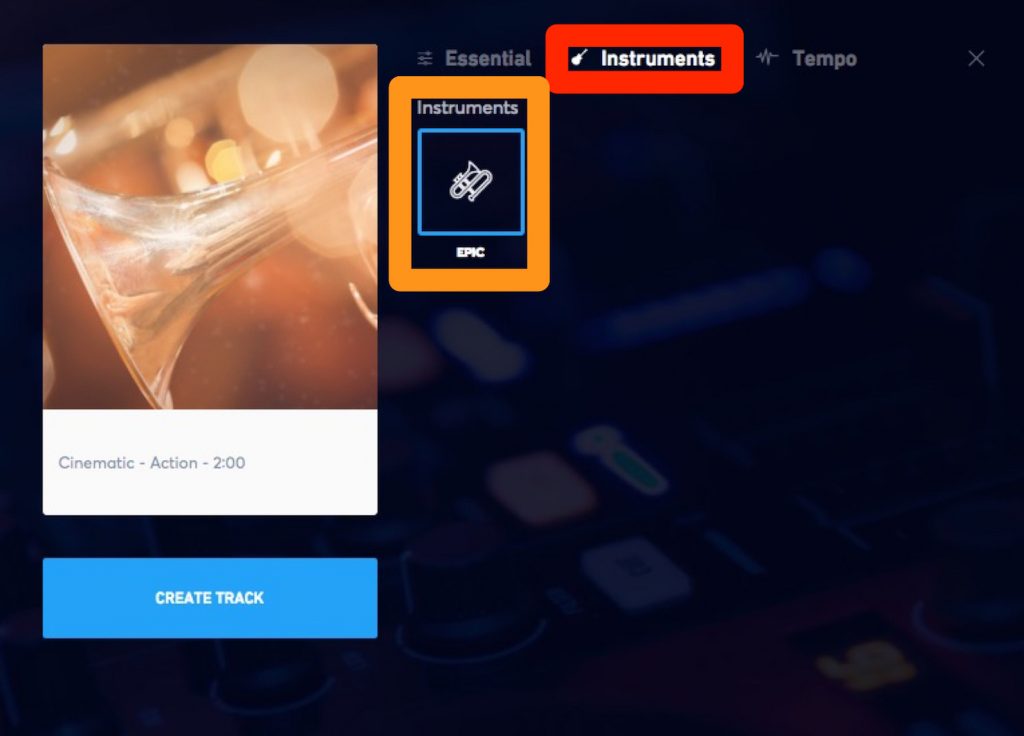
Only one is shown this time, but you can also choose instruments by clicking "Instruments" in the red frame.
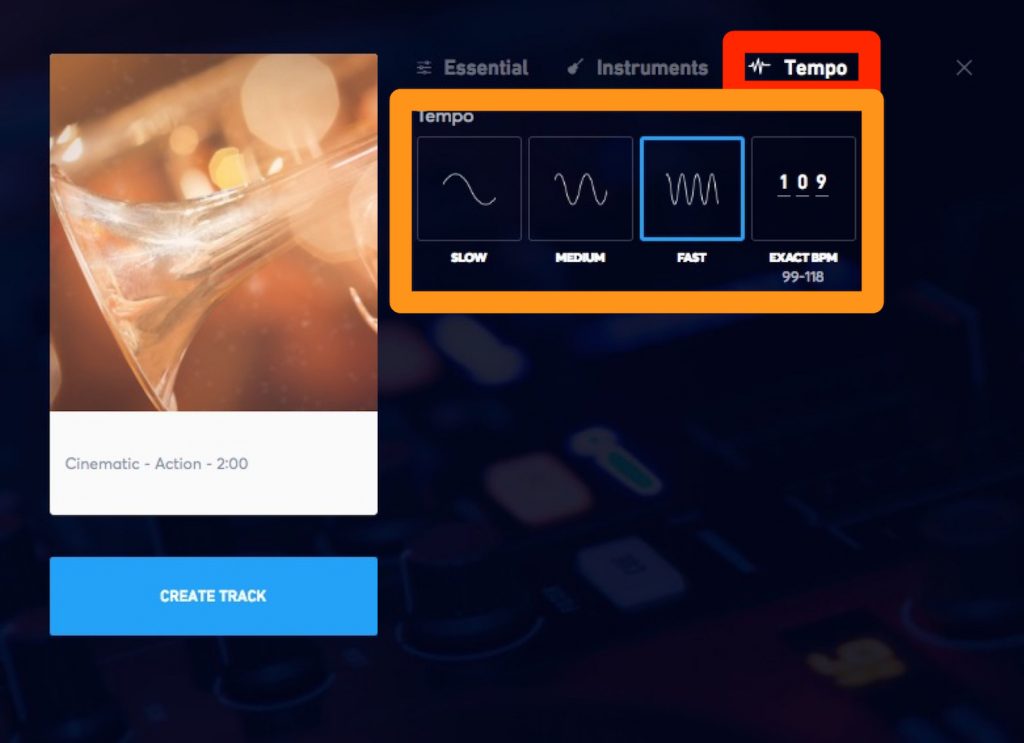
Next, set the tempo.
You can specify it roughly or enter a BPM.
This time we selected "FAST."
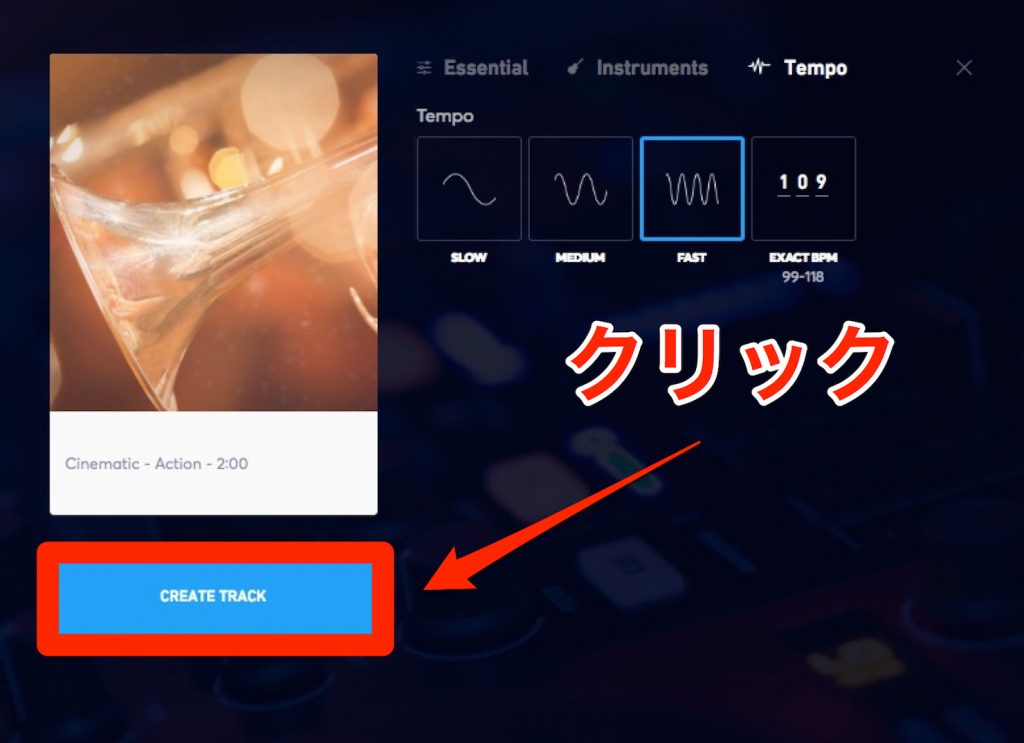
That's all for the settings.
If everything looks good, click "CREATE TRACK."
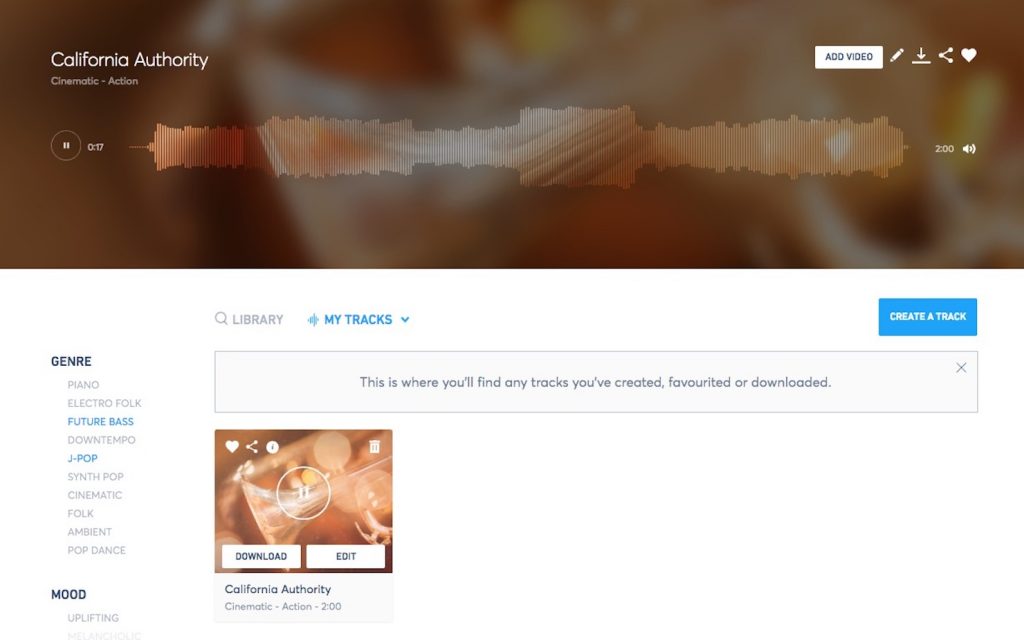
Track generation begins.
Depending on the song, it may take about 3 to 5 minutes.
When it's finished, you'll see a screen like the one above, and you can play it back.
Let's listen to the finished song again.
(Music from Jukedeck - create your own at http://jukedeck.com.)
Sure enough, there's a natural build-up right at the one-minute mark.
How to Download

If you like the song you made, click "DOWNLOAD" in the red frame in the image.
By the way, you can also remake it with "EDIT" next to it.
You can do the same with the sample songs shown on the top page.
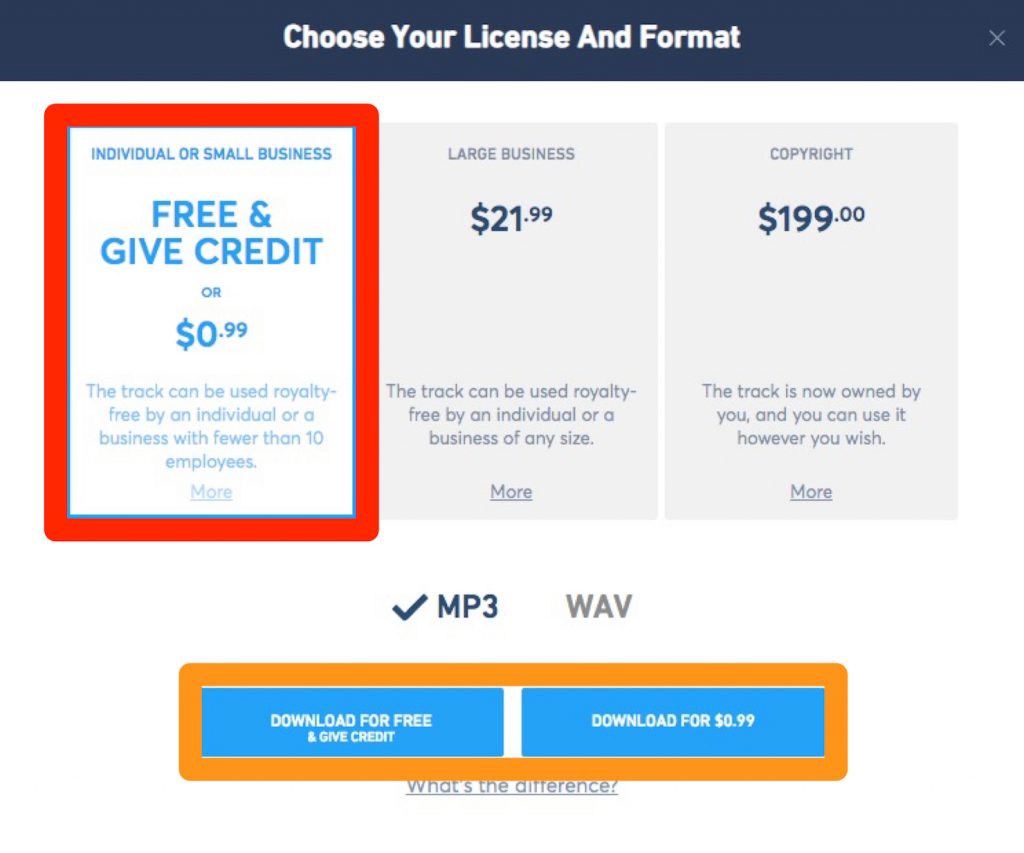
Select the license type in the red frame.
Select the download format in the orange frame.
- DOWNLOAD FOR FREE: free to download, but a credit is required when you use it
- DOWNLOAD FOR $0.99: download for $0.99. The copyright belongs to Jukedeck, but no credit is required
Those are the differences.
What did you think?
As a composer, it's a complicated service that I'm not sure whether to be happy about or not (laughs), but it might be a good idea to leave simple background music production to it.
You can create songs with the same steps on a smartphone, and it's a generous service that even allows commercial use.
However, please note that redistribution and sale are not allowed.
Follow the directions and use it properly.
Thank you!
Interview and text: momo (Mamoru Tanoue)

Profile: Born in 1995. A Digital Performer and Ableton Live user. After graduating from music school, he moved from Fukuoka to Tokyo as a composer.
Made his debut as a writer in August 2017, composing and arranging for Tsukicro's "STARDUST".
With the motto "songs that touch the heart", he is a multi-player who handles everything from lyrics and composition to arrangement and recording.
He is also active as the composer and arranger for the art unit "Shiro".
Website: Music Designer momo
Twitter ID: @momo_tanoue
Frequently Asked Questions
Q1. Can Jukedeck really be used for free?
Yes, it can be used completely free of charge. However, the free license requires a Jukedeck credit. If you pay $0.99, you can omit the credit, but the copyright remains with Jukedeck.
Q2. Can songs made with Jukedeck be used commercially or sold?
Commercial use is allowed, but redistribution and sale are prohibited. You can use them as background music in content such as YouTube videos, but you can't sell the songs themselves.
Q3. Can Jukedeck be used on a smartphone?
Yes. You can create and download songs with the same steps on a smartphone as well as a computer. You can easily use the AI composition service from any device.
Q4. What's the difference between Jukedeck's paid and free licenses?
The free license requires a credit, and the copyright belongs to Jukedeck. The $21.99-per-month plan for large businesses doesn't require a credit, and the $199 copyright purchase option lets you acquire the copyright.
NEW ARTICLES
Latest English Articles











