
iTunes Match is Apple's cloud service that stores songs imported from CDs or files in iCloud so you can play and download them from up to 10 devices. For an annual fee of 3,980 yen, you can manage up to 25,000 songs, giving you backups in case of damage or loss, saving storage space, and sharing music across multiple devices. For music producers and musicians, it allows safe storage and efficient management of their songs, a big advantage for data management.
iTunes Match: ideal for backups and reducing file storage

http://www.apple.com/jp/itunes/itunes-match/
"iTunes Match" is now available in Japan as well.
Songs imported from CDs or files can be handled the same as songs purchased from the "iTunes Store."
- Backups in case your files or CDs are damaged or lost
- Playing songs that don't fit on your device from iCloud
You can expect benefits such as these.
Explanation of iTunes Match
What you need for the service
- An Apple account
- An annual fee of 3,980 yen
- iTunes
You can register up to 25,000 songs
You can use up to 10 devices
How to sign up for and set up iTunes Match
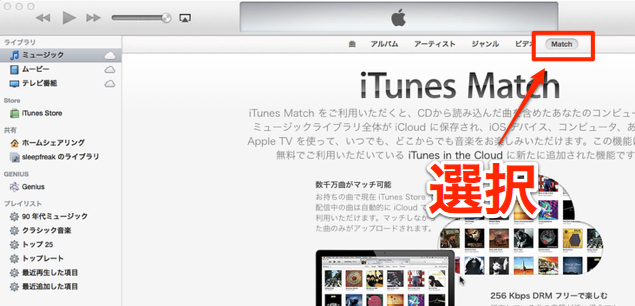
Launch iTunes and click the "Match" menu.
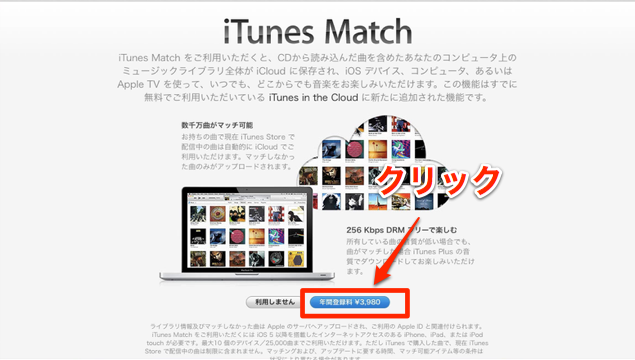
Click the button outlined in red.
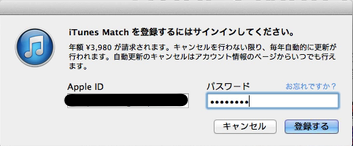
Enter your "ID and password" and click "Subscribe."
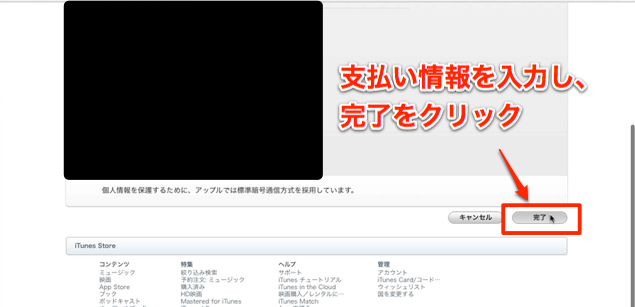
Enter your payment information and select "Done."
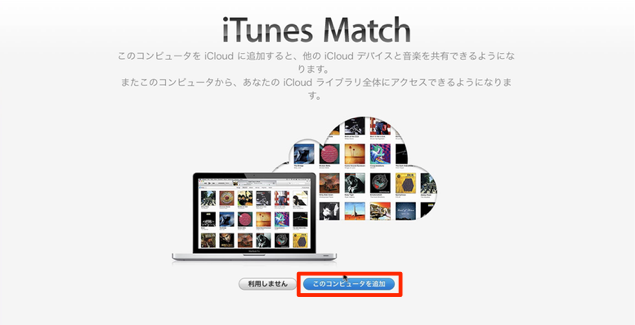
Click "Add This Computer."
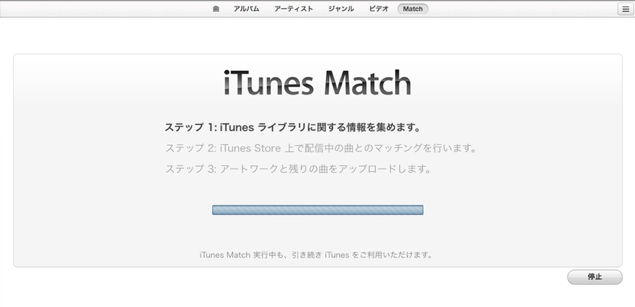
Songs you've already imported are also included in "iTunes Match."
Depending on the number of songs, it may take a while.
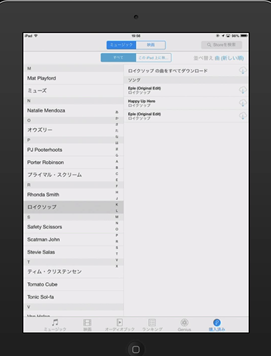
You can listen to and download songs from all the devices you use (up to 10).
If iTunes Match isn't reflected on your device
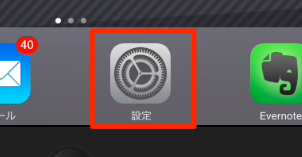
Tap and open "Settings."
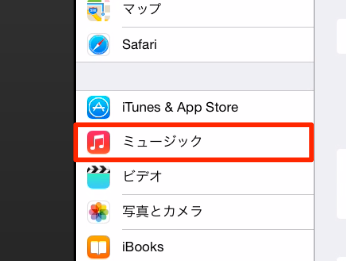
Tap and open "Music."
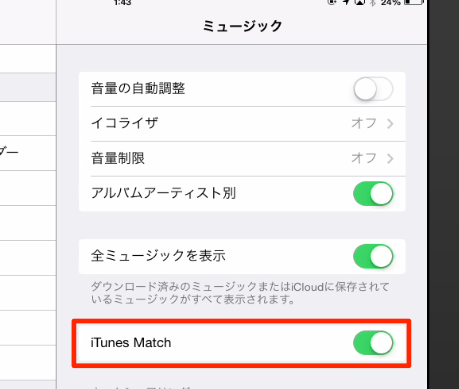
Enable "iTunes Match."
Frequently asked questions
Q1. What do I need to sign up for iTunes Match?
You can use it with an Apple account, iTunes, and the annual fee of 3,980 yen. No special equipment or software is needed, so you can start easily with your existing Apple setup.
Q2. After registering CD tracks with iTunes Match, can I still play them if I delete them from my device?
Yes. Songs stored in iCloud can be played or downloaded from iTunes Match even after you delete them from the original device, serving as a backup if the original files are lost.
Q3. What is the maximum number of songs I can register with iTunes Match?
You can register up to 25,000 songs. You can also access the same library from up to 10 devices to play and manage songs.
Q4. After setting up iTunes Match, what should I do if songs don't appear on a new device?
Open Music from the device's "Settings" and enable "iTunes Match." Syncing may take some time, so we recommend waiting a few minutes.
NEW ARTICLES
Latest English Articles











