

The eLicenser is a USB key that manages licenses for DTM software and plug-in instruments. It supports major DAWs and plug-ins such as Cubase and reFX Nexus, greatly reducing the hassle of license authorization when using multiple computers or moving to a new machine. After downloading and installing the eLicenser software from Steinberg's site, you simply enter your serial number to register, and it's a convenient system that authorizes automatically when plugged into your computer.
Smoothly register all kinds of software
The eLicenser is a USB key that authorizes software and instruments you've bought and makes them usable.

Product licenses are stored on it, so even if the same software is installed on several computers, you can use it right away by plugging the eLicenser into the computer you want.
It's also very convenient that even if you buy a new computer, you don't need to redo the license authorization; just install the software/instruments and you can use them right away.
Representative software that uses the eLicenser includes "Cubase," "reFX Nexus" and "Vienna."
The flow of registering products to the eLicenser
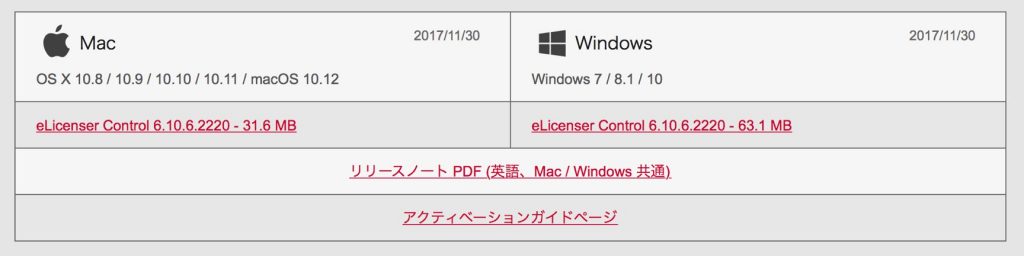
First, go to Steinberg's site and download and install the eLicenser software for your computer.

- Mac: Applications folder
- Windows: C drive → Program Files (x86) → eLicenser → eLCC
The eLicenser software is installed in the location above, so double-click it to launch it.
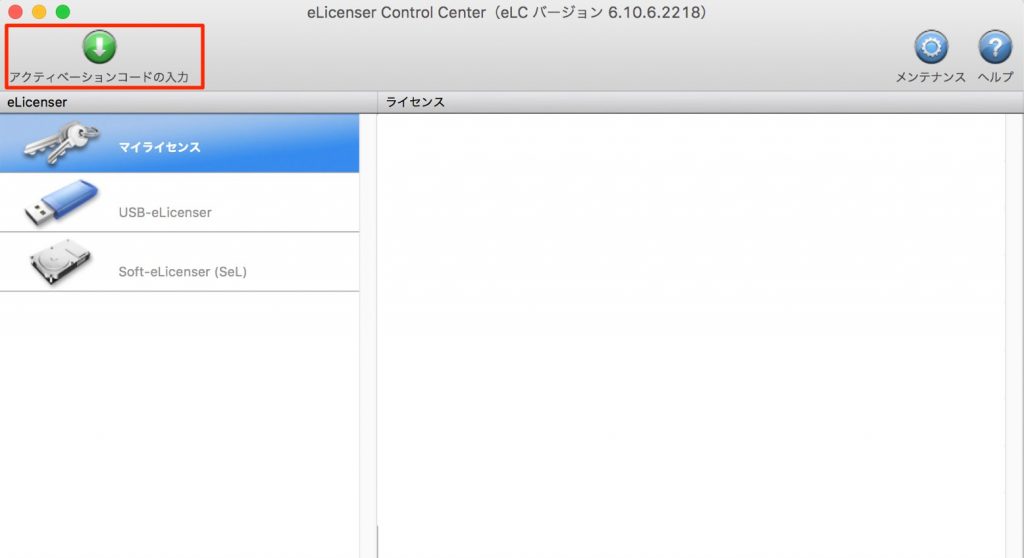
Click "Enter Activation Code."
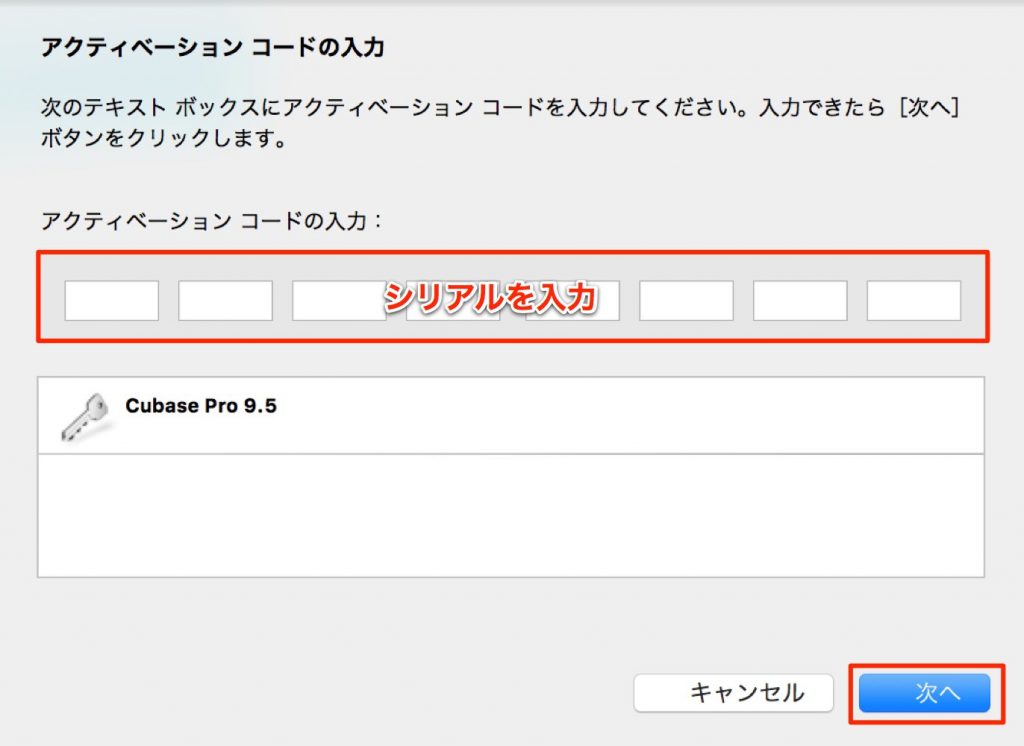
Enter the serial number issued by the manufacturer, and the product is shown below.
Check it and click "Next."
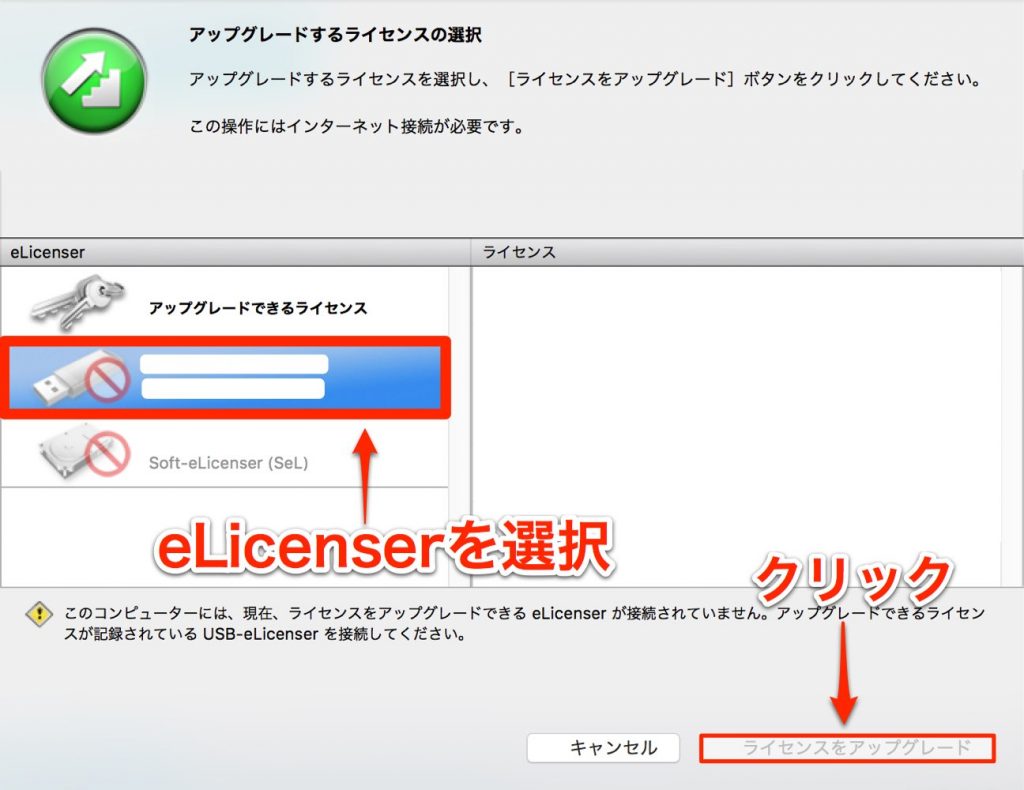
Select the eLicenser and proceed using the button at the bottom right.
*The image shows it can't be registered, but normally you can proceed as is.
This flow registers the product to the eLicenser.
From then on, as long as the eLicenser is plugged into your computer, authorization happens automatically when the software starts.
Frequently asked questions
Q1. Which DAWs and plug-ins support the eLicenser?
Cubase, reFX Nexus and Vienna are representative examples. Steinberg products and software from its partner companies support it, and you can check compatibility when buying.
Q2. With the eLicenser, can I use the same software on multiple computers?
Yes. Licenses are stored on the eLicenser, so just plugging the USB key into another computer makes the software usable immediately. You don't need to authorize each computer, which is very convenient.
Q3. What are the tips for registering with the eLicenser without problems?
It's important to download and install correctly from Steinberg's official site and to enter the serial number issued by the manufacturer accurately. Follow the on-screen instructions and check the product information on the confirmation screen before proceeding.
NEW ARTICLES
Latest English Articles











