
"CoeFont STUDIO" is a free voice generation service using the latest AI technology that lets every creator easily create high-quality narration. You can choose between two voice-actor voices, Arial and Millial, and finely adjust the speed and pitch of the voice, so it can be used for many purposes such as songwriting, video narration and content creation. Registering as a free member lets you generate audio of more than 30 characters and download it, and you can also process multiple sentences together, making it a very practical and efficient tool for creators who make music or YouTube videos.
A Groundbreaking Service That Delivers Voice Fonts to Every Creator

"CoeFont STUDIO" is a service that generates high-quality voices (text read aloud) using the latest AI, based on the concept of "delivering voice fonts to every creator".
It is a groundbreaking service that can be used free of charge in many situations, such as music production and video narration.

You can generate audio by choosing between two voice actors, "Arial" and "Millial."
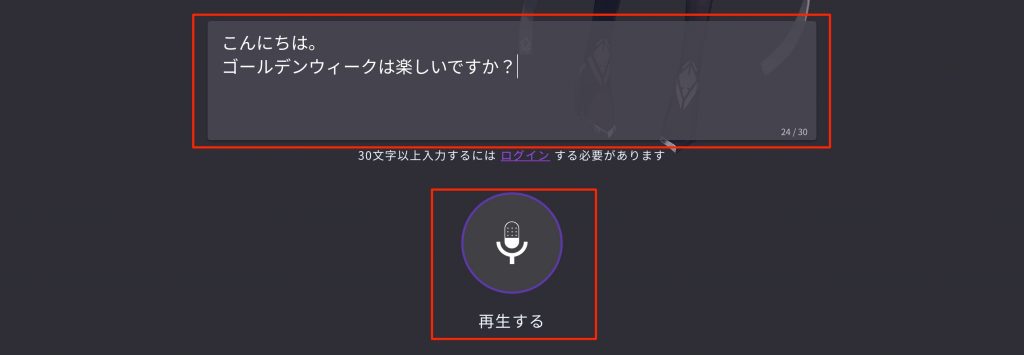
With the editor in the center of the top page, you can easily enter and check audio.
I first tried it in Safari on a Mac, but the opening phrase did not play properly.
Google Chrome solves this.

Registering as a free member also lets you "enter more than 30 characters," "download audio" and "use the voice of voice actor Millial."
After creating an account, you move to the "CoeFont STUDIO Editor," where you can make detailed settings.
Generate High-Quality Audio Instantly
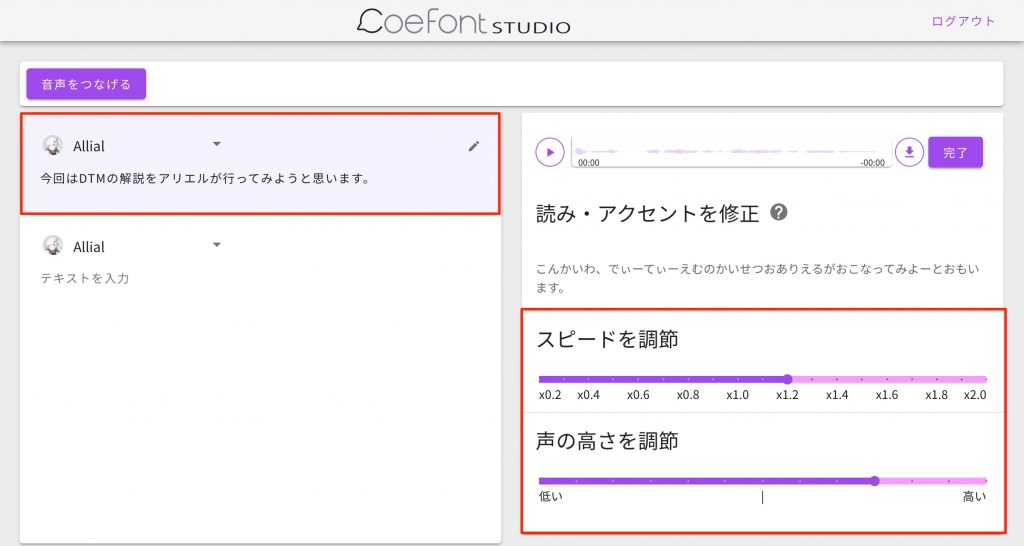
In the CoeFont STUDIO Editor after logging in, you can freely adjust the "speed" and "pitch" of the voice like this.
Even these two settings gave me a lot of control over the character.
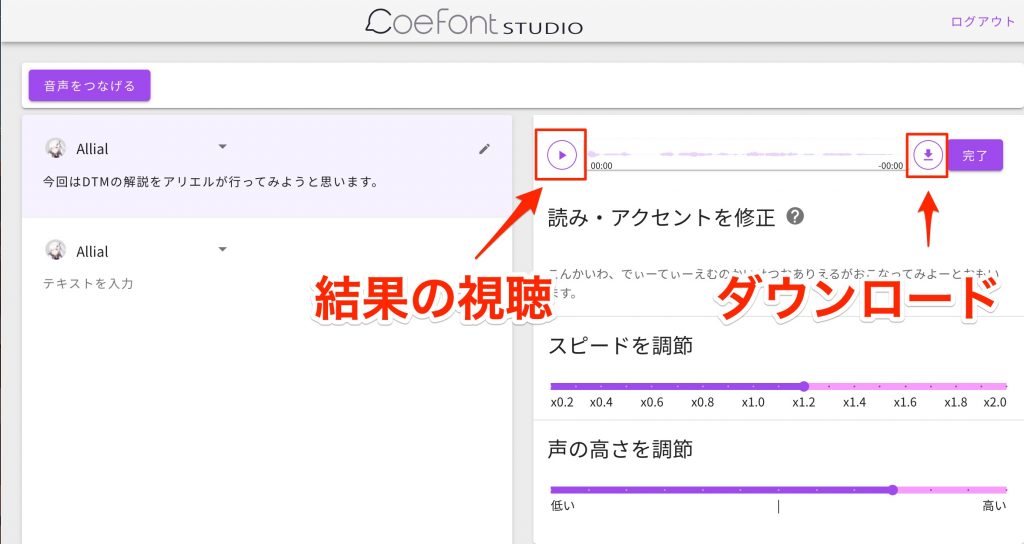
You can listen to and download the sound immediately, and it is very easy to use.
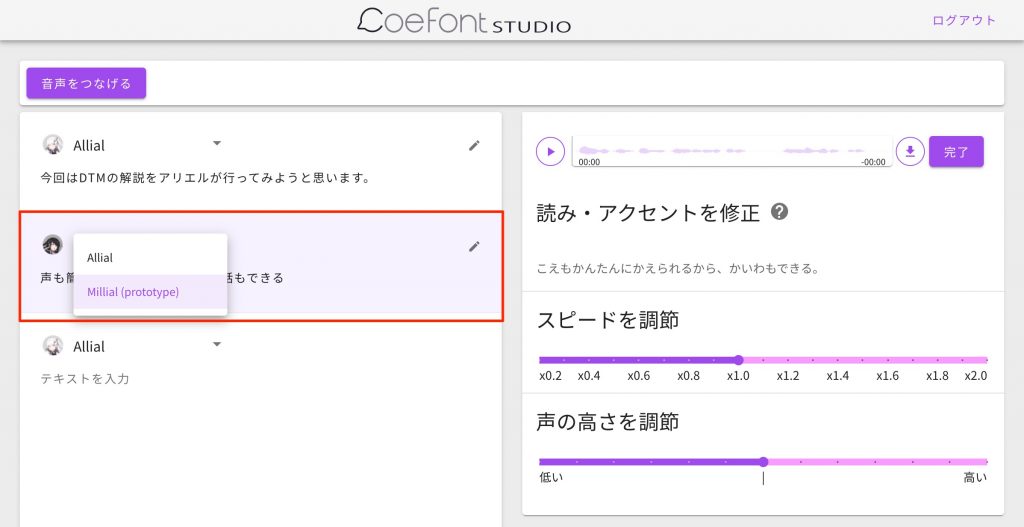
You are not limited to one sentence; you can enter text in separate parts.
You can also change the voice actor, which makes voice input easy.
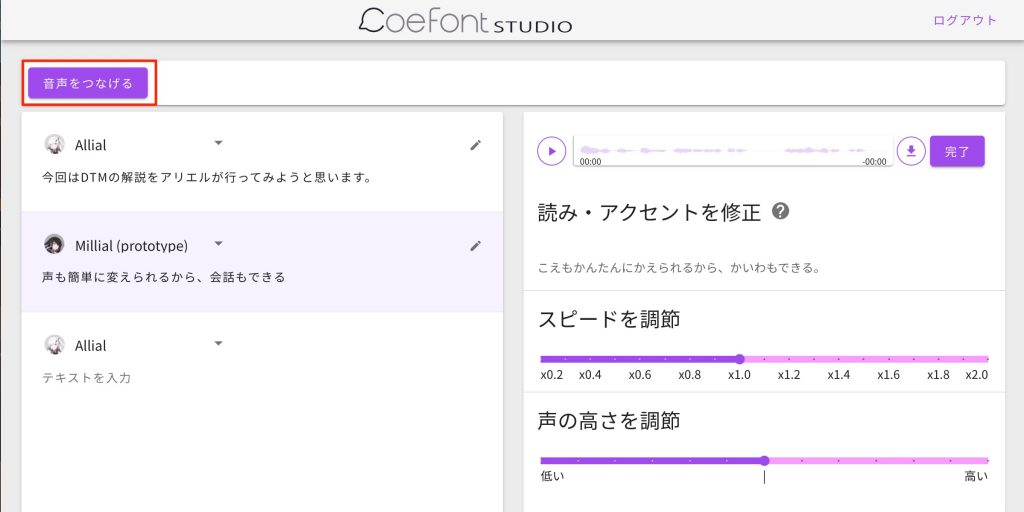
You can join multiple sentences,
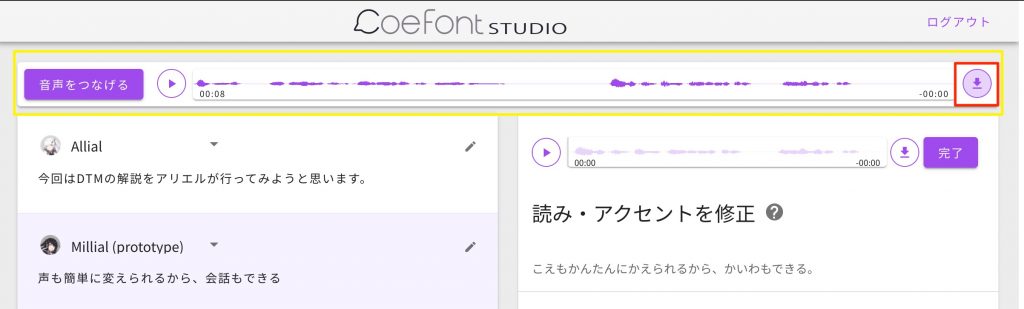
and listen to or download them all together.
What did you think?
It is a wonderful service that lets you generate high-quality narration very comfortably and for free.
It is very useful within songs and as video narration, so please check the terms of use and try incorporating it into your content.
Frequently Asked Questions
Q1. How much does CoeFont STUDIO cost?
CoeFont STUDIO is completely free to use. By registering as a free member, you can use all the basic features, including voice generation and download.
Q2. What kind of voice adjustments are possible?
In the Editor screen, you can freely adjust the speed and pitch of the voice. These two parameters give you a lot of control over the character, allowing flexible voice generation for your purpose.
Q3. Is it suitable for video narration?
Yes. You can join multiple sentences and download them together, making it ideal for narration in YouTube videos, promotional videos and more. Please use it after checking the terms of use.
Q4. Which browser is recommended?
Google Chrome is recommended. Audio playback may not work properly in other browsers such as Safari on a Mac, so we recommend using Google Chrome.
NEW ARTICLES
Latest English Articles











