
M/S processing in Ableton Live is a mastering technique that effectively increases a song's loudness and sense of width. This article explains step by step, from the basic M/S method using the Audio Effect Rack and the Utility device to using dedicated plug-ins such as Waves Center and Waves MS Matrix. Separating the center (M) and sides (S) and controlling them independently enables more precise sound design and professional mastering quality. Several approaches are introduced that beginners through advanced users can put into practice, so you can choose according to your skill level.
M/S processing in Live
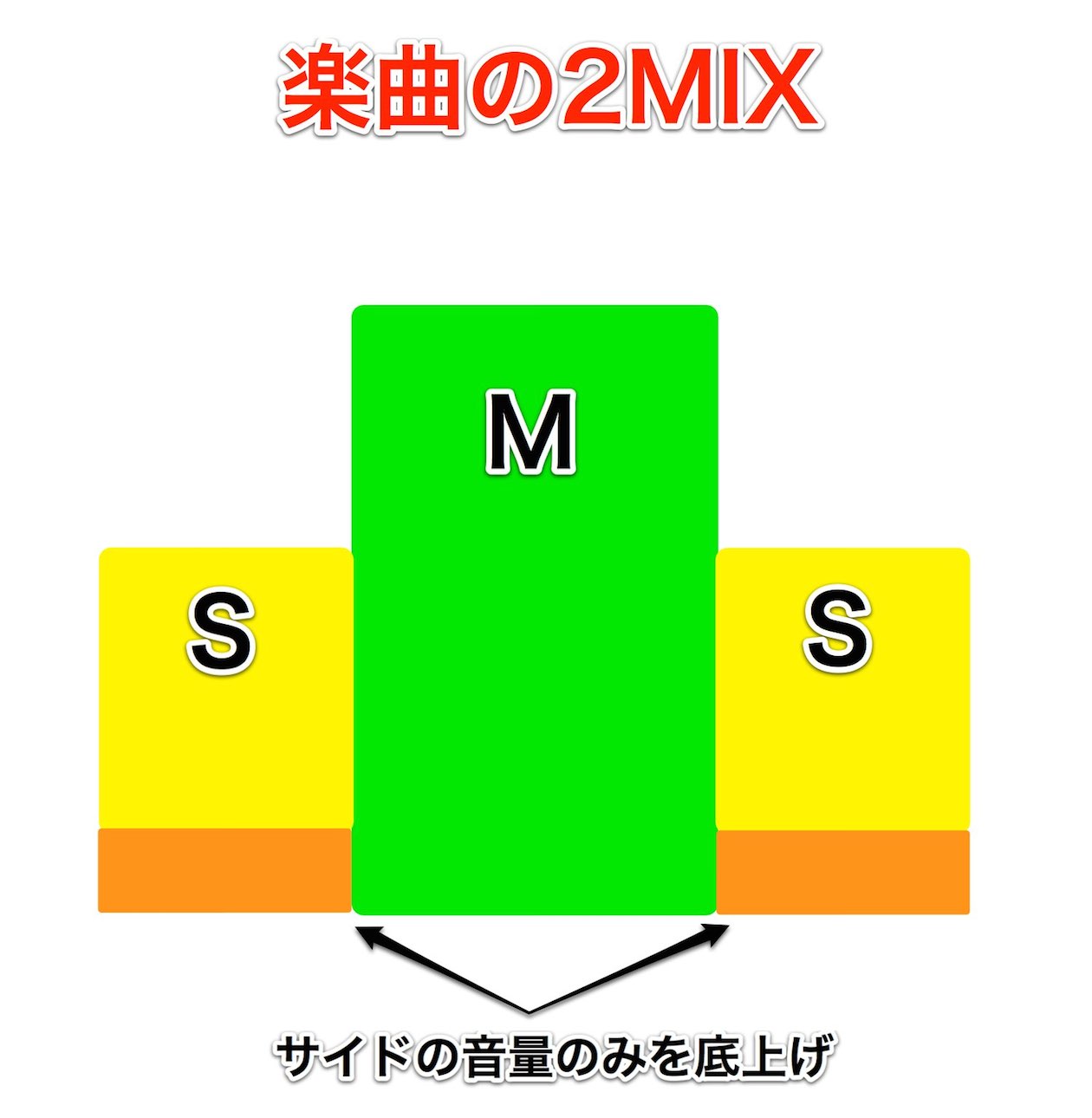
This continues from "Boosting Loudness and Width with M/S Processing" in the Mixing and Mastering category.
Here, we explain "M/S processing" in Live.
It is easier to do M/S processing in Live than in other DAWs.
If you want more loudness and width in your songs, be sure to try it.
First, please listen to the effect of M/S processing.
"Before M/S processing"
"After M/S processing"
M/S processing with Waves MS Matrix
Go to the product details page

M/S processing steps
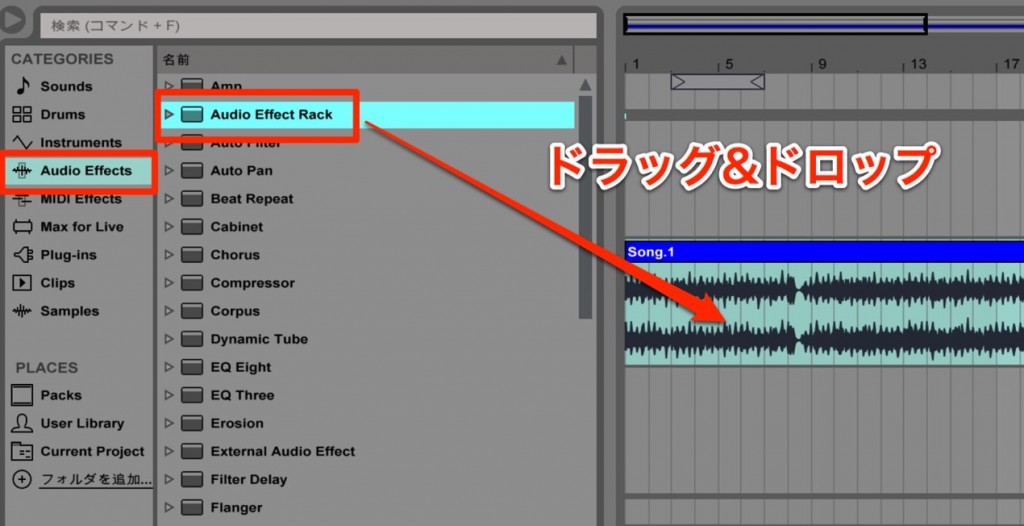
On the "2-mix" to be processed,
apply "Audio Effects" → "Audio Effect Rack."
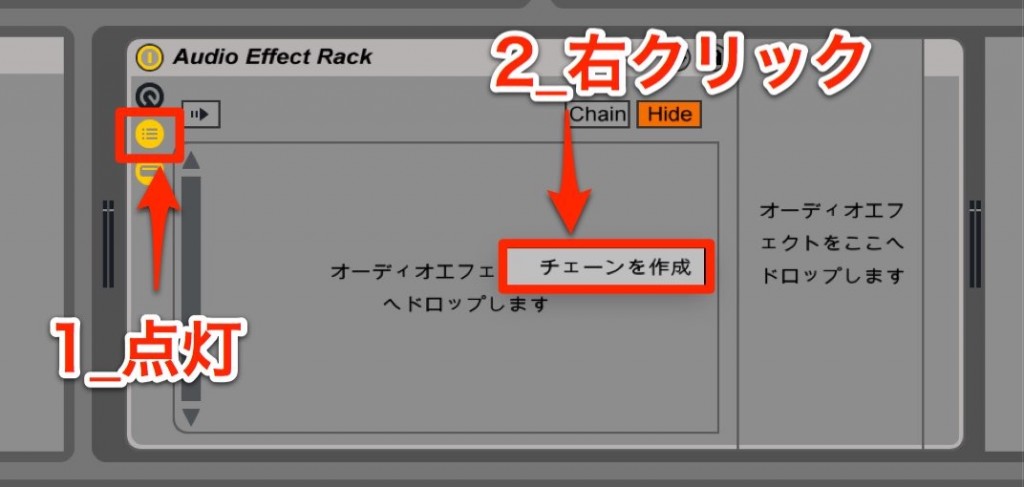
- 1. Turn on this section
- 2. Right-click and select "Create Chain"
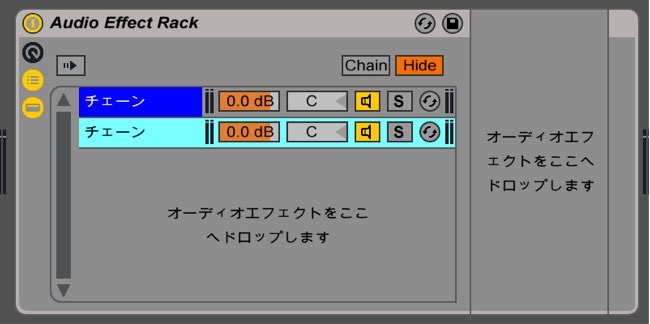
Do the above operation twice.
You now have two chains.
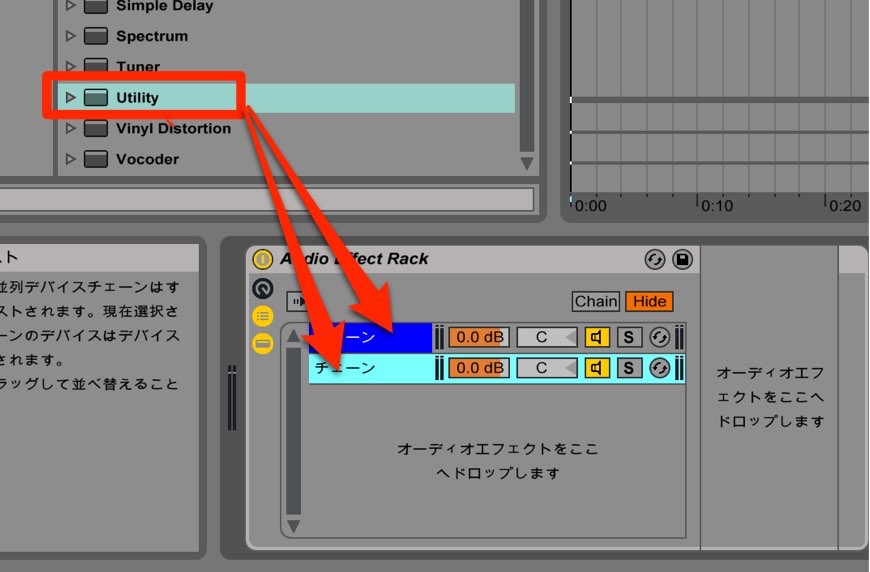
Apply the "Utility" effect to both chains.
Next, separate the "center" and the "sides."
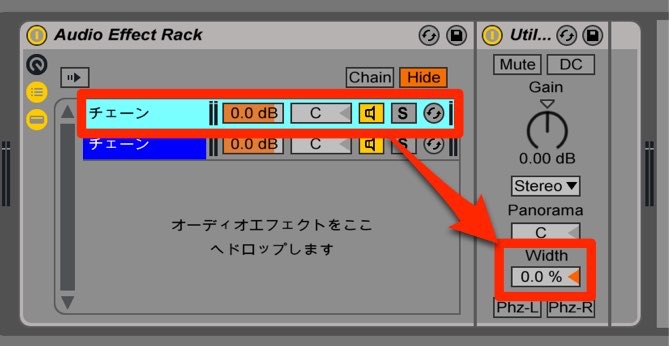
Set "Width" on one of them to "0%." (This becomes the center sound.)
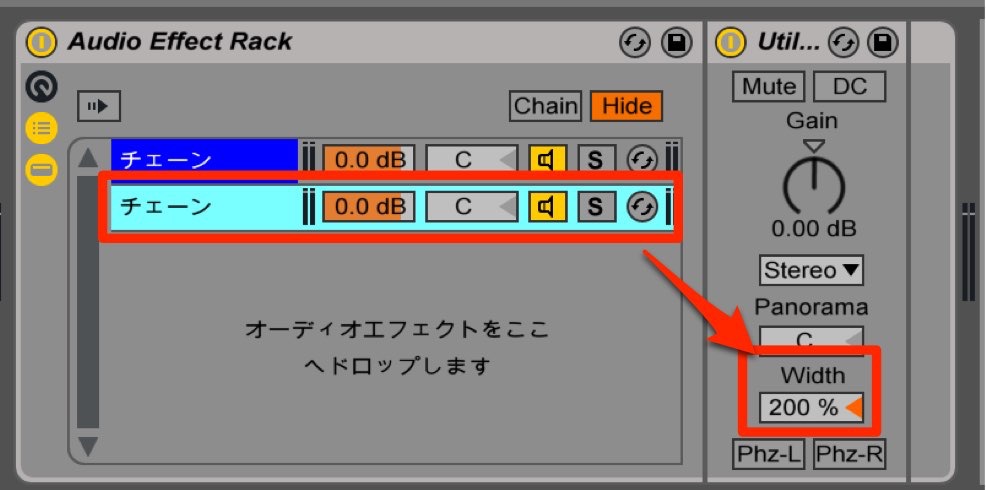
Set "Width" on the other to "200%." (This becomes the side sound.)
This completes the "M/S processing."
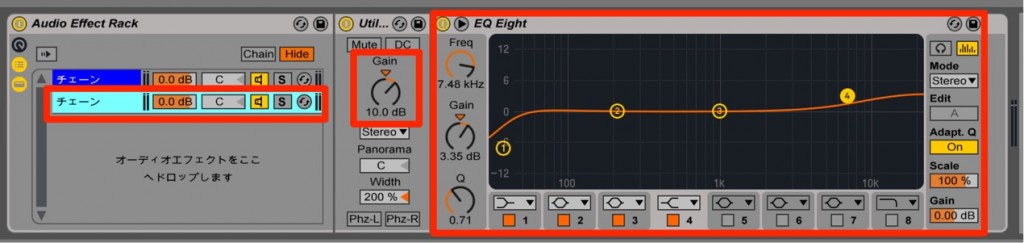
You can raise the volume of the sides, apply EQ, and so on,
for flexible sound design.
Plug-ins that make M/S processing easy
If the M/S method above seems a bit challenging,
here are plug-ins we recommend that make M/S processing easy.
Waves Center
Purchase the product: https://bit.ly/2XpJWgj
Frequently asked questions
Q1. What are the benefits of M/S processing in Ableton Live?
M/S processing lets you raise a song's loudness while also widening the stereo image. A major advantage is that by controlling the center and sides independently, you can get professional mastering quality more easily than in other DAWs.
Q2. What are the basic steps for M/S processing?
Apply two Utility devices in an Audio Effect Rack and set Width to 0% (center) on one and 200% (sides) on the other. This completes the M/S setup, and you can adjust each part individually with EQ or compression.
Q3. Can beginners do M/S processing easily?
If manual setup is difficult, we recommend dedicated plug-ins such as Waves Center and Waves MS Matrix. With these tools, you can perform high-quality M/S processing without complicated settings.
NEW ARTICLES
Latest English Articles











