
This article explains effect automation in Ableton Live, from the basics to practical uses. By automatically controlling any effect parameter over time, you can greatly expand your song's expressiveness. It takes just three simple steps: adding an effect to the track, selecting the parameter, and drawing the automation curve. You will also learn how to manage multiple automations at once. Mastering these techniques enables advanced sound design like that heard in DJ sets and EDM.
You Can Control Every Effect Value
So far, we have explained the basic operations of automation.
Once you have these down, you can express a great deal within a song.
This is a very important part, so please bear with us a little longer.
Here, we introduce something everyone has wanted to try at least once: effect automation.
You can record any effect value.
Track Envelope Video
Go to the product details page

How to Record Effect Automation
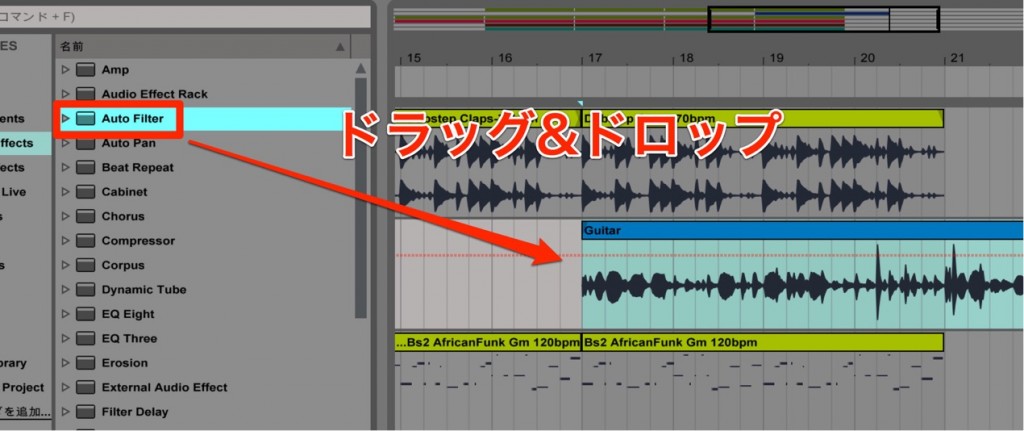
First, drag and drop an effect onto the track.
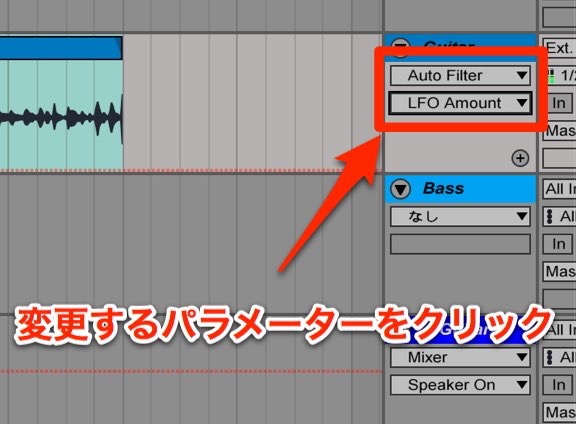
It is very simple.
- Click the parameter you want to record automation for
- The track display switches to that parameter
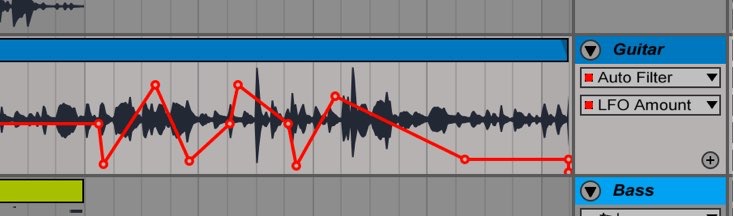
After that, just write the automation as usual.
Showing Multiple Automations
As your work progresses,
you will often assign multiple automations to one track.
You can view these automations as a list.
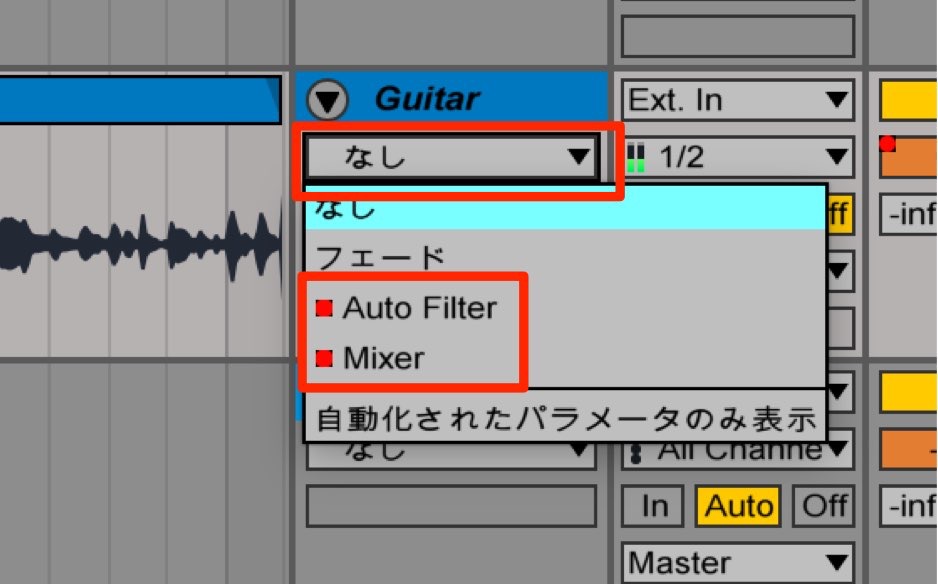
From the area outlined in red on the track,
you can check and select the automations currently in use.
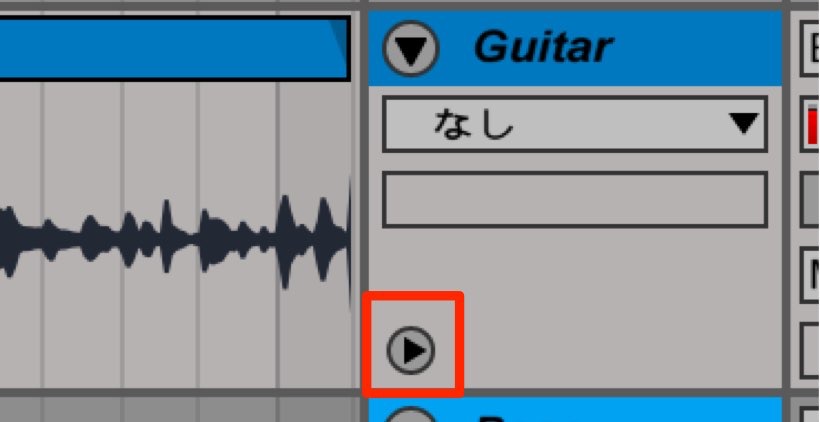
After displaying the automation you want,
click the "▶" outlined in red.
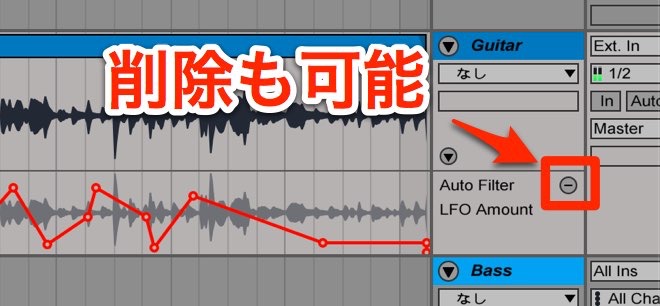
This lets you display each automation in its own lane.
Also, clicking "-" turns off the individual lane.
Frequently asked questions
Q1. What are the basic steps for recording effect automation in Ableton Live?
Drag and drop an effect onto a track, click the parameter you want to automate, and draw a curve on the track. It works the same way as regular automation, so even beginners can start easily.
Q2. Can I set multiple effect automations on one track?
Yes. After setting multiple automations, you can check and select the ones in use from the area outlined in red on the track, and click "▶" to show each in its own lane.
Q3. In what music genres can effect automation be used?
It can be used in many genres, such as EDM, DJ music, and club tracks. It is an essential feature for creative sound-making, such as filter automation and noise effects.
NEW ARTICLES
Latest English Articles











