
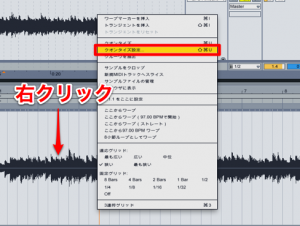
Audio quantize in Ableton Live lets you apply the same approach as MIDI quantize to audio material such as live instruments. Even if a recording's rhythm is off, you can right-click in Clip View, choose the quantize settings, and adjust the quantize value and the amount (how much correction to apply) to fix the rhythm without re-recording the take. Warp must be enabled, and setting the amount below 100% lets you adjust the rhythm flexibly while keeping the original feel.
You Can Quantize Audio Material, Including Live Instruments
You recorded a great take, but "the rhythm is off..."
Re-recording is one option,
but a take with real energy is not always easy to capture again.
In that case, try using audio quantize.
Just as with MIDI quantize,
you can apply quantize to audio material.
You can also use Groove Quantize from the previous article to match the feel.
You can review the basics of quantizing here.
How to Apply Audio Quantize
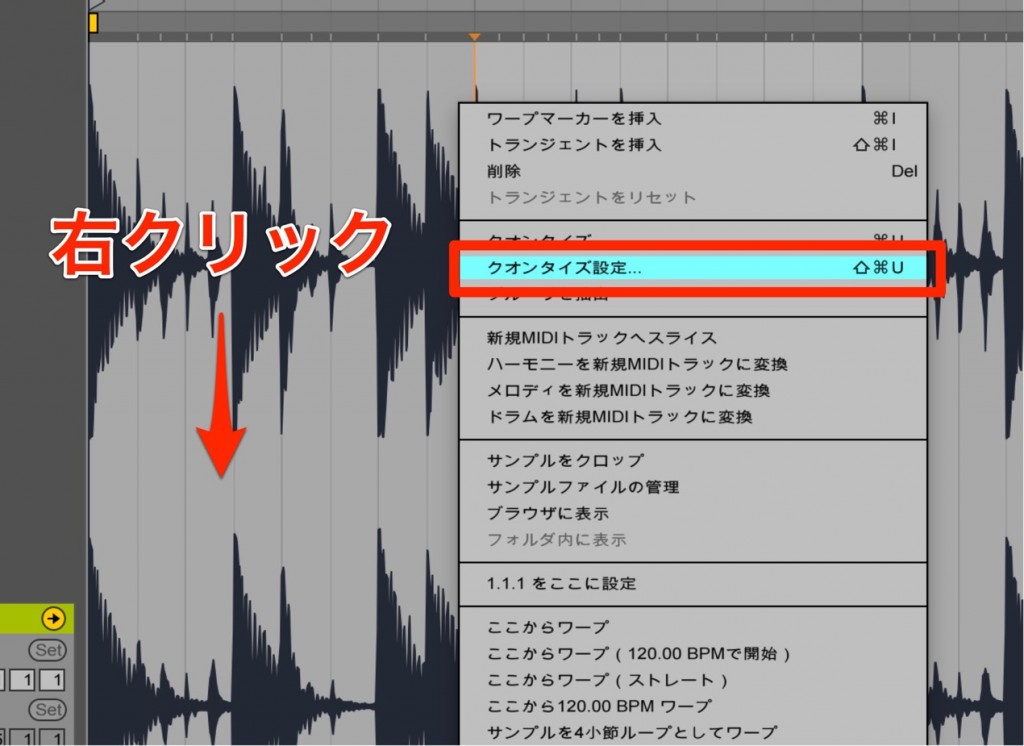
Right-click the waveform in Clip View.
From the menu that appears, select "Quantize Settings".
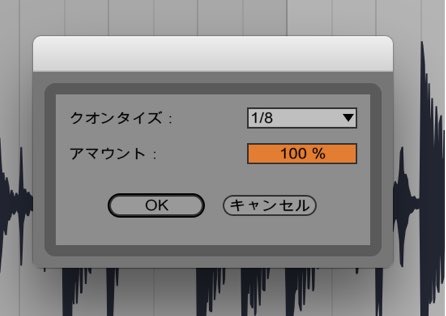
The quantize menu opens.
- Quantize: Select the shortest note value played in the phrase.
- Amount: Determines how precisely the rhythm is corrected.
At 100%, the rhythm is corrected to the exact positions.
To keep some of the original rhythmic feel, lower the value.
Make the settings above and click "OK."
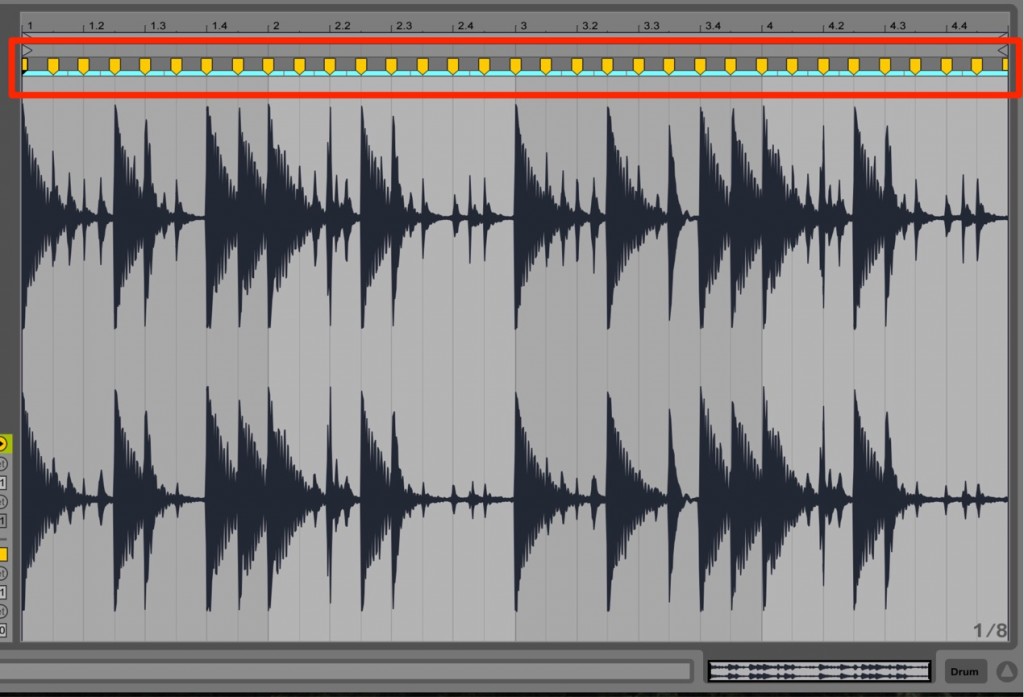
Warp markers are created and the quantize is applied.
Points to Note with Audio Quantize
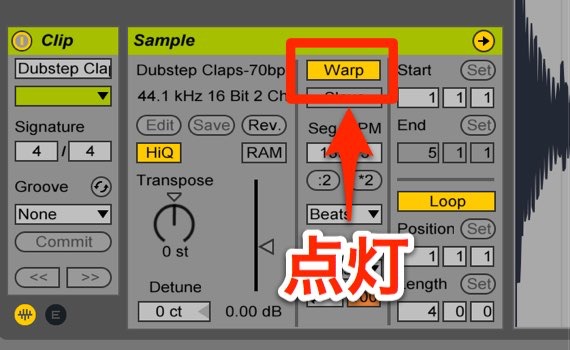
When using audio quantize,
the "Warp" button in Clip View must be on.
Frequently asked questions
Q1. What settings are required to use audio quantize?
The "Warp" button in Clip View must be on. Without it, audio quantize does not work. Enable Warp, then choose the quantize settings from the right-click menu.
Q2. What is the benefit of setting the amount below 100%?
With the amount below 100%, notes do not snap fully to the grid, so you can correct the rhythm while partly keeping the nuance and groove of the original performance. The result sounds more natural.
Q3. Can Groove Quantize be applied to audio material?
Yes. By using Groove Quantize with audio quantize, you can match the feel of audio material just as you can with MIDI.
NEW ARTICLES
Latest English Articles











