
This article explains practical techniques for creating a hard-hitting bass with a pulse wave, from oscillator settings to effects processing. By combining methods such as adjusting the pulse ratio of the Pulse-Saw PWM oscillator, reinforcing loudness with Unisono, and adding harmonics with Modulation, you can create a flashy bass sound with strong presence. Adding distortion with Classic Tube and depth with Dimension Expander completes a powerful bass or lead sound that drives the song.
A flashy sound with strong presence
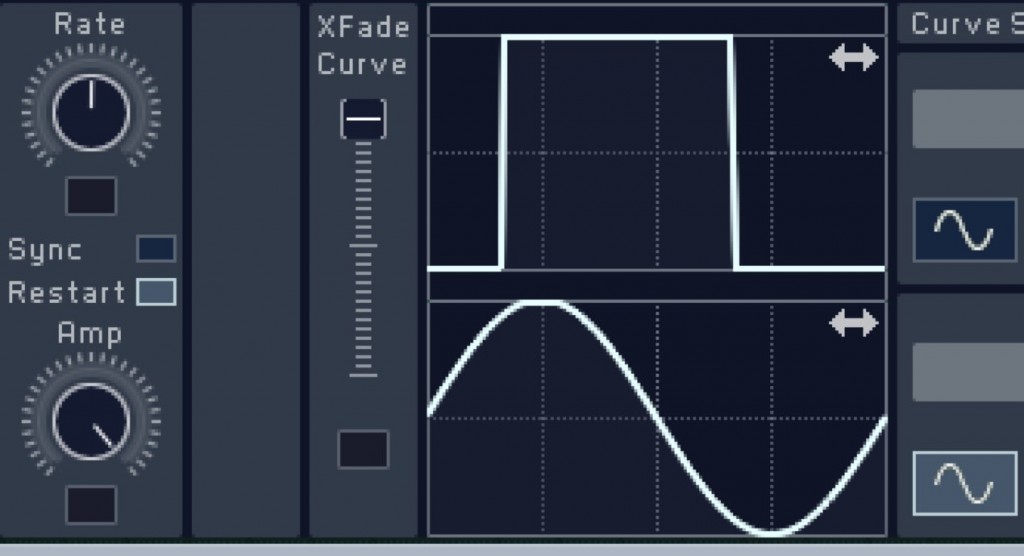
This time, we explain the "hard-hitting bass with a pulse wave."
The key is the "pulse wave," which gives the sound a distinctive character by changing the ratio of the square wave.
Its flashy, vibrant sound
is very well suited to bass and lead parts that drive the song.
Now let's get into the explanation.
How to create the sound
Oscillator settings
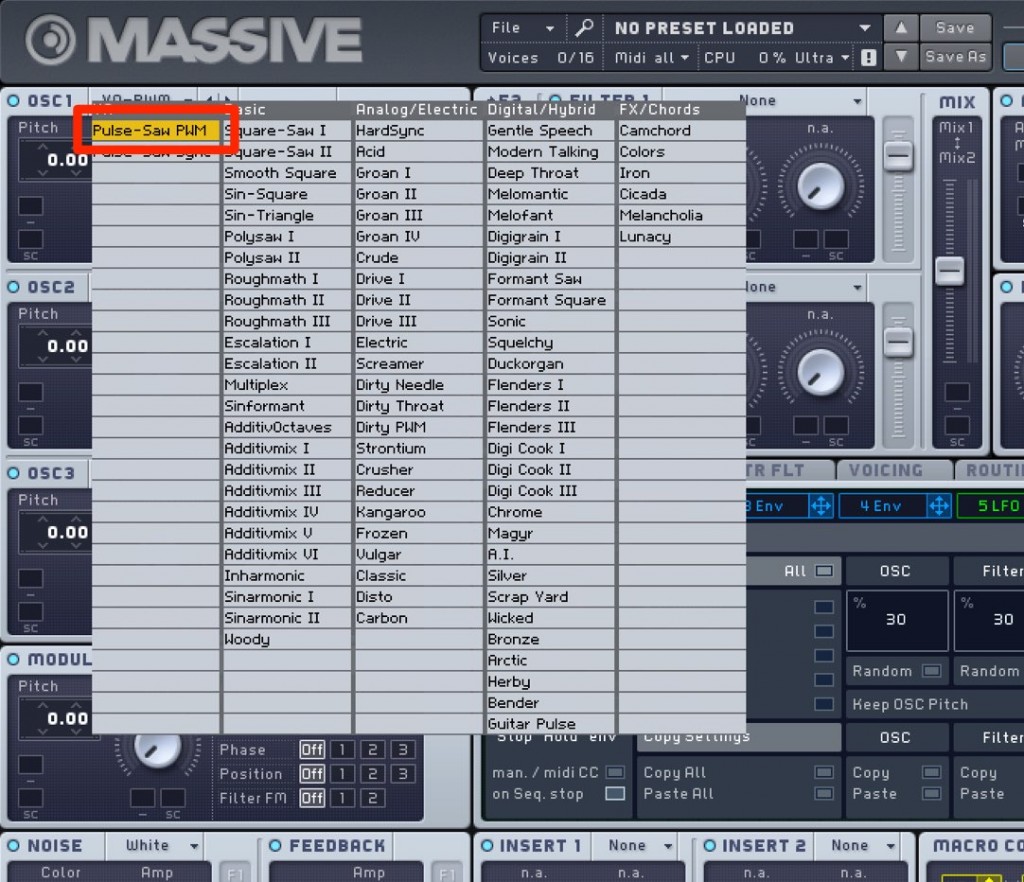
Select "Pulse-Saw PWM" for the OSC.
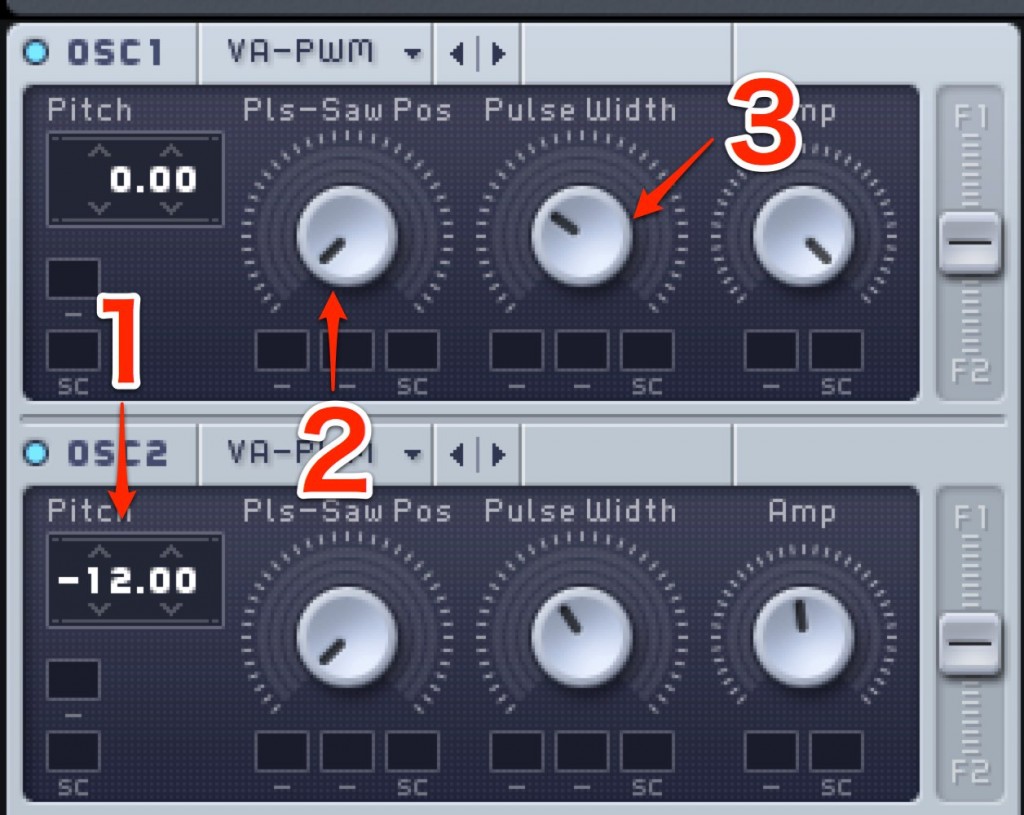
- 1. To add thickness to the sound, layering the second oscillator an octave apart is also effective.
- 2. Turning the knob all the way to the left produces a pure pulse wave.
- 3. Moving it away from the center adjusts the tone of the pulse.
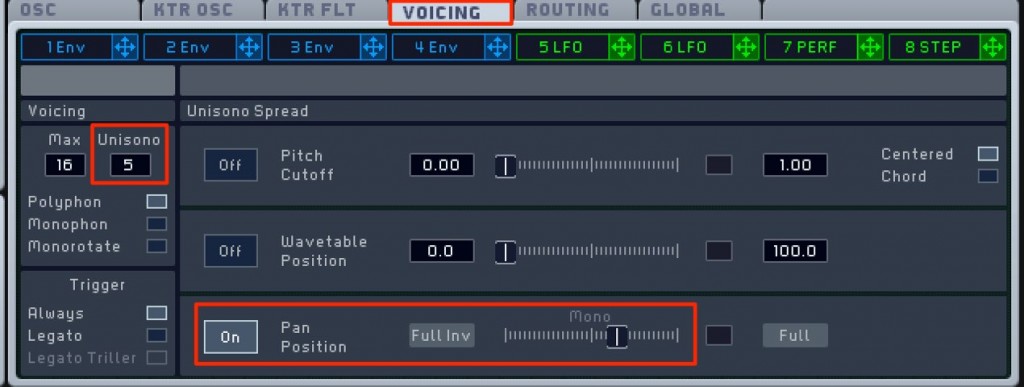
Go to "VOICING" and increase the "Unisono" count.
This adds thickness to the sound.
Widening the stereo image with "Pan Position" to suit the song is also effective.
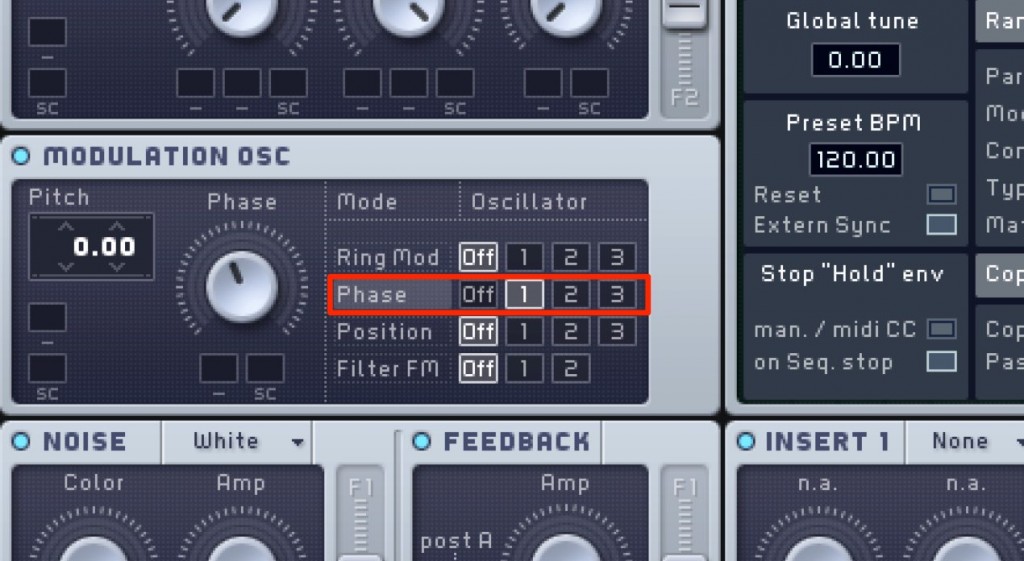
Select "Phase" under "Modulation" and apply it to the main oscillator.
This adds complex harmonics and gives you a flashy, bright sound.
ADSR settings
Next, let's set the ADSR for volume.
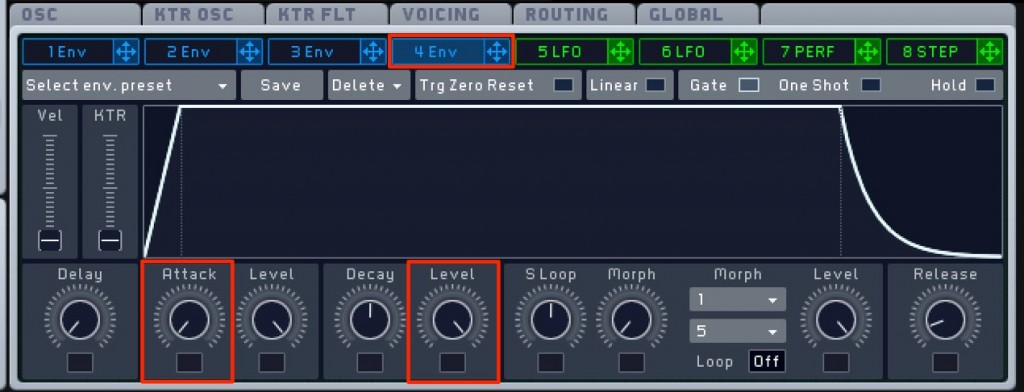
Set Attack to the fastest setting and Level to maximum.
This gives you a sound with a quick, punchy response.
Effect settings
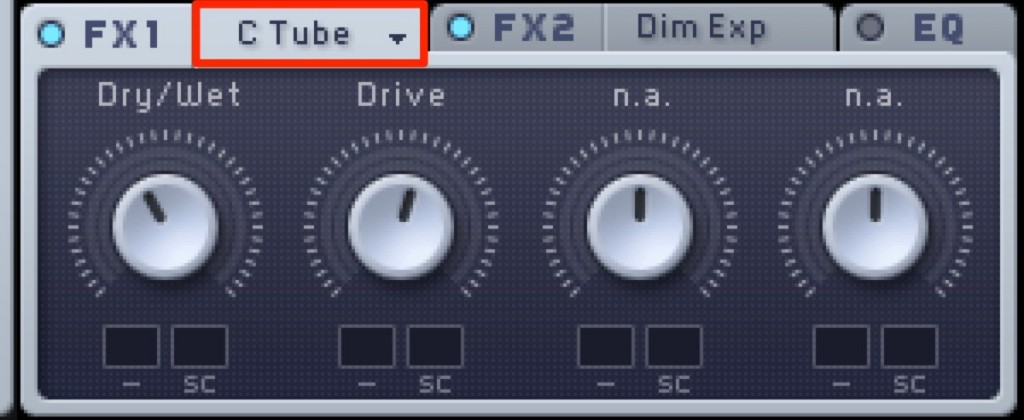
Adding distortion with "Classic Tube"
makes the sound thicker and more aggressive.
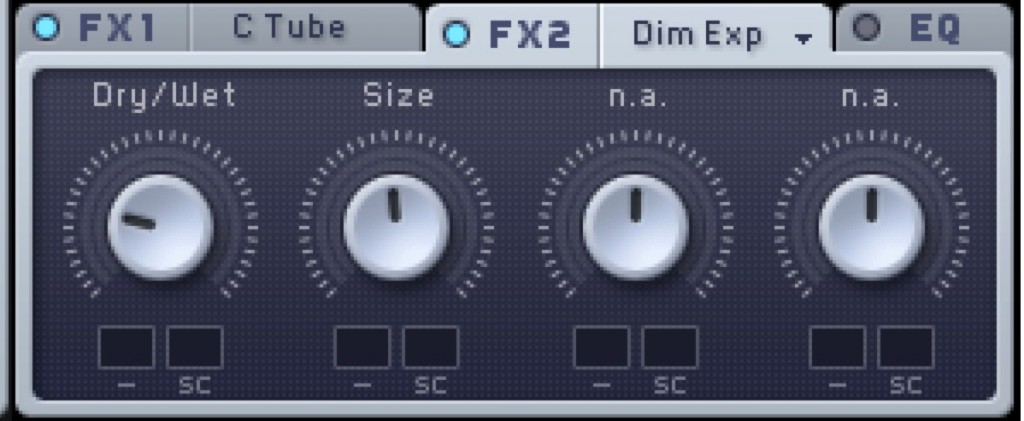
"Dimension Expander" lets you add natural depth to the sound.
Frequently asked questions
Q1. What is the first setting when making a hard-hitting pulse wave bass?
First, set the oscillator to "Pulse-Saw PWM" and turn the knob all the way to the left to create a pure pulse wave. Then adjust the tone of the pulse by moving it away from the center.
Q2. How can I add thickness to a pulse wave bass?
Increasing the Unisono count in VOICING adds thickness to the sound. Layering the second oscillator an octave apart is also effective, as is widening the stereo image with Pan Position.
Q3. Which effects make the sound thicker and more aggressive?
Adding distortion with Classic Tube makes the sound thicker and more aggressive. Using Dimension Expander as well adds natural depth.
NEW ARTICLES
Latest English Articles











