
In synthesizer sound design, once you have shaped the tone with the filter, it is important to control how the volume changes with the AMP envelope. By understanding the four ADSR parameters (attack, decay, sustain, release), you can create sounds with completely different impressions from the same tone. Attack sets how the sound starts, decay and sustain set how the volume changes while you hold the key, and release sets how the sound tails off after you let go. Depending on how you combine these parameters, you can create a wide range of sounds, from crisp, percussive sounds to soft, spacious pads.
AMP _ Envelope: Controlling the Synthesizer's Volume
After shaping the tone in the filter section, you adjust the volume in the AMP section.
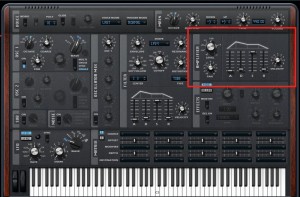
This volume control is an important element that determines the character of a sound.
Even with the same tone, you can create sounds with completely different impressions.
The part that changes the volume is called the envelope.
It is an essential topic for controlling synthesizers from here on,
so make sure you check it carefully and learn it now.
Let's get started.
ADSR Video
Selected questions and answers from the YouTube video

How do you open the window on the right that shows the waveform, which appears from around 4:22?

The window on the right is a product called Q10 released by Waves, and unfortunately it is not included with Studio One.
&t=102s
*The explanation starts at 1:42.
Controlling the Envelope
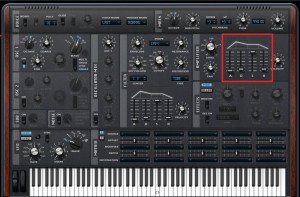
The area outlined in red is the envelope.
It is labeled "A," "D," "S," and "R," and each has its own meaning.
These parameters are also common to every synthesizer and sampler.
A_Attack
This part determines how the volume rises.
"A" stands for "attack."
How long does it take to reach maximum volume?

↑ This is the fastest attack setting.
The sound starts the moment you press the key.
Many instruments, such as percussion, guitar, and piano, have this kind of attack.
Sound

↑ This is a setting with a delayed attack.
It gives a soft, swelling "whoosh" impression, like a pad.
Sound
R_Release
Before D and S, let's look at R.
"R" stands for "release."
It is how much sound remains (the tail) after you release the key.

↑ This is the shortest release setting.
The sound stops the moment you release the key.
Keep it short when you want a crisp sound.
Most instruments leave a tail even after you stop playing.
With that in mind, raising it just a little gives a more natural feel.
Sound

↑ This is a setting with a long release.
The sound lingers for a while after you release the key.
Spacious sounds such as pads are often set with a very long release.
Sound
"D"_Decay "S"_Sustain
"D" stands for "decay,"
and "S" stands for "sustain."
These two are closely related, so we will explain them together.

"S" (sustain)
determines, while you hold the key, at what volume the sound keeps playing.
"D" (decay) is
the time it takes to go from the attack (maximum volume) to the sustain level.
It is quite hard to explain in words (lol).
First, what matters is the sustain value.
This is the final volume while you keep holding the key.
Here is something super important.

↑ While you keep holding the key,
the volume is held at the sustain level.
Then, when the key is released, it moves on to the release stage.
This means that
if the sustain is raised even slightly, the sound keeps playing as long as you hold the key.
The sustain sets the volume at which it keeps playing.
If you set it to 0, the sound eventually becomes silent.
The decay sets how long it takes to become silent. ↓

Also, if you keep holding the key
and the volume reaches silence, the release is ignored.
Finally, let's look at the relationship in a little more detail.
Decay at MAX, Sustain at Zero


↑ With sustain at zero, the sound will "eventually" become silent.
That "eventually" is determined by the decay value.
With decay at MAX,
the volume falls to silence over a long time.
Sound
Decay at Any Value, Sustain at MAX


↑ With sustain at MAX,
the volume does not fall from the attack.
So whatever value you set for decay, it has no effect.
The sound keeps playing at maximum volume.
Organs are a typical example.
Sound
Decay a Little, Sustain at Zero


↑ It is similar to the first envelope,
but its defining feature is the short decay.
Sustain is 0, so the sound "eventually" becomes silent.
Since the decay that sets "eventually" is short, it becomes silent very quickly.
You can create the familiar bleepy, blippy sounds.
Sound
Decay a Little, Sustain a Little


↑ The decay is short, so it quickly reaches the sustain level.
Because the sustain is low, the volume drops sharply and the attack is emphasized.
It sounds close to a piano or guitar. (Real instruments always decay to 0, though.)
This is also a familiar sound.
Sound
Summary
First of all, this article was tough to write (lol).
I think I have conveyed the important overview.
Work out how the volume changes in the sound you hear in your head,
and try creating the ADSR (envelope) described above.
As mentioned at the beginning, this concept applies widely to synths, samplers, and more.
It's fine if it takes time.
I would be happy if you come to understand it fully.
Frequently asked questions
Q1. Is the ADSR envelope common to all synthesizers?
Yes. ADSR is a standard set of parameters common to almost all sound production tools, including synthesizers and samplers. Once you understand it, you can apply it to many plugins and hardware instruments.
Q2. What kind of sound do I get with a slow attack?
A slow attack gives a soft, elegant, swelling sound. It is suitable for sounds that rise gently, such as pads and strings.
Q3. Does a longer release sound closer to a real instrument?
Yes. Most instruments leave a natural tail after you stop playing, so setting an appropriate release gives a more natural result. Pads in particular often use long releases.
Q4. What happens to the sound if I set the sustain to 0?
With sustain at 0, the volume always falls to silence even while you hold the key. How long it takes is determined by the decay: a short decay fades quickly, and a long decay fades gradually.
NEW ARTICLES
Latest English Articles











