
"Session Loops" is a web service that simplifies making guitar tracks, said to be the hardest part of DTM production. Guitar loops chosen from multiple genres and styles can be freely customized in chord progression, tempo and key, so you can create a guitar track that perfectly matches your song in a short time. Available from $5.99 per month, and with basic custom loop creation possible just by registering as a user, it is attracting attention as a tool that lets anyone easily generate professional guitar tracks regardless of their music production experience or knowledge.
A Groundbreaking Tool That Creates Guitar Loops with Any Chord Progression
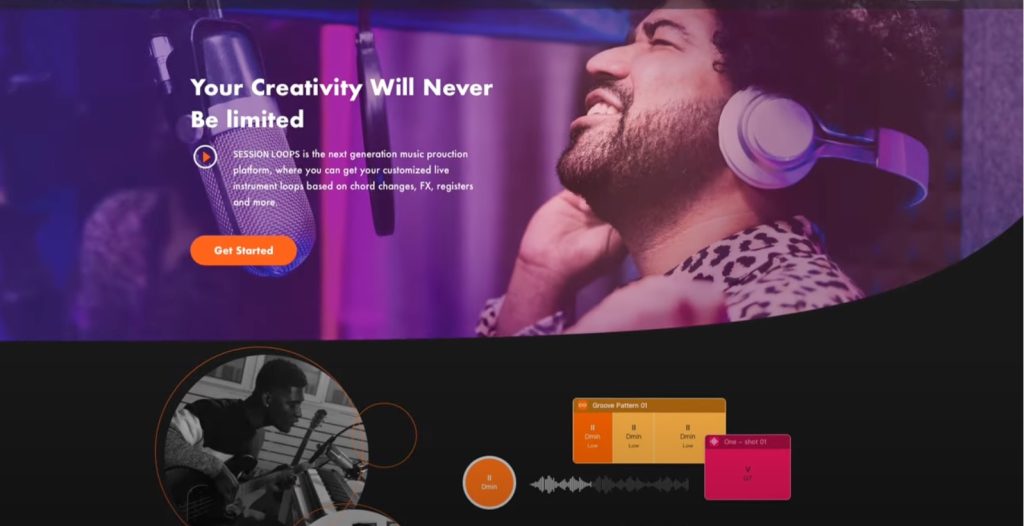
Guitar tracks are said to be the hardest thing to produce in DTM.
It is hard to recreate a realistic feel by programming, and with loop samples it is hard to find one that matches the song.
Many of you are probably troubled, not knowing what to do in the end.
"Session Loops," introduced here, is a web service that clears these problems and lets you create guitar tracks simply and easily.
Let's get right into the explanation of the product.
Session Loops Video
How to Use Session Loops
The Browse page has multiple packs in different genres and styles, each containing different playing patterns.
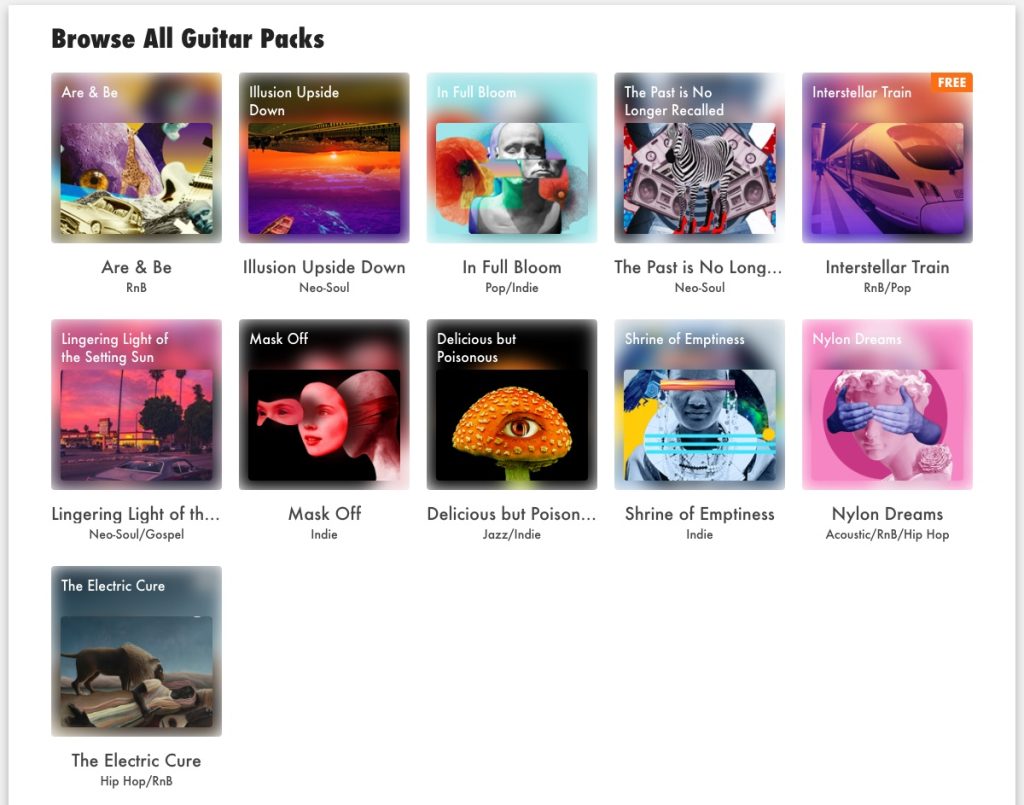
When you select one, all the loops in the pack are displayed, and to use them as they are, download them.
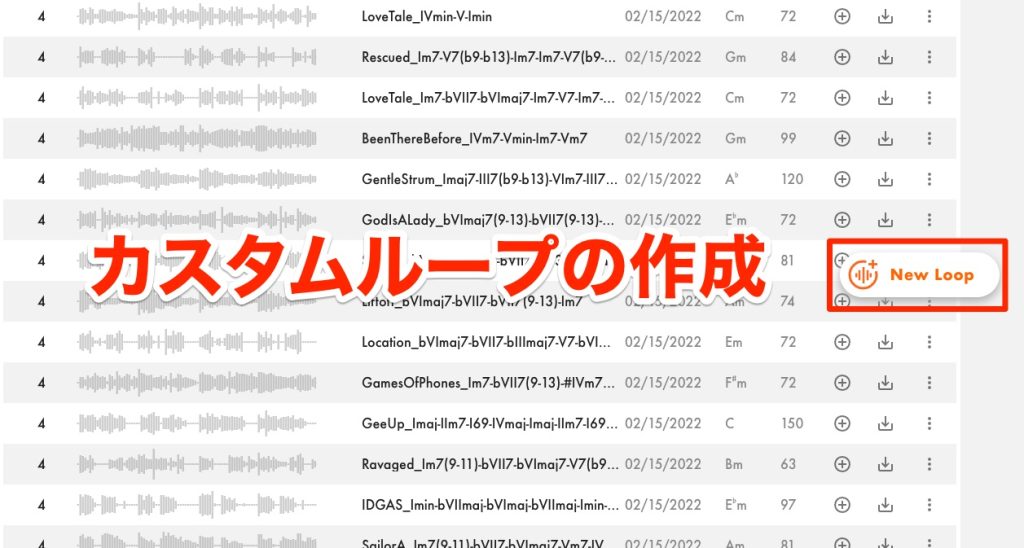
The service's distinctive feature is that you can customize what the loop plays to your liking. To do so, click [New Loop] to open the editing screen.

Specify the number of bars, key and BPM of the loop to create,
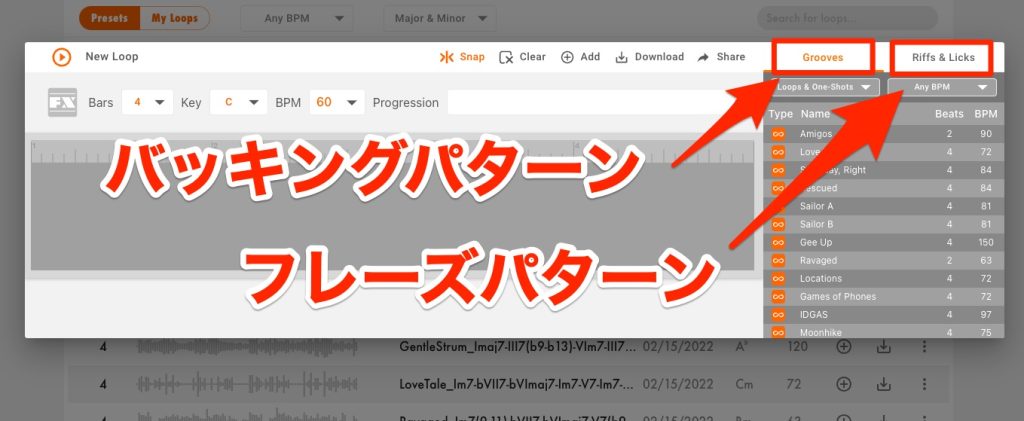
and look for phrases to use in [Grooves], which contains chord backing patterns, or [Riffs & Licks], which contains single-note and chord patterns.
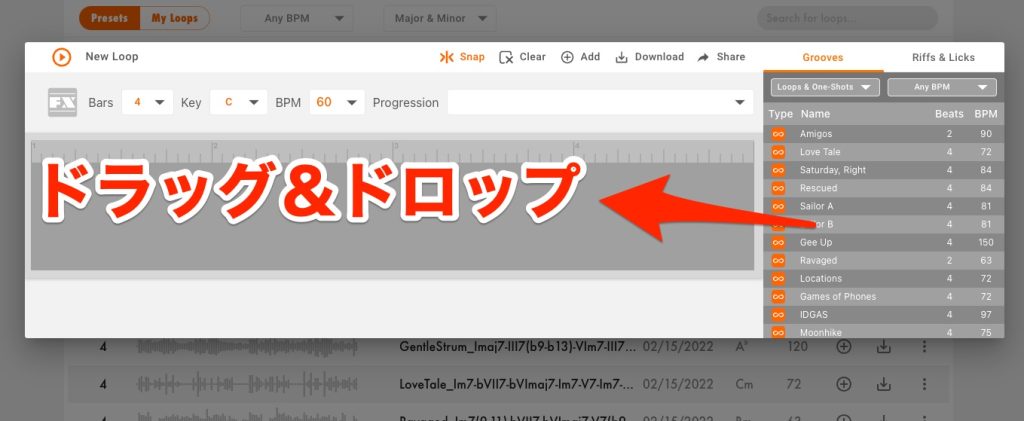
Drag patterns onto the timeline on the left to create the basic form of the pattern.

Of course, you can combine multiple patterns, and you can also trim part of a phrase to use.

To check the sound, press the play button at the top left.
Changing the Chords
Once you have decided on the pattern to play, change the chord progression.
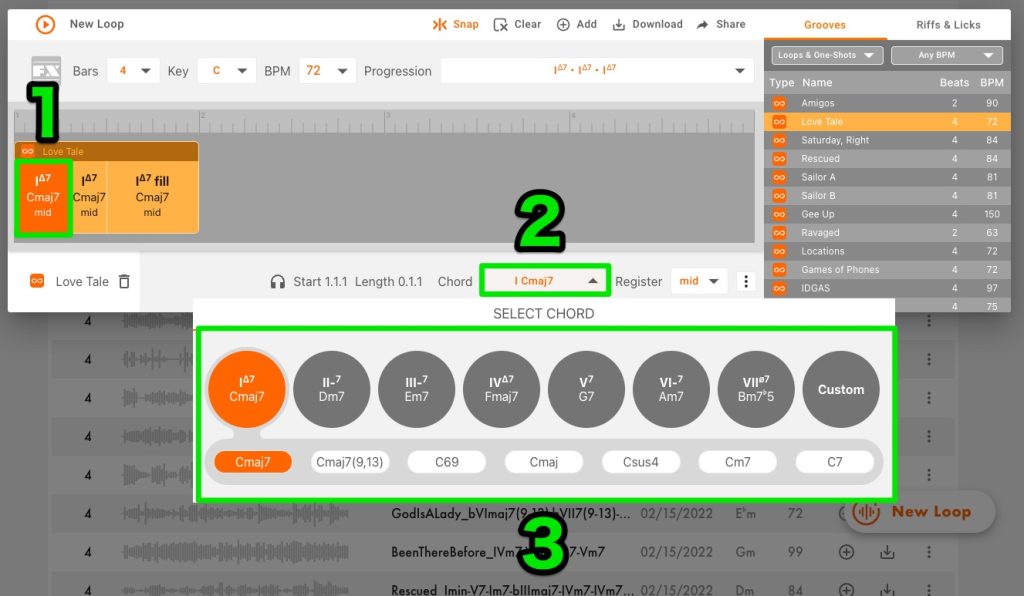
Select the chord you want to change and click [Chord] at the bottom to show the chord list.
You can freely choose and change chords from this list.
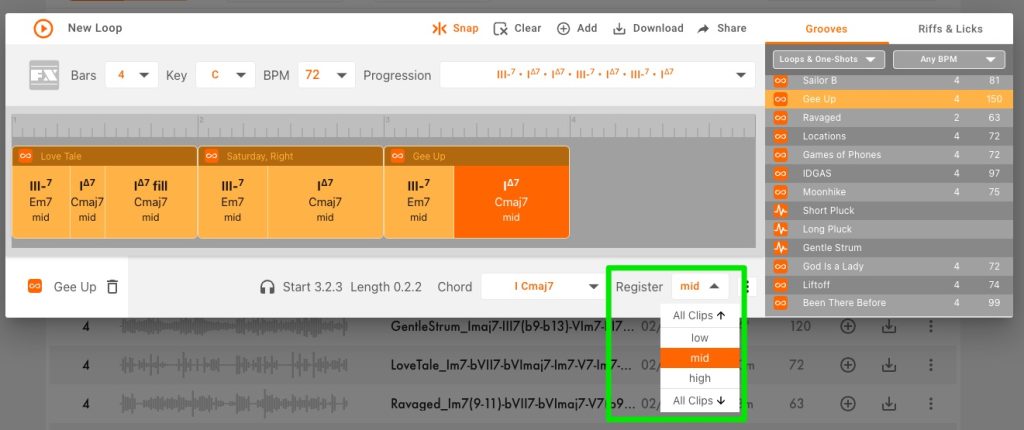
[Register] lets you change the chord position, which is convenient for changing the pitch range to your liking.

Some patterns show [Fill], and selecting it lets you add a fill.
Using Chord Progression Patterns
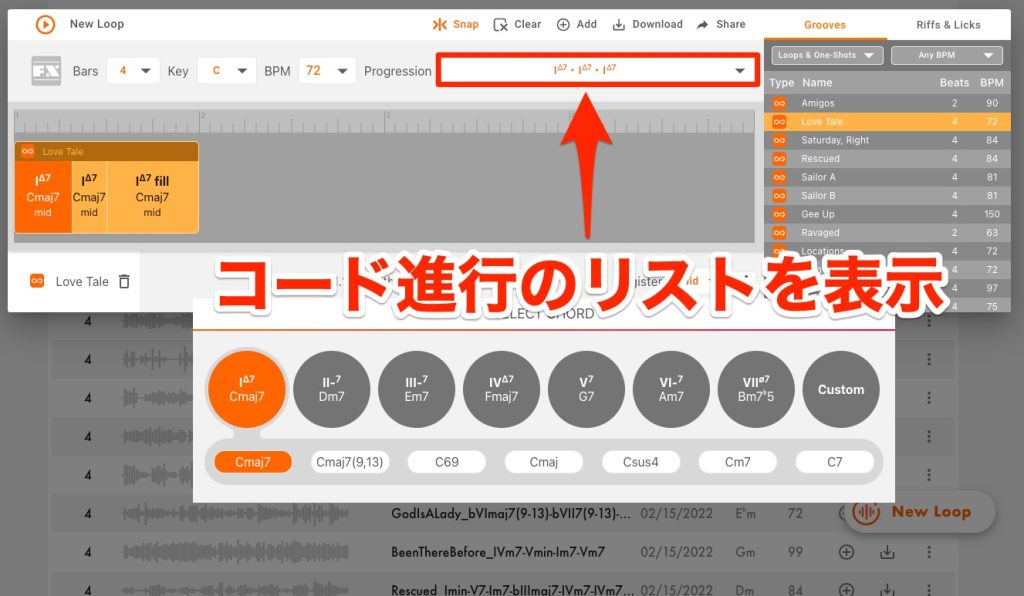
If you have not decided on the chord progression for the pattern you want to create, you can show a list of chord progressions from [Progression].
Selecting one applies it to the pattern you are creating all at once.
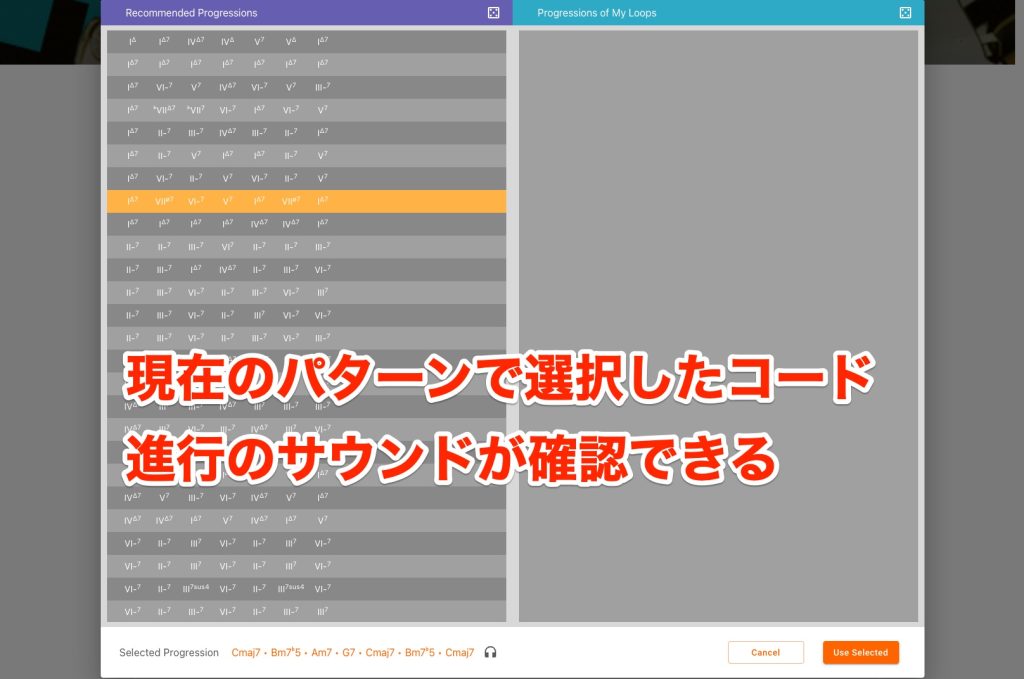
You can hear the sound as soon as you select a chord progression, so even those who do not know chord symbols can use it by listening.
Tips for Creating Custom Patterns
If you greatly change the tempo or pitch from the original loop, the sound may take on an unnaturally processed feel.
When creating custom patterns, be sure to check that the output sounds as intended.
About Pricing
Monthly and annual subscription plans are available. There is no difference in features between plans; the difference is in how many samples you can download.

- Essential: $5.99 per month, up to 75 loops per month
- Artist: $9.99 per month, up to 200 loops per month
- Studio: $59.99 per year, up to 1,200 loops per year
Another attraction is that subscribing lets you use [DrumNet], the company's AI-powered drum sample generation plug-in.
How did you find it?
At the moment, the range of genres it can generate is not yet wide and the freedom of the sound is limited, but I felt that as it evolves, it will be a groundbreaking tool that lowers the hurdles of music production.
If you register as a user, you can create custom loops even without a subscription, so if you are interested, please give it a try.
Session Loops
Guitar tracks are said to be the hardest thing to produce in DTM. Many of you are probably troubled by them.
"Session Loops" is a web service that lets you create guitar tracks simply and easily.Article: https://t.co/fNEHvBSj2w
Video: https://t.co/V7I64JxKaA#dtm #guitar pic.twitter.com/VpWMbHO7xc
— SLEEP FREAKS (@SLEEPFREAKS_DTM) March 30, 2023
Frequently Asked Questions
Q1. Who is Session Loops recommended for?
It is ideal for DTM beginners who cannot play guitar, those who want to make realistic guitar tracks in a short time, and those who cannot find the ideal sound in loop samples. Even without knowledge of chord symbols, anyone can use it because you can choose by listening.
Q2. How should I choose a Session Loops pricing plan?
"Essential" (up to 75 loops per month, $5.99 per month) is for trying it out, "Artist" (200 loops per month, $9.99 per month) is for regular production, and "Studio" (1,200 loops per year, $59.99 per year) suits serious production. A subscription also lets you use the AI drum plug-in "DrumNet."
Q3. Can I use it without knowledge of chord progressions?
Yes. With the "Progression" feature, you can choose from a list of generated chord progressions, and you can decide by listening even if you do not know chord symbols, so knowledge of music theory is not required.
NEW ARTICLES
Latest English Articles











