Serum 2 is a major update to the synthesizer plugin used by producers around the world. This article explores its new features, including three oscillators and five oscillator types such as Wavetable, Multi Sample, and Granular; the Clip sequencer and arpeggiator; expanded filters and LFOs; and a mixer with effects buses. These additions offer beginners and advanced users more flexibility in sound design and production workflows.
A closer look at a major synthesizer update
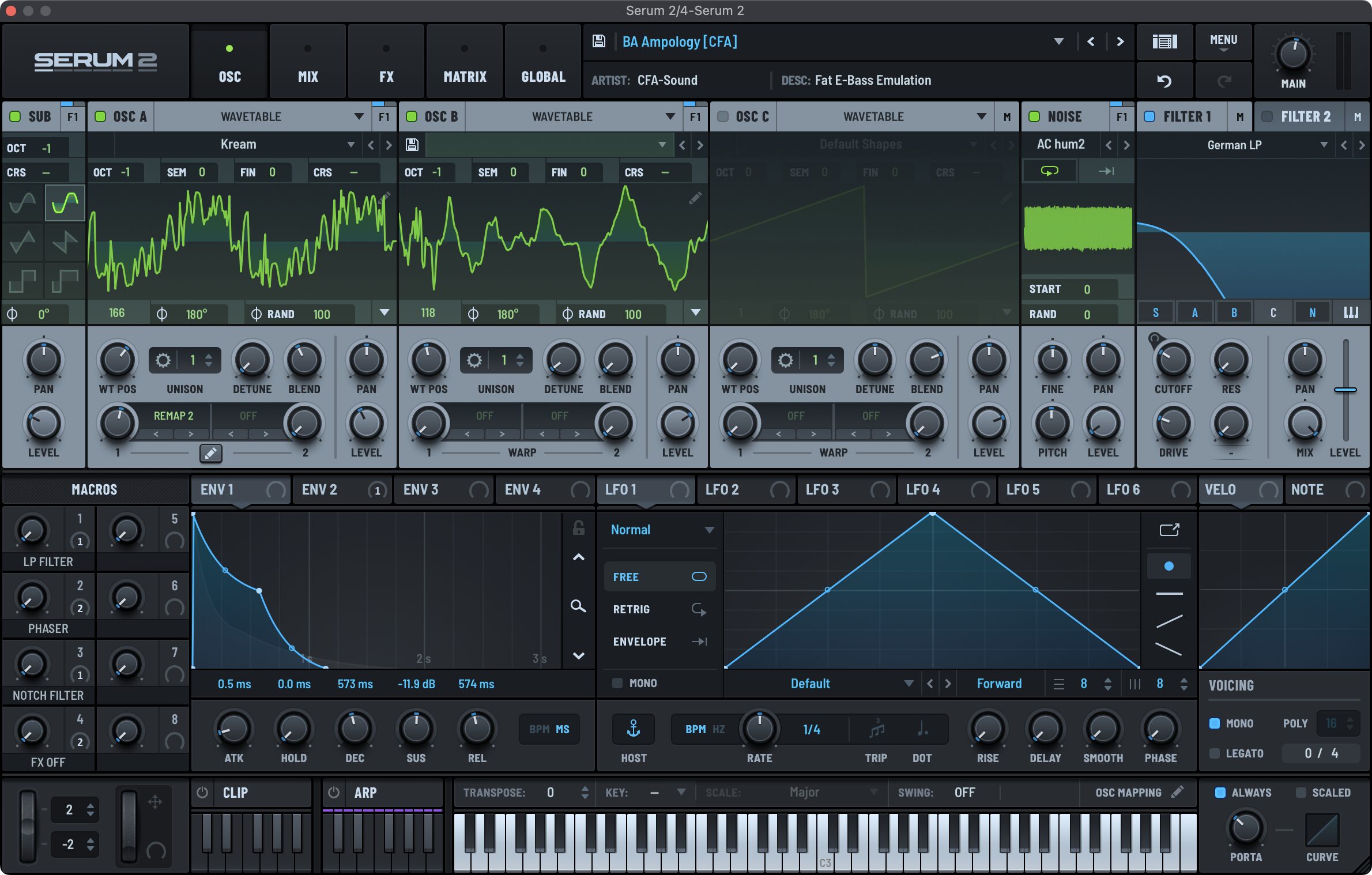
Synthesizers are essential tools for music production.
Serum has earned support from creators worldwide for its intuitive workflow and high-quality sound.
The long-awaited version 2 introduced many new features that expand music-making possibilities. Here we explore the main additions.
What's new in Serum 2
New presets using the added features
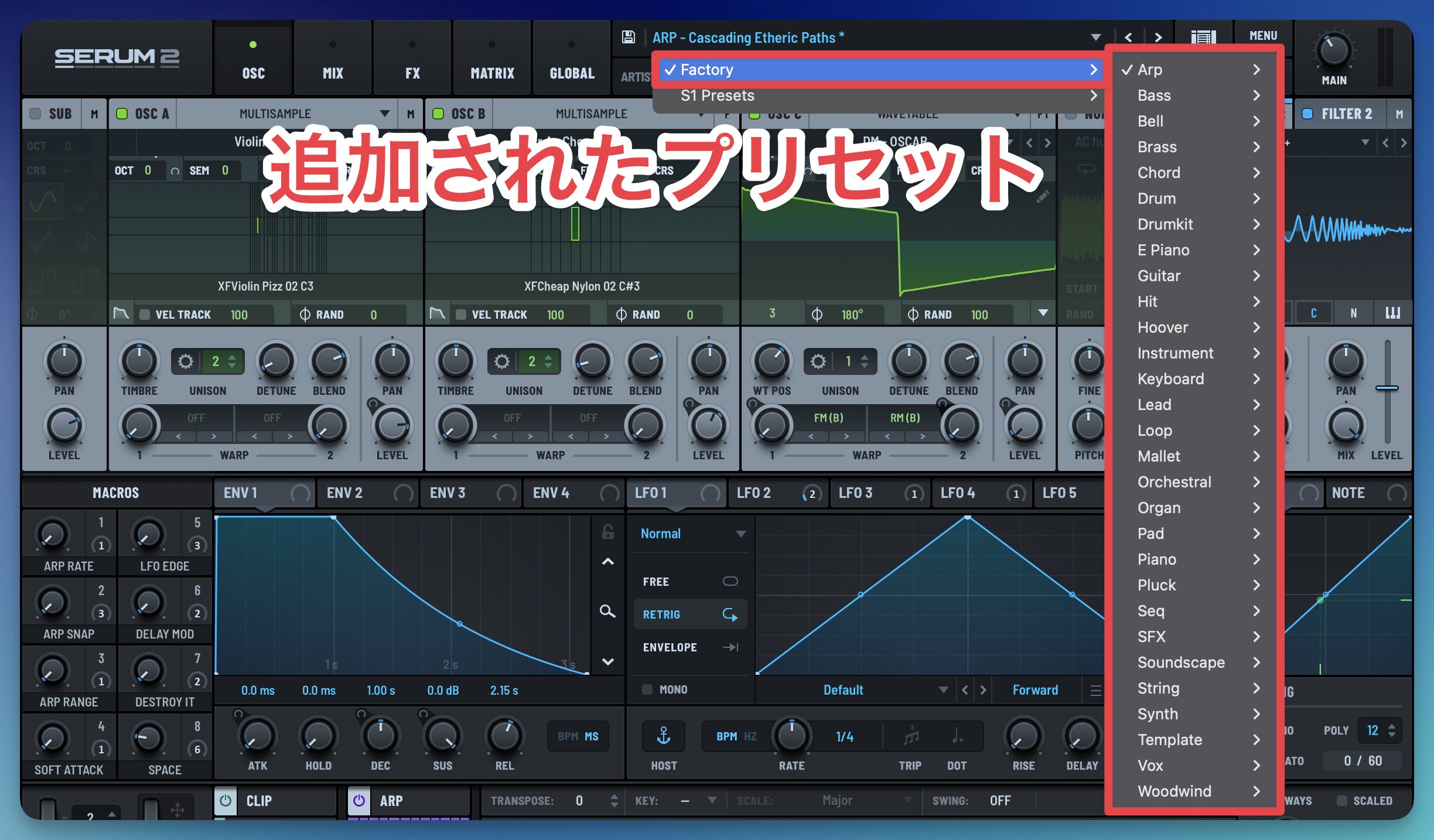
The update adds and enhances a range of features, greatly expanding the available sounds. It also includes new presets that use these features.
Oscillator updates
The oscillator section has been greatly expanded, allowing a wide range of sounds.
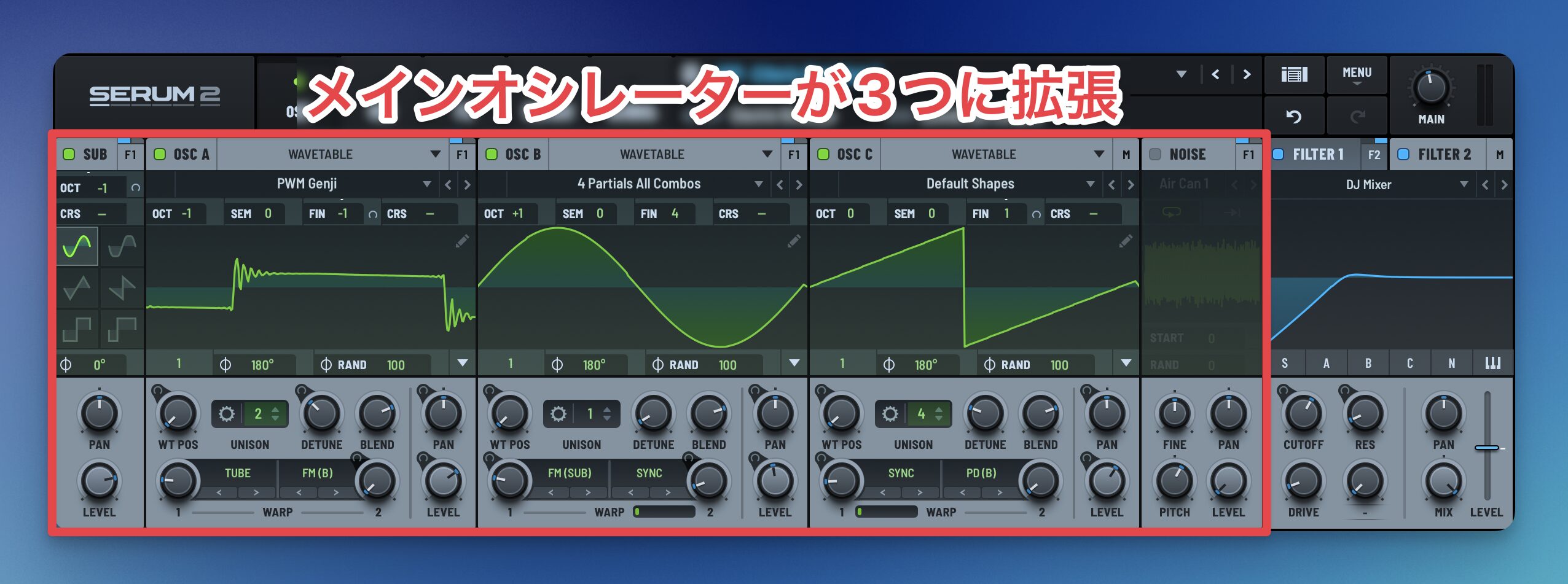
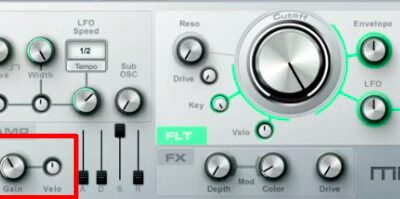
Alongside OSC A and OSC B, the newly added OSC C is immediately noticeable.
Three main oscillators make more complex sound design possible.
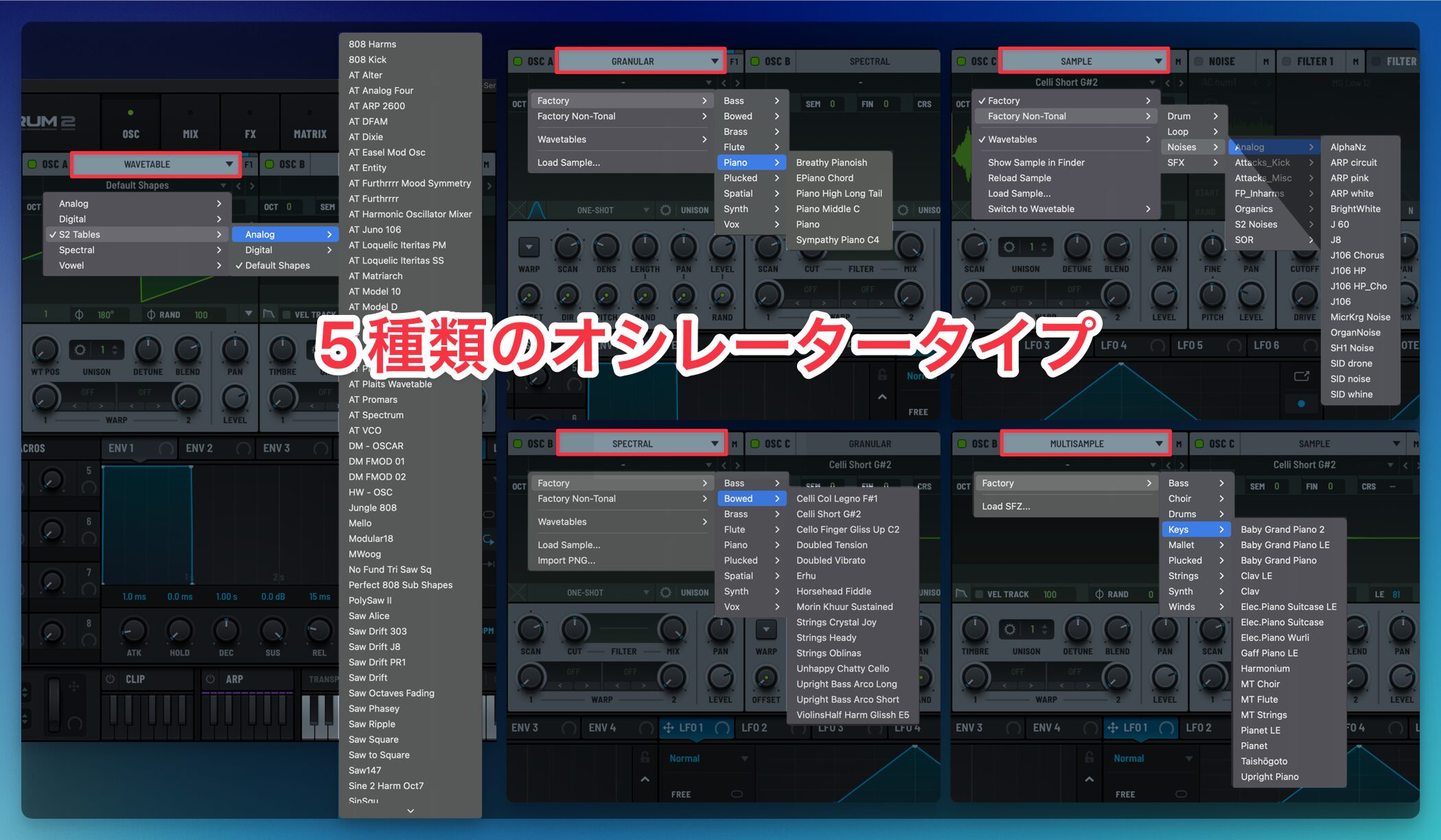
The number of oscillator types has also expanded from one to five, with more advanced sampling capabilities.
In addition to electronic synth sounds, Serum can now work with sounds of acoustic instruments such as piano and brass.
The oscillator types are:
- Wavetable: the original oscillator type, smoothly morphing between waveforms to create moving sounds.
- Multi Sample: switches between multiple samples across key ranges and velocities to reproduce natural instrument sounds.
- Sample: loads external audio and offers slicing for a range of sample-based sounds.
- Granular: divides and reconstructs samples as tiny grains to create distinctive textures.
- Spectral: uses frequency analysis for independent time and pitch control and unusual sounds.
Stereo support for NOISE
The noise oscillator has also been updated.
Previously, even stereo samples played in mono; now stereo samples can be played in stereo.
Clip sequencer and arpeggiator
Clip module: save and recall phrases
Serum 2 adds phrase-pattern features as well as sound design tools.
The Clip module, opened from the lower part of the interface, lets you create, edit, and play MIDI phrases directly within Serum, improving production efficiency.
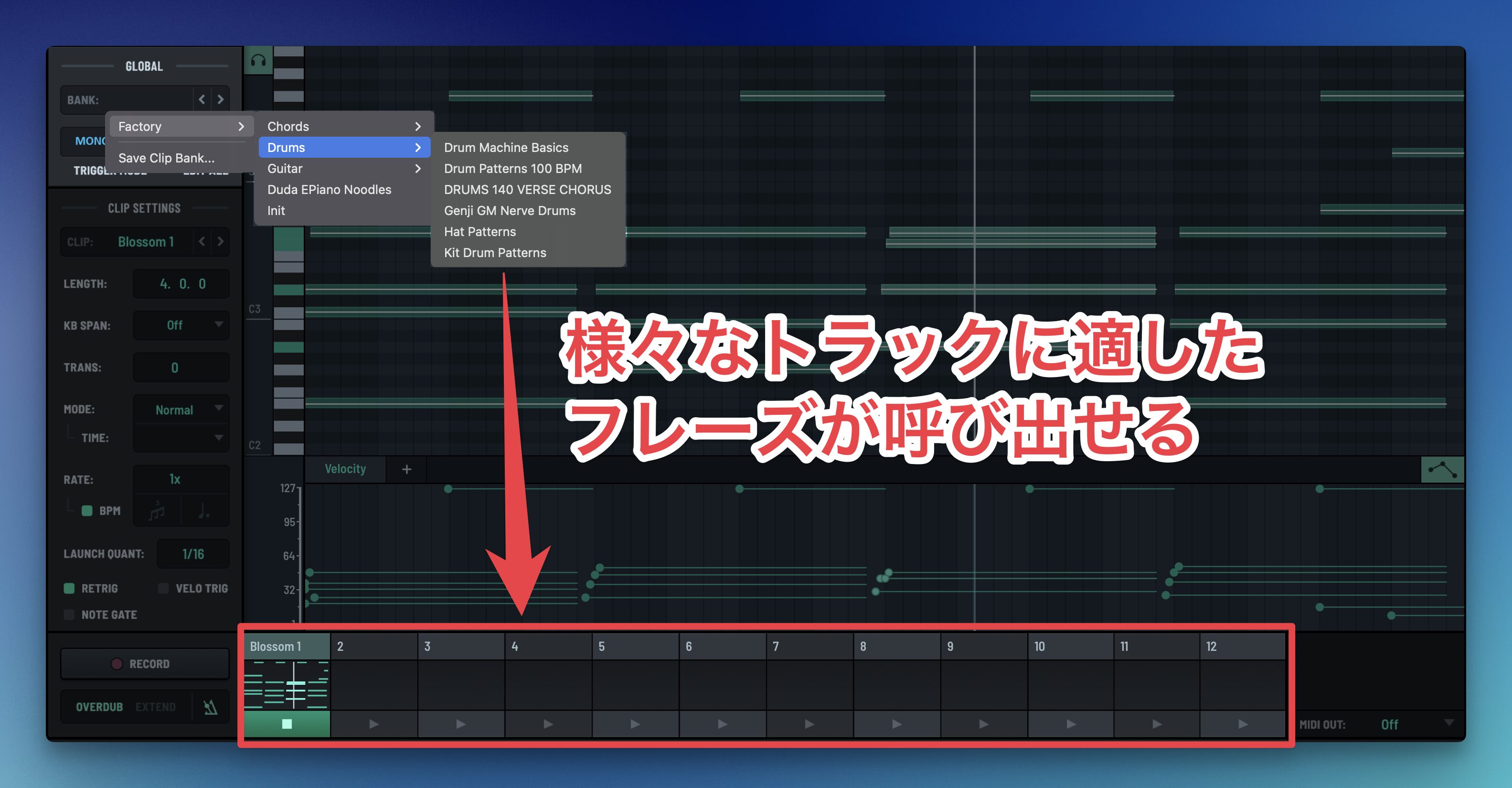
Its editing view offers a MIDI note editor similar to a DAW, with clip management and preset selection on the left.
Clip module demonstration
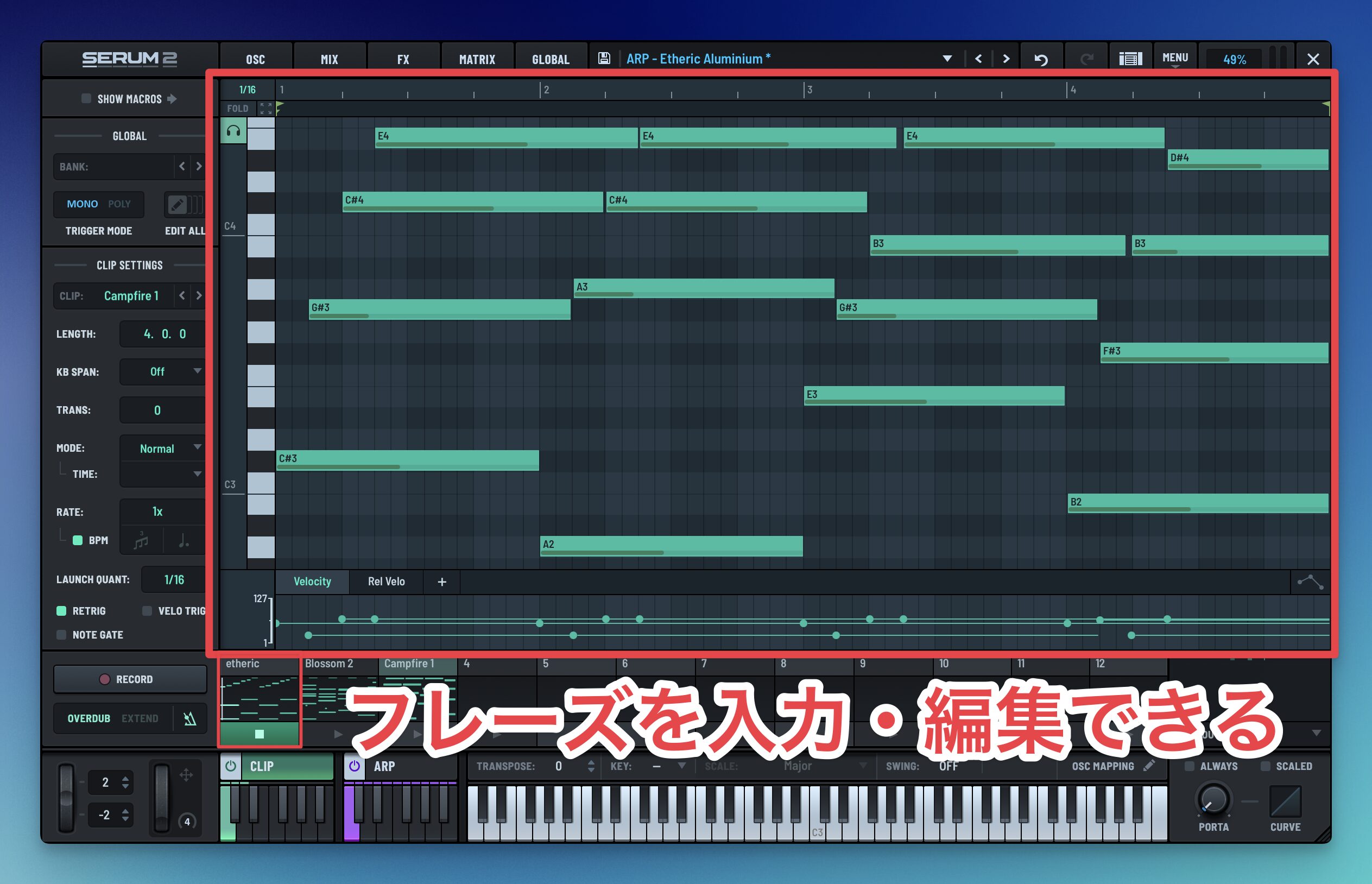
The selected clip appears in a piano roll where you can add and edit notes, with DAW-like editing functions including cut, copy, paste, quantize, and legato.
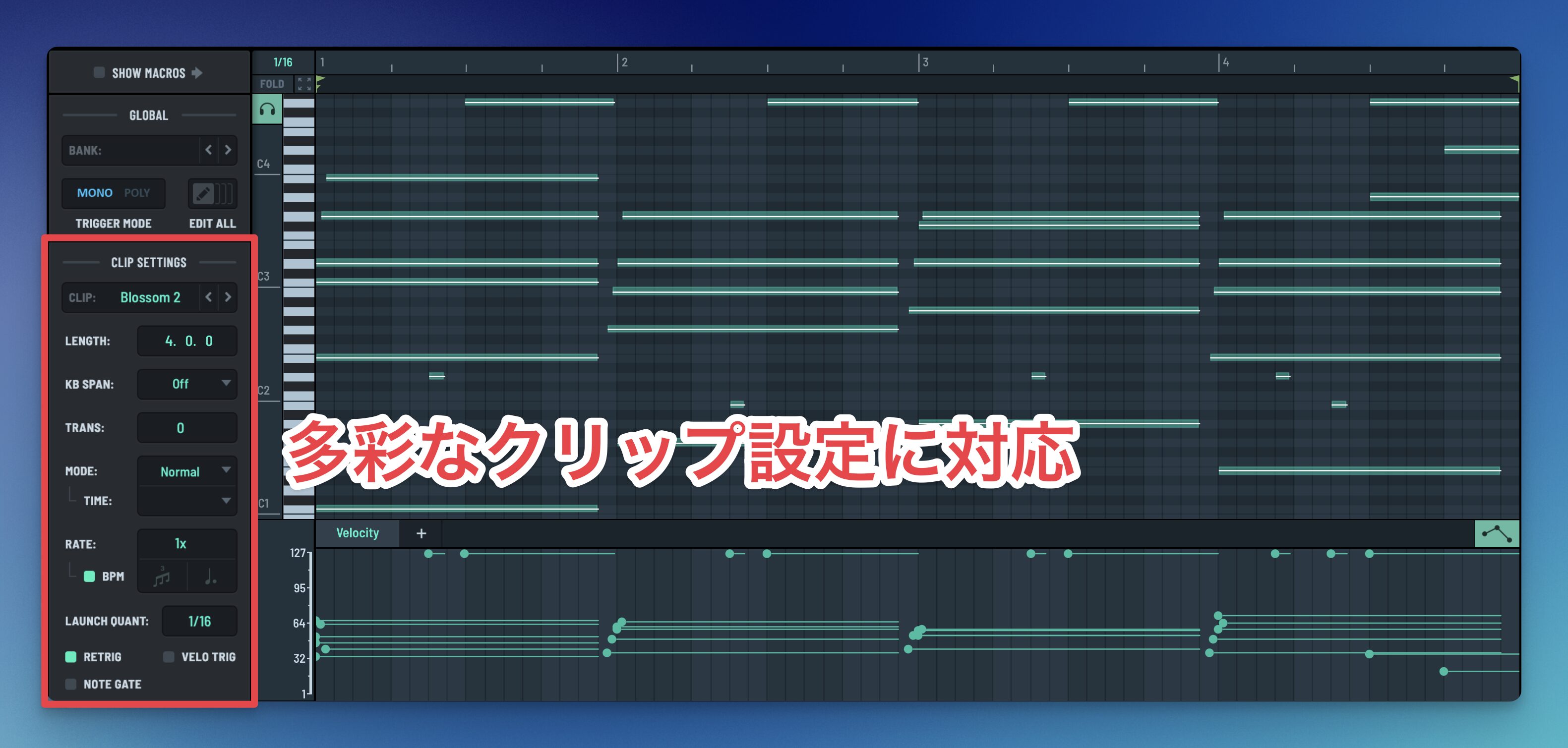
A key-and-scale-aware note movement function also makes it easier to create phrases based on music theory.
Twelve clip slots let you manage multiple MIDI sequences, with playback modes including random, shuffle, and static for a variety of expressions.
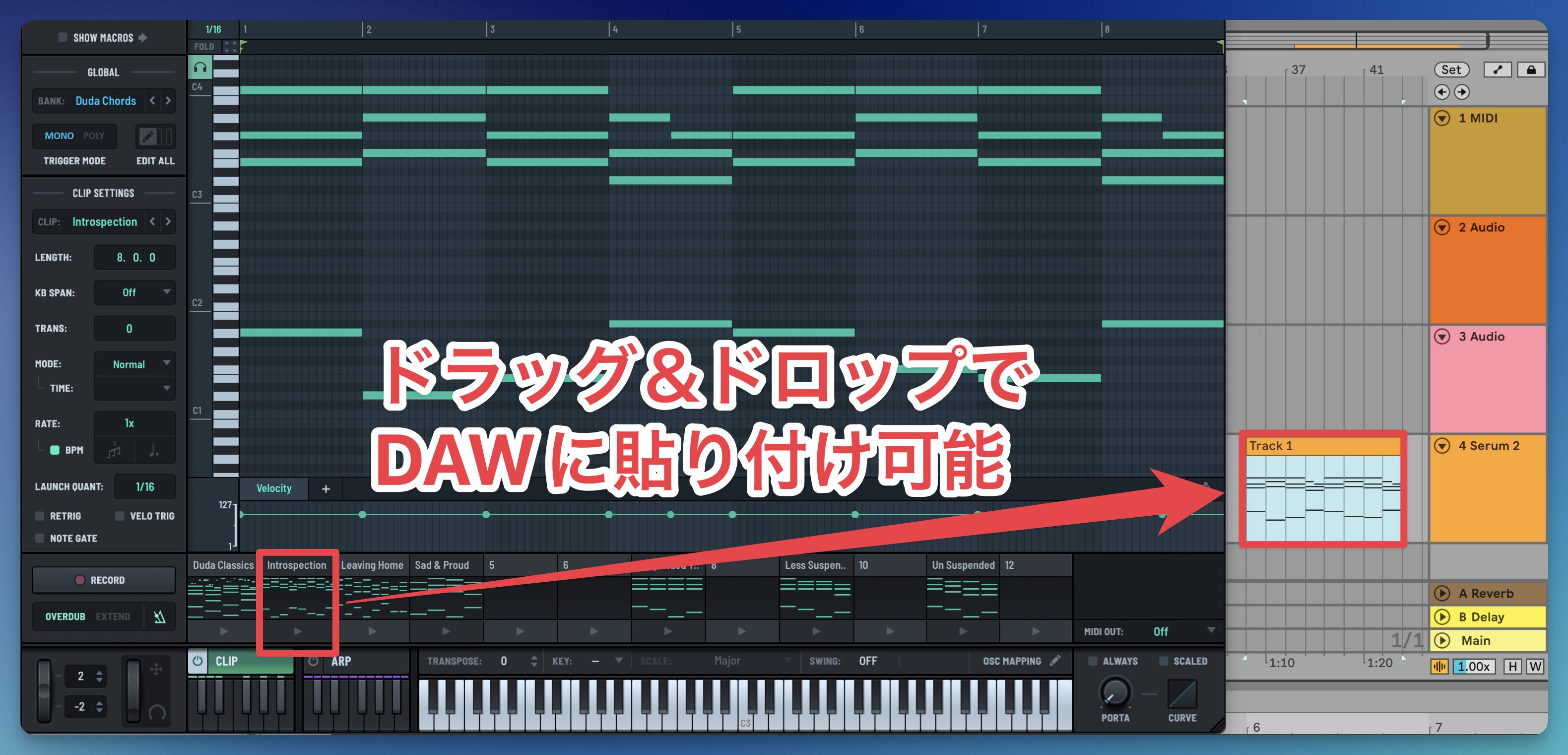
You can also drag and drop the MIDI data into your DAW, making it easy to combine it with other instruments.
Arpeggiator
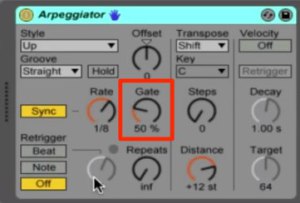
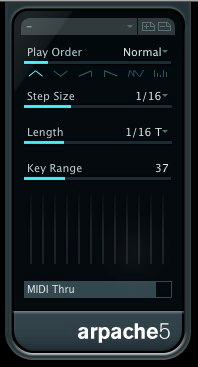
Alongside Clip, an arpeggiator has been added for automatic performance.
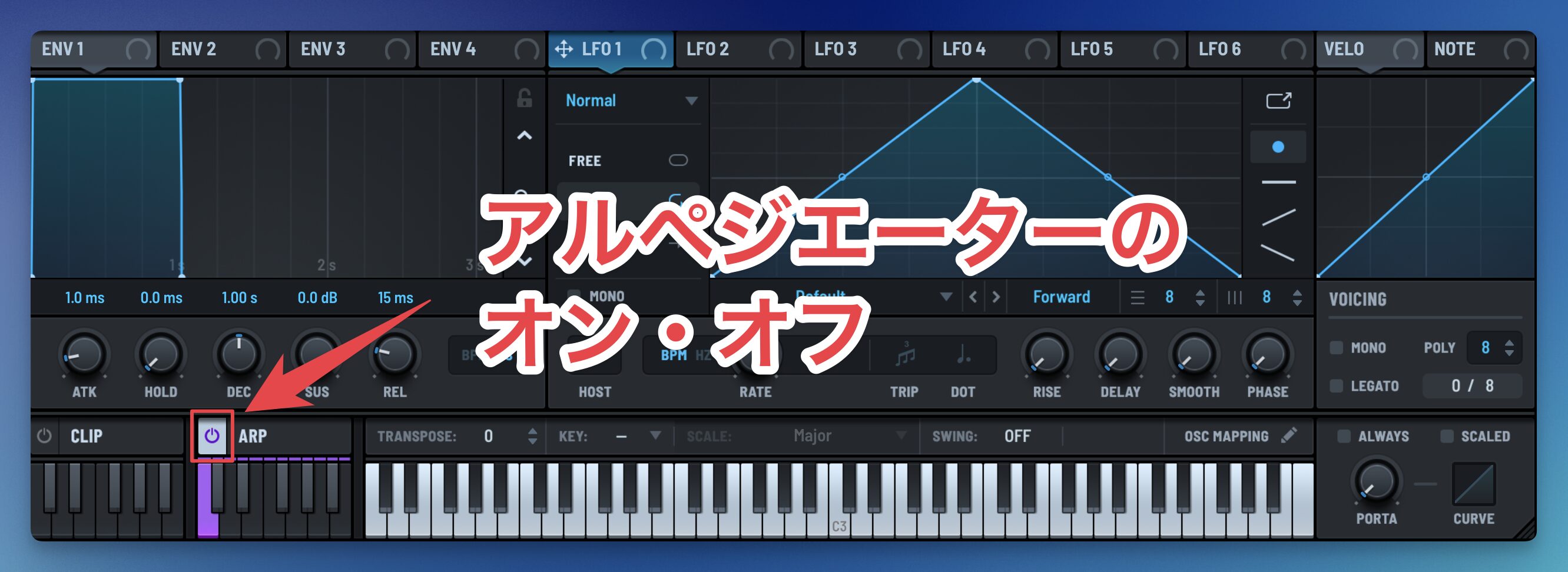
Click ARP in the interface to play the notes of an input chord in sequence using different patterns.
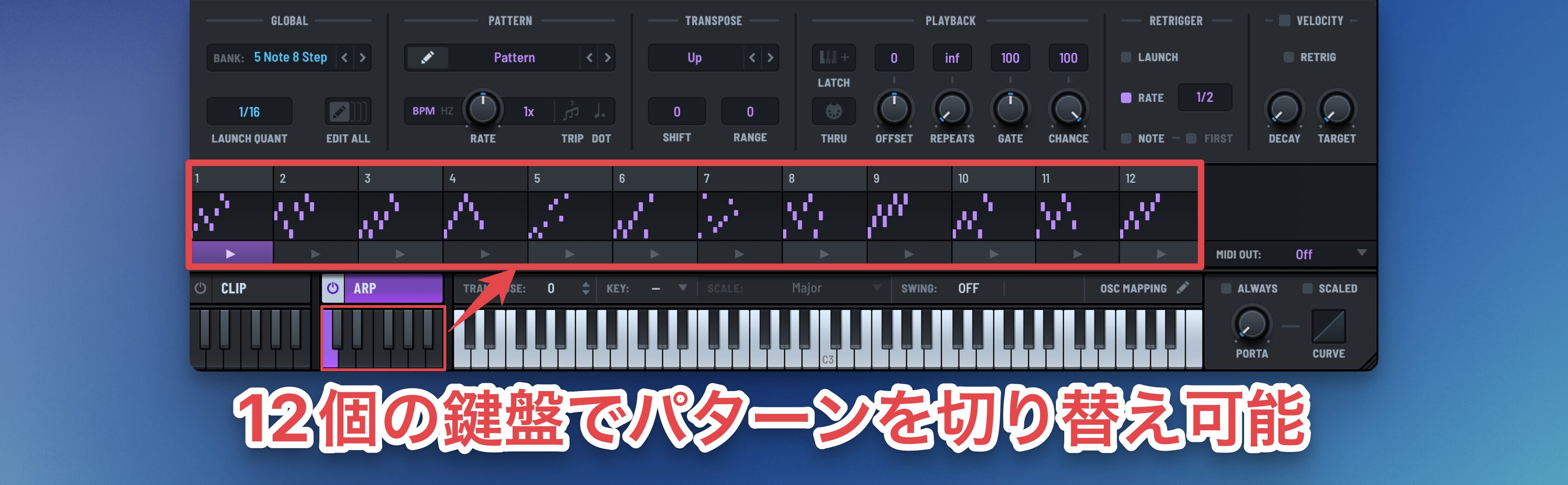
The arpeggiator editor displays 12 patterns, each of which can be switched using MIDI notes, allowing more varied arpeggio tracks than a single repeated pattern.
Arpeggiator demonstration
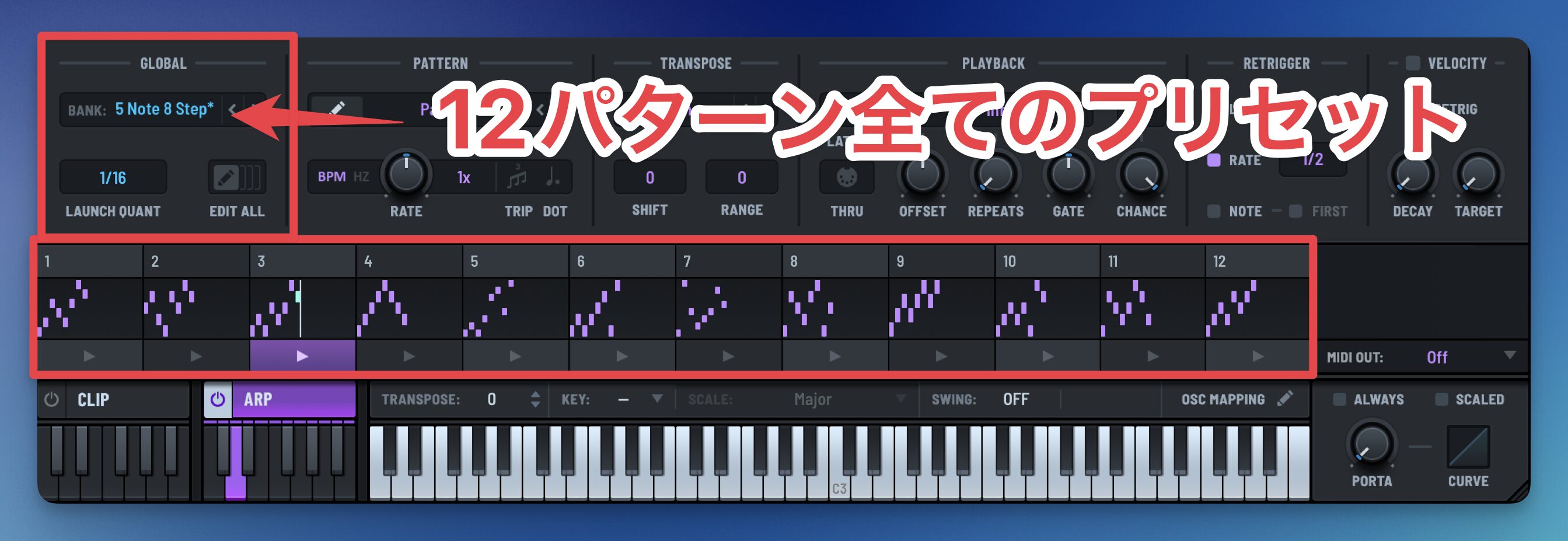
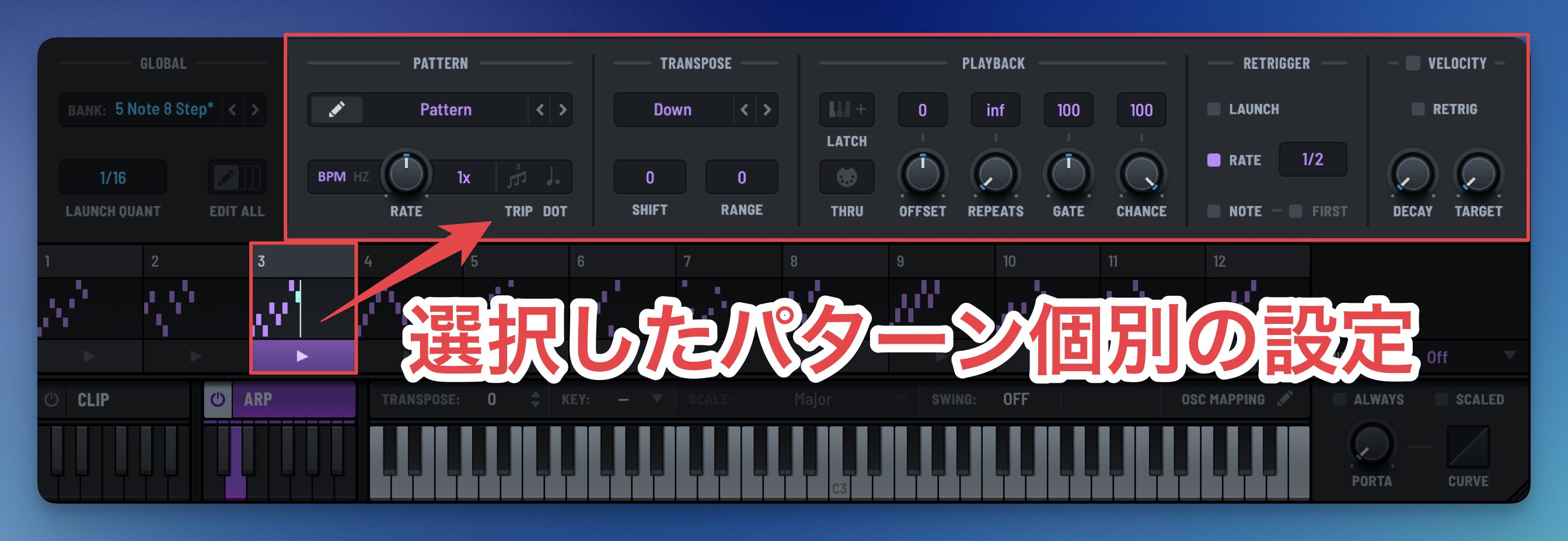
All 12 patterns can be recalled from GLOBAL presets, while parameters to the right of PATTERN let you adjust each pattern individually.
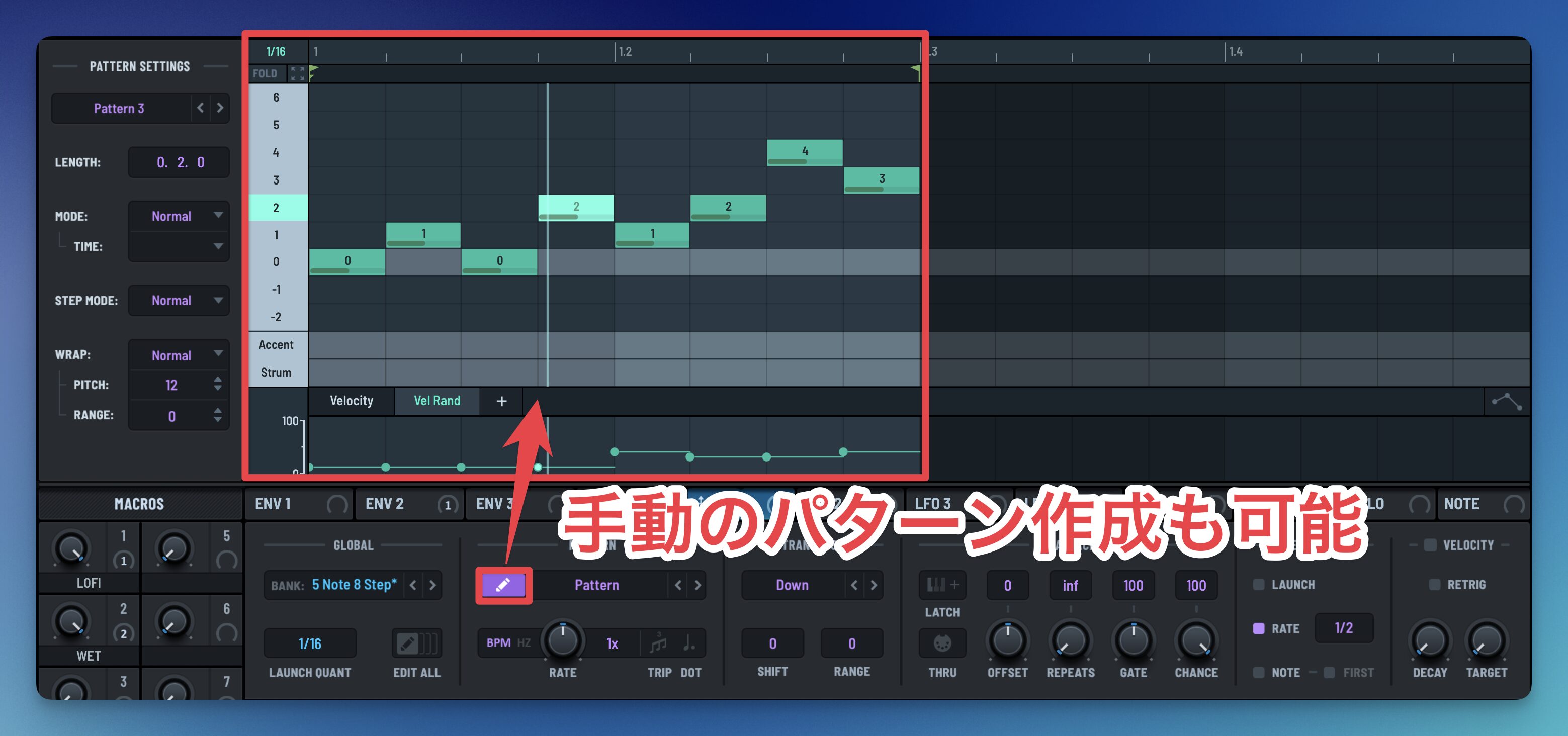
In addition to standard Up and Down modes, the edit button lets you create custom patterns for detailed control.
CLIP and ARP can also be used together: for example, play a favorite chord progression stored in CLIP using different arpeggio patterns to build complex sequences quickly.
Filters for more flexible sound design
The update adds a second filter, and each of the two can use a different filter type.
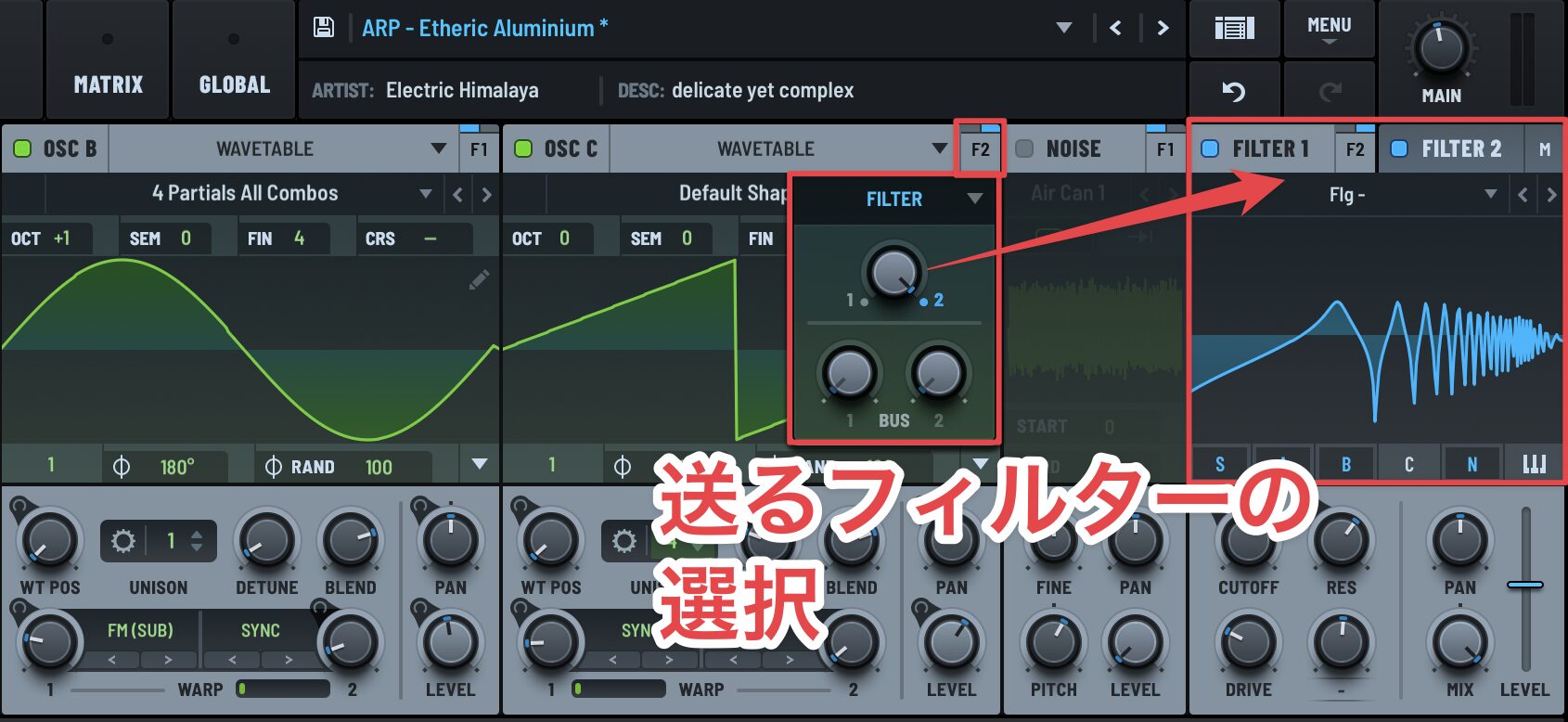
Choose which filter to use for each oscillator to make detailed adjustments for your purpose.
You can route Filter 1 into Filter 2 or vice versa, connecting the filters in series.
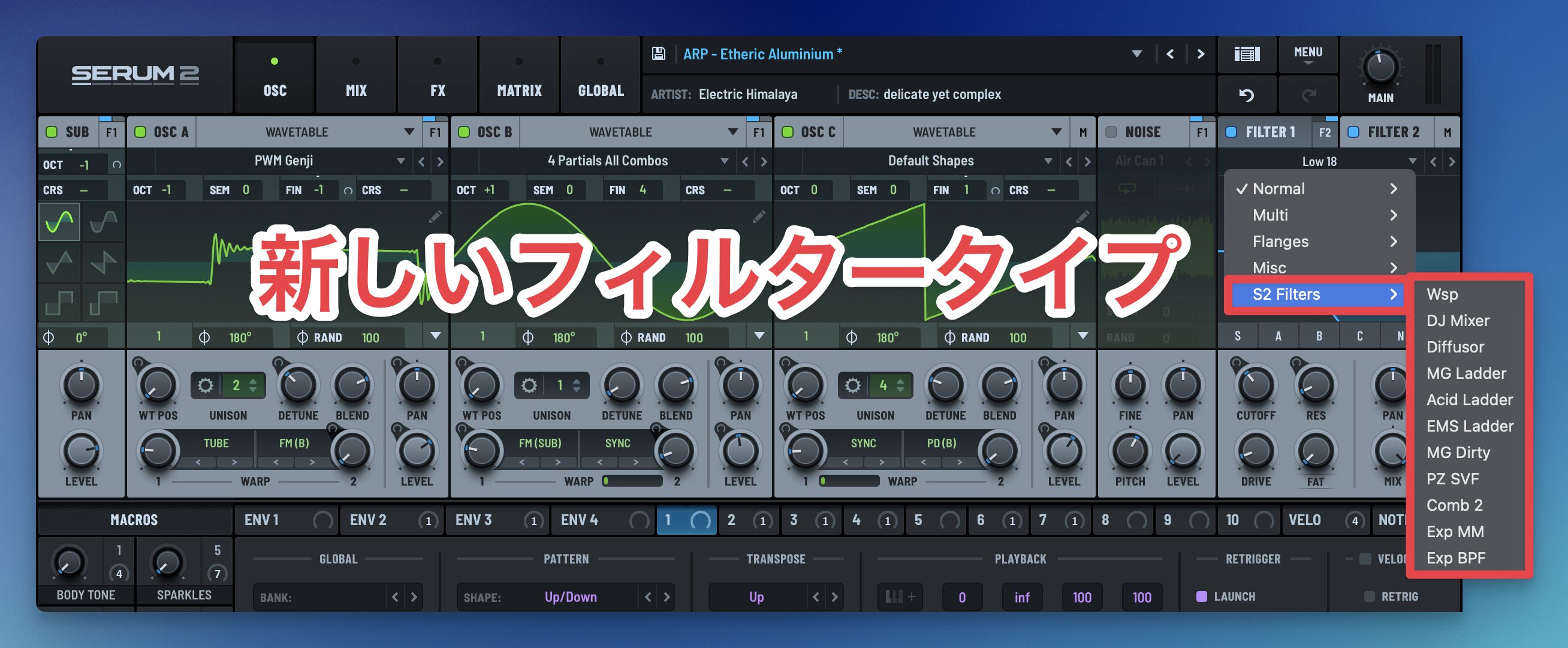
Additional filter types further expand the sound design possibilities.
Enhanced LFOs for complex sound design
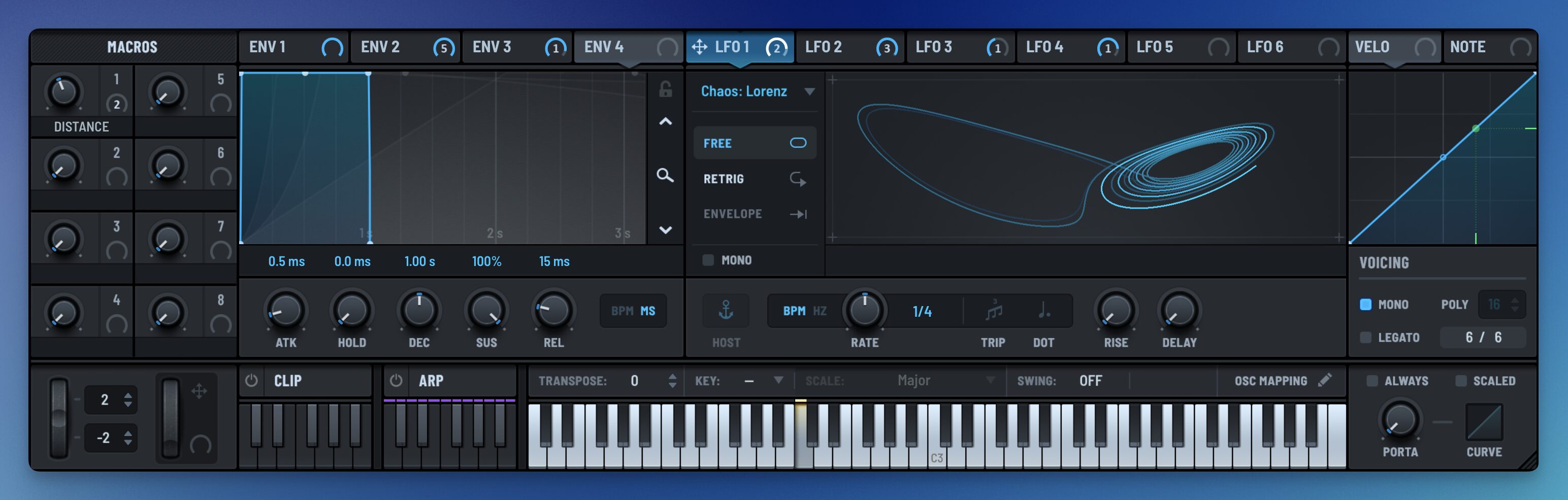
The update also adds major modulation features for creating movement in sound.
Among the LFO additions are new types that can produce irregular, complex variations.
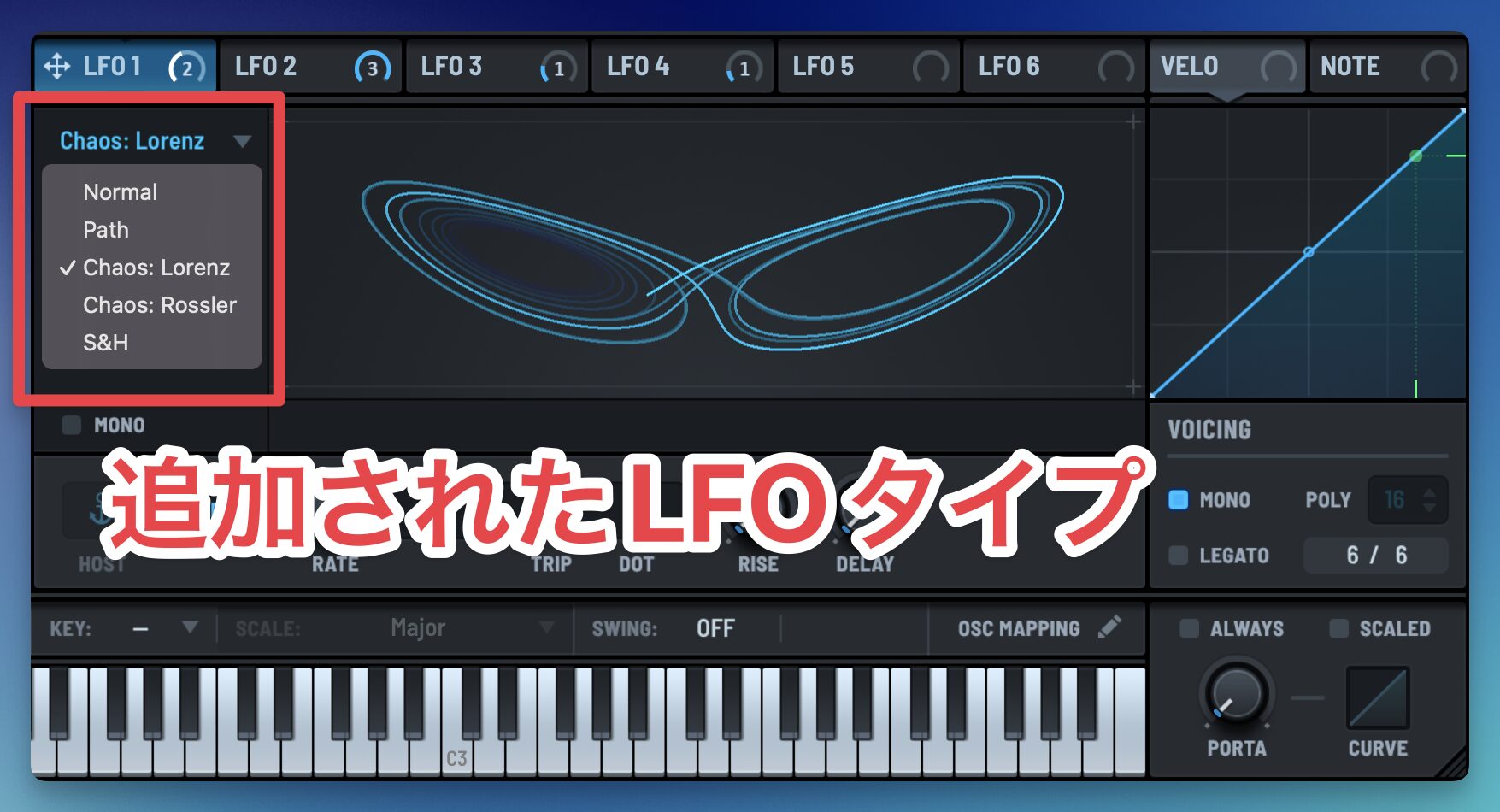
Alongside Normal and S&H, the new types are Path, Chaos: Lorenz, and Chaos: Rossler.
Rather than a simple left-to-right bar-like motion, these can create unpredictable, complex movement following a drawn path.
Advanced mixing and effects buses
Mixer view
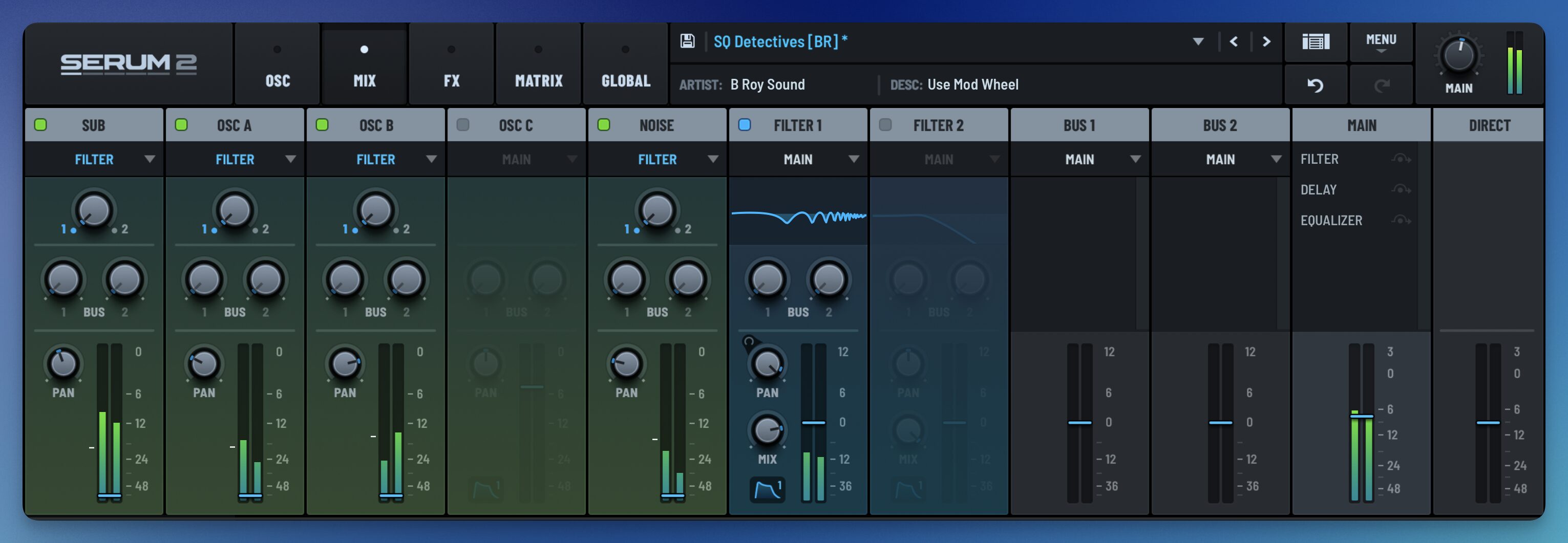
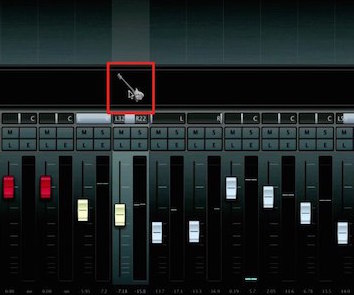
Serum 2 adds mixing controls that make it easy to adjust the volume of each oscillator.
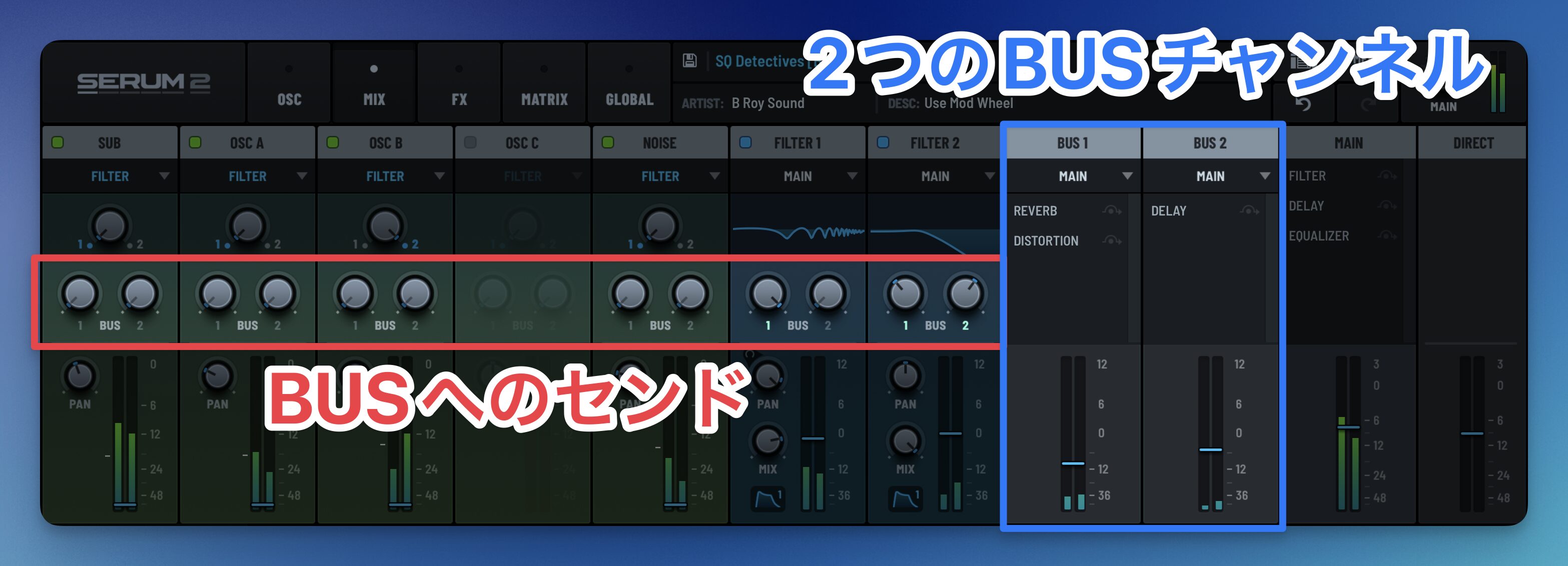
It also adds BUS channels with effect slots, allowing each channel to send audio to two buses. Select and change effects in the FX tab described below.
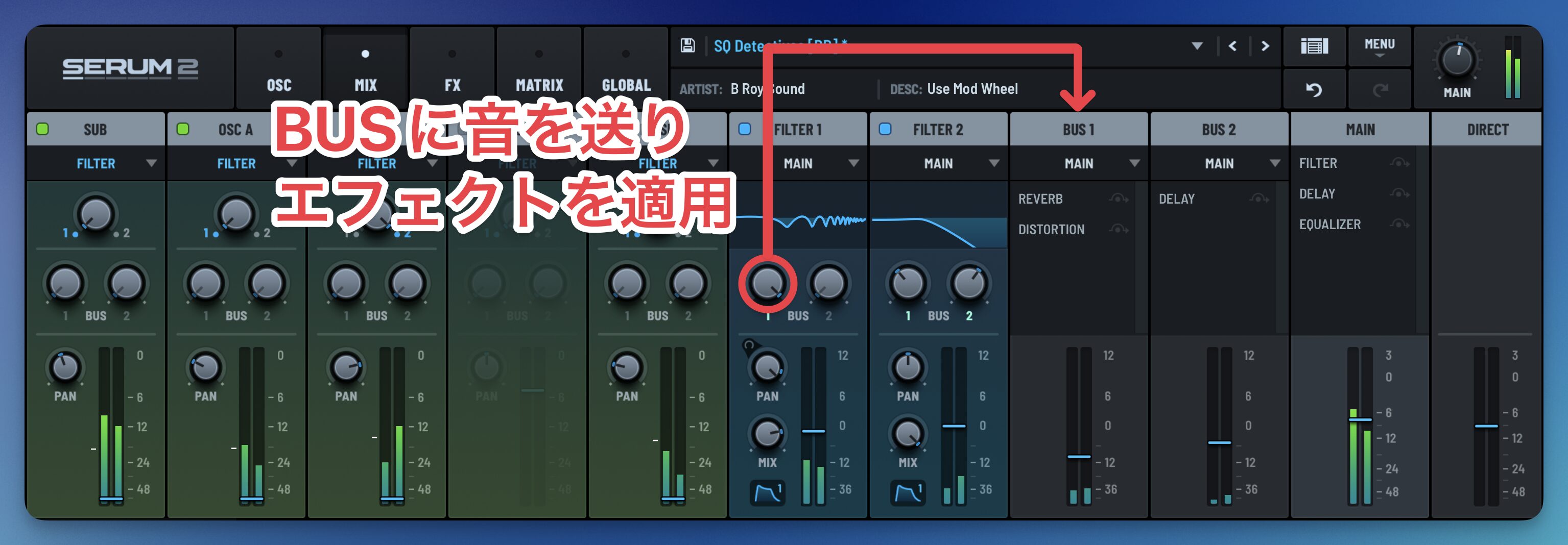
The new send-and-return approach lets you, for example, apply distortion only to the reverb signal.
FX tab with three bus paths
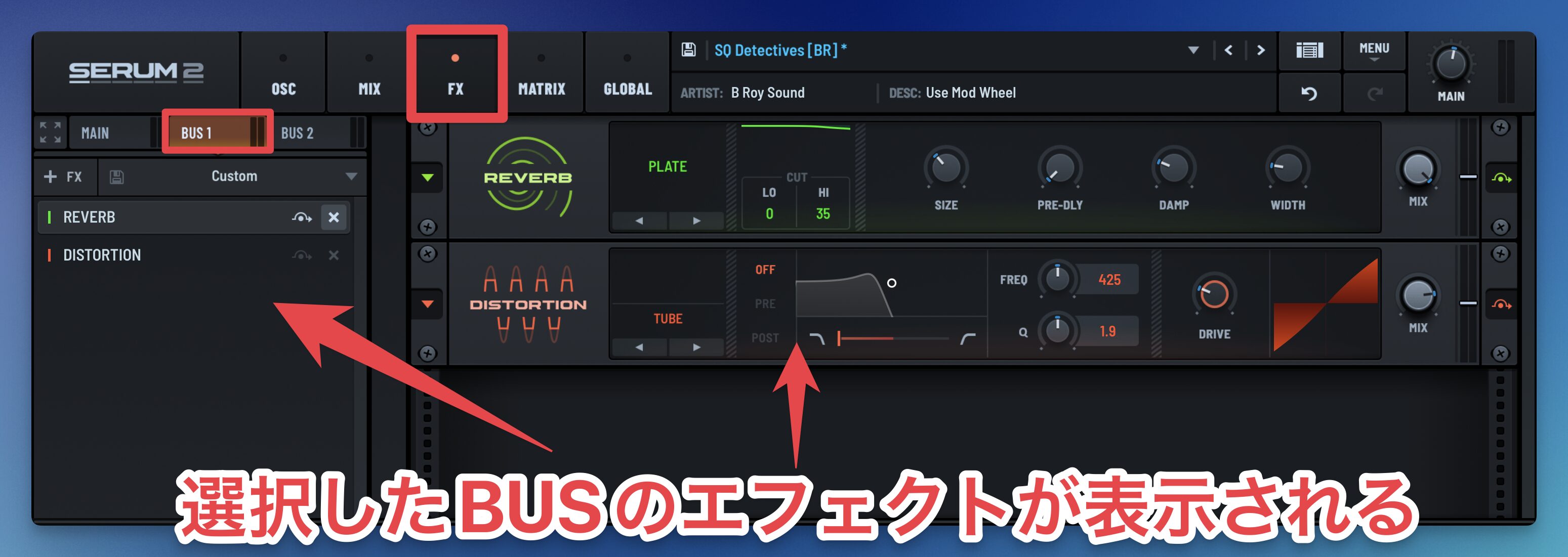
The FX tab lets you create independent effects chains for BUS 1, BUS 2, and MAIN, which are shown in the mixer.
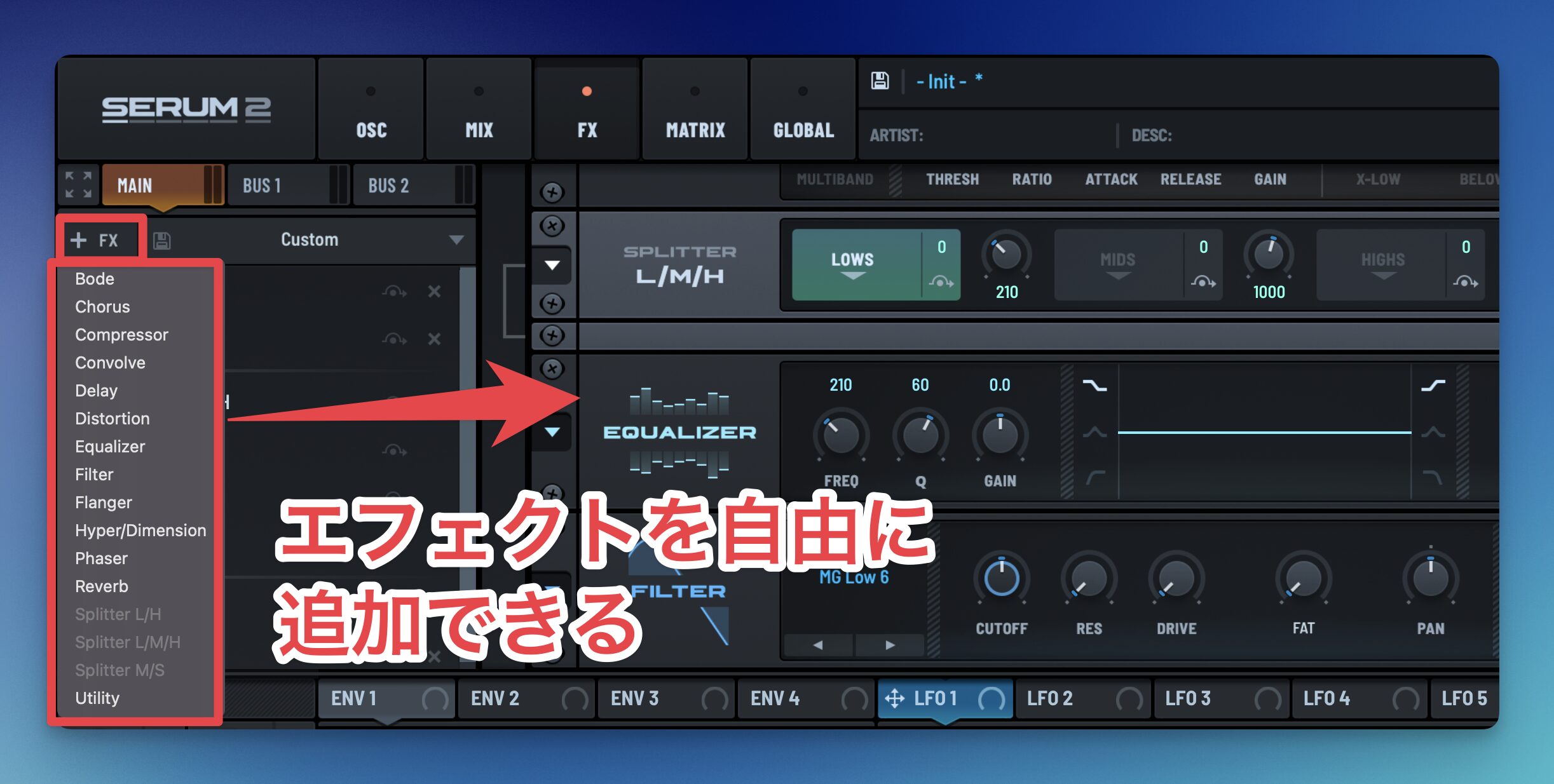
The effects section has also expanded by three types, for a total of 13 effects.
Previously, a particular effect could not be used multiple times; the update removes that limit for more flexible sound design.
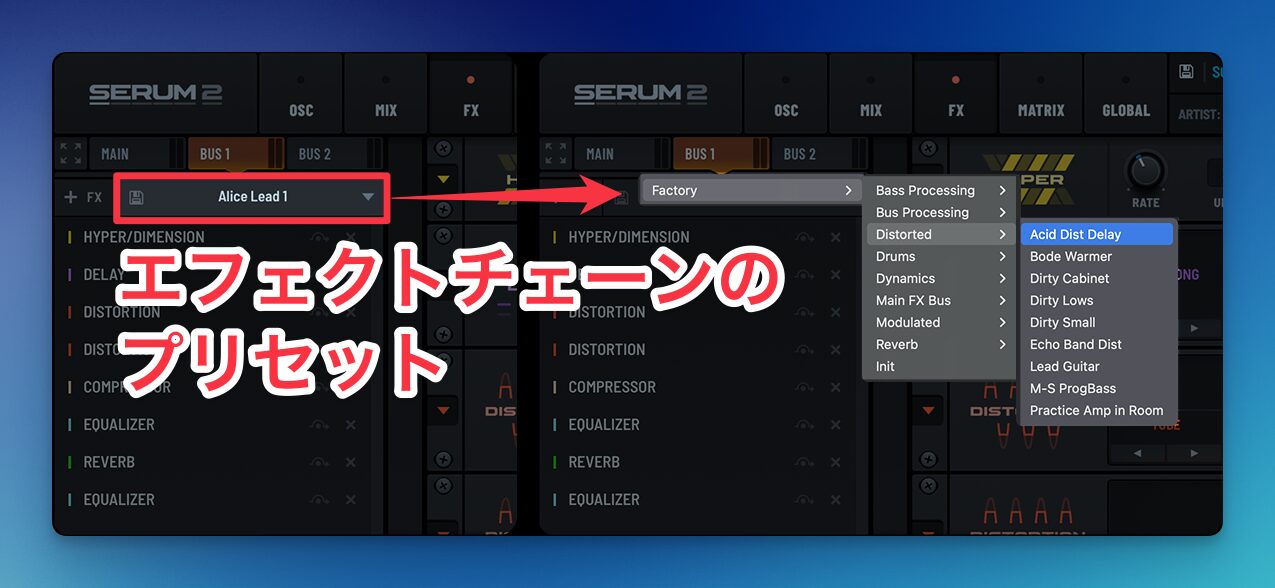
Effects have presets organized by sound type, and users can save their own, making them accessible to beginners.
As before, SERUM 2 FX is also included, allowing the FX tab's effects to be used as a plugin on other tracks.
What did you think?
Serum 2 substantially expands the original's capabilities, bringing it closer to an all-purpose synth plugin.
Existing SERUM 1 owners received this update free of charge.
If you own it, check the website for the update.
Frequently asked questions
Q1. What sounds can Serum 2 make compared with the original?
With three oscillators and five oscillator types, it can reproduce acoustic instrument sounds such as piano and brass alongside synth tones, enabling a broad range of sound design.
Q2. What are the benefits of the Clip module?
You can create and edit MIDI phrases inside Serum, manage multiple sequences in 12 clip slots, and drag MIDI data into your DAW for a more efficient workflow.
Q3. Can beginners use Serum 2's new features?
Key and scale features make it easier to create musical phrases, and the arpeggiator offers 12 preset patterns, helping beginners explore advanced sound design intuitively.
Q4. Can I use existing Serum presets in Serum 2?
Yes, existing presets are compatible. New presets that use Serum 2's features are also included so you can try the new sounds immediately.
NEW ARTICLES
Latest English Articles