
Positive Grid BIAS AMP 2 is a powerful amp simulator specialized for creating guitar sounds. This article explains the "AMP MATCH" feature, which learns from a reference recording and automatically recreates its sound, and "ToneCloud", which lets you download a huge number of presets created by users around the world. It also introduces the "QUICK SNAP" feature for instantly switching between up to eight presets. With these features, even guitarists who aren't comfortable dialing in amps can easily achieve their ideal guitar sound and greatly improve the quality of their music production.
Powerful Features for Creating Guitar Sounds
This is the final installment of our guide to the guitar amp simulator "BIAS AMP 2".
Here we explain the groundbreaking "Amp Match"
, which learns a guitar sound and recreates it,
and "ToneCloud", which puts a huge library of sound presets in the cloud at your disposal.
Both are powerful features dedicated to getting your ideal guitar sound.
Let's take a look at each feature.
Positive Grid BIAS AMP 2 Video Tutorial 3
Buy the Product Here
Excerpts of Questions and Answers on the YouTube Video

I'm very interested in the Amp Match feature. I'd like to know whether it's just tone correction or whether it reproduces the quality of the distortion too. For example, how closely could it reproduce a recording like this one? https://www.youtube.com/watch?v=m9UMHc4rs2k&list=PLxYQYeNAQAVIX9L3ixIdasYlqR4RzMozL&index=2&t=0s

Thank you for watching. We think it can reproduce sounds quite accurately, but many people are very particular about guitar tone. So we recommend trying the demo version to see whether the quality satisfies you. https://www.positivegrid.com/demo/
QUICK SNAP for Switching Tones Instantly
First, let's look at "QUICK SNAP", a very handy feature for managing presets.
With this feature, you can register up to eight favorite sound presets (settings) and switch between them instantly.
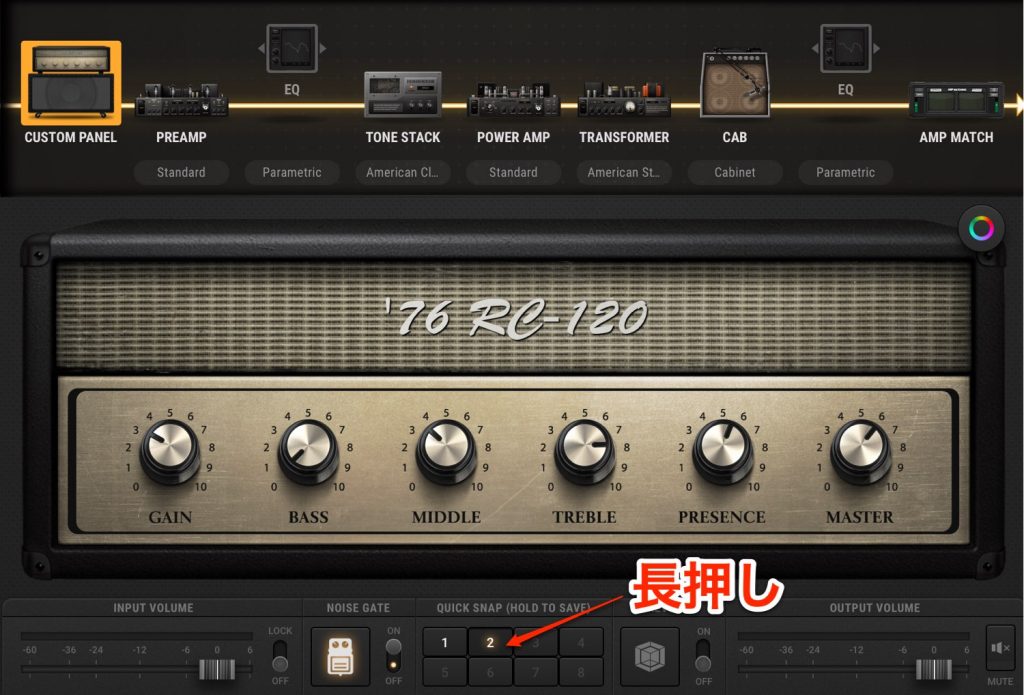
It's easy to do.
Just set things up the way you like and press and hold one of the buttons at the bottom.
While the sound is being registered, a progress bar shows how far along it is.
Keep holding the mouse button until registration is complete.
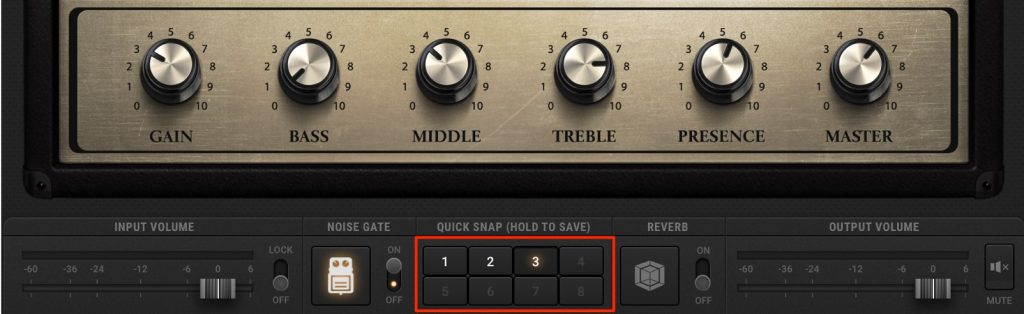
Once registration is complete, just click the registered number to switch to that sound preset.
It's useful for comparing sounds you've created and during live performances.
AMP MATCH for Recreating a Reference Guitar Sound
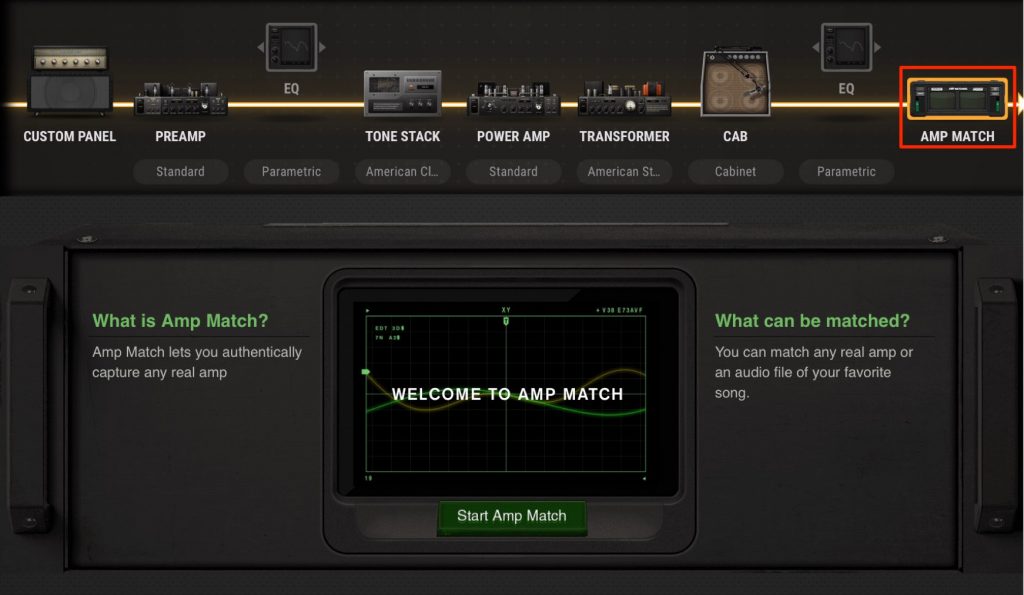
AMP MATCH is a feature that learns your target guitar sound and creates that sound automatically.
Even if you're not comfortable shaping tones on an amp, it's a dream-like experience that lets you get the guitar sound you're after.
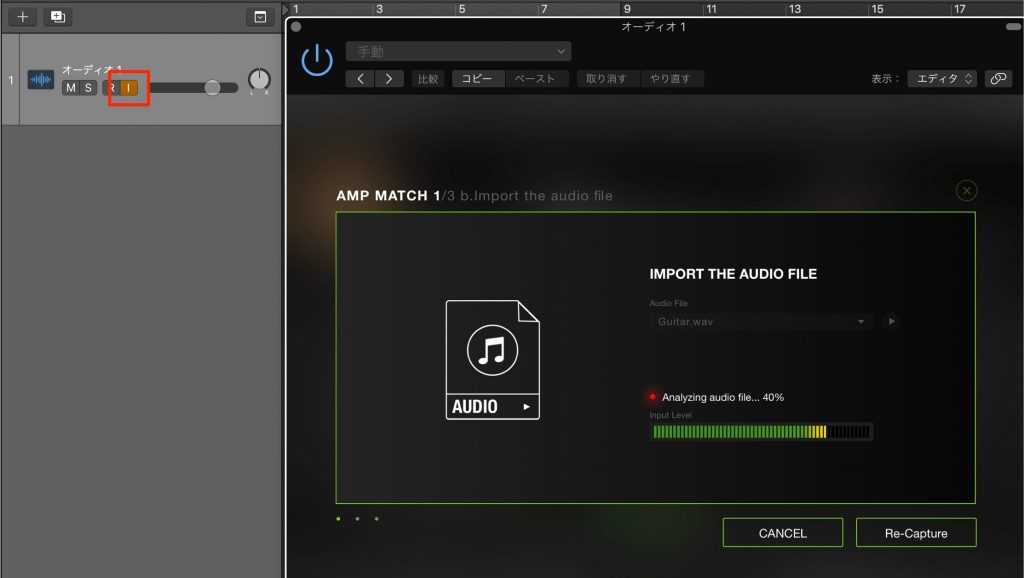
Note that monitoring must be turned ON for the track with BIAS AMP applied.
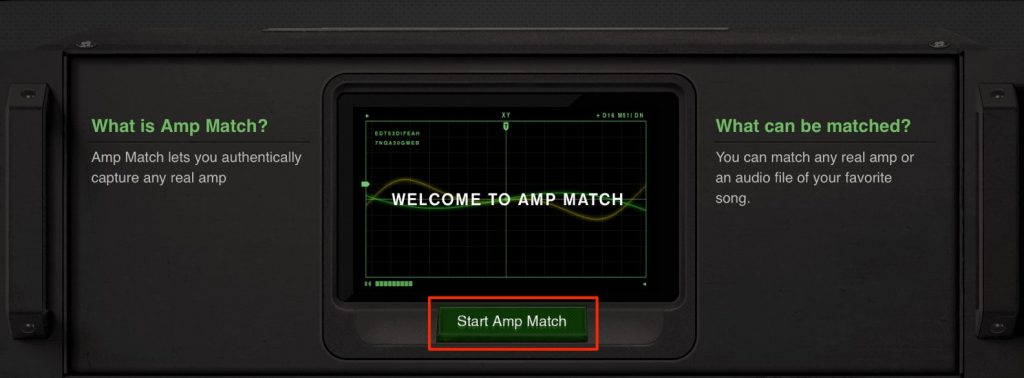
Click "Start Amp Match".
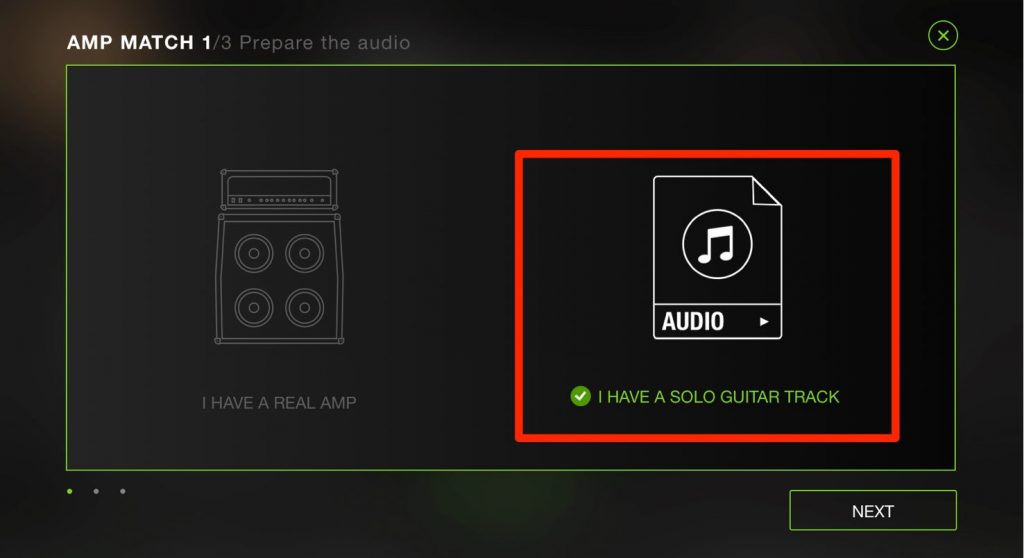
It can also detect the sound played through a real amp, but in most cases you'll probably load an existing audio file.
Here we select "Audio" and continue.
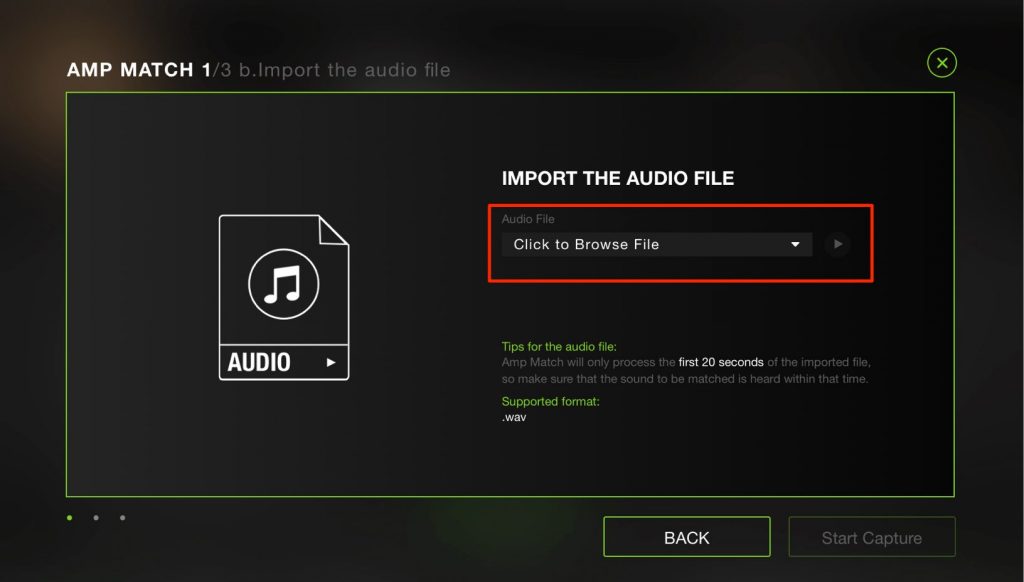
Click the area outlined in red and select the audio file containing the guitar sound you want.
Then click "Start Capture" to proceed with the analysis.
* Be sure to select an audio file that contains only the guitar sound.
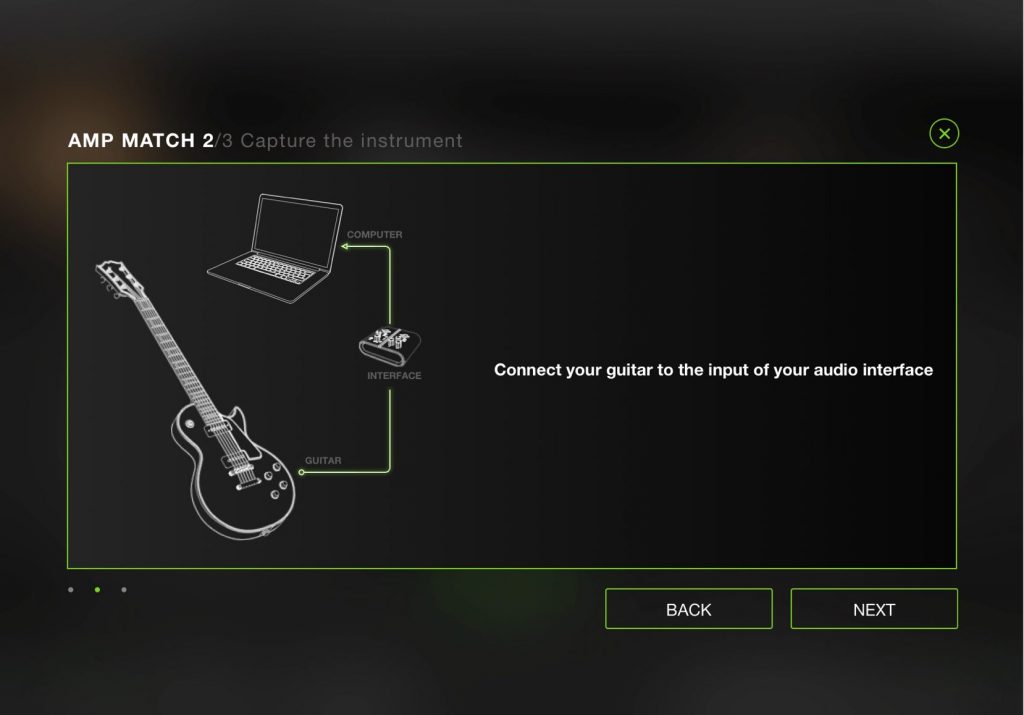
Connect your guitar to the audio interface and go to "NEXT".
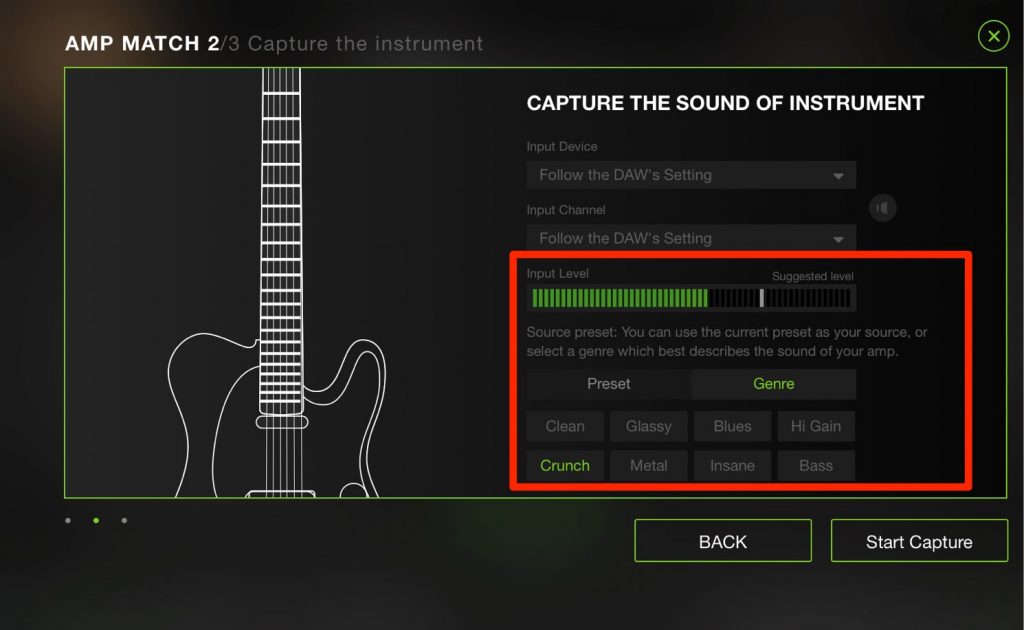
While listening to the guitar input, specify the genre and amp type.
Choosing ones close to the reference here gives better results.
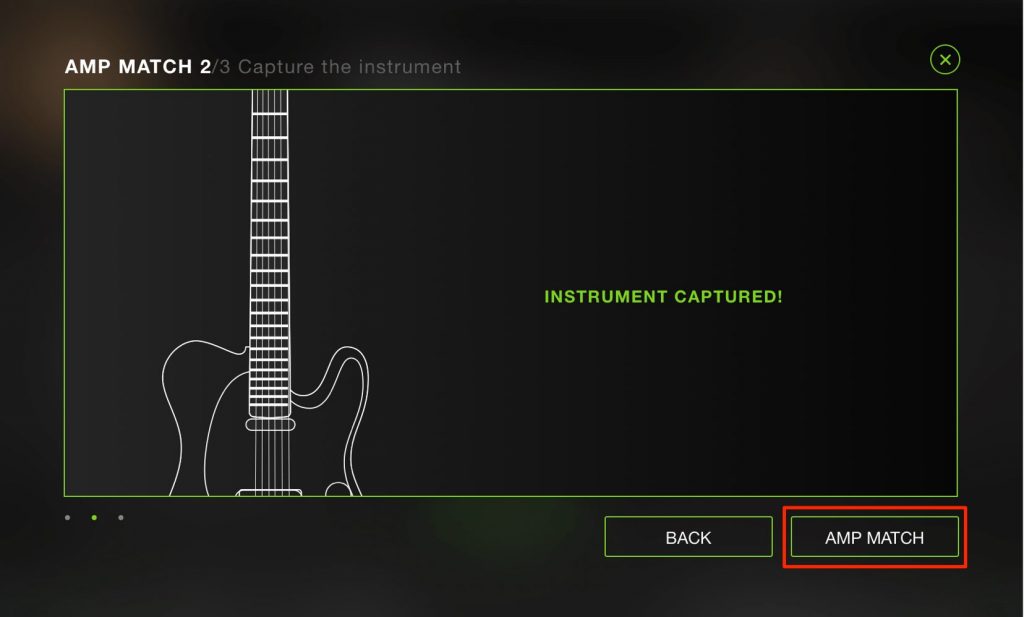
Select "AMP MATCH".
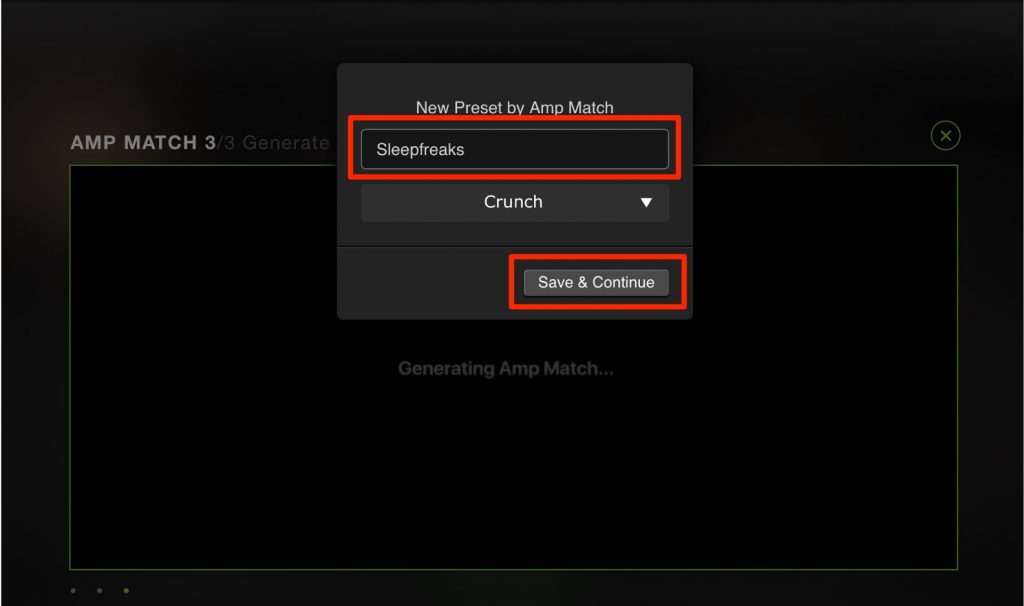
In the next dialog, specify the preset name and genre, then select "Save & Continue".
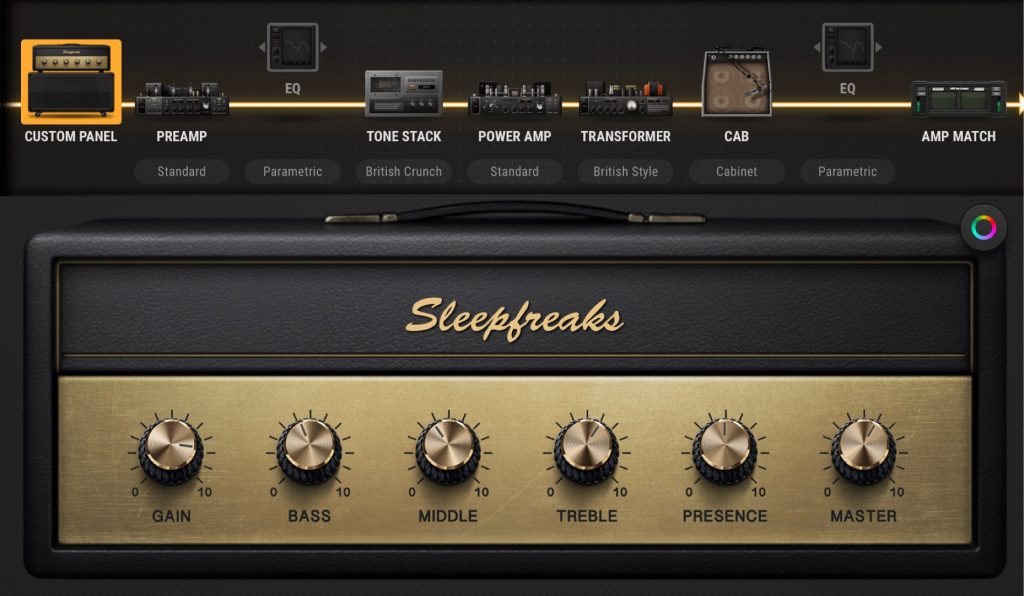
A sound setting close to the reference recording is created like this.
ToneCloud for Downloading User Presets
ToneCloud is a feature that lets you download a huge number of presets created by BIAS users around the world.
Many excellent presets in a variety of genres are available.
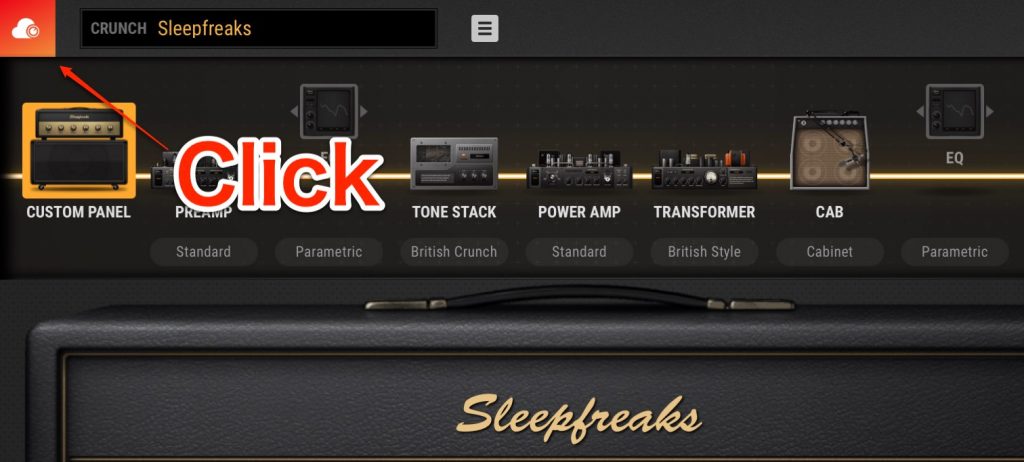
Click the cloud icon at the top left of the window.
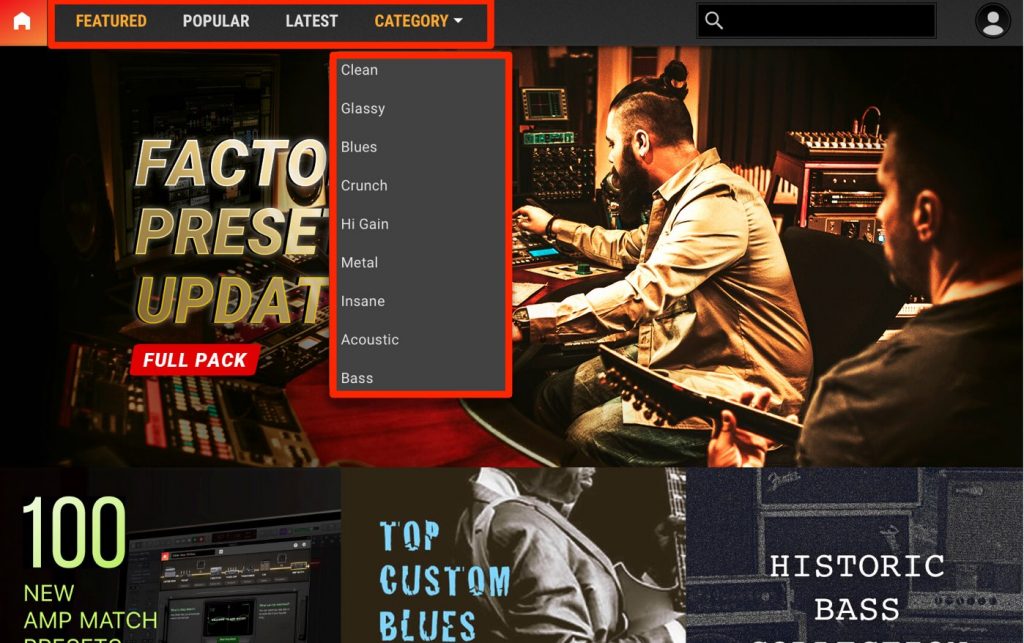
It's designed so you can quickly reach what you want by choosing popular presets, recent presets or presets by genre from the categories.
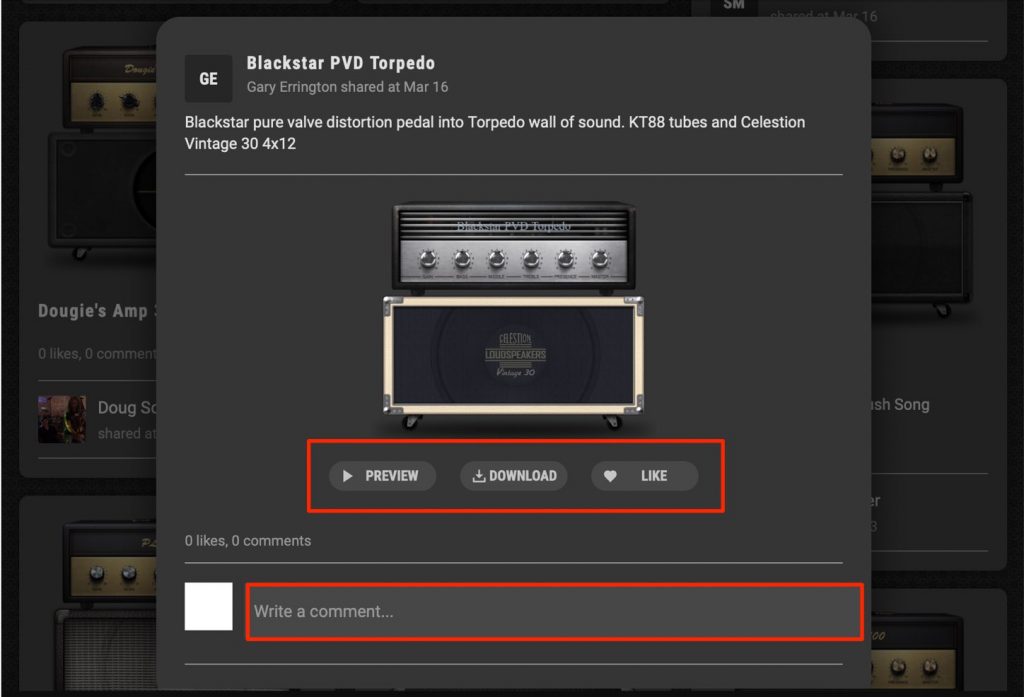
When you find a thumbnail that catches your eye, click it.
You can listen and download like this, and even communicate social-media style with "LIKE" and "Comment".
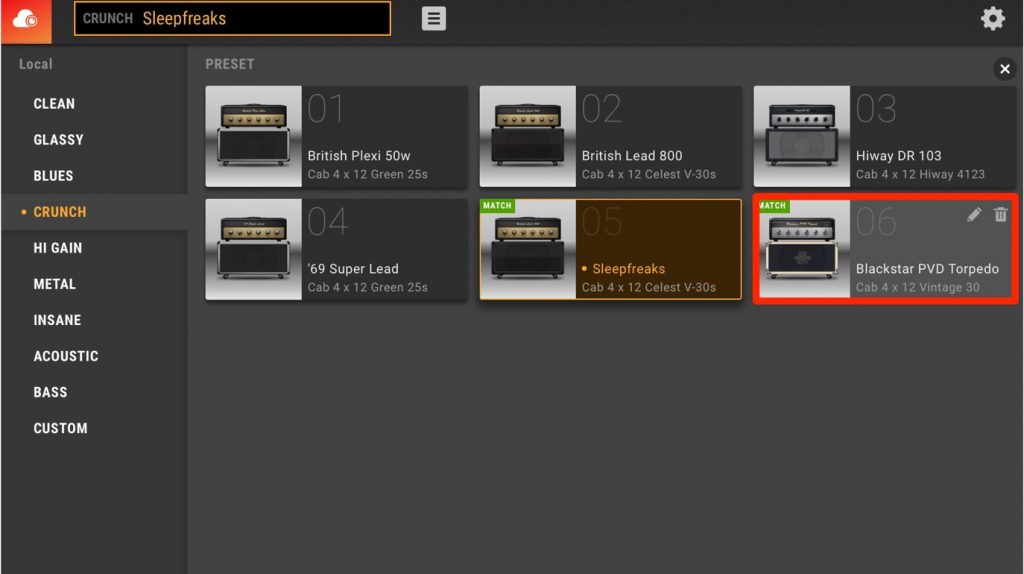
Downloaded presets are saved in BIAS's presets and are ready to use right away.
That concludes our three-part guide to using "BIAS AMP 2".
What did you think?
In addition to its excellent sound, these superb features make it a product that's unrivaled.
It's recommended not only for guitarists but also for anyone who wants to improve the quality of programmed guitar sounds, so be sure to check it out!
BIAS AMP 2 Editions and Prices
Standard: Regularly $99
Professional: Regularly $199
Elite: Regularly $299
Where to Buy
Manufacturer site: Positive Grid
Japanese distributor: Media Integration, Inc.
Overseas shop: Plugin Boutique
Buy the Product Here
Frequently Asked Questions
Q1. What is the AMP MATCH feature in BIAS AMP 2?
AMP MATCH learns your target guitar sound from an audio file and automatically recreates it. Because a sound setting close to the reference recording is generated automatically, even those who aren't comfortable shaping tones can easily get their ideal sound.
Q2. What kind of feature is ToneCloud?
ToneCloud is a cloud feature that lets you download a huge number of presets created by BIAS users around the world. Many excellent presets in a variety of genres are available, and you can listen to them first, then download the ones you like and use them right away.
Q3. How do I use the QUICK SNAP feature?
After creating a sound setting you like, just press and hold a button to register it; you can register up to eight presets. Once registered, you can switch instantly with a click, which is handy for live performance and comparing sounds.
Q4. How can I buy BIAS AMP 2, and how much does it cost?
It can be purchased from Positive Grid's manufacturer site, Media Integration (the Japanese distributor), Plugin Boutique and others. There are three editions: Standard at $99, Professional at $199 and Elite at $299.
Article and Video Presenter

Kenji Suzuki: Guitarist, guitar sound designer
Has taken part in recordings and live performances for many artists, including Erykah Badu, Hikaru Utada, SMAP, V6, MISIA, BoA, EXILE, Kumi Koda, Namie Amuro, Maaya Sakamoto, Ketsumeishi and Hitomi Shimatani.
Sound production for effects pedals and for FinalGuitar (iOS app).
DAWs used: Logic Pro X, Cubase Pro, Studio One
Writes the series "Kenji Suzuki's Guitar Recording Master Class" on Line6 Japan's official website.
Created factory presets for ZOOM multi-effects units.
Writes the series "Mastering the BIAS Series with Kenji Suzuki" on the Media Integration website.
Released the DVD "Kenji Suzuki's Guitar Home-Recording Method: Master Techniques and Editing for Guitar Recording". Sound production for Ovaltone distortion pedals OD-Five 2 Extreme and KS-1.
In recent years, he has also produced many instrumental pieces for background music.
Kenji Suzuki's Guide to Guitar Home Recording: http://takuroku.club/
Twitter @kenjisuzuki_
About guitar lessons: http://takuroku.club/chiba-lesson-guitar/
The final part of our BIAS AMP 2 guide introduces "Amp Match", which learns your target guitar sound and creates it automatically,
and "ToneCloud", which lets you download presets created by BIAS users around the world!
Presented by guitarist Kenji Suzuki (@kenjisuzuki_).
Details: https://t.co/gunegkKfaD pic.twitter.com/XXjAy7KmQz- SLEEP FREAKS (@SLEEPFREAKS_DTM) March 31, 2019
NEW ARTICLES
Latest English Articles











