
MetricAB is a DAW plug-in from ADPTR Audio that makes mixing and mastering more efficient. Normally, when you bring a reference track into your DAW, it is affected by the effects on the master track, but applying MetricAB at the very end of the master track solves this problem. You can monitor information such as frequency, stereo width, phase and loudness in detail while comparing your track with reference tracks, and register up to 16 reference tracks. It also lets you save presets by genre, making it an essential plug-in for professional music production.
Listen to and Analyze Reference Tracks Comfortably Inside Your DAW
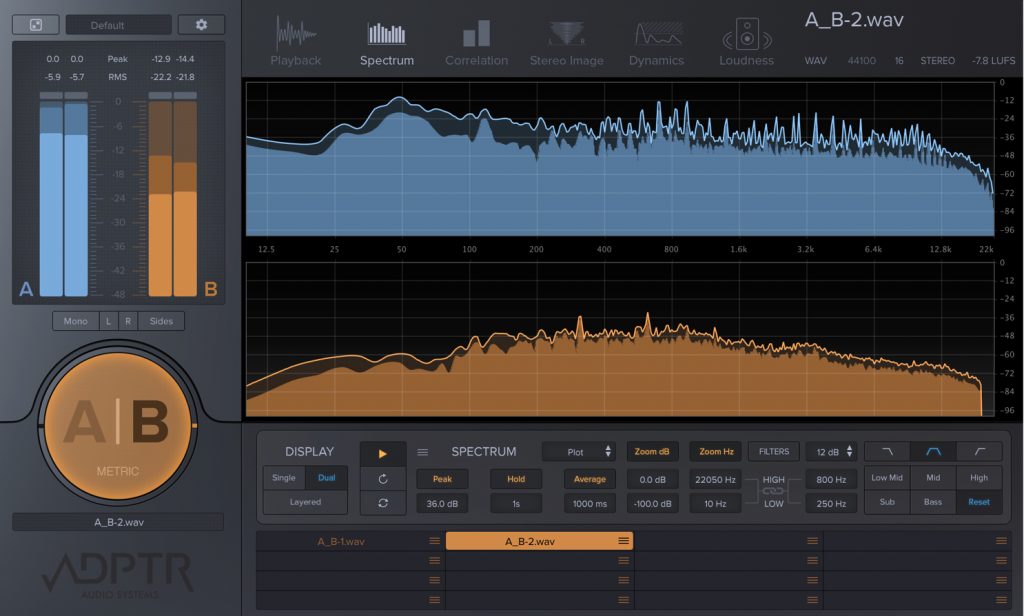
Here we explain "MetricAB", released by ADPTR Audio.
Used as a plug-in in your DAW, this product is a handy tool for mixing and mastering.
Normally, when you bring a reference track (a track you use for comparison) into your DAW to work with, the reference track is affected by the effects applied to the master track.
With this product, you can not only avoid this problem, but also compare information such as "frequency, stereo width, phase and loudness" between the track you're producing and the reference track, and monitor it in detail.
Part 1 focuses on an overview of MetricAB and its basic settings.
How to Use MetricAB (1): Overview and Basic Settings Video Tutorial
Product site: https://www.plugin-alliance.com/en/products/adptr_metricab.html
Applying MetricAB and Loading Tracks
First, open MetricAB on the master track.
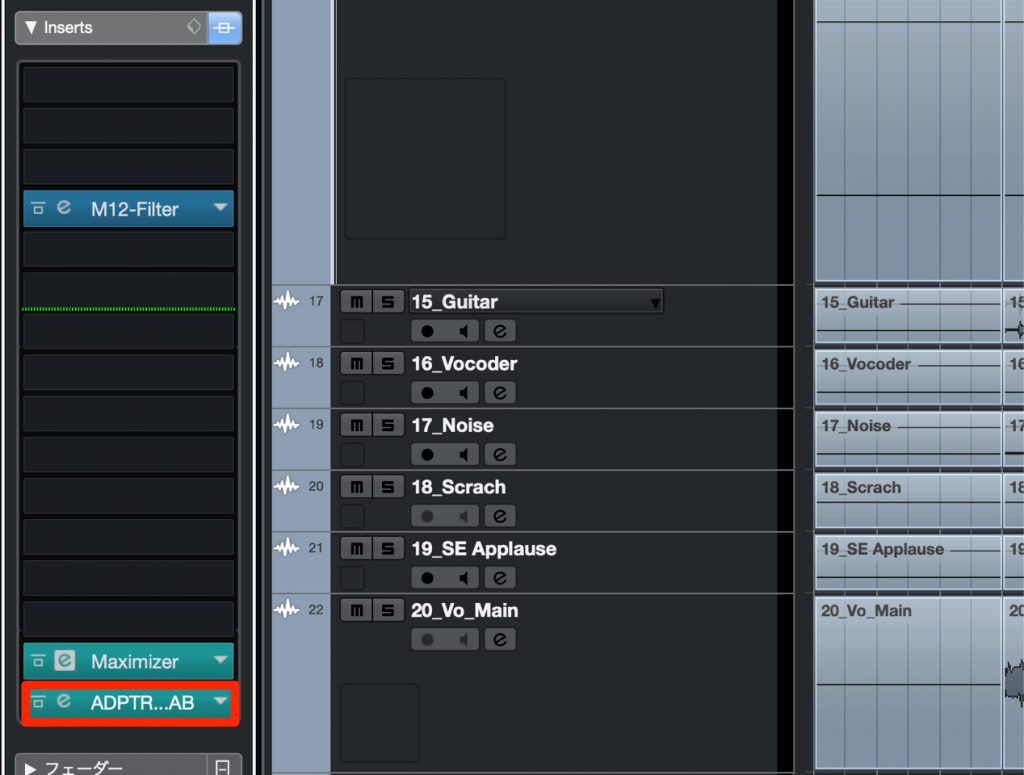
The key point when applying it is that it must always be placed last in the chain.
This way, playback of the reference track is not affected by the effects applied to the master track.
The track you're currently working on is heard with the master effects applied.
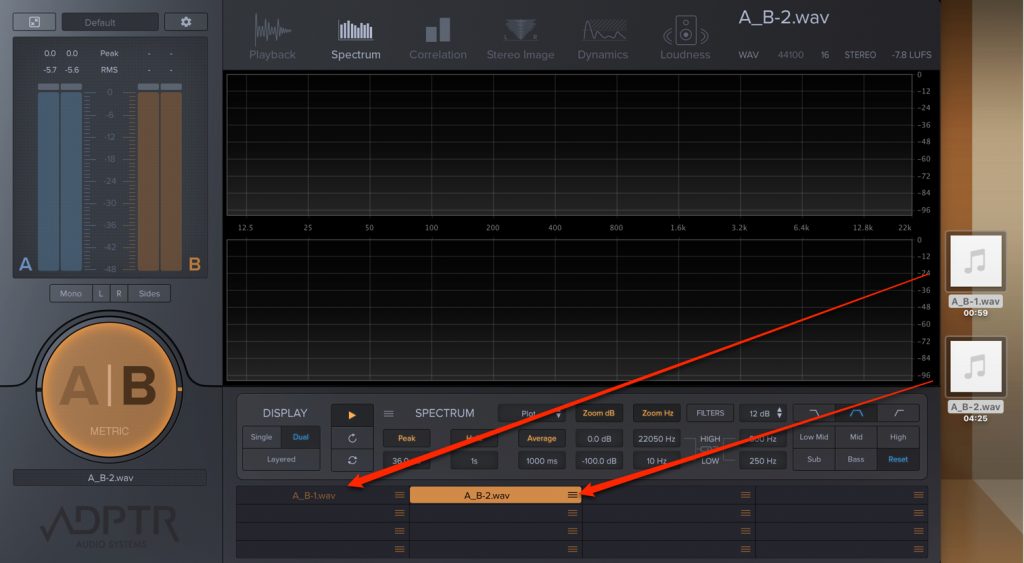
Loading reference tracks is easy too.
Just drag and drop the audio file you want onto MetricAB's song list.
You can register up to 16 tracks.
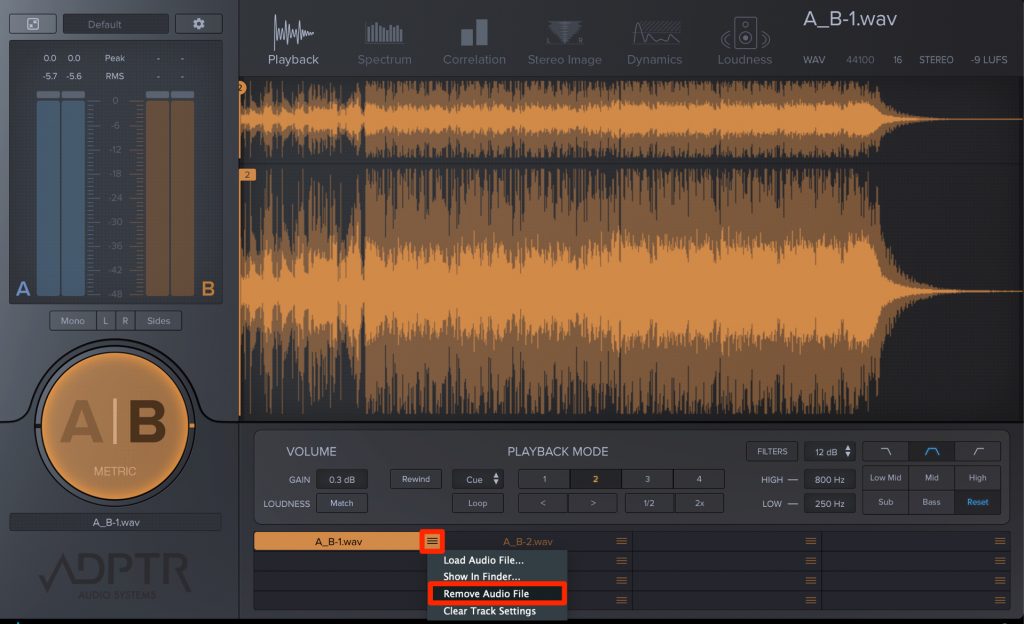
To remove a registered track, click the menu icon for that track and select "Remove Audio File".
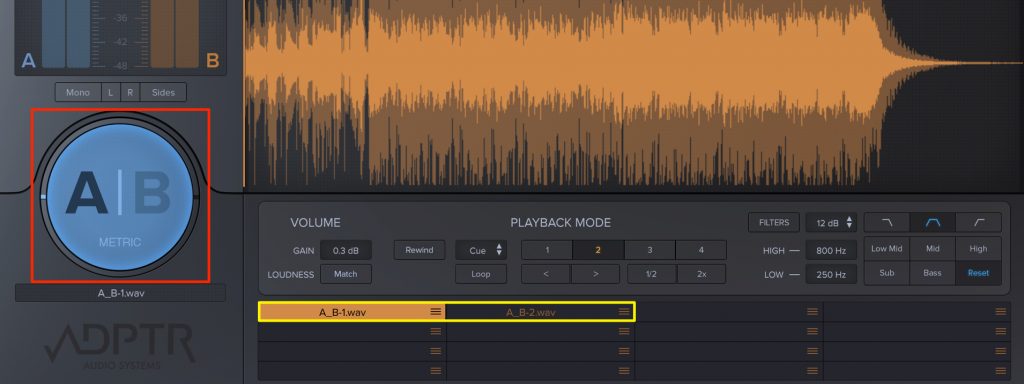
Switching between tracks is easy as well.
While your DAW is playing, click the "A/B" button on the left to switch between the track you're working on (A) and the reference track (B).
You can also click a track name in the song list to play that track instantly.
Saving Settings
You'll often want to use these track lists in other projects as well.
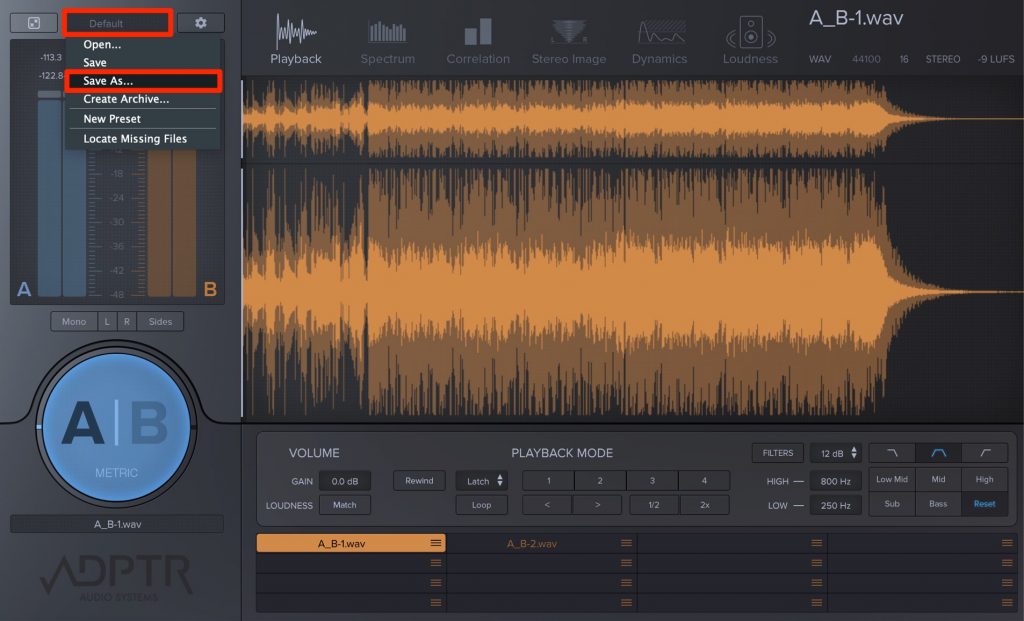
Click "Default", specify a location and name, and save the current state as a preset.
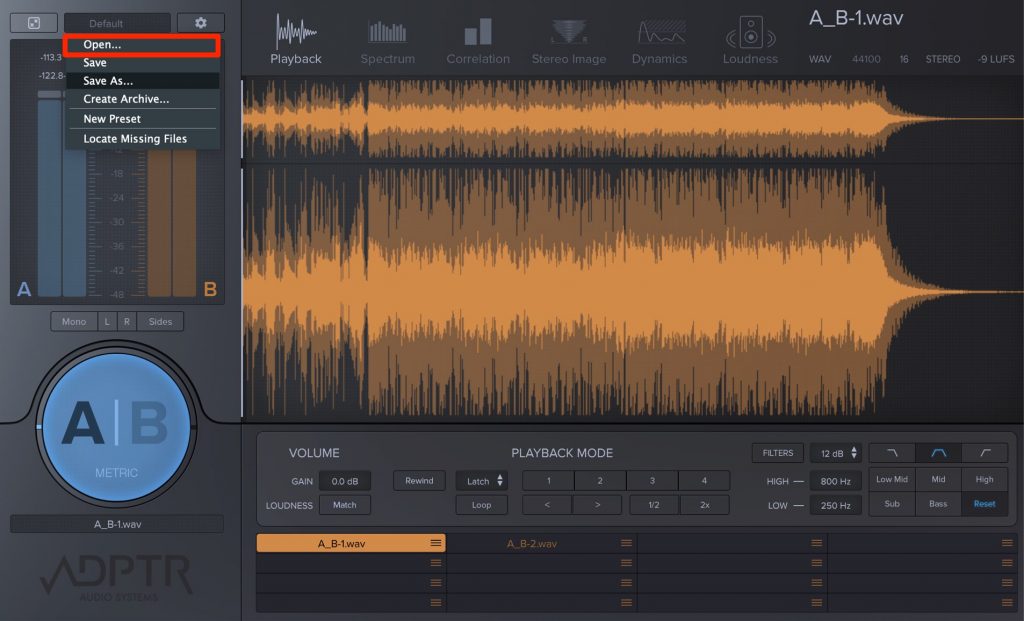
Then, in MetricAB opened in another project, load the saved preset from "Open" to restore the plug-in's state.
It's a good idea to prepare presets by genre, such as ROCK/POPS/EDM.
One thing to note when loading reference tracks: if you delete or move a track from the location you loaded it from (here, the desktop), MetricAB won't be able to load the file the next time it starts.
It's a good idea to decide on a dedicated location or folder for reference tracks in advance and load them from there.
If you've already loaded reference tracks from various locations,
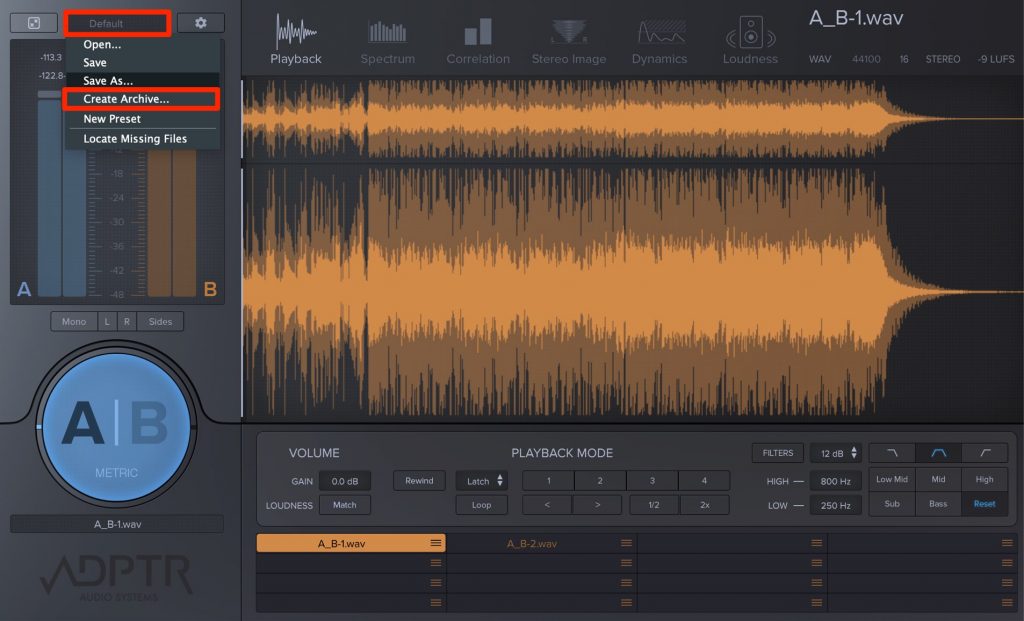
you can use "Create Archive" in the menu to gather the preset, including the audio files, into a folder, which is very handy.
What did you think?
We hope you can see what a convenient plug-in this is.
It's also handy at the arrangement stage, letting you choose phrases and sounds while checking against reference tracks.
Next time, we'll explain MetricAB's monitoring features for "frequency, stereo width, phase and loudness".
Product site: https://www.plugin-alliance.com/en/products/adptr_metricab.html
Frequently Asked Questions
Q1. Why should MetricAB be applied at the very end of the master track?
Placing it last means playback of the reference track is not affected by the effects applied to the master track. This allows a fair comparison: your track is evaluated with the master effects applied, and the reference track in its original state.
Q2. What should I watch out for when registering multiple reference tracks?
If you delete or move a loaded reference track from its original location, MetricAB won't be able to load it the next time it starts. We recommend deciding on a dedicated folder for reference tracks in advance, or using the Create Archive feature to gather the preset together with the audio files.
Q3. Can I switch instantly between the reference track and my track while the DAW is playing?
Yes. Click the "A/B" button on the left to switch between the track you're producing (A) and the reference track (B). You can also click a track name in the song list to play that track instantly.
🎚 A big help for mixing 🎛 and mastering 🎵
You can compare information such as frequency, stereo width, phase and loudness between the track you're producing and a reference track, and monitor it in detail❗️
A recommended plug-in 👍
⭐️ ADPTR AUDIO MetricAB: Basic Overview ⭐️
Details: https://t.co/4i6UvjAYb7@pluginalliance pic.twitter.com/q2nKpVWUP9- SLEEP FREAKS (@SLEEPFREAKS_DTM) February 8, 2019
NEW ARTICLES
Latest English Articles











