
Using Studio One's template feature can greatly reduce the setup work at the start of DTM production. Because you repeat the same preparation for every song (setting up tracks, the click, loading synths, and so on), it is efficient to save the setup you use most as a template in advance. Just open the template when starting a new song and you can focus on creating right away, which can shorten production time and boost creativity.
Studio One's Template Feature
When you produce songs, you start to notice something.
That is, the steps leading up to production are almost always the same.
Create tracks, set up the click, load synths, and so on.
And by then you've forgotten what you wanted to do in the first place (lol).
That's where the template feature comes in handy.
You register the setup work you do often
and recall it when you start a new song.
This greatly reduces the effort at the start of production.
Creating a Song Template
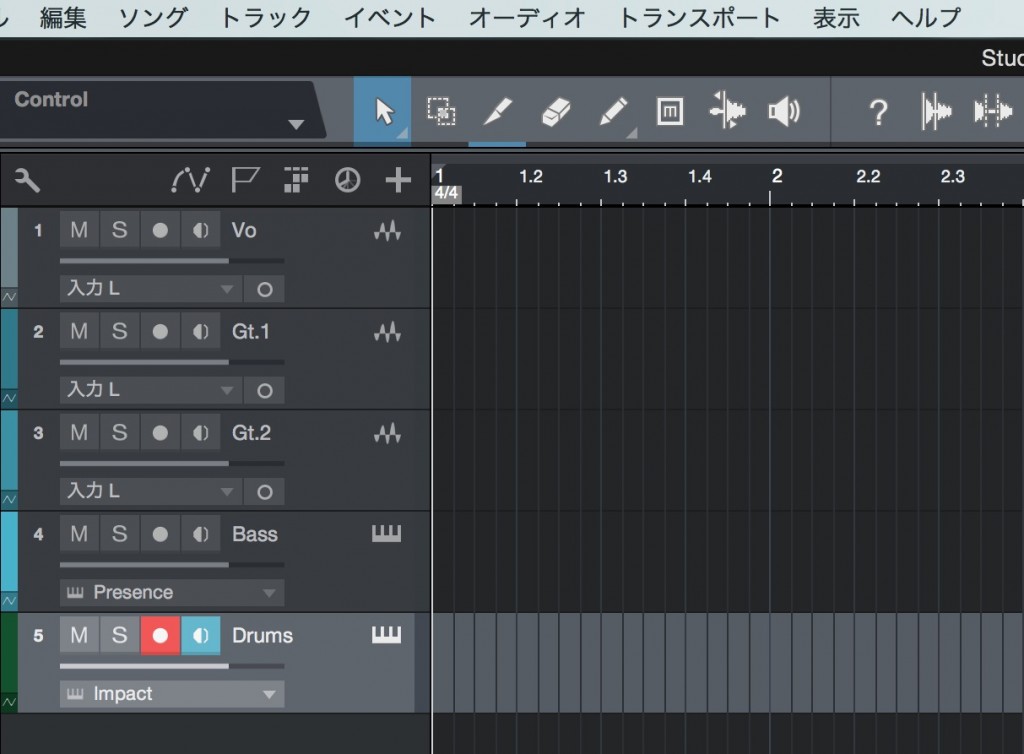
↑ First, set up the song.
Create the state you like, with the tracks, software synths, click, and so on that you use often.
Once you have a state where you can start producing right away,
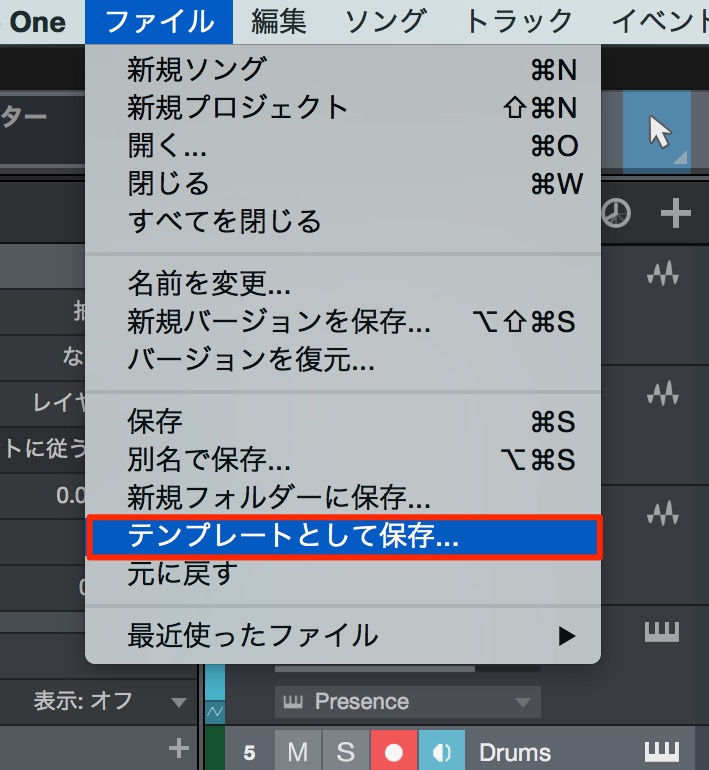
↑ select "File" → "Save as Template" from the menu bar.
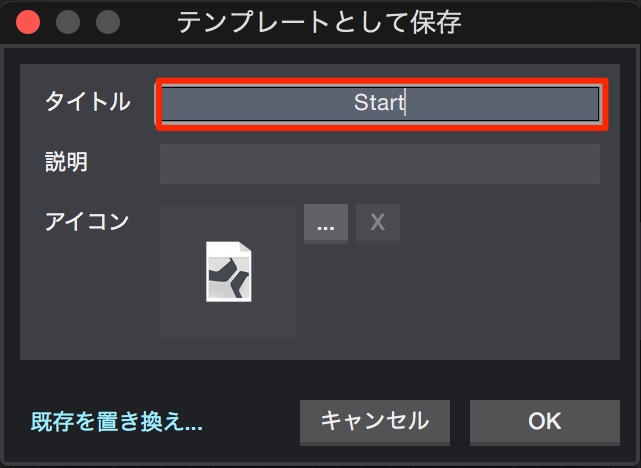
↑ Set a name in the window and select "OK."
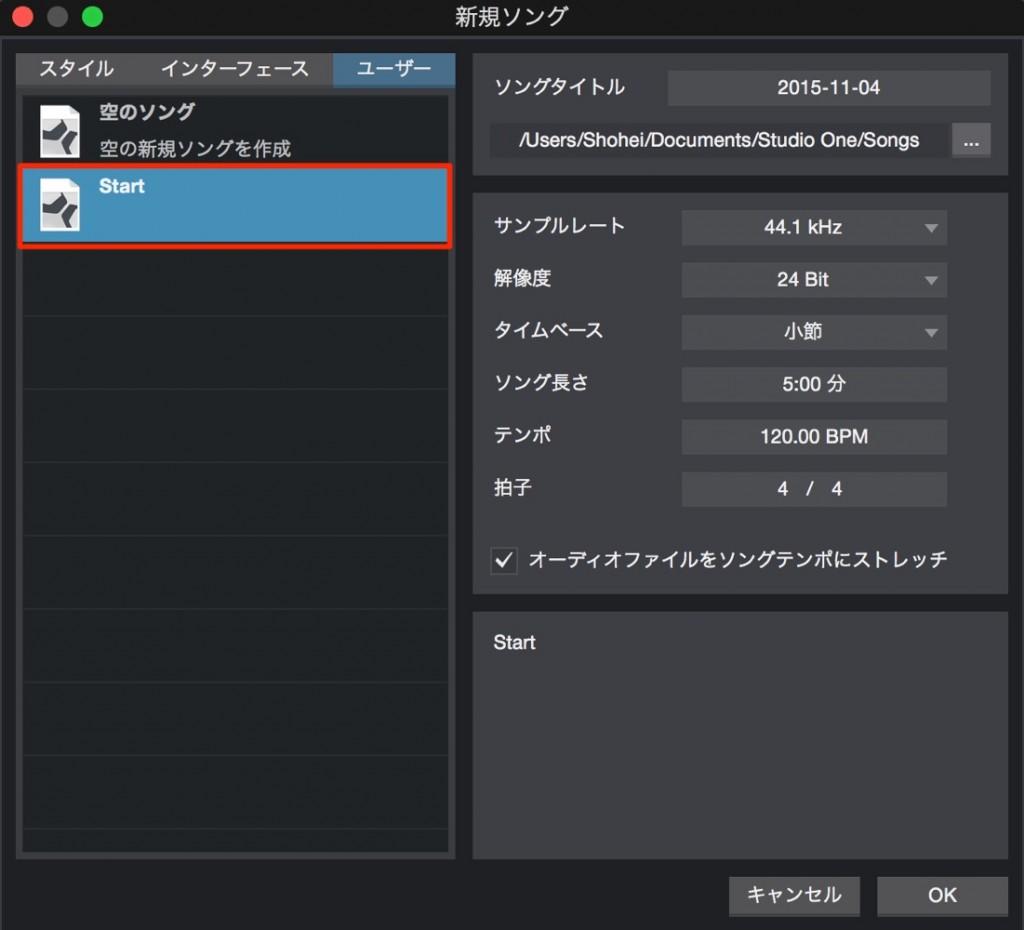
↑ When you create a new song,
the song you saved as a template appears.

Frequently asked questions
Q1. What are the benefits of creating templates in Studio One?
Once you set up the preparation, such as tracks, synths, and the click, you no longer need to set it up manually for every new song. This greatly shortens the time before you can start producing so you can get straight to creating.
Q2. How do I save a template?
After setting up the song the way you like, choose "Save as Template" from the "File" menu, give the template a name, and save it. You can then choose it when starting a new song.
Q3. Can I create multiple templates?
Yes. You can create and save multiple templates for different genres, styles, and purposes. When starting a new song, choose the best template and get to work efficiently.
NEW ARTICLES
Latest English Articles











