
Using Studio One's bend marker function, you can efficiently extract and slice the parts you need from audio material. When pulling a kick out of a drum pattern or reusing part of a vocal, transient detection automatically recognizes split points, and you can fine-tune them by adjusting the threshold. After splitting, you can drag the slices into a sampler such as Impact, greatly expanding the creative ways you can use sampled material.
Studio One: easily reuse part of an audio file
You want to extract the kick from a drum pattern you like.
You want to reuse part of a vocal recording.
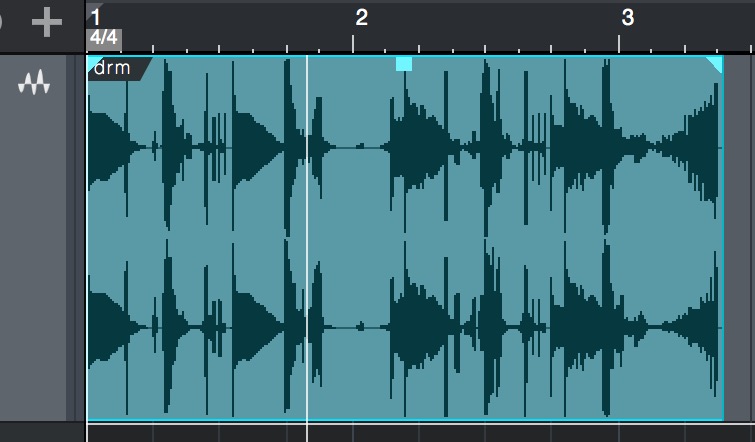
There are plenty of situations where you want to create new effects from audio material like this.
Here is a handy feature you can use in Studio One.
Using the transient function
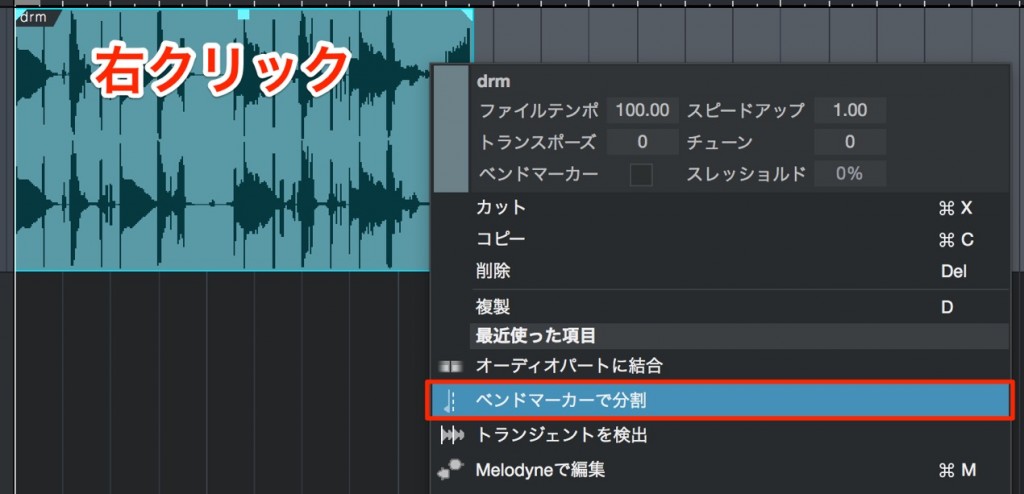
Right-click the material and select "Audio" → "Split at Bend Markers."
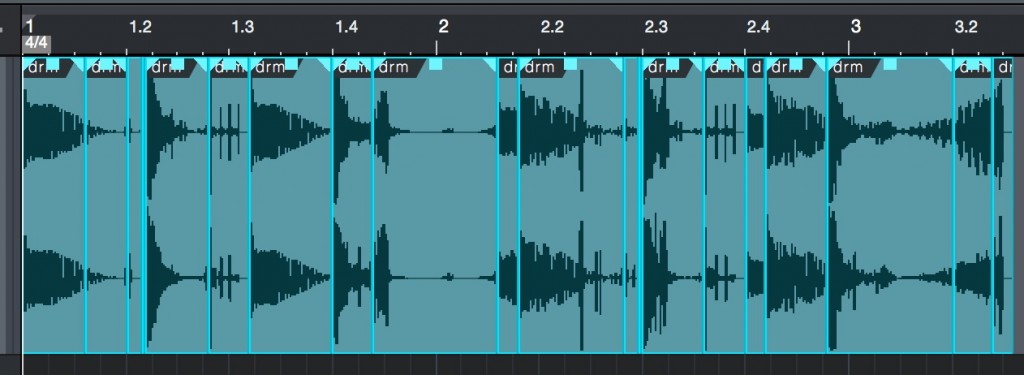
It is split like this.
If you don't like the result of the split,
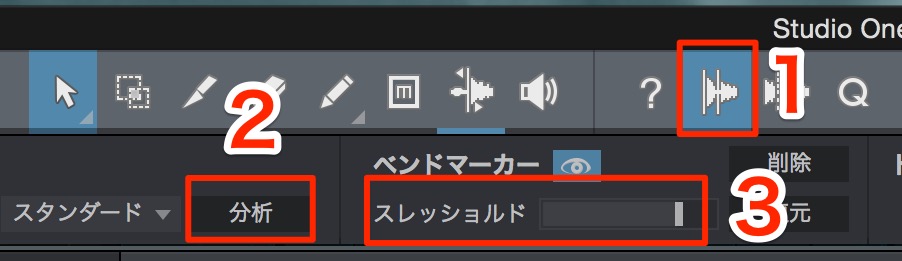
- 1. Turn on "Audio Bend"
- 2. Select "Analyze"
- 3. Adjust how it splits with "Threshold"
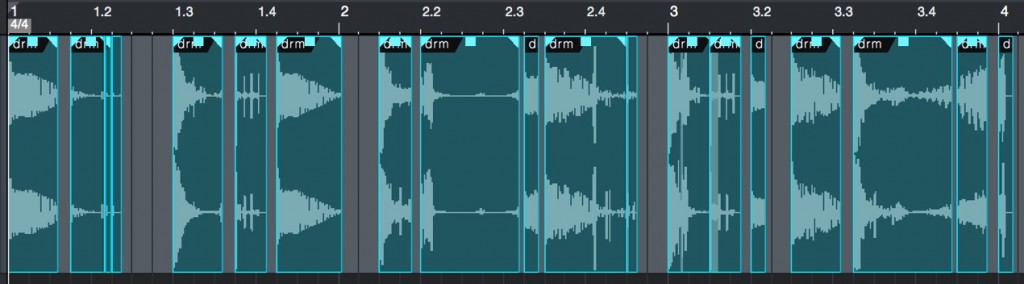
Then just arrange the material however you like.
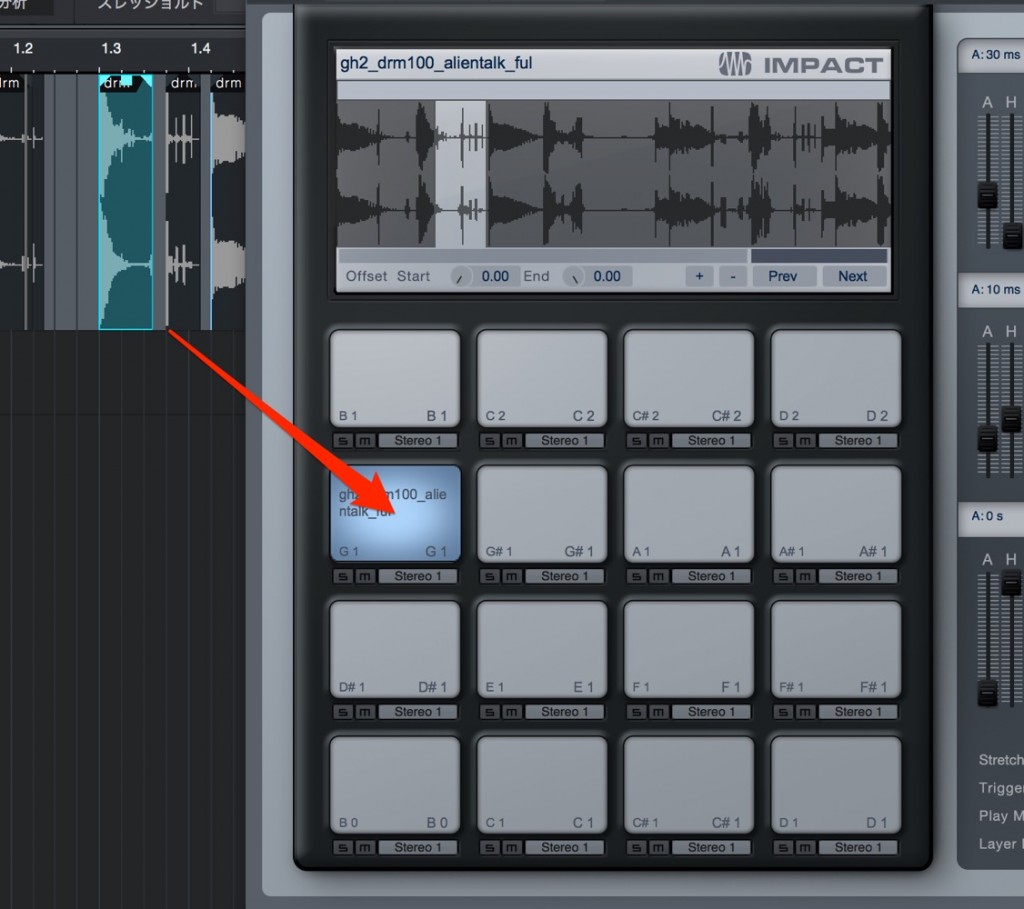
You can also drag the material into a sampler such as "Impact" and use it there.
Explanation of slicing

Frequently asked questions
Q1. How do I slice audio in Studio One?
Right-click the audio file and select "Audio" → "Split at Bend Markers." It is split automatically using transient detection, but you can finely control the split accuracy by turning on "Audio Bend," running "Analyze," and adjusting "Threshold."
Q2. What should I do if I don't like the bend marker split result?
After turning on "Audio Bend," select "Analyze" and adjust the "Threshold" parameter to change the split sensitivity. This lets you get more accurate split positions.
Q3. How can sliced audio be used?
By dragging and dropping the split audio into a sampler such as Impact, you can edit and process each piece as an individual sample, creating new sounds and effects.
NEW ARTICLES
Latest English Articles











