
Studio One's normalize function is very effective when the volume of recorded audio is too low. It automatically raises the peak of the selected audio file to 0 dBFS, optimizing the level of the audio material itself without relying on the track's volume fader. You can apply it from the menu in a few clicks, or even faster with the shortcut (Mac: Command + N, Windows: Alt + N). You can see the effect in the waveform, and because quiet material becomes easier to work with in your song, it greatly improves the efficiency of mixing.
Optimizing Quiet Audio Files
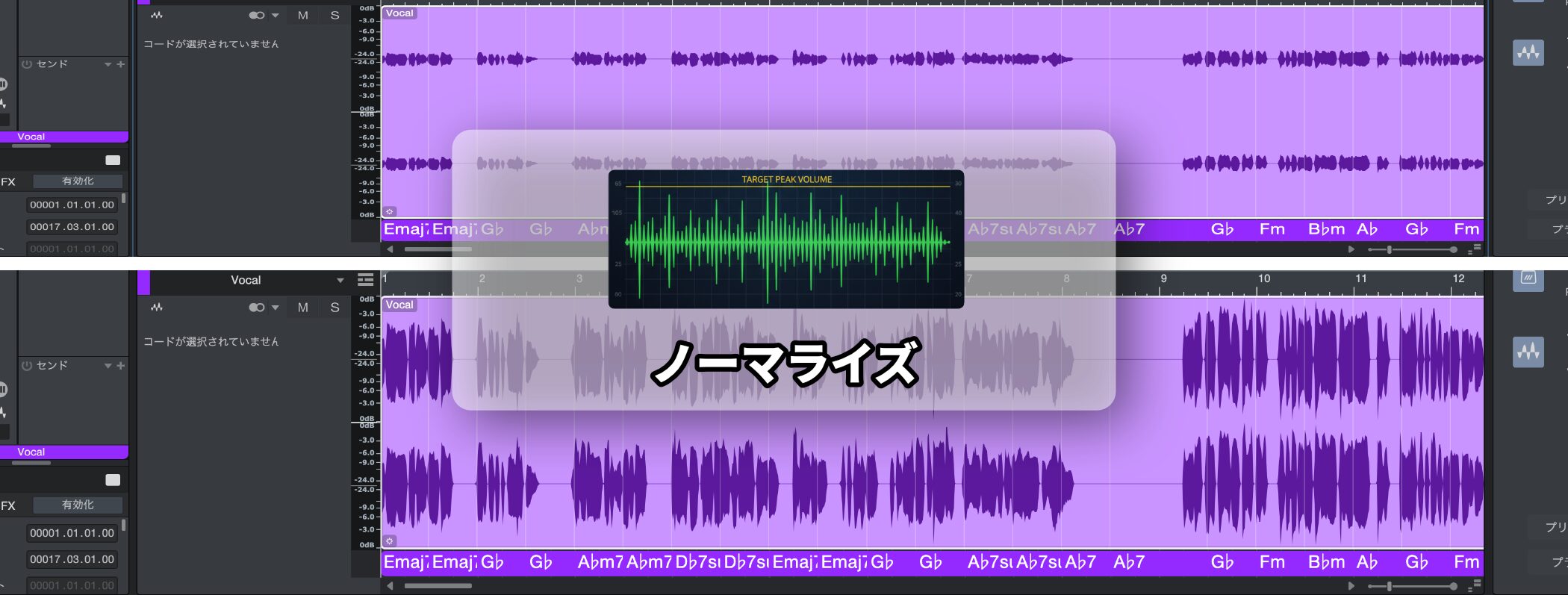
Have you ever felt that the volume of recorded audio was too low?
Normalize is what helps when the track's volume fader is already at maximum and it is still not loud enough.
Normalize is a function that automatically raises the loudest part (the peak) of the selected audio file to just below 0 dBFS, the maximum value that can be handled digitally.
This lets you optimize the volume of the audio material itself, independently of the track's volume setting.
Normalize Explained
How to Use Normalize
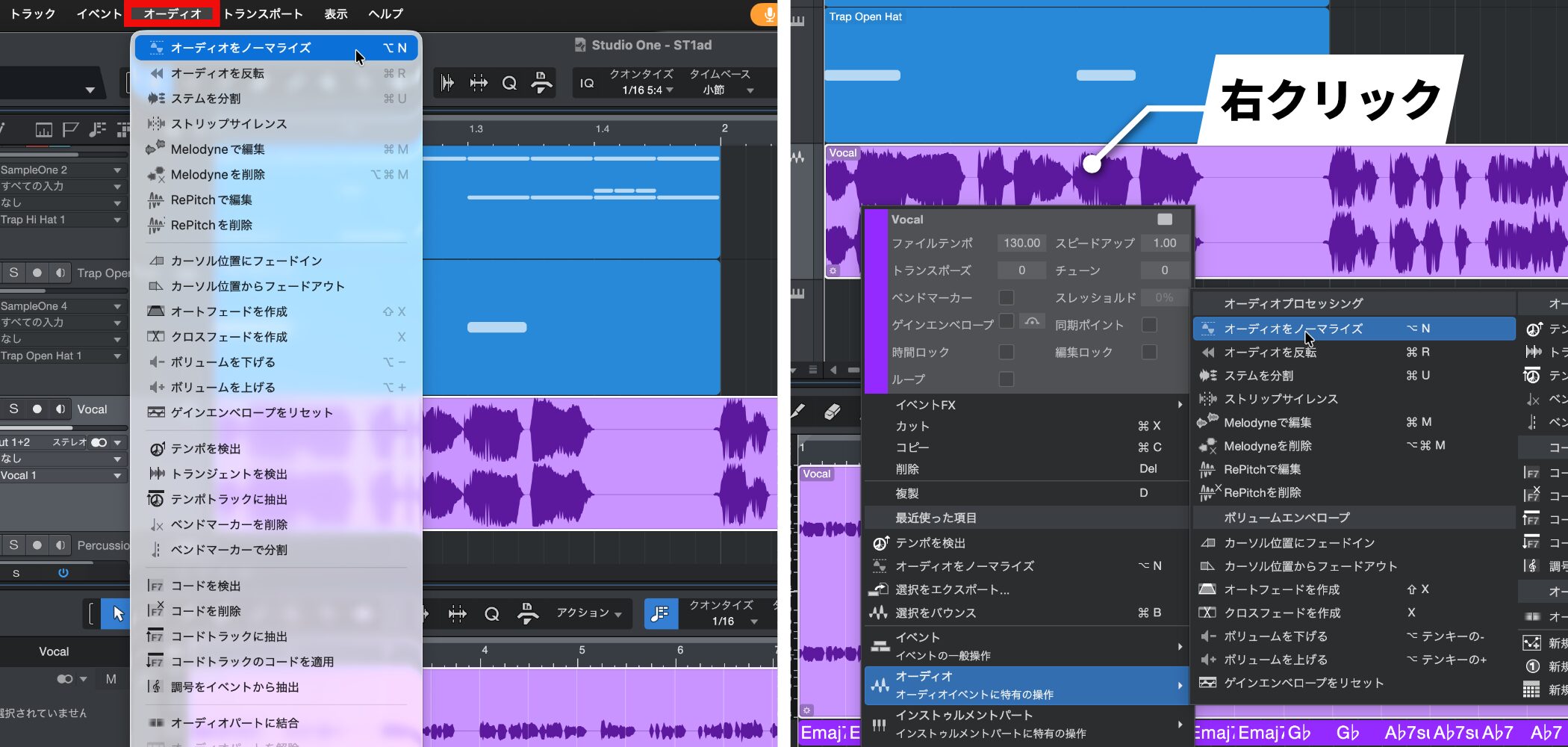
Select the event you want to apply it to, then choose "Audio" → "Normalize Audio" from the menu bar.
Alternatively, right-click the selected event and choose "Audio" (audio event-specific actions) → "Normalize Audio" from the menu.
You can also apply it even faster by remembering the following shortcuts.
- Mac: Command + N
- Windows: Alt + N
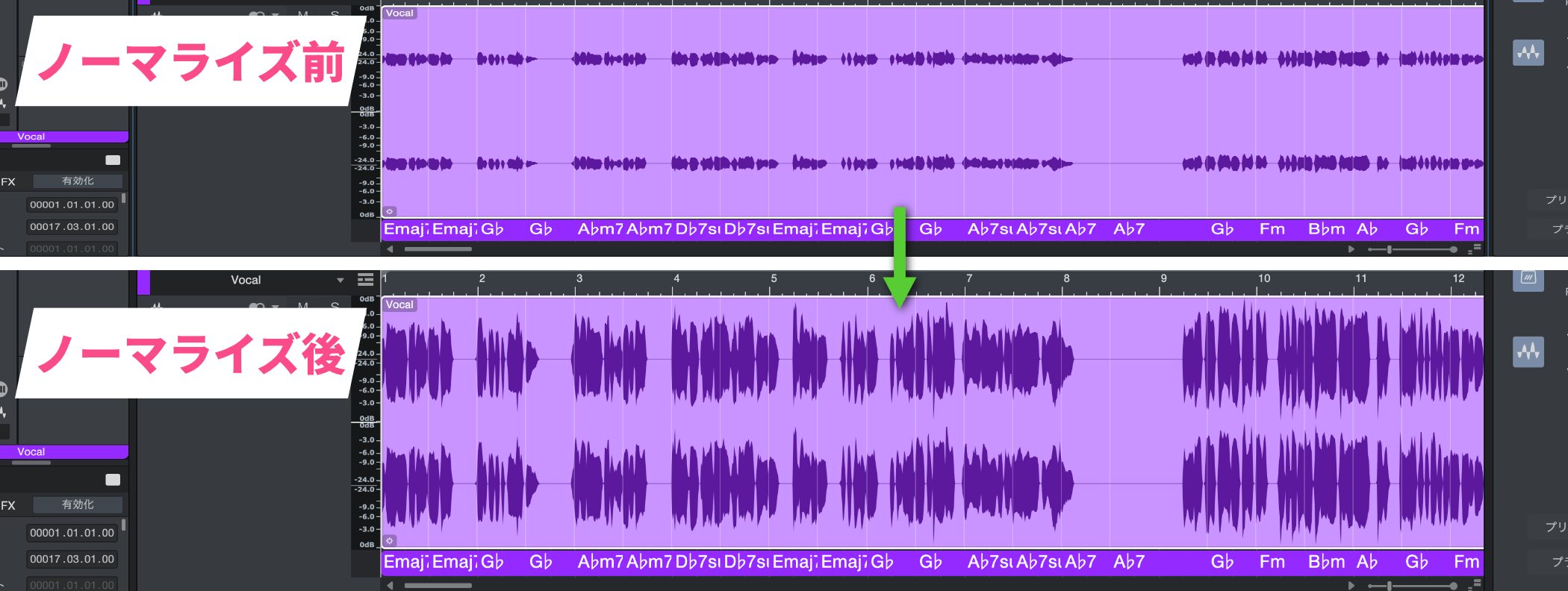
When you apply normalize, the whole waveform gets bigger, so you can see that the volume has been optimized.
By making good use of normalize, even quiet material becomes easier to work with in your song.
Be sure to make it part of your production.

Frequently asked questions
Q1. What is the difference between normalize and the volume fader?
The volume fader only adjusts the volume during playback, while normalize permanently changes the level of the audio file itself. So if you want to improve the original level of the material, normalize is effective.
Q2. Does normalizing degrade the sound quality?
Normalize simply scales the audio data by a gain factor, so it does not degrade the sound quality. However, it cannot fix parts that are already clipped (distorted), so recording at an appropriate level is important.
Q3. Can I undo normalize if I applied it by mistake?
Choose "Undo" from Studio One's "Edit" menu (Ctrl+Z on Windows, Command+Z on Mac) to undo the last normalize.
NEW ARTICLES
Latest English Articles











