
Studio One Pro 7 is a DAW packed with innovative features powered by AI technology. Its new Launcher makes cell-based pattern management possible, changing the way you can produce music. AI stem separation, improved tempo detection, and Global Transpose make editing songs and working with audio more efficient. With deeper Splice integration and enhanced scale tools, this update offers useful improvements for everyone from beginners to professionals.
A major evolution for a newly reimagined product
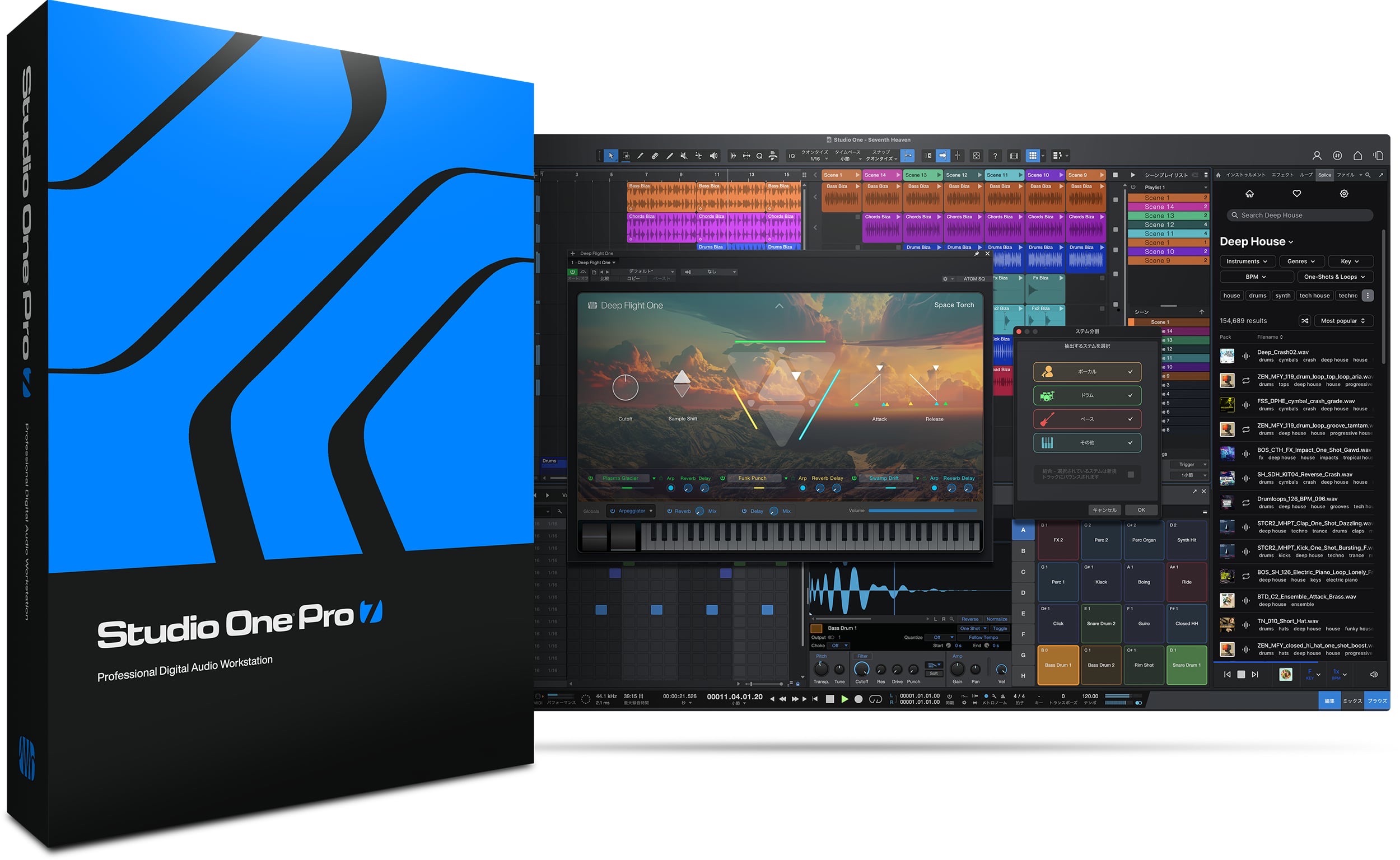
Studio One Pro 7 was recently announced.
The lineup changes—Prime, the free edition, and the Artist edition were discontinued—made headlines, but the new features had not yet been revealed.
So, what features have been added?
Here, we take a closer look at selected new features and highlights.
Studio One Pro 7: New Features Explained
A Launcher that offers a new way to produce music
The newly added Launcher could significantly change how you work in Studio One.
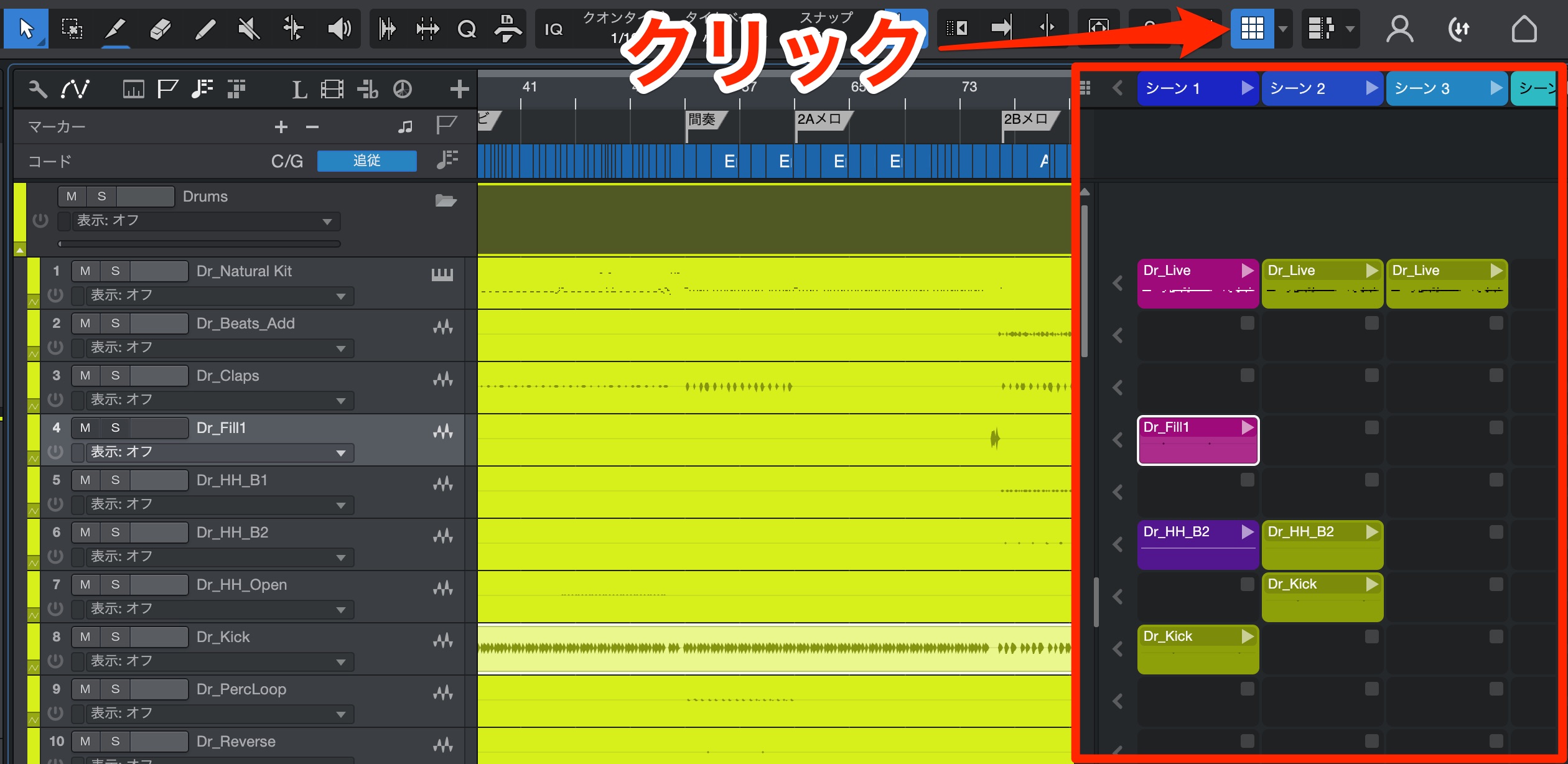
Click Launcher to open its window.
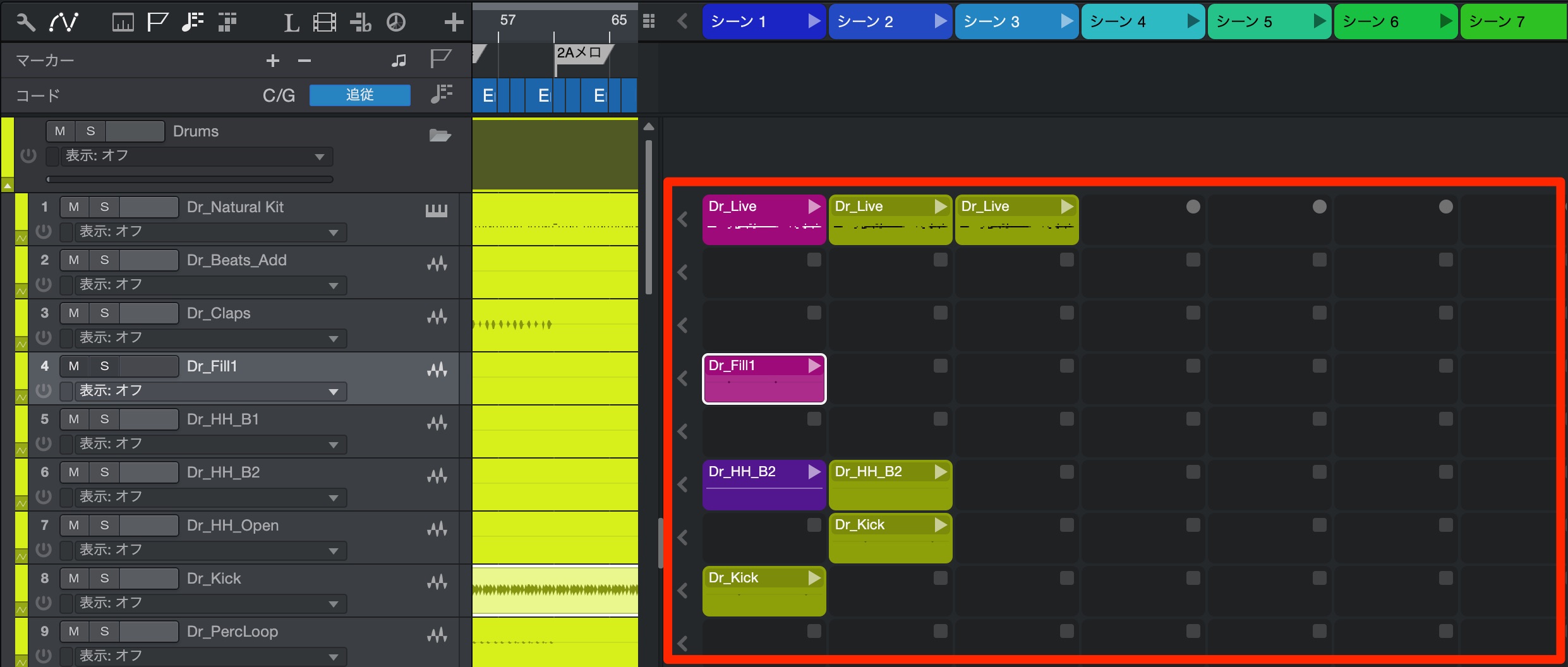
Each track has its own cells, where you can record different performances or patterns.
You can also record a new performance directly into a cell.
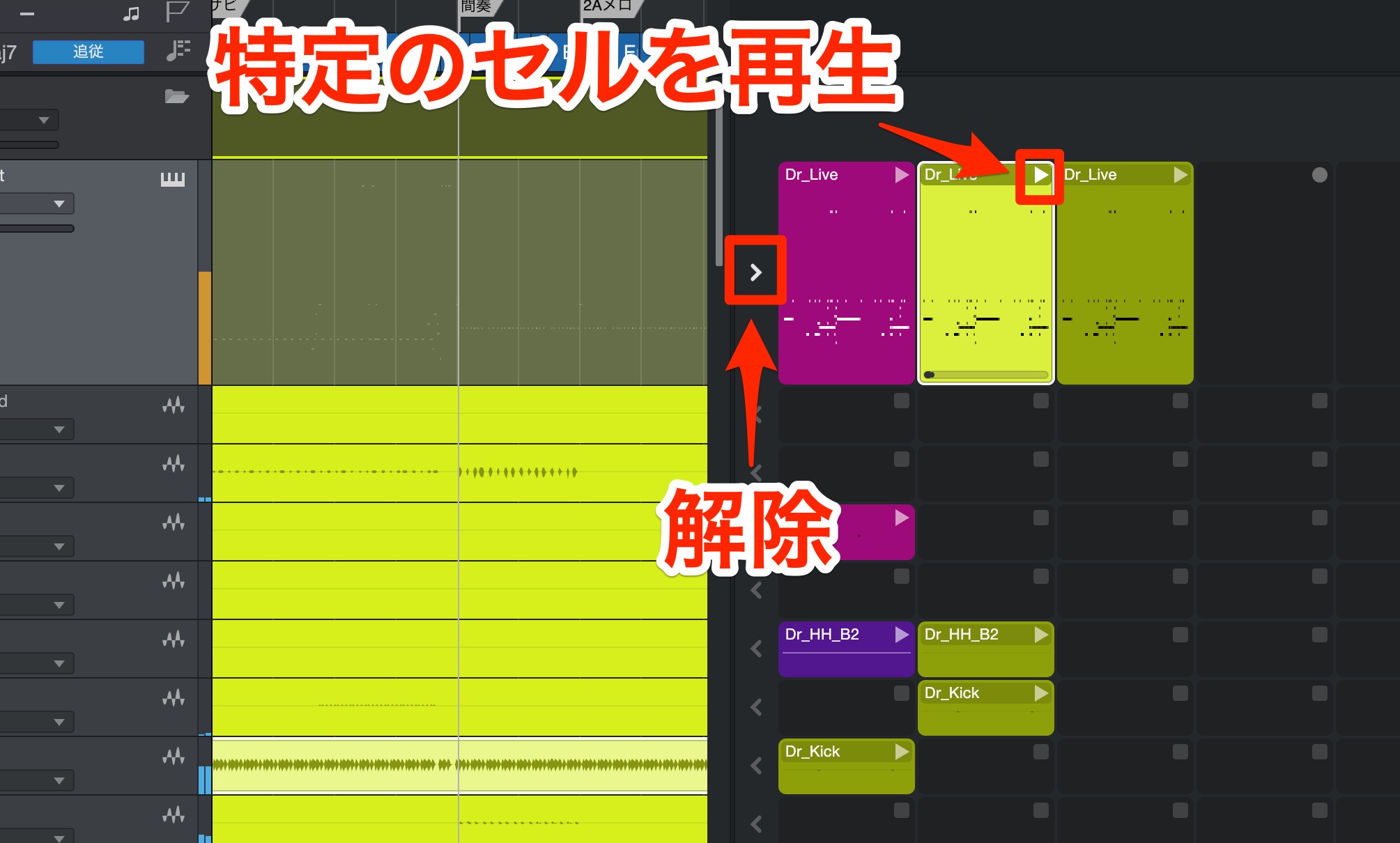
When you play a cell, the Song plays as usual, but any events on that cell's track in the timeline are muted to prevent overlapping performances.
This lets you explore different patterns as easily as swapping outfits.
To stop the cell and play the material on the track's timeline instead, press the playback toggle button.
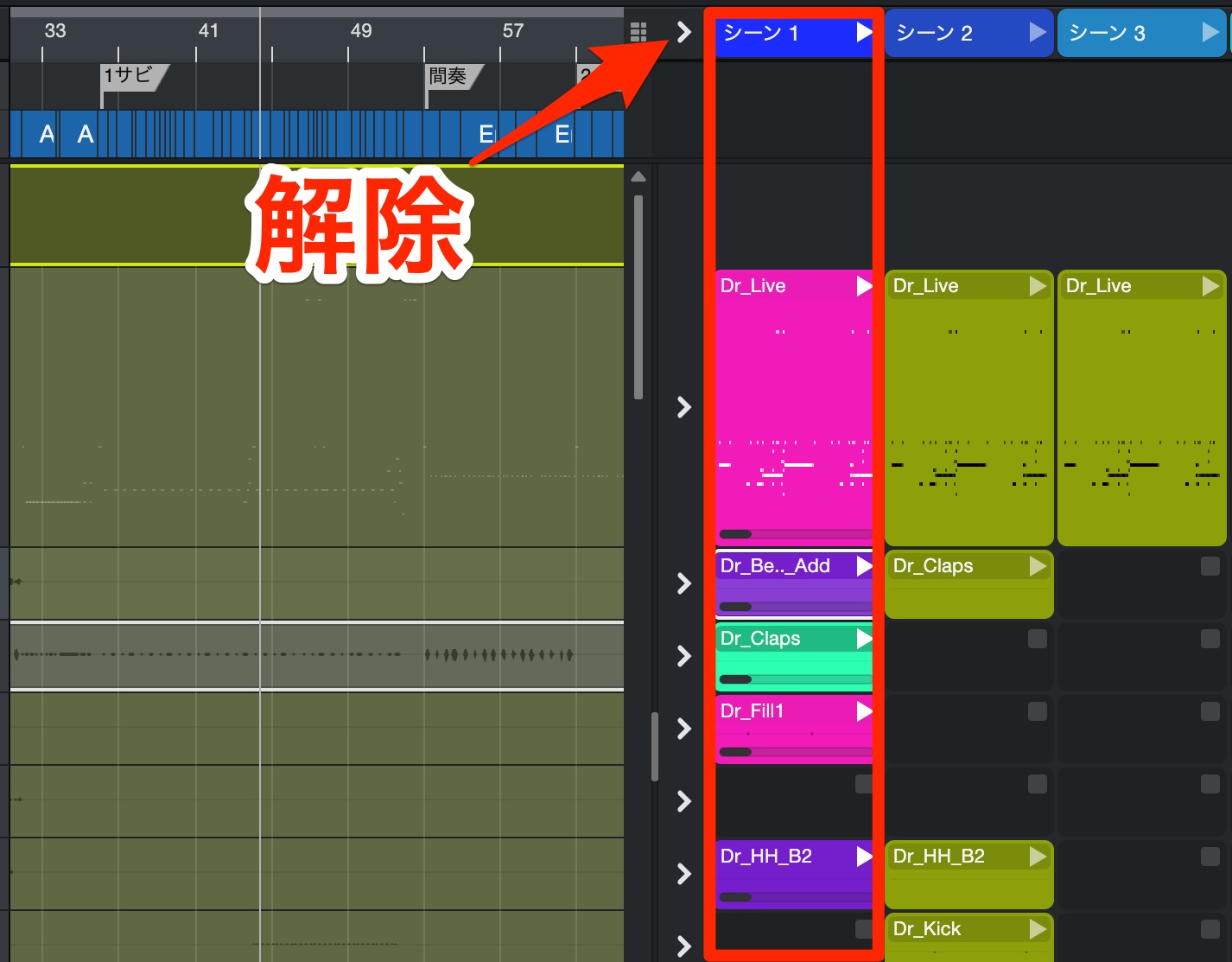
Scenes let you play a vertical column of cells all at once.
When you do, the existing events on the timeline are muted.
You can also stop all of them at once with the playback toggle button.
Combining cells can reveal unexpected combinations and effects, making it fun to explore different arrangements.
You can also use the feature to store takes or for live performance, among other possibilities.
Split 2-mix songs and other audio into stems
A popular feature has now arrived in Studio One.
AI analyzes a single audio file, such as a 2-mix, and separates it into vocals, drums, bass, and other elements such as backing parts.
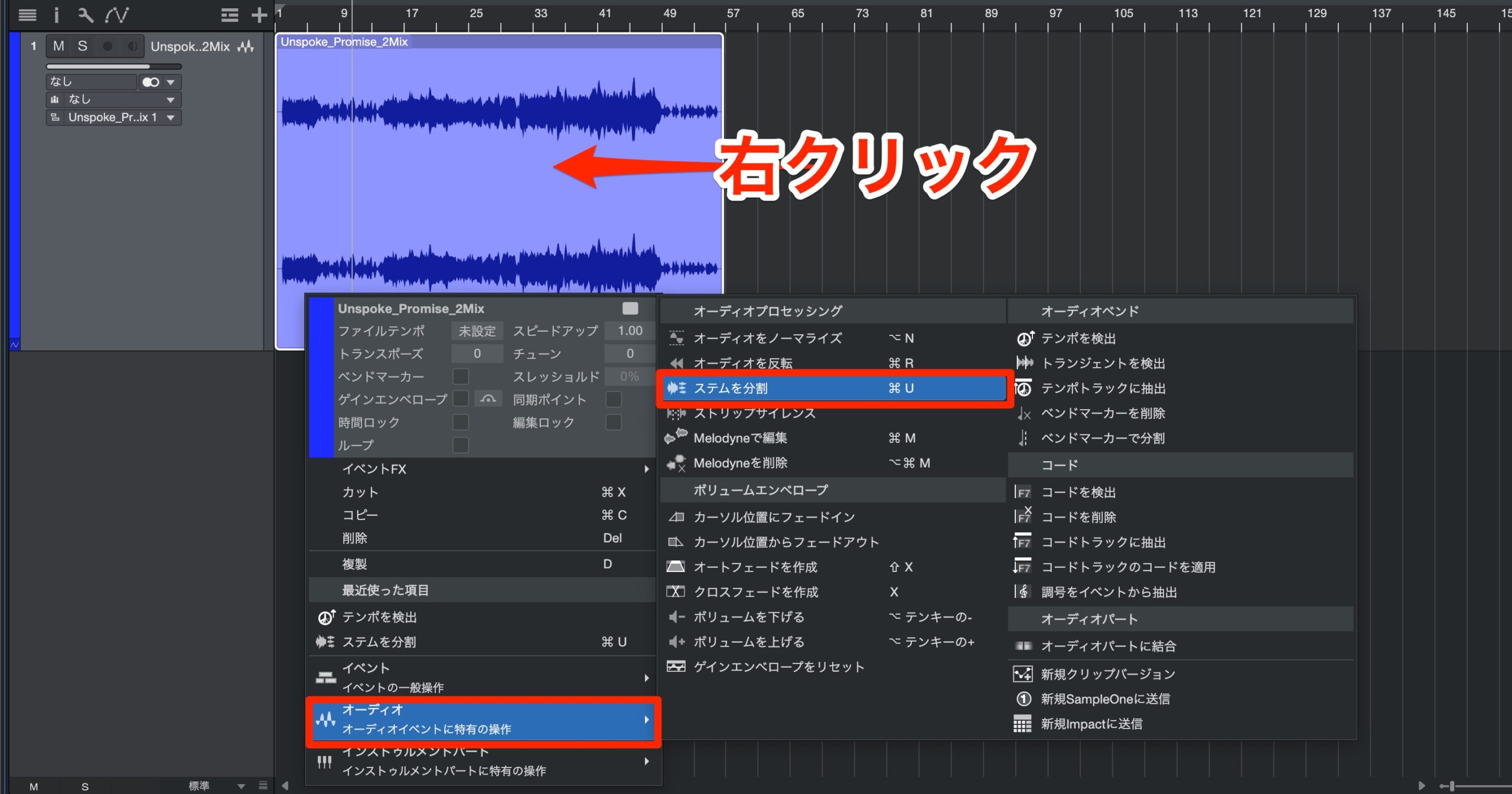
Right-click the audio event, then choose Audio > Split Stems.
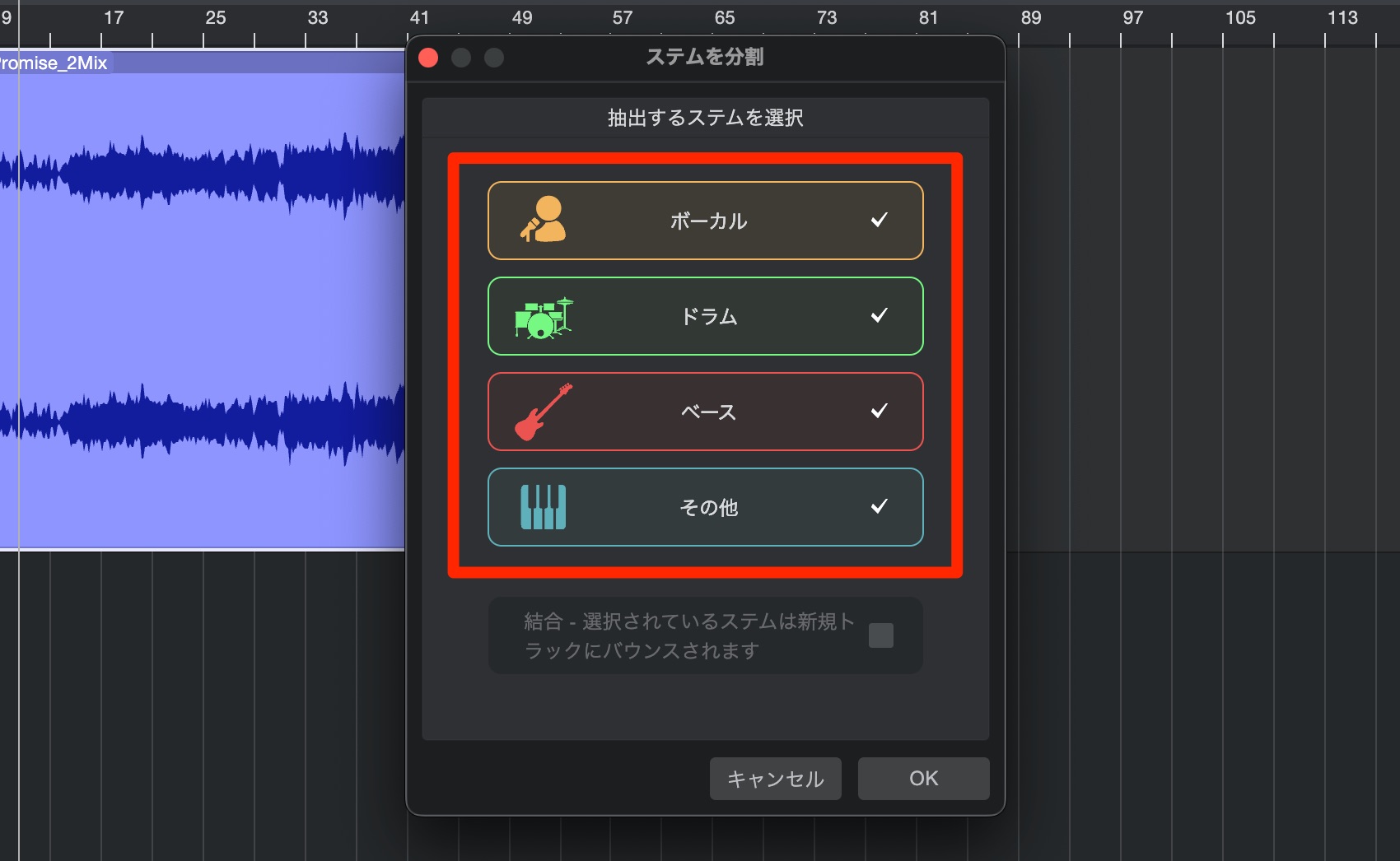
Select the stems you want to split out, then click OK.

The stems are exported as shown here.
The analysis is highly accurate, making this feature useful for recreating songs and producing remixes.
Global Transpose makes it easy to change the key of an entire song
Need to change the key of a finished song to suit a vocalist?
That can involve a lot of tedious adjustments.
Global Transpose lets you do it instantly.
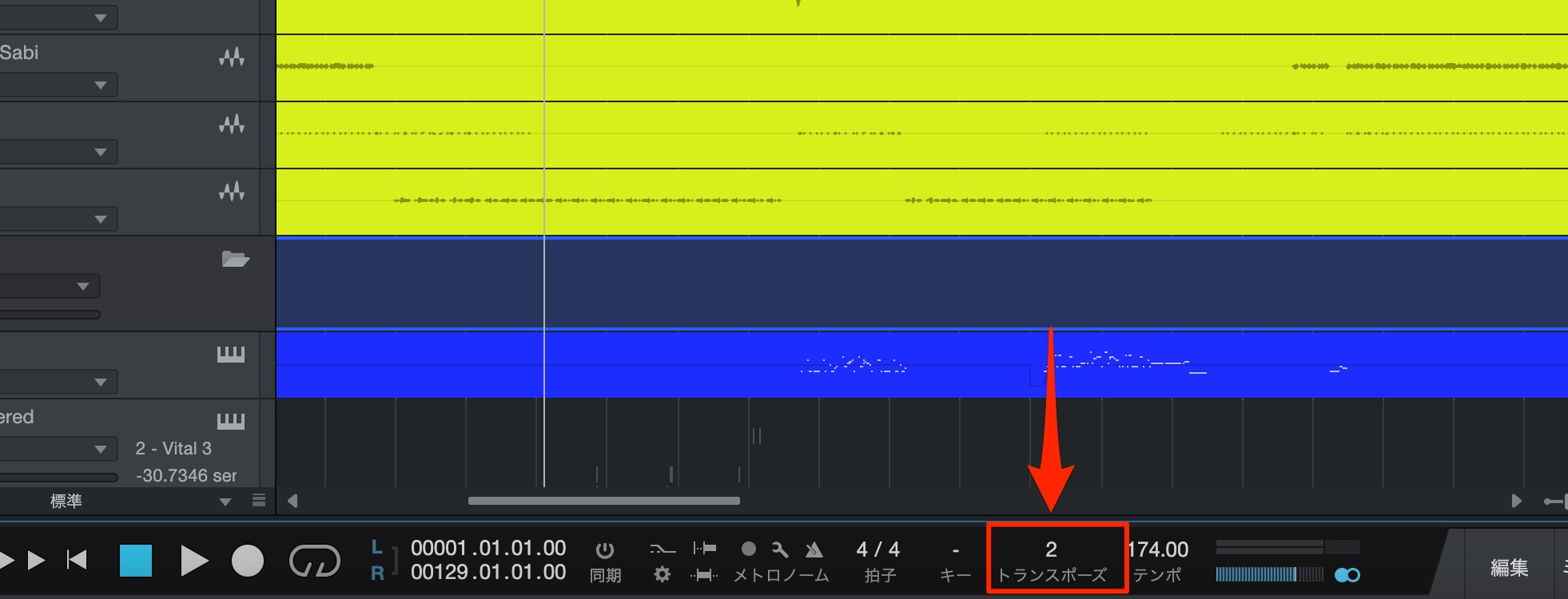
Simply set the transposition in semitones from the transport section.
Audio and MIDI are processed together.
One issue is that this can also affect tracks whose pitch you want to keep unchanged, such as drums and other rhythm instruments.
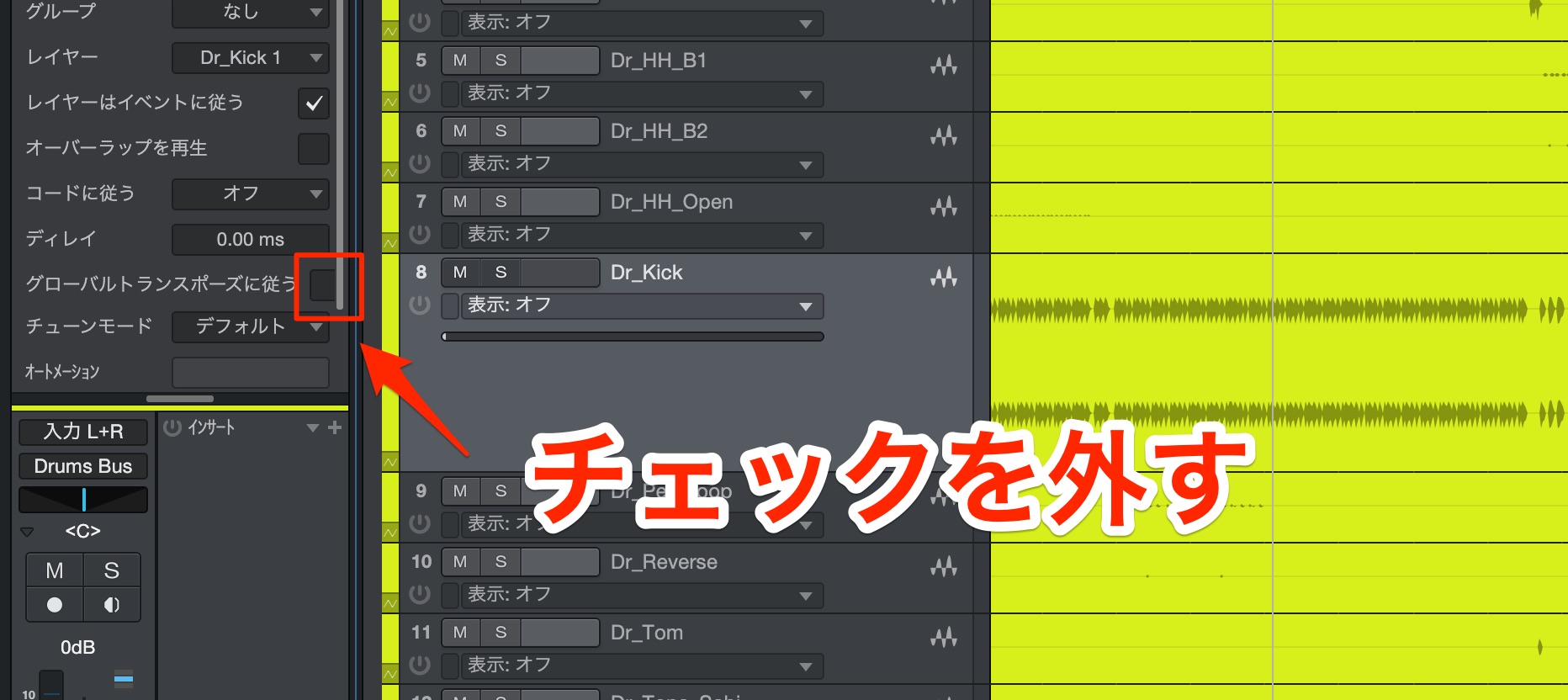
Turn off Global Transpose for the tracks you want to exclude to preserve their original sound.
Improved tempo detection
A new, state-of-the-art AI tempo detection feature has been added.
It analyzes audio files with an unknown or fluctuating tempo and applies the detected tempo to the project.
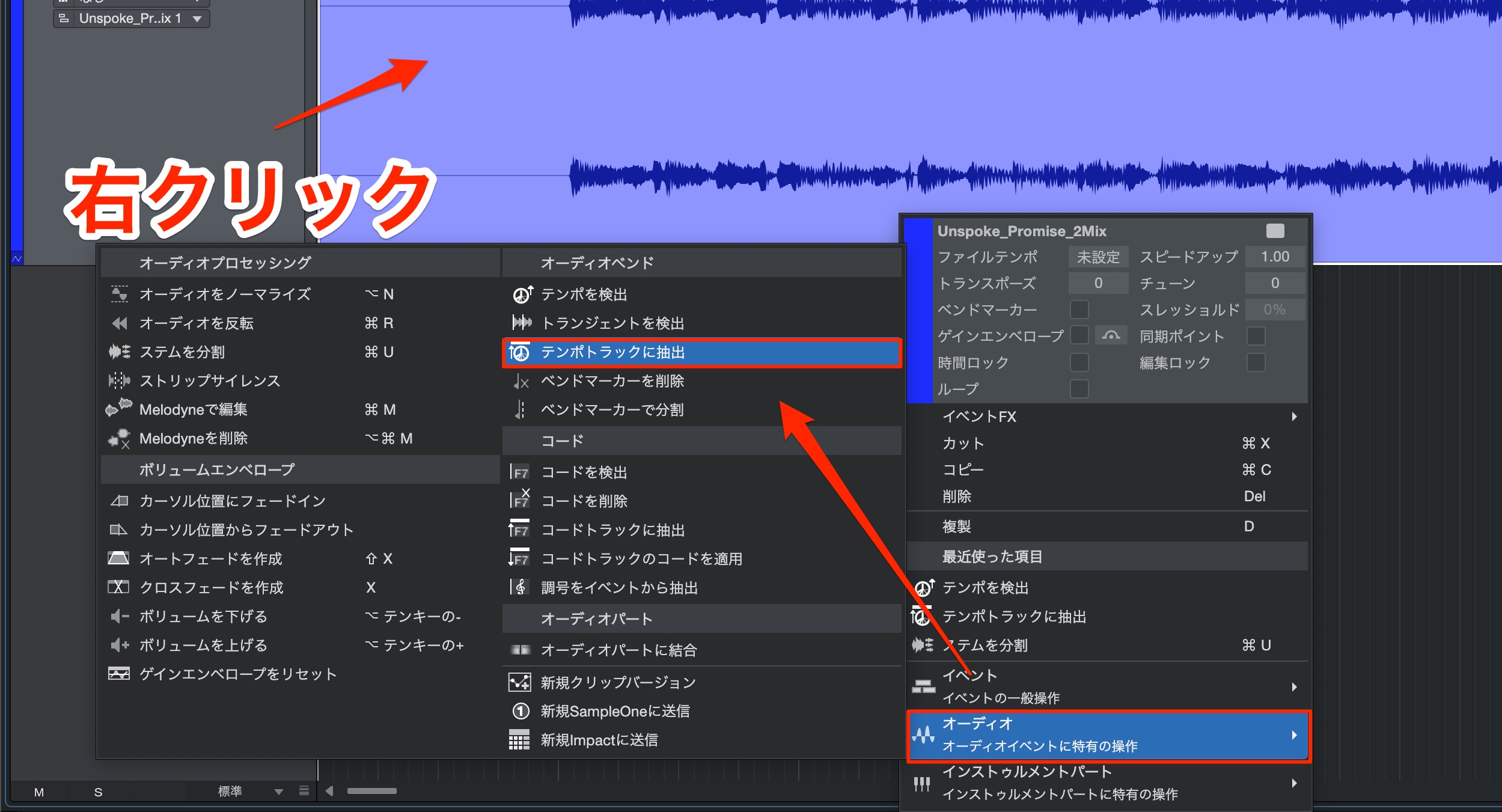
Right-click the audio file and choose Audio > Extract to Tempo Track.
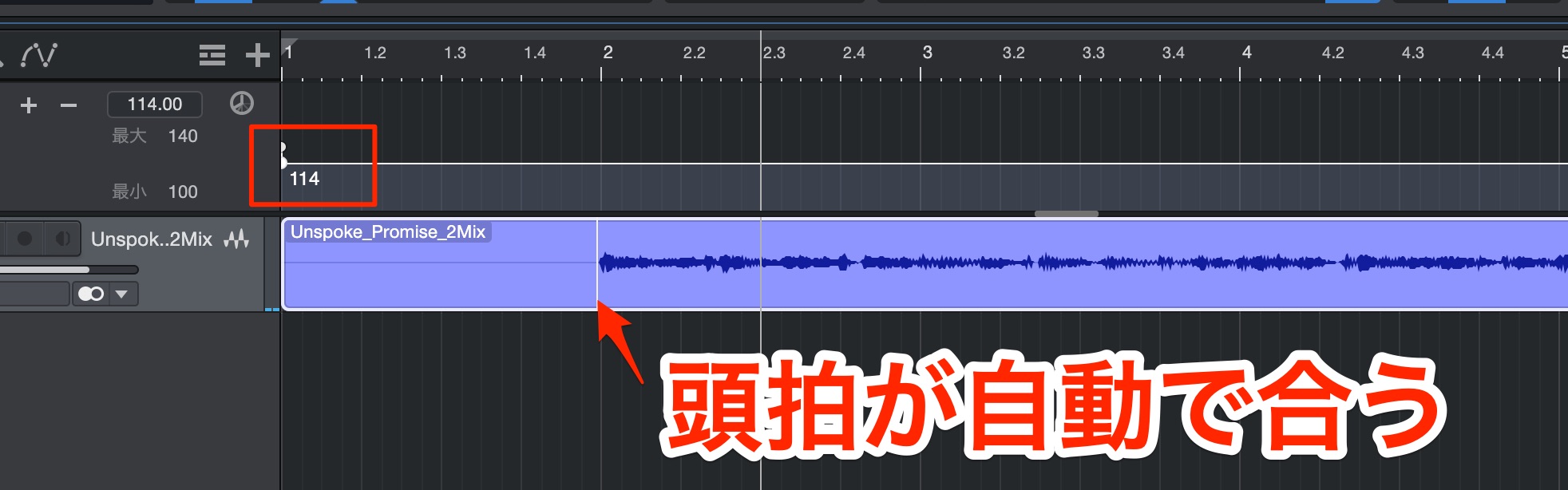
The tempo is detected and automatically applied to the project, as shown here.
It can also detect the first beat and align it with the bar grid.
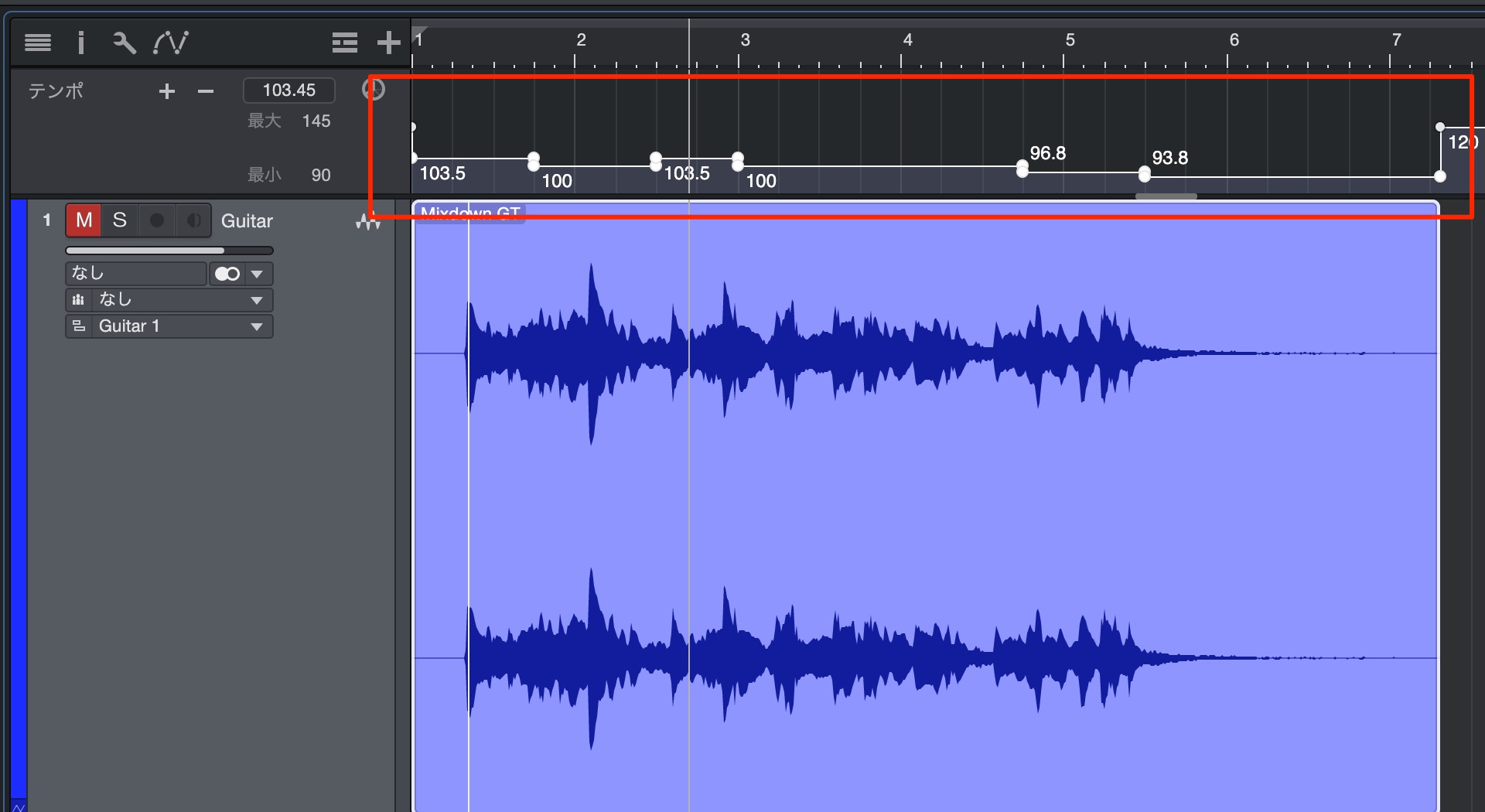
This is useful even with audio whose tempo fluctuates.
* If tempo detection or applying the detected tempo does not work as expected,
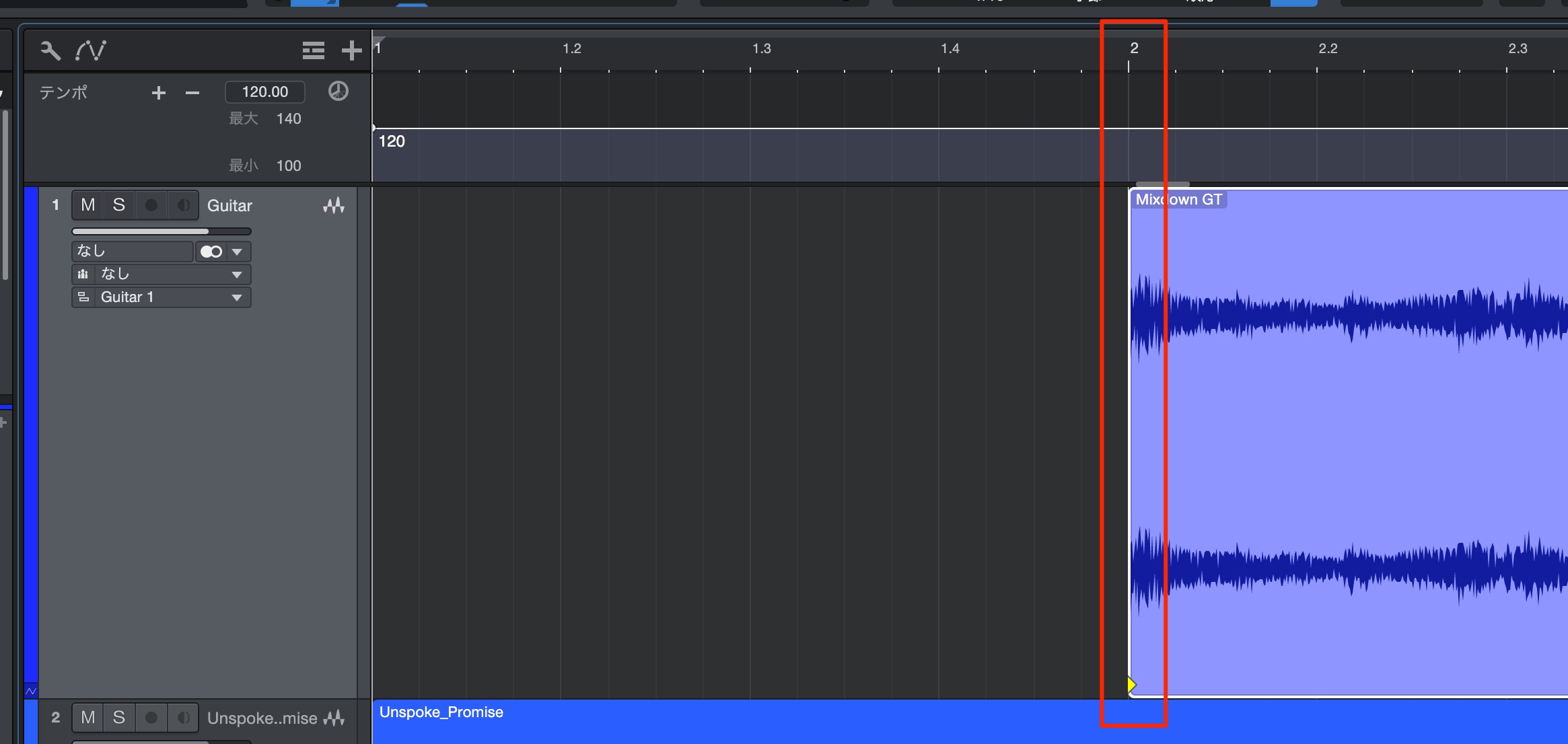
try trimming the silence before the performance and analyzing the audio again.
Improved scale controls and features
The Scale feature for MIDI editing has been enhanced.
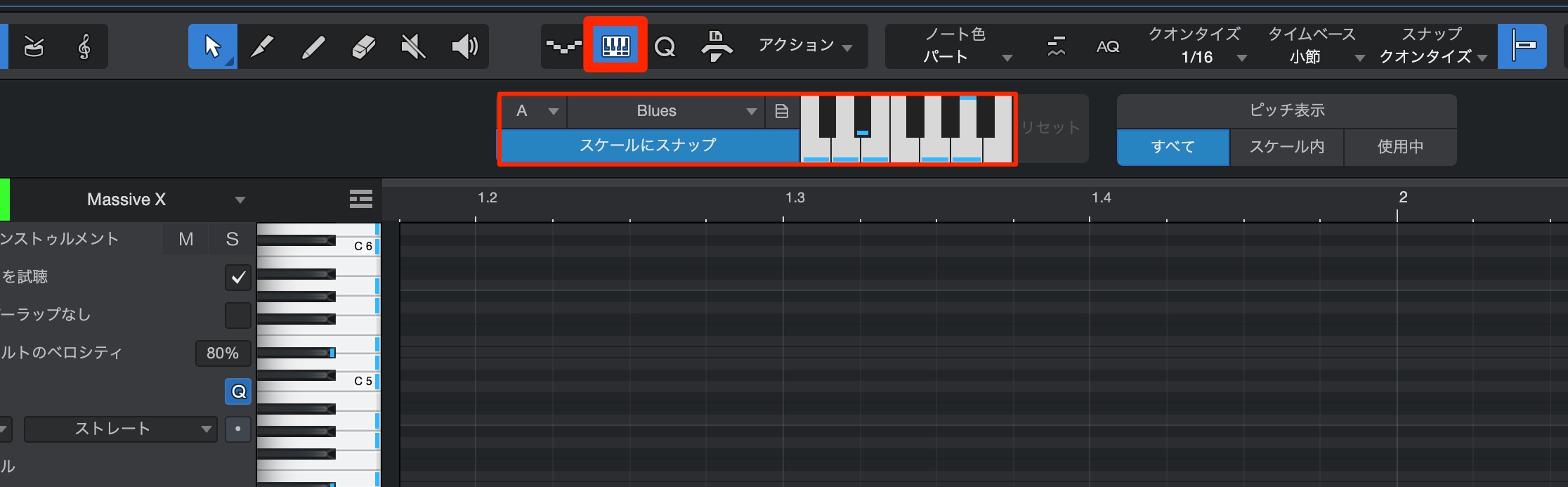
Click the new Scale panel, then adjust the key and scale in the section that appears.
With Snap to Scale enabled, notes are constrained to the selected scale when moved, which is handy.
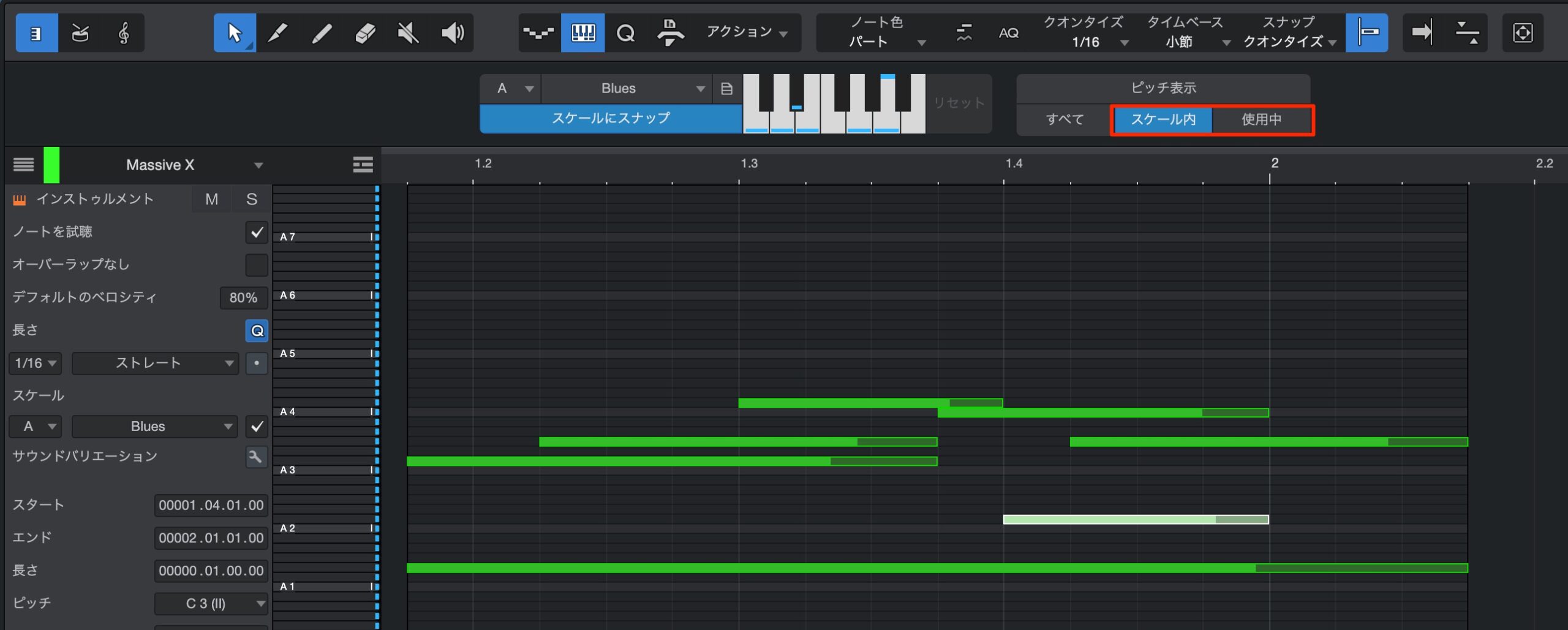
New display modes let you show notes in the scale or only the notes currently in use.
This makes the notes easier to identify and can help speed up your workflow.
Seamless integration with Splice

Splice is a music-production service offering audio and MIDI samples for a wide range of genres.
Splice, one of the fastest-growing services in the field, now integrates seamlessly with Studio One.
* You need a Splice account and a subscription to use more of its samples.
(A 7-day free trial is available.)
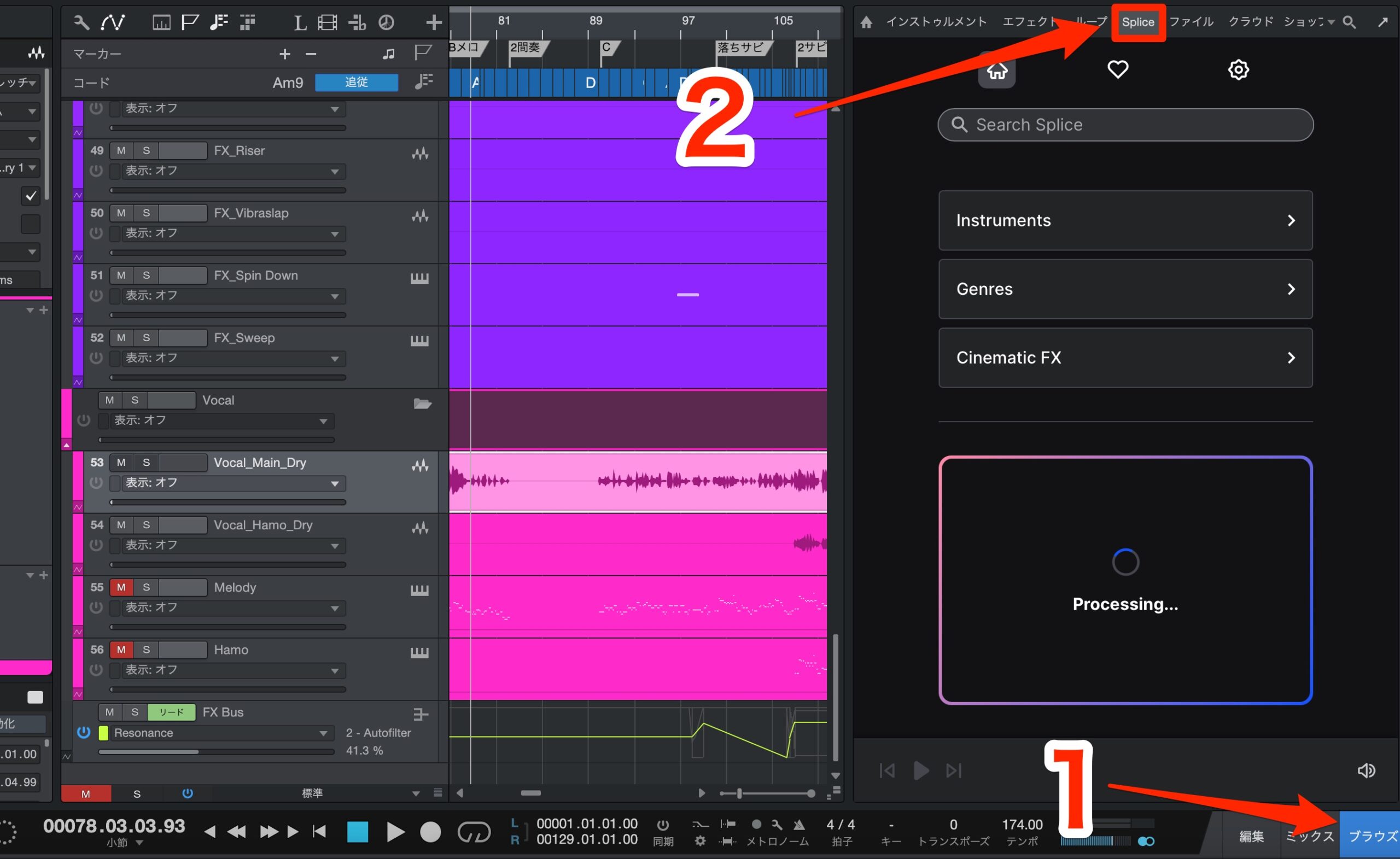
Splice is available in the Browse tab.
You can browse by instrument or genre, or drag an audio file from Studio One into Splice to find similar sounds.
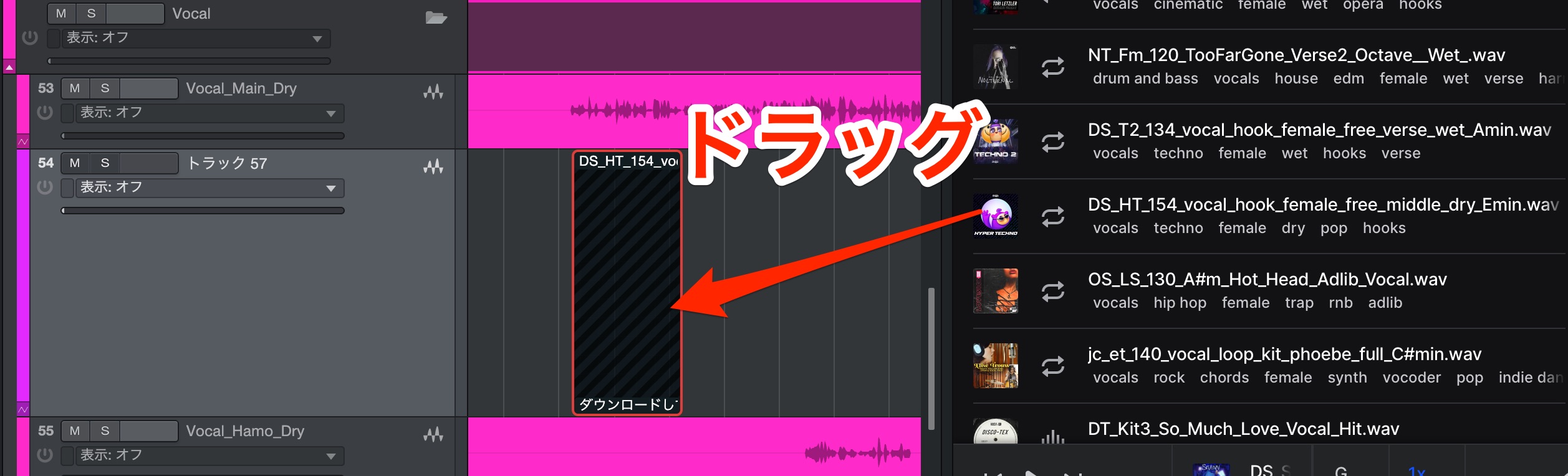
Drag a sound you like after previewing it, and you can use it right away in your Studio One project.
You can also use samples synchronized to the project's tempo.
This integration is very convenient.
What if Splice does not appear?
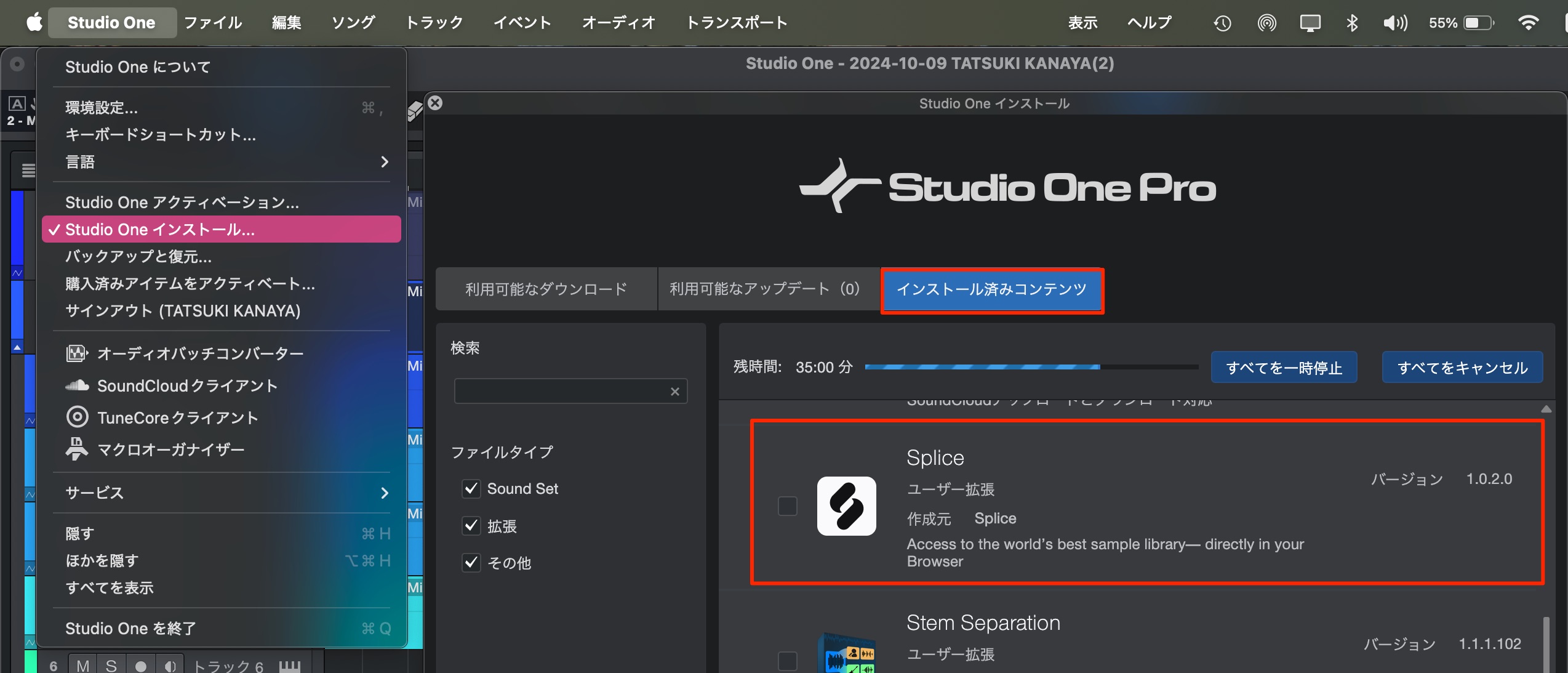
Make sure Splice is installed.
If it is not installed, you can add it from Available Downloads.
Open the Browser in a separate window
As with Splice, you can now display this Browser in a separate window.
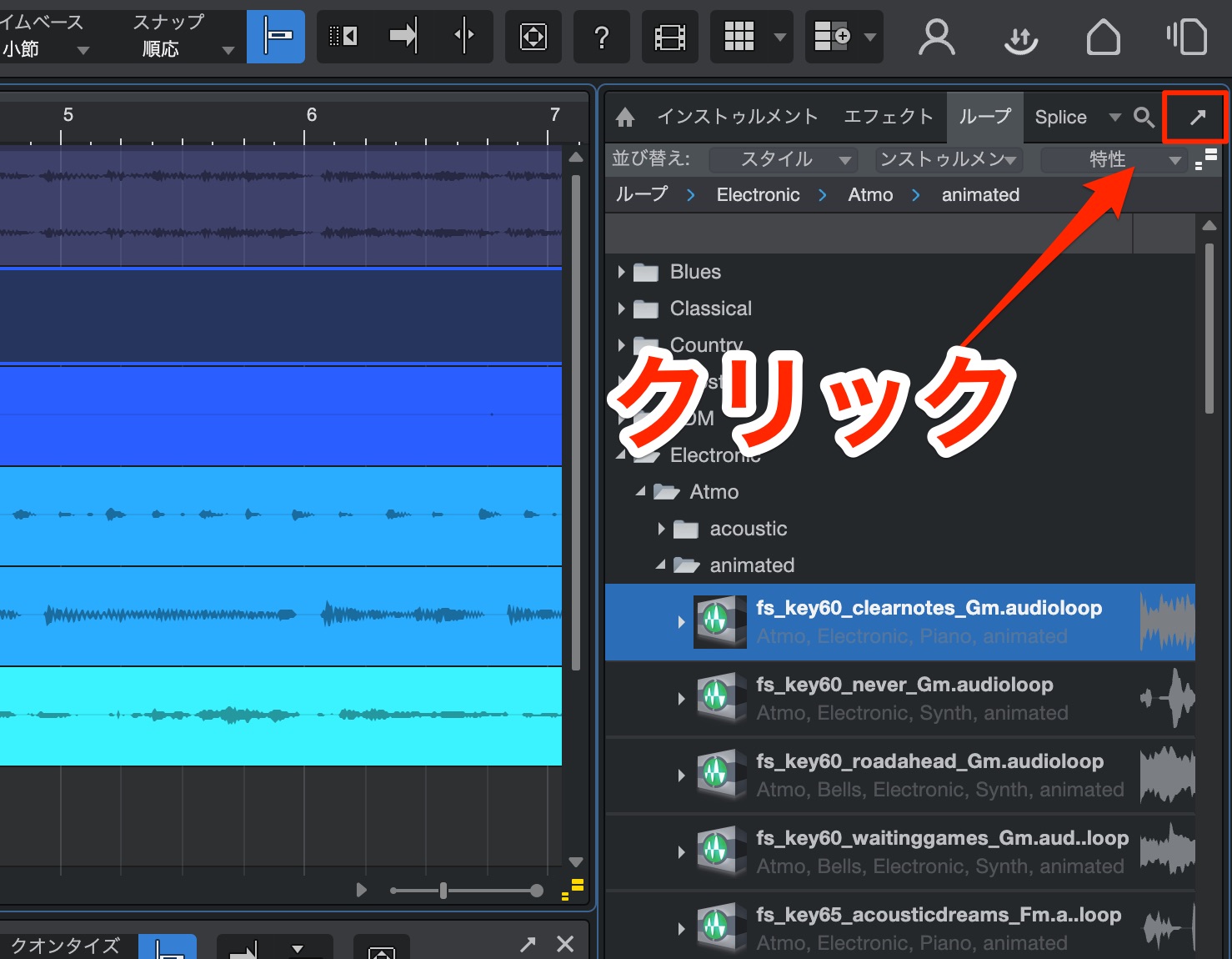
Just click this section.
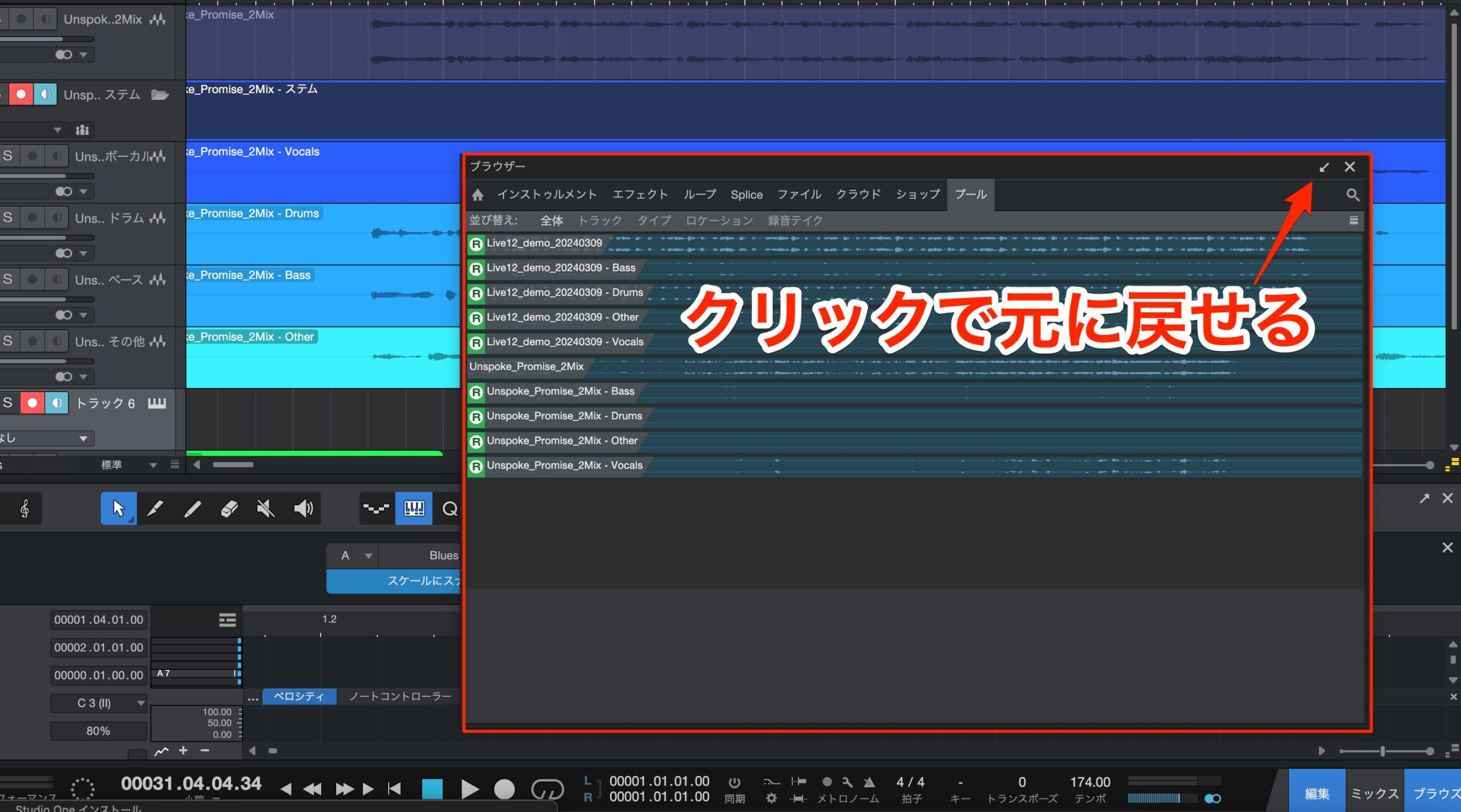
The window is now detached.
Click the arrow to return it to its original position.
New virtual instruments and add-ons
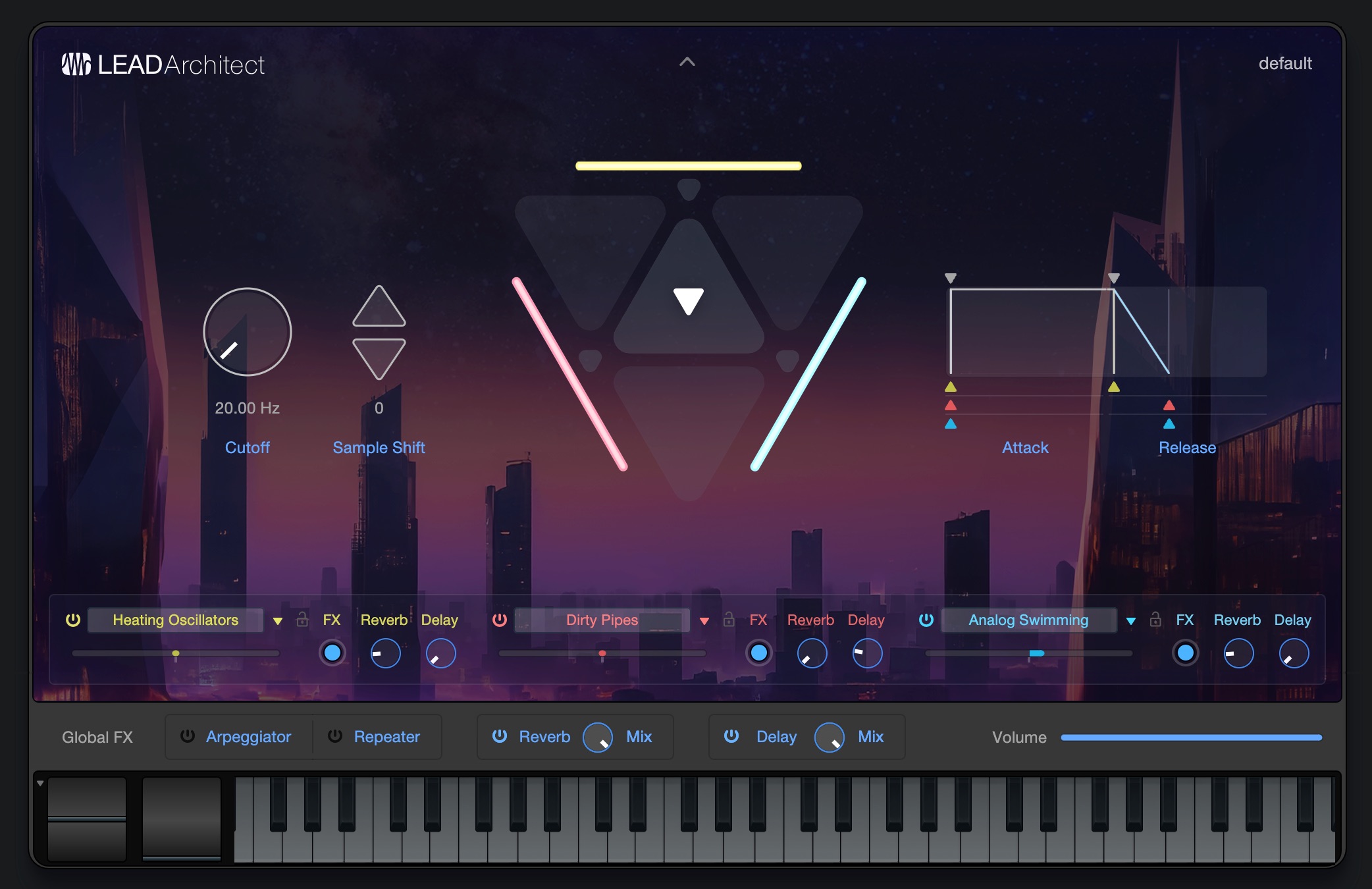
Along with the new virtual instrument Deep Flight One, you can now use Lead Architect, a versatile lead synthesizer.
Two add-ons that previously had to be purchased separately, Presence Editor and Audio Batch Converter are also now available, which is a great value if you did not already own them.
What did you think?
The lineup and product specifications made headlines first, but the new features show that this is a substantial update.
The plan is to drop version numbers and release updates three or four times a year, adding new features over time.
Try out the features that interest you and enjoy a more efficient music-production workflow.
Frequently Asked Questions
Q1. How does the Launcher in Studio One Pro 7 work?
The Launcher provides cells for each track where you can record and manage different performance patterns. Playing a cell mutes the corresponding material on the timeline, so you can switch between patterns as if changing outfits while producing. Scenes can also play multiple cells simultaneously.
Q2. How accurate is the 2-mix stem-splitting feature?
The AI-powered stem separation feature is described as highly accurate, splitting audio into vocals, drums, bass, and other elements. It may be useful for recreating songs and producing remixes; the article notes that the analysis is highly accurate.
Q3. Can I exclude specific tracks, such as drums, from Global Transpose?
Yes. Turn off Global Transpose for the tracks you want to exclude. Those tracks keep their original sound while the other tracks are transposed.
NEW ARTICLES
Latest English Articles











