
Using Studio One's Event FX feature, you can apply effects such as EQ or distortion to just a specific part rather than the whole track. This greatly improves your efficiency and allows detailed sound design. You can also render the effect results into an audio file to keep working while reducing the CPU load. Because the Restore function makes it easy to go back to the original state, you get both non-destructive editing and efficient processing.
Flexible, Because It Doesn't Affect the Whole Track
While you work,
you often want to apply EQ or distortion to just one part.
The feature that makes this possible is Event FX.
Using this feature, which applies effects to an event alone, greatly improves your efficiency.
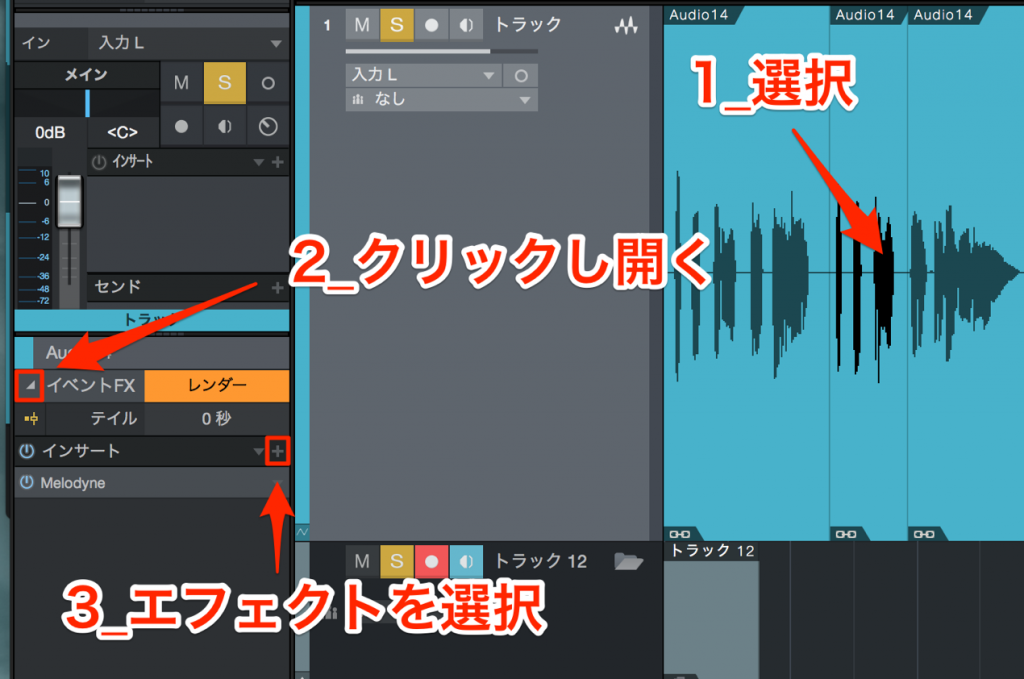
- 1_Select the event you want to apply an effect to.
Splitting the event lets you apply effects to even smaller sections. - 2_Click the inverted triangle outlined in red to open the window.
- 3_Click the "+" button in the window that opens to add an effect.
The effect is now applied only to that event.
Rendering Effects
The more effects you apply, the more CPU they use, and your computer slows down.
In that case,
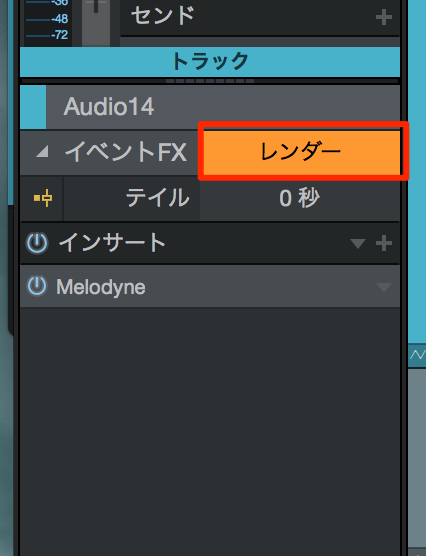
↑ click "Render."
The event is replaced with an audio file that includes the effect.
This frees up the CPU.
You can also undo the render and return the event to its original state.
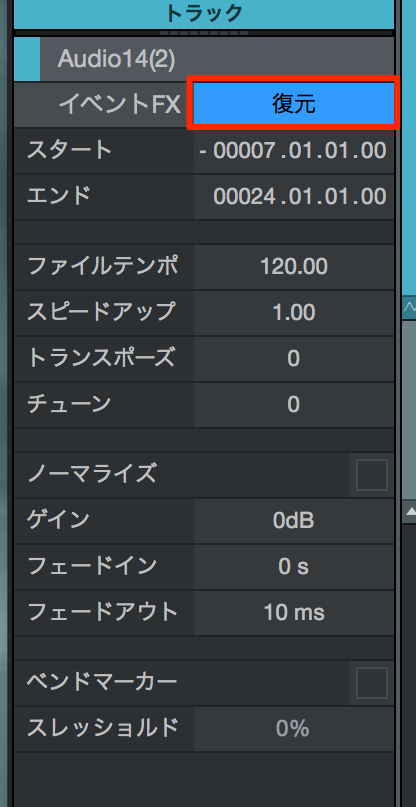
↑ Click "Restore."
You can easily return to the audio event as it was before rendering.

Frequently asked questions
Q1. What is the difference between Event FX and track effects in Studio One?
Event FX applies effects only to a specific audio event, allowing processing of small sections. Track effects, on the other hand, apply to the whole track, so they are not suited to partial processing.
Q2. What are the benefits of rendering effects?
Rendering replaces the effect result with an audio file, greatly reducing CPU usage. This means your system won't slow down even with several effects stacked, so you can keep working comfortably.
Q3. What if I want to change the settings after rendering?
Just click the "Restore" button to easily return to the audio event as it was before rendering. Because editing is non-destructive, you can experiment as many times as you like.
NEW ARTICLES
Latest English Articles











